
1. 서론
The PETKIT Smart Spray Odor Remover K3 is designed to effectively neutralize odors in areas such as cat litter boxes. This device features smart app control via Bluetooth, allowing for scheduled odor removal and a smart lighting system. It is compatible with PETKIT PuraMax and PuraMax 2 automatic self-cleaning cat litter boxes, and can also be used in various other scenarios.
2. 안전 지침
- 장치를 사용하기 전에 모든 지침을 읽으십시오.
- 기기를 물이나 과도한 습기로부터 멀리하십시오.
- 장치를 직접 분해하거나 수리하려고 하지 마십시오. 도움이 필요하면 고객 지원에 문의하세요.
- Use only PETKIT-approved refills for optimal performance and to prevent damage.
- 실수로 삼키거나 오용되는 것을 방지하기 위해 어린이와 애완동물의 손이 닿지 않는 곳에 보관하세요.
- 밀폐된 공간에서 기기를 사용할 때는 적절한 환기가 이루어지도록 하십시오.
3. 패키지 내용
모든 품목이 들어 있는지 확인하려면 패키지를 확인하세요.
- PETKIT Smart Spray Odor Remover K3 Unit
- Odor Remover Refill Cartridge (pre-installed or separate)
- Mark-free Glues for installation
- 사용 설명서 (본 문서)
4. 제품 오버view
The PETKIT Smart Spray Odor Remover K3 is a compact device designed to enhance air quality by neutralizing pet odors. Its key features include:
- 스마트 앱 제어: Connects via Bluetooth to the PETKIT app for remote control and scheduling.
- 스마트 조명 시스템: An integrated light can be controlled via the app, useful for checking the litter box in low-light conditions.
- 분리 가능한 디자인: Allows for easy installation and maintenance.
- Wide Area Deodorization: Designed to distribute odor-neutralizing spray effectively over a large area.

Figure 1: PETKIT Smart Spray Odor Remover K3. This image shows the front view of the white, rectangular device with the PETKIT logo and spray nozzle visible at the top.

Figure 2: Illustration of the device's wide spray coverage. Blue lines emanate from the device, indicating the deodorizing spray reaching a broad area.
5. 설정 지침
5.1 설치
- 위치를 선택하세요: The device can be installed inside compatible PETKIT litter boxes (PuraMax, PuraMax 2) or mounted on a wall near a pet area using the provided mark-free glues. Ensure the spray nozzle is unobstructed.
- 표면 준비: If mounting on a wall, clean and dry the surface thoroughly.
- Attach Glues: Apply the mark-free glues to the back of the Smart Spray Odor Remover.
- 마운트 장치: Press the device firmly onto the chosen surface for several seconds.

Figure 3: Multiple installation scenarios. The image displays the device mounted on a wall above a litter box, a pet bed, and a pet tent, demonstrating its versatility.
5.2 앱 연결(블루투스)
- Download PETKIT App: Download and install the official PETKIT app from your smartphone's app store.
- 계정 생성: Register or log in to your PETKIT account.
- 장치 추가: In the app, select "Add Device" and follow the on-screen instructions to connect to your Smart Spray Odor Remover K3 via Bluetooth. Ensure your phone's Bluetooth is enabled and the device is within range.

Figure 4: Smartphone screen displaying the PETKIT app interface for controlling the Smart Spray. Options for scheduling and device status are visible.
6. 사용 설명서
6.1 냄새 제거
- 자동 모드: If integrated with a compatible PETKIT litter box, the odor remover can be set to spray automatically after the litter box completes a self-cleaning cycle.
- 예약 모드: Use the PETKIT app to set specific times for the device to spray. This allows for customized odor control throughout the day.
- 수동 스프레이: The app may offer an option for an on-demand spray.
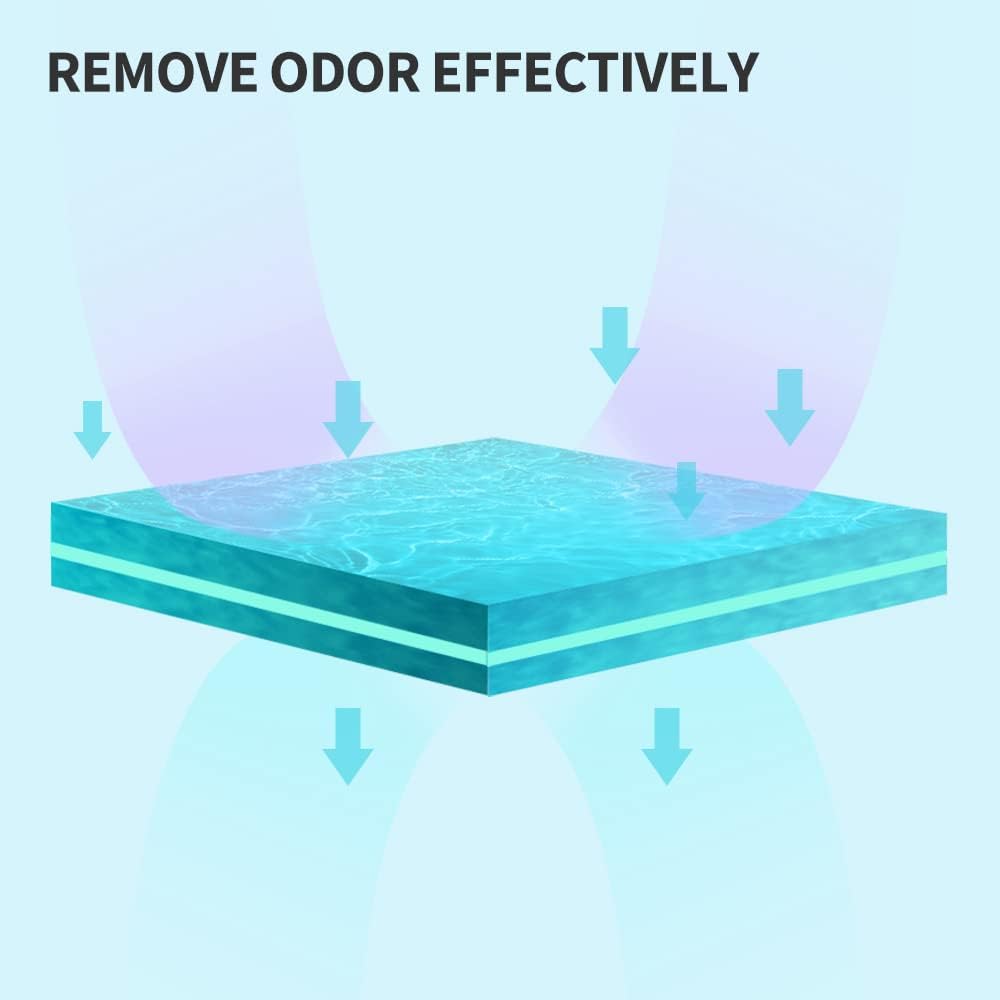
Figure 5: Graphic illustrating the process of odor removal. Arrows indicate the deodorizing agent neutralizing odors from a surface.
6.2 Smart Lighting System
- The integrated light can be turned on or off directly through the PETKIT app. This feature is useful for checking the litter box or pet area in dark environments without disturbing pets with bright room lights.

Figure 6: The Smart Spray device with its bottom-mounted light illuminated, casting a glow on the surface below.
7. 유지관리
7.1 Refilling the Odor Remover
- When the odor remover liquid is low, the PETKIT app will typically notify you.
- To replace, gently detach the main unit from its mounting.
- Locate the refill compartment, remove the empty cartridge, and insert a new PETKIT Air Purifying Refill.
- Ensure the new cartridge is securely in place before reattaching the unit.

Figure 7: Image showing several PETKIT Air Purifying Refill bottles, indicating the product's consumable nature.
7.2 청소
- 기기 외부를 부드러운 천으로 정기적으로 닦아주세요.amp 옷감.
- Ensure no liquid enters the electronic components. If the device is exposed to liquids, especially pet urine, it can cause corrosion and malfunction.
- Periodically check the spray nozzle for any blockages and gently clean if necessary.
8. 문제 해결
| 문제 | 가능한 원인 | 해결책 |
|---|---|---|
| Device not spraying. |
|
|
| Cannot connect to app / Device disconnects frequently. |
|
|
| Device fell off mounting / Adhesive failed. |
|
|
| Odor not effectively removed. |
|
|
9. 사양
| 특징 | 세부 사항 |
|---|---|
| 상표 | 펫킷 |
| 모델 번호 | K3 |
| 제품 치수 | 1.5"D x 2.3"W x 5.5"H (3.8cm D x 5.8cm W x 14cm H) |
| 품목 무게 | 1파운드(약 0.45kg) |
| 컨트롤러 유형 | App Control, Bluetooth Control |
| 특징 | 앱 제어 |
| 스타일 | 분리 가능 |
| 대상 청중 | 집고양이 |
| 첫 번째 가능한 날짜 | 24년 2022월 XNUMX일 |

Figure 8: Compatibility chart showing which PETKIT accessories, including the Smart Spray, are compatible with various PETKIT litter box models.
10. 보증 및 지원
10.1 보증 정보
Specific warranty details for the PETKIT Smart Spray Odor Remover K3 may vary by region and retailer. Please refer to the warranty card included with your product or visit the official PETKIT web최신 보증 정보를 보려면 사이트를 방문하세요.
10.2 고객 지원
For technical assistance, troubleshooting, or general inquiries, please contact PETKIT customer support:
- 이메일: support@petkit.com
- Phone (US Local After-Sales): (888) 851-2770 (9:00 am-12:00 pm & 1:00 pm-6:00 pm CST Mon.-Fri.)


