
1. 서론
This manual provides essential instructions for the proper setup, operation, and maintenance of your TODO Under Desk Treadmill Remote Control. This remote is designed as a replacement for the original remote control of the TODO Under Desk Treadmill, specifically compatible with Model AD-4000.
Please read this manual thoroughly before using the remote control to ensure safe and efficient operation.
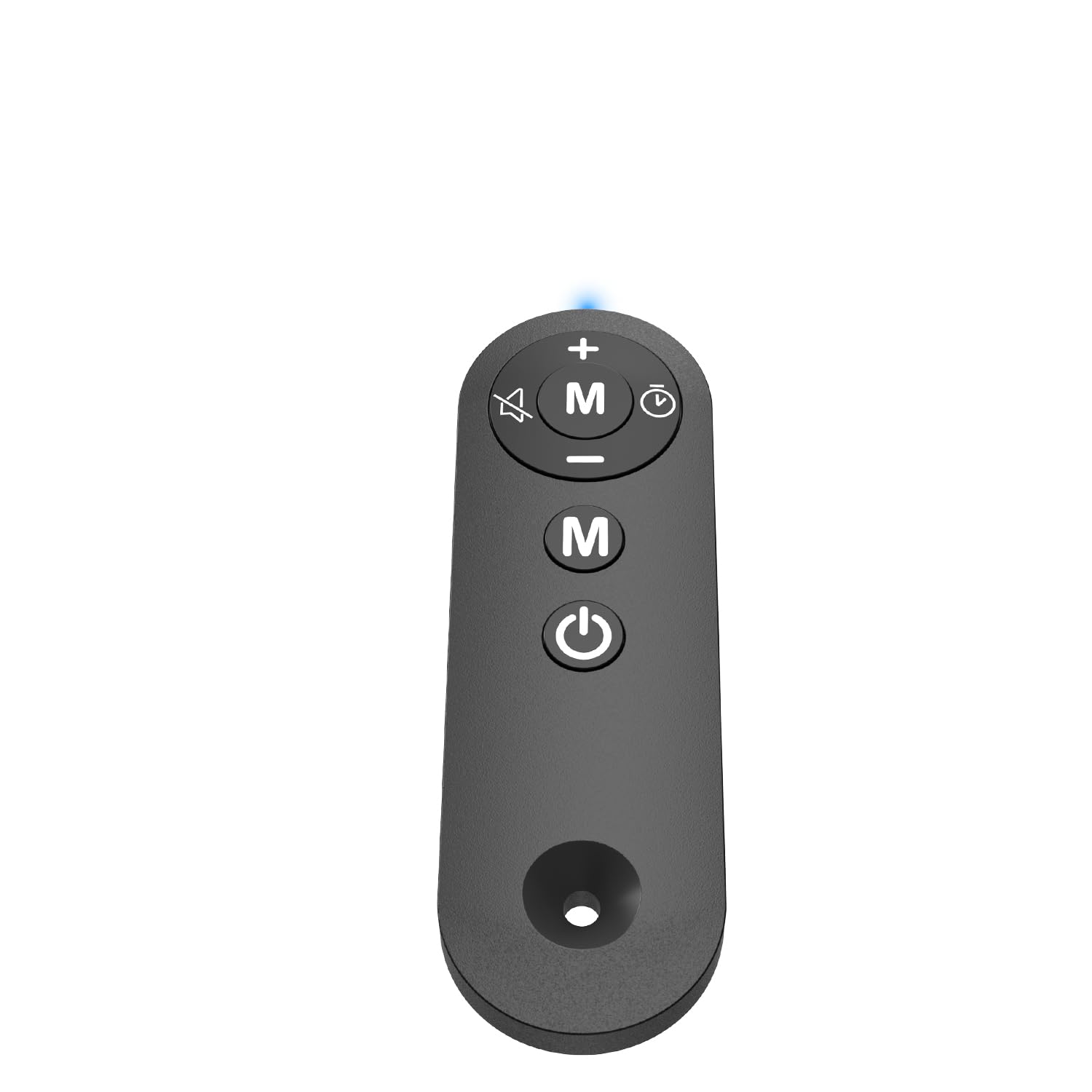
Figure 1: TODO Under Desk Treadmill Remote Control
2. 제품 오버view
The TODO Remote Control is a compact and portable device designed for convenient operation of your compatible under-desk treadmill. It features intuitive buttons for speed adjustment, mode selection, and power control.
2.1. Remote Control Features
- 재료: Acrylonitrile Butadiene Styrene (ABS) for durability.
- 연결성: Infrared (IR) technology for reliable communication with the treadmill.
- Sensitive Buttons: Responsive controls for precise adjustments.
- 휴대성 있는 디자인: 가볍고 다루기 쉽습니다.
비디오 1: 끝view of the Treadmill Remote Control. This video demonstrates the physical features and button layout of the remote control.
3. 설정
3.1. 배터리 설치
리모컨에는 AAA 배터리 두 개가 필요합니다(별매). 배터리를 설치하려면:
- 리모콘 뒷면에 있는 배터리함 덮개를 찾으세요.
- 덮개를 밀어 엽니다.
- AAA 배터리 두 개를 올바른 극성(+ 및 -)에 맞춰 삽입합니다.
- 배터리 덮개를 단단히 닫으세요.
Video 2: Treadmill Remote Control Replacement. This video illustrates the process of opening the battery compartment and inserting batteries.
3.2. 초기 사용
Before first use, remove the insulating plastic sheet located on the side of the remote control. Once removed, the indicator light in front of the remote should illuminate with a blue light, confirming the remote is ready for use.
Video 3: Treadmill Remote Control Replacement. This video demonstrates the removal of the insulating plastic sheet and the remote's activation.
4. 사용 설명서
Point the remote control directly at the treadmill's receiver for optimal performance. The remote allows you to control various functions of your TODO Under Desk Treadmill.
4.1. 버튼 기능
- 전원 버튼(켜기/끄기): 러닝머신을 켜거나 끄려면 누르세요.
- '+' 버튼: 러닝머신 속도를 높입니다.
- '-' 버튼: 러닝머신 속도를 낮춥니다.
- 'M' 버튼(모드): Cycles through different operating modes or programs on the treadmill.
Video 4: Walking Pad Remote Replacement. This video demonstrates the functionality of the remote control buttons with a compatible treadmill.
5. 사양
| 상표 | 할 일 |
| 모델명 | 원격 |
| 제품 치수 | 1.97인치 깊이 x 0.79인치 너비 x 0.28인치 높이 |
| 품목 무게 | 0.07 파운드 |
| 재료 | 아크릴로니트릴 부타디엔 스티렌(ABS) |
| 연결 기술 | 적외선 |
| 전원 | AAA 배터리 2개 사용 (배터리 미포함) |
| 포함된 구성 요소 | 원격 제어 |
6. 문제 해결
6.1. 원격 장치가 응답하지 않음
- 배터리 확인: 배터리가 올바르게 설치되었고 충전량이 충분한지 확인하세요. 필요한 경우 교체하세요.
- Remove Insulating Strip: Verify that the plastic insulating strip has been completely removed from the battery compartment.
- 시선: Ensure there is a clear line of sight between the remote control and the treadmill's receiver. Obstructions can block the infrared signal.
- 호환성: Confirm that your treadmill is a TODO brand, specifically Model AD-4000. This remote is designed for this specific model.
6.2. Indicator Light Not On
- 배터리 설치 및 충전 상태를 확인하십시오.
- Ensure the insulating plastic sheet is removed.
7. 유지관리
리모컨의 수명과 정상적인 작동을 보장하려면 다음 사항을 준수하십시오.
- 리모컨을 깨끗하고 건조하게 유지하세요. 부드러운 천으로 닦아주세요.amp 필요하다면 천을 사용하세요.
- 리모컨을 떨어뜨리거나 강한 충격을 가하지 마십시오.
- 직사광선 및 극한의 온도를 피해 서늘하고 건조한 곳에 보관하세요.
- 장기간 리모컨을 사용하지 않을 경우, 배터리 누출을 방지하기 위해 배터리를 제거하세요.
8. 보증 및 지원
For warranty information or technical support, please refer to the documentation provided with your TODO Under Desk Treadmill or contact TODO customer service directly. Contact information can typically be found on the manufacturer's web웹사이트 또는 원래 제품 포장에 표시되어 있습니다.

Figure 2: TODO Brand Logo