
Dzees D3K
Dzees Solar 보안 카메라 D3K 사용 설명서
모델: D3K
Brand: Dzees
Thank you for choosing the Dzees Solar Security Camera. This manual provides essential information for setting up, operating, and maintaining your device. Please read it thoroughly before use to ensure optimal performance and safety.
1. 서론
The Dzees D3K Solar Security Camera is an advanced wireless outdoor surveillance solution designed for comprehensive home security. It features 2K resolution for clear imaging, 360° pan and 90° tilt capabilities for wide coverage, and is powered by an efficient solar panel for continuous operation. Equipped with intelligent AI detection, color night vision, and an IP66 weather-resistant design, the D3K provides reliable monitoring in various environmental conditions.
주요 특징:
- 2K PTZ Camera: Supports 355° horizontal and 90° vertical rotation with 4X digital zoom for comprehensive coverage.
- 태양열 발전: High-efficiency solar panel ensures continuous power supply, reducing the need for manual charging.
- 스마트 AI 감지: Accurately distinguishes between individuals, packages, vehicles, and animals, minimizing false alarms.
- 알람 기능: Features a loud siren, spotlight, and sound alerts to deter intruders.
- 컬러 나이트 비전: 저조도 환경에서도 선명한 풀컬러 영상을 제공합니다.
- IP66 방수: Designed to withstand various weather conditions, ensuring year-round protection.
- 유연한 스토리지: Supports up to 128GB memory card (not included) and offers 2 years of free 3-day loop cloud storage.
2. 패키지 내용
모든 구성품이 들어 있는지 확인하려면 상자를 풀 때 패키지 내용물을 확인하세요.
- Dzees Solar Security Camera
- 태양광 패널
- 장착 브래킷
- 장착 나사 및 앵커
- USB 충전 케이블
- 사용 설명서 (본 문서)
3. 제품 오버view
Familiarize yourself with the main components of your Dzees Solar Security Camera:

Figure 3.1: Dzees Solar Security Camera D3K and accompanying solar panel.
- 카메라 렌즈: 2K 해상도의 비디오를 촬영합니다.
- 스포트라이트: 컬러 야간 투시 및 억제를 위한 조명을 제공합니다.
- PIR 센서: 적외선 열 신호를 기반으로 움직임을 감지합니다.
- 마이크로폰: 양방향 통신을 위한 오디오를 캡처합니다.
- 스피커: 양방향 통신 및 사이렌용 오디오를 출력합니다.
- Solar Panel Port: Connects the solar panel for continuous charging.
- 재설정 버튼: 카메라를 공장 설정으로 재설정하는 데 사용됩니다.
- 마이크로 SD 카드 슬롯: 로컬 비디오 저장용(최대 128GB 지원, 카드는 포함되지 않음).
- 안테나 : For stable Wi-Fi connectivity.
4. 설정 가이드
4.1 초기 충전
Before initial use, fully charge the camera using the provided USB cable. Connect the USB cable to the camera's charging port and a standard 5V/2A USB power adapter (not included). A full charge typically takes several hours.
4.2 앱 설치
Download and install the "Dzees Home" app on your smartphone or tablet. The app is available on both the Apple App Store and Google Play Store.

Figure 4.1: The Dzees Home app interface, displaying multiple camera feeds and control options.
- 검색 "Dzees Home" in your device's app store.
- 앱을 다운로드하고 설치하세요.
- 새 계정을 등록하거나 이미 계정이 있는 경우 로그인하세요.
4.3 카메라 페어링
Follow these steps to connect your camera to your Wi-Fi network and the Dzees Home app:
- Open the Dzees Home app and tap the "+" icon to add a new device.
- 목록에서 카메라 모델을 선택하세요.
- Power on the camera. The camera will emit a voice prompt indicating it's ready for pairing.
- 앱 내 안내에 따라 카메라를 2.4GHz Wi-Fi 네트워크에 연결하세요. Note: This camera only supports 2.4GHz Wi-Fi.
- 스마트폰 화면에 표시된 QR 코드를 카메라 렌즈로 스캔하세요.
- 연결이 완료되면 카메라가 페어링 성공을 확인하는 메시지를 표시합니다.

Figure 4.2: Illustration of the solar-powered, wire-free setup, emphasizing 2.4GHz WiFi connectivity and solar charging efficiency.
4.4 카메라 장착
Choose a suitable location for mounting your camera, ensuring it has a clear view of the area you wish to monitor and that the solar panel receives adequate direct sunlight throughout the day.
- 장착 브래킷을 본떠서 드릴로 뚫을 위치를 표시하세요.
- 벽돌이나 석고보드에 설치할 경우 구멍을 뚫고 벽 앵커를 삽입하십시오.
- 제공된 나사를 사용하여 장착 브래킷을 벽에 고정합니다.
- 카메라를 장착 브래킷에 부착합니다.
- Connect the solar panel cable to the camera's solar panel port. Position the solar panel to maximize sun exposure.
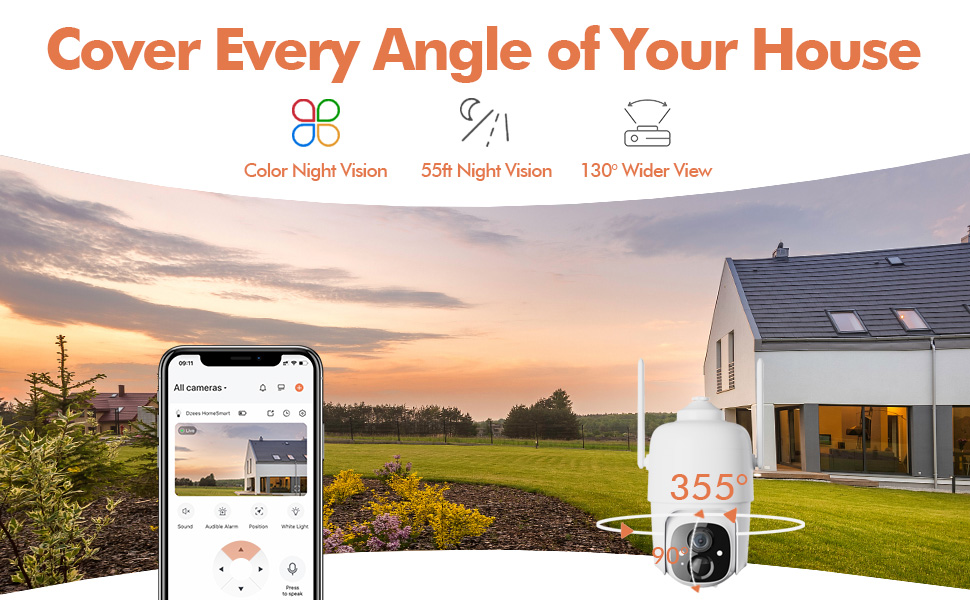
Figure 4.3: The Dzees camera mounted outdoors, showcasing its IP66 weather-resistant design, capable of operating in various weather conditions.

Figure 4.4: The camera's advanced PIR motion detection in action, highlighting its ability to detect movement within a specified zone.
5. 카메라 작동
5.1 라이브 View 및 재생
실시간 영상 피드를 시청하고 다시 보기view recorded events through the Dzees Home app.
- From the app's home screen, tap on the camera's thumbnail to enter the live view 인터페이스.
- Use the timeline or event list to navigate and play back recorded footage.

Figure 5.1: The Dzees Home app displaying live camera feed with controls for pan, tilt, digital zoom, and night vision settings.
5.2 팬, 틸트, 줌(PTZ)
카메라 제어 viewing angle directly from the app:
- 라이브에서 view, use the directional controls to pan (355° horizontal) and tilt (90° vertical) the camera.
- Pinch to zoom in or out for 4X digital zoom. Note: This is digital zoom, not optical zoom.
- Set up to 5 preset points for quick navigation to frequently monitored areas.

Figure 5.2: Illustration of setting up and utilizing up to 5 preset positions for rapid camera view 조정.
5.3 동작 감지 및 알림
Customize your detection settings to receive relevant alerts:
- 앱에서 카메라 설정으로 이동하세요.
- Enable AI detection to differentiate between people, packages, vehicles, and animals.
- Define custom activity zones to focus detection on specific areas and ignore others.
- Adjust detection sensitivity to reduce unwanted notifications.
- 움직임이 감지되면 휴대전화로 즉시 푸시 알림을 받으세요.
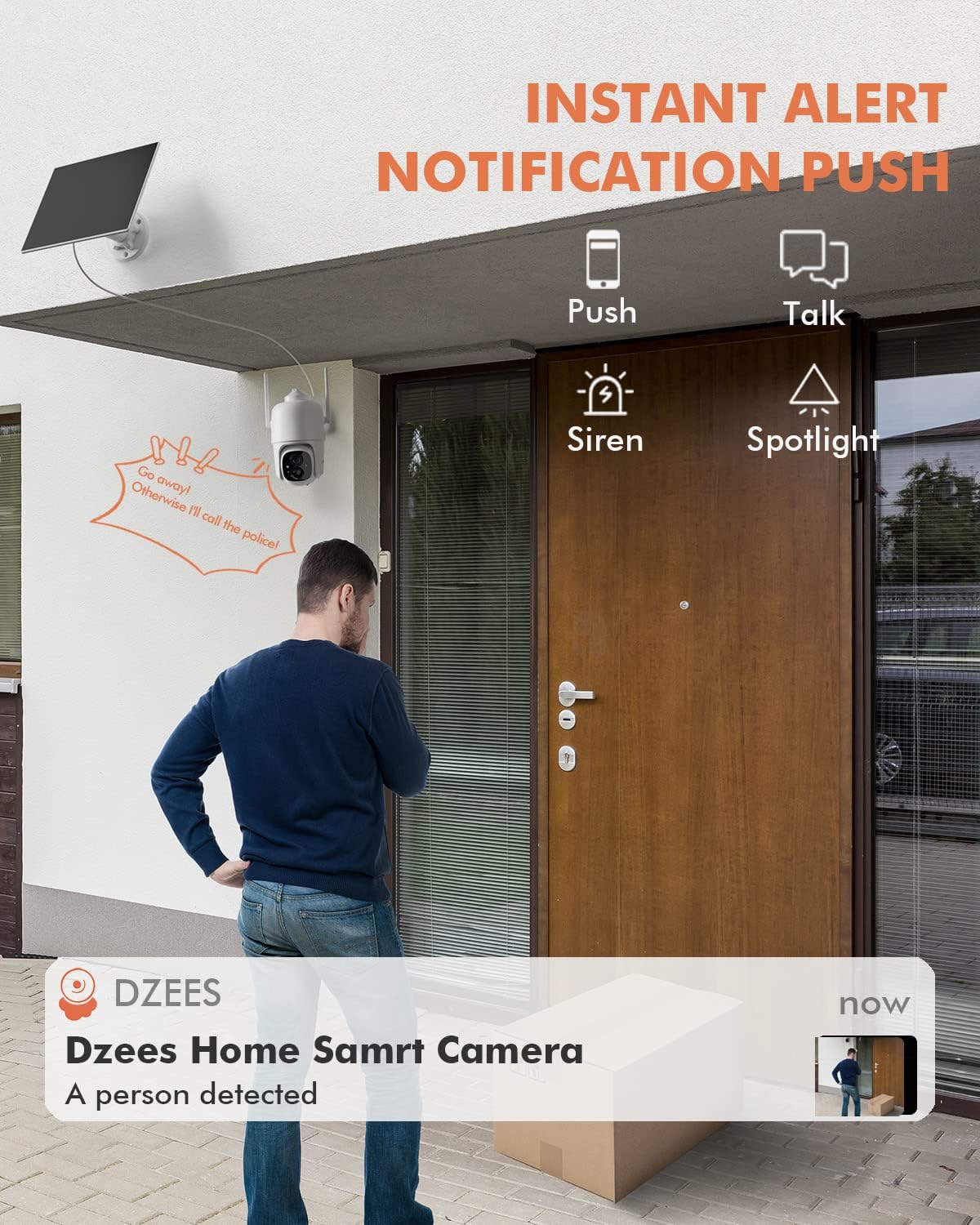
그림 5.3: 예ample of an instant push notification received on a smartphone when the camera detects a person.
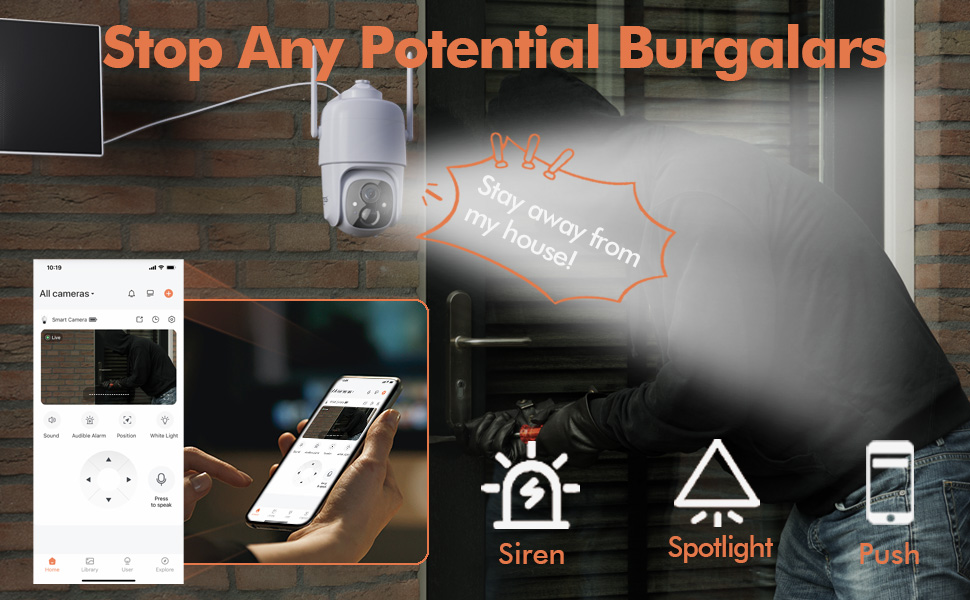
Figure 5.4: Detailed motion detection settings within the Dzees app, allowing for customization of detection zones and sensitivity.
5.4 양방향 오디오
Communicate with visitors or deter intruders using the camera's built-in microphone and speaker:
- 라이브에서 view, 마이크 아이콘을 탭하여 카메라를 통해 말하세요.
- 카메라 위치에서 녹음된 오디오를 들으려면 스피커 아이콘을 탭하세요.
5.5 스포트라이트와 사이렌
Enhance security with active deterrence features:
- Manually activate the spotlight or siren from the live view interface in the app.
- Configure automatic activation of the spotlight or siren upon motion detection in the camera settings.
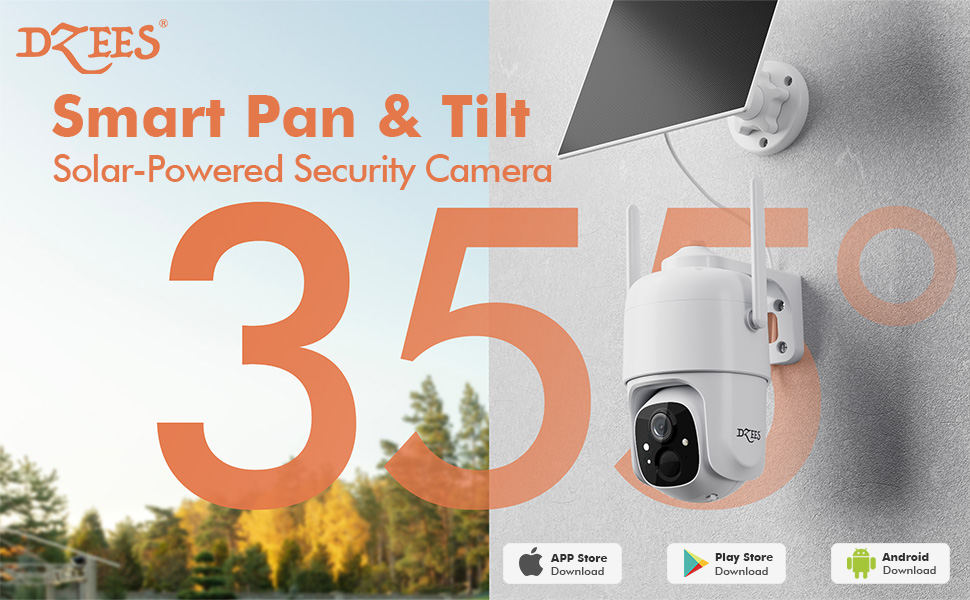
Figure 5.5: The camera's active deterrence features, including siren, spotlight, and instant push notifications, designed to deter potential intruders.
5.6 저장 옵션
Your Dzees camera offers flexible storage solutions for your recordings:
- 로컬 스토리지: Insert a Micro SD card (up to 128GB, not included) into the camera's SD card slot for continuous or event-based recording.
- 클라우드 스토리지: Enjoy 2 years of free 3-day loop cloud storage. A 30-day trial of the Plus Plan is available for new users, offering upgraded cloud storage and advanced AI features.

Figure 5.6: The camera's support for both local Micro SD card storage (up to 128GB) and free 3-day cloud storage.
6. 유지관리
Regular maintenance ensures the longevity and optimal performance of your Dzees Solar Security Camera:
- Cleaning the Lens and Solar Panel: 카메라 렌즈와 태양 전지 패널을 부드러운 천으로 주기적으로 닦아주세요.amp cloth to remove dust, dirt, or debris. This ensures clear video quality and efficient solar charging.
- 배터리 상태 확인: Monitor the battery level in the Dzees Home app. Ensure the solar panel is receiving sufficient direct sunlight to maintain charge.
- 펌웨어 업데이트: The Dzees Home app will notify you of available firmware updates. It is recommended to update the camera's firmware to ensure you have the latest features and security enhancements. Follow the in-app instructions for updating.
7. 문제 해결
If you encounter issues with your Dzees Solar Security Camera, refer to the following common problems and solutions:
7.1 카메라가 Wi-Fi에 연결되지 않음
- Wi-Fi 네트워크가 2.4GHz인지 확인하세요. 카메라는 5GHz Wi-Fi를 지원하지 않습니다.
- 카메라 설치 위치에서 Wi-Fi 신호 강도를 확인하세요. 신호가 약하면 카메라를 라우터에 더 가까이 이동하세요.
- 올바른 Wi-Fi 비밀번호를 입력했는지 확인하세요.
- Try resetting the camera by pressing and holding the reset button for 5 seconds until you hear a prompt. Then, attempt pairing again.
7.2 Battery Not Charging or Draining Quickly
- 태양광 패널이 카메라에 단단히 연결되어 있는지 확인하십시오.
- Verify that the solar panel is positioned to receive direct sunlight for several hours daily, without any obstructions (e.g., trees, eaves).
- Clean the surface of the solar panel regularly to remove dirt or dust that may hinder charging efficiency.
- In prolonged cloudy or rainy weather, the battery may drain. Consider temporarily charging the camera via USB if needed.
7.3 과도한 오경보
- Adjust the motion detection sensitivity in the Dzees Home app to a lower setting.
- Utilize the activity zone feature to exclude areas with frequent irrelevant motion (e.g., busy streets, swaying trees).
- Enable AI detection to filter out non-human movements.
7.4 이미지 품질이 좋지 않음
- 부드럽고 보푸라기가 없는 천으로 카메라 렌즈를 닦으세요.
- Ensure a strong Wi-Fi connection for optimal streaming quality.
- Check for any physical obstructions in front of the lens.
7.5 No Night Vision
- Verify that night vision mode is enabled in the Dzees Home app settings.
- Ensure the camera's spotlights are not obstructed.
If the issue persists after trying these solutions, please contact Dzees customer support for further assistance.
8. 기술 사양
| 특징 | 사양 |
|---|---|
| 모델 번호 | 디3K |
| 비디오 해상도 | 2K / 3MP |
| 팬 각도 | 355° |
| 기울기 각도 | 90° |
| 디지털 줌 | 4X |
| 나이트 비전 범위 | Up to 55 feet (Color Night Vision supported) |
| 내후성 | IP66 |
| 전원 | Solar Powered (with built-in rechargeable battery) |
| 연결성 | 2.4GHz Wi-Fi, 블루투스 |
| 로컬 스토리지 | 마이크로 SD 카드(최대 128GB, 별도 구매) |
| 클라우드 스토리지 | Free 3-day loop storage (2 years included) |
| 치수(길이 x 너비 x 높이) | 5.8 x 7 x 8 인치 |
| 무게 | 1.06파운드(480그램) |
| 재료 | 아크릴로니트릴 부타디엔 스티렌(ABS) |
9. 보증 및 지원
Dzees is committed to providing high-quality products and excellent customer service.
- 보증: Your Dzees Solar Security Camera comes with 2 years of after-sales support, ensuring peace of mind.
- 기술 지원: An experienced technical team is available for 24/7 lifetime support. For any inquiries or assistance, please contact Dzees customer service.
- 온라인 리소스: Visit the official Dzees Store for more product information, FAQs, and support resources: Dzees Store on Amazon.
Ask a question about this manual
Ask about setup, troubleshooting, compatibility, parts, safety, or missing instructions. Manuals+ will review the question and use this page’s manual context to help answer it.