
1. 안전 정보
본 제품을 사용하기 전에 모든 안전 지침을 읽고 이해하십시오. 지침을 따르지 않을 경우 감전, 화재 또는 심각한 부상이 발생할 수 있습니다.
- 실내에서만 사용 가능: This surge protector is designed for indoor use in dry locations. Do not use it outdoors or in wet environments.
- 과부하를 피하세요: Do not exceed the electrical ratings of 15A, 125V, or 1875W. Overloading can cause overheating and fire.
- 접지 콘센트: Only plug the surge protector into a properly grounded 3-prong wall outlet.
- 어린이와 애완동물: 어린이와 애완동물의 손이 닿지 않는 곳에 보관하세요.
- 점검: Regularly inspect the surge protector for any damage. Do not use if damaged.

2. 제품 오버view
The BN-LINK BNC-60/U168 is a versatile wall outlet extender designed to expand your power options while providing surge protection for your electronic devices. It features a compact design that plugs directly into a standard wall outlet, converting it into multiple power sources.

주요 특징:
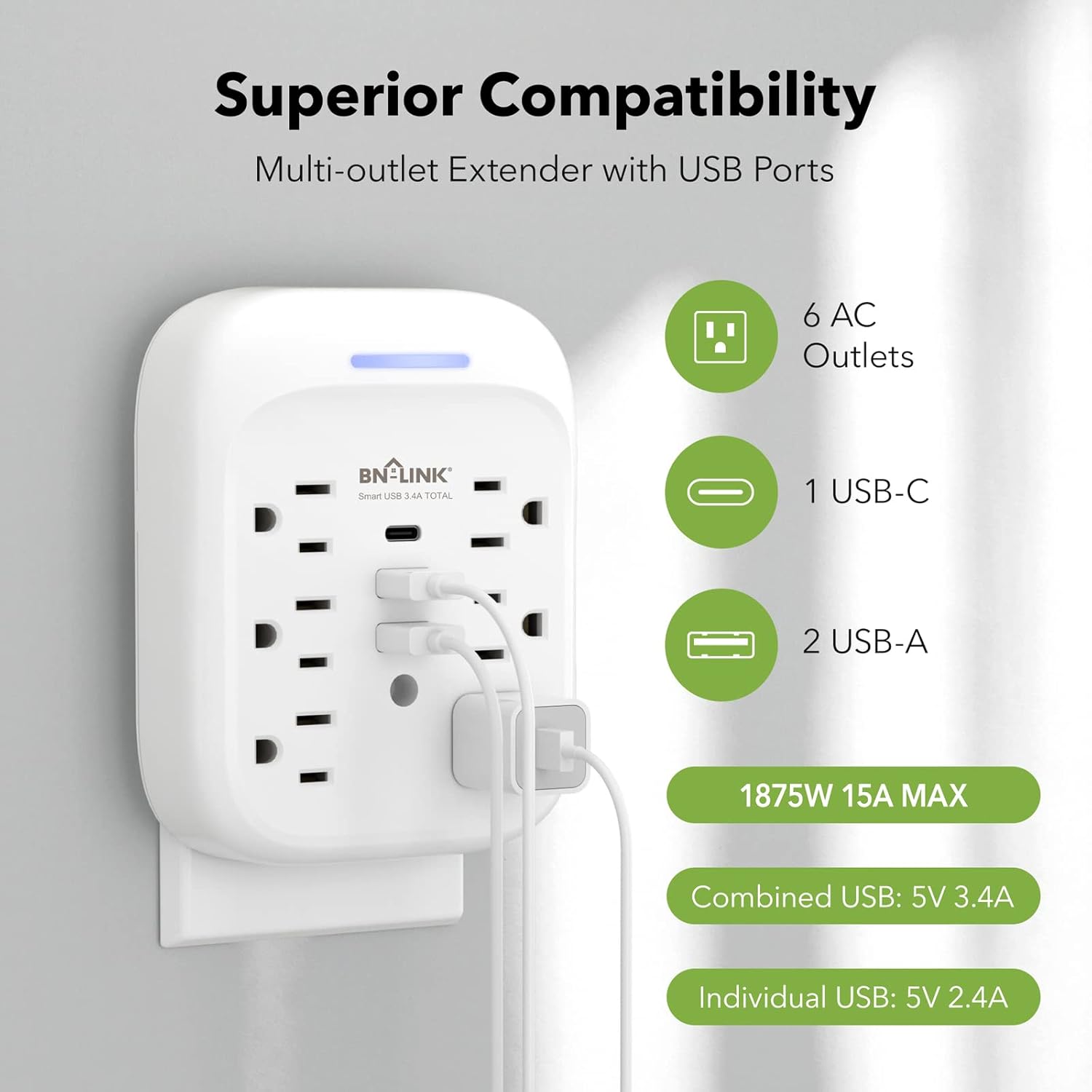
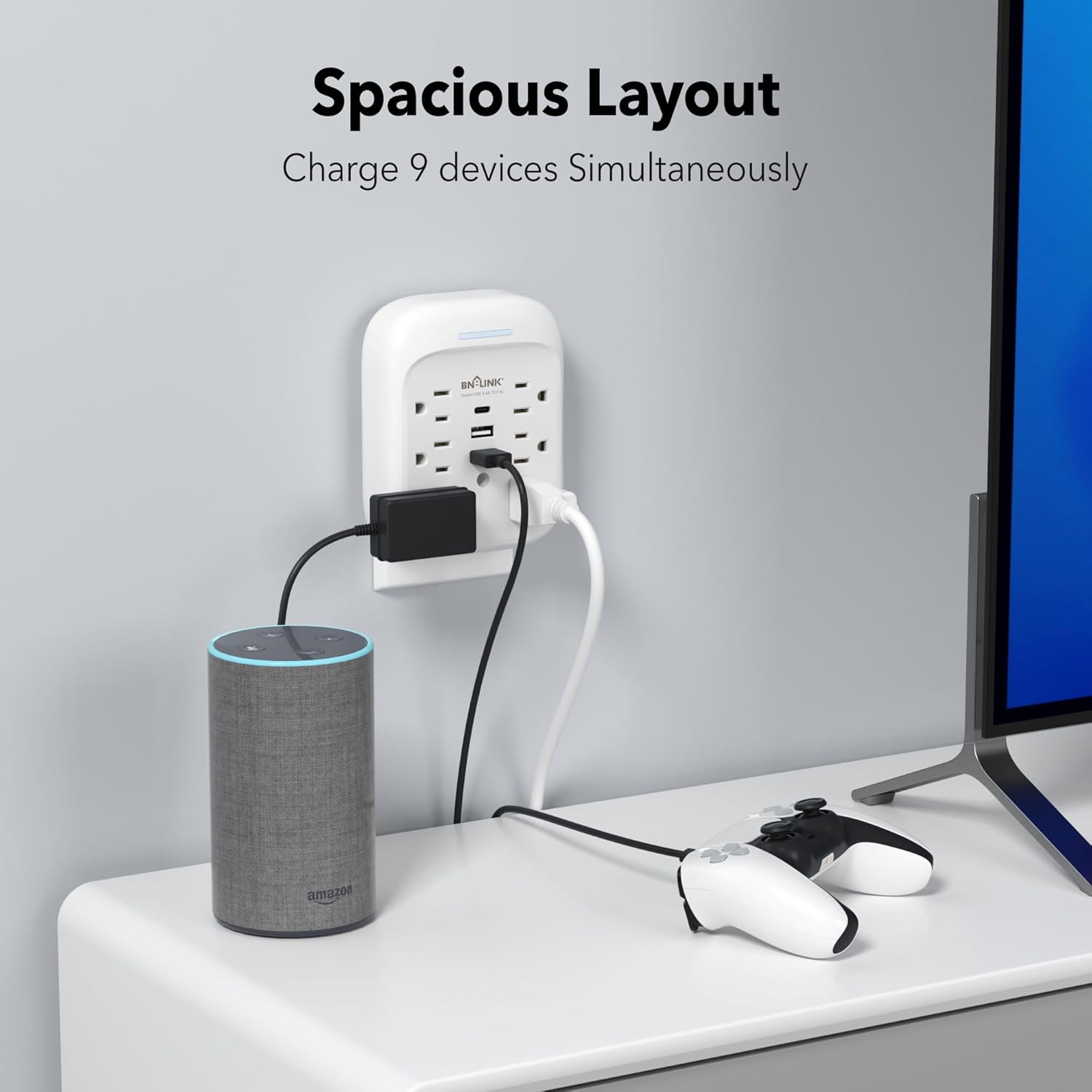
- 9가지 기능을 하나로! 전력 솔루션 Provides 6 AC outlets (15A/125V/1875W) and 3 USB ports (1 USB-C, 2 USB-A) for a total of 9 charging options.
- 고급 서지 보호: Equipped with an 1800 Joule surge protection rating to safeguard your electronics from voltage spikes. Built-in safeguards protect against over-current, over-charging, and over-heating.
- USB 충전: Includes one USB-C port (up to 5V/3.4A total) and two USB-A ports (up to 5V/2.4A per port), with a combined total USB output of 5V/3.4A.
- Stable Wall-Mounted Design: Features a stable design with a mounting screw to securely fasten it to the wall outlet, preventing accidental dislodgement. A cuttable stabilizing post is also included for compatibility with various outlet types.
- 접지 표시기: A blue indicator light confirms that your devices are grounded and protected.

3. 설치
Follow these steps to properly install your BN-LINK Surge Protector:
- 콘센트 준비: Ensure the wall outlet is a standard 3-prong grounded outlet. If your existing wall plate has a screw in the center, remove it using a screwdriver.
- 플러그인: Carefully align the prongs of the surge protector with the wall outlet and push firmly until it is fully seated.
- 나사로 고정: Insert the provided mounting screw into the center hole of the surge protector and tighten it to secure the unit to the wall plate. This enhances stability and prevents the unit from pulling out.
- 표시 확인: Once plugged in and powered, the blue indicator light on the top of the unit will illuminate, confirming that the product is on and your devices are protected.

4. 운영
설치가 완료되면 서지 보호기를 바로 사용할 수 있습니다. 기기를 사용 가능한 AC 콘센트와 USB 포트에 연결하기만 하면 됩니다.
- AC 콘센트: Use the 6 AC outlets for standard electronic devices such as laptops, lamps, and small appliances. Ensure the total wattage는 1875W를 초과하지 않습니다.
- USB 포트: Utilize the 1 USB-C and 2 USB-A ports for charging smartphones, tablets, smartwatches, and other USB-powered devices. The USB-C port provides up to 5V/3.4A, and each USB-A port provides up to 5V/2.4A, with a total combined USB output of 5V/3.4A.
- 충전 효율: The smart USB ports automatically detect your device to deliver optimal charging speed.

5. 유지관리
To ensure the longevity and safe operation of your surge protector, follow these maintenance guidelines:
- 청소: 청소하기 전에 벽면 콘센트에서 제품을 분리하세요. 부드럽고 마른 천으로 외부를 닦으세요. 액체 세제나 연마제를 사용하지 마세요.
- 저장: When not in use for extended periods, store the surge protector in a cool, dry place away from direct sunlight and moisture.
- 손상을 방지하세요: 제품을 떨어뜨리거나 분해하거나 직접 수리하려고 하지 마십시오. 이는 보증을 무효화하고 안전상의 위험을 초래할 수 있습니다.
6. 문제 해결
If you encounter issues with your BN-LINK Surge Protector, refer to the following common problems and solutions:
- No Power/Blue Indicator Off:
- Ensure the surge protector is firmly plugged into a working, grounded wall outlet.
- Check if the wall outlet itself is functioning by plugging in another device.
- If the blue indicator light remains off, the surge protection may have been compromised due to a significant power surge. The unit may still function as an outlet extender but without surge protection. Replace the unit if surge protection is desired. - 장치가 충전되지 않음:
- Verify that the device's charging cable is properly connected to both the device and the surge protector's USB port or AC outlet.
- Try a different USB port or AC outlet on the unit.
- Test the device and cable with a different power source to rule out issues with the device or cable. - 과열:
- Disconnect all devices immediately. The unit may be overloaded. Reduce the number of connected devices or their combined power draw.
- 기기 주변에 적절한 환기가 이루어지도록 하십시오.
문제가 지속되면 고객 지원에 문의하여 도움을 받으세요.
7. 사양
| 특징 | 사양 |
|---|---|
| 상표 | 비앤링크 |
| 모델 | BNC-60/U168 |
| 전기 등급 | 125VAC/60Hz, 15A, 1875W |
| 서지 에너지 등급 | 1800 줄 |
| 총 AC 콘센트 | 6 |
| USB-C 출력 | 5V/3.4A (총계) |
| USB-A 출력 | 5V/2.4A (Max Per Port) |
| 총 USB 출력 | 5V/3.4A |
| 재료 | 폴리카보네이트(PC) |
| 전원 플러그 유형 | B형 - 3핀(북미) |
| 품목 무게 | 0.55 파운드 |
| 색상 | 하얀색 |

8. 보증 및 지원
BN-LINK stands behind the quality of its products. This surge protector comes with a 15개월 보증 구매일로부터.
For technical assistance, troubleshooting, or any questions regarding your product, please contact BN-LINK customer support. Our team is available 24/7 to provide friendly and helpful service.
연락처 정보: Please refer to the product packaging or the official BN-LINK web최신 연락처 정보는 사이트에서 확인하세요.