
1. 서론
This manual provides comprehensive instructions for the installation, operation, and maintenance of your MUBVIEW Adjustable Angle Mount. This accessory is designed to enhance the viewing capabilities of your compatible video doorbell by allowing precise angle adjustments.

Figure 1: MUBVIEW Doorbell with Adjustable Angle Mount installed.
2. 호환성
더 머브VIEW Adjustable Angle Mount is specifically designed for use with the following MUBVIEW video doorbell models:
- 허브VIEW J7 Doorbell
- 허브VIEW J9 Doorbell
- 허브VIEW J9 Plus Doorbell
Ensure your doorbell model is listed above for proper fit and function.

Figure 2: Visual representation of compatible MUBVIEW doorbell models (J7, J9, J9 Plus).
3. 주요 특징
- 조절할 수 있는 View각도: Allows horizontal adjustment from 25 to 50 degrees to optimize your doorbell's field of view.
- 향상된 동작 감지: Improves the doorbell's ability to detect motion by providing a broader or more targeted view지역입니다.
- 내구성 있는 구조: Manufactured from rugged materials designed to withstand various outdoor weather conditions.
- 간편한 설치: Designed for straightforward installation, typically completed within 10-15 minutes with included hardware.
4. 패키지 내용
설치를 시작하기 전에 모든 구성 요소가 있는지 확인하세요.
- 허브VIEW 조정 가능한 각도 마운트
- Mounting Screws (Stainless Steel)
- Wall Anchors (if applicable)
- 설치 가이드(본 문서)
5. 설치 가이드
Follow these steps to install your MUBVIEW Adjustable Angle Mount:
- 장착 표면 준비: Choose a suitable location on your wall where the doorbell will be installed. Ensure the surface is clean and stable.
- Attach the Angle Mount: Position the angle mount at the desired location. Use the provided screws to secure the mount to the wall. If mounting on masonry or drywall, use appropriate wall anchors.
- 각도 조정: Loosen the adjustment screw on the side of the mount. Rotate the doorbell to achieve the desired horizontal viewing angle (between 25 and 50 degrees). Once the angle is set, tighten the adjustment screw firmly to secure the position.
- 초인종을 설치하세요: Attach your compatible MUBVIEW J7, J9, or J9 Plus doorbell onto the adjustable angle mount according to your doorbell's specific mounting instructions. Ensure it is securely fastened.
- 테스트 기능: Verify that the doorbell is securely mounted and that the camera's field of view is optimized for your needs.
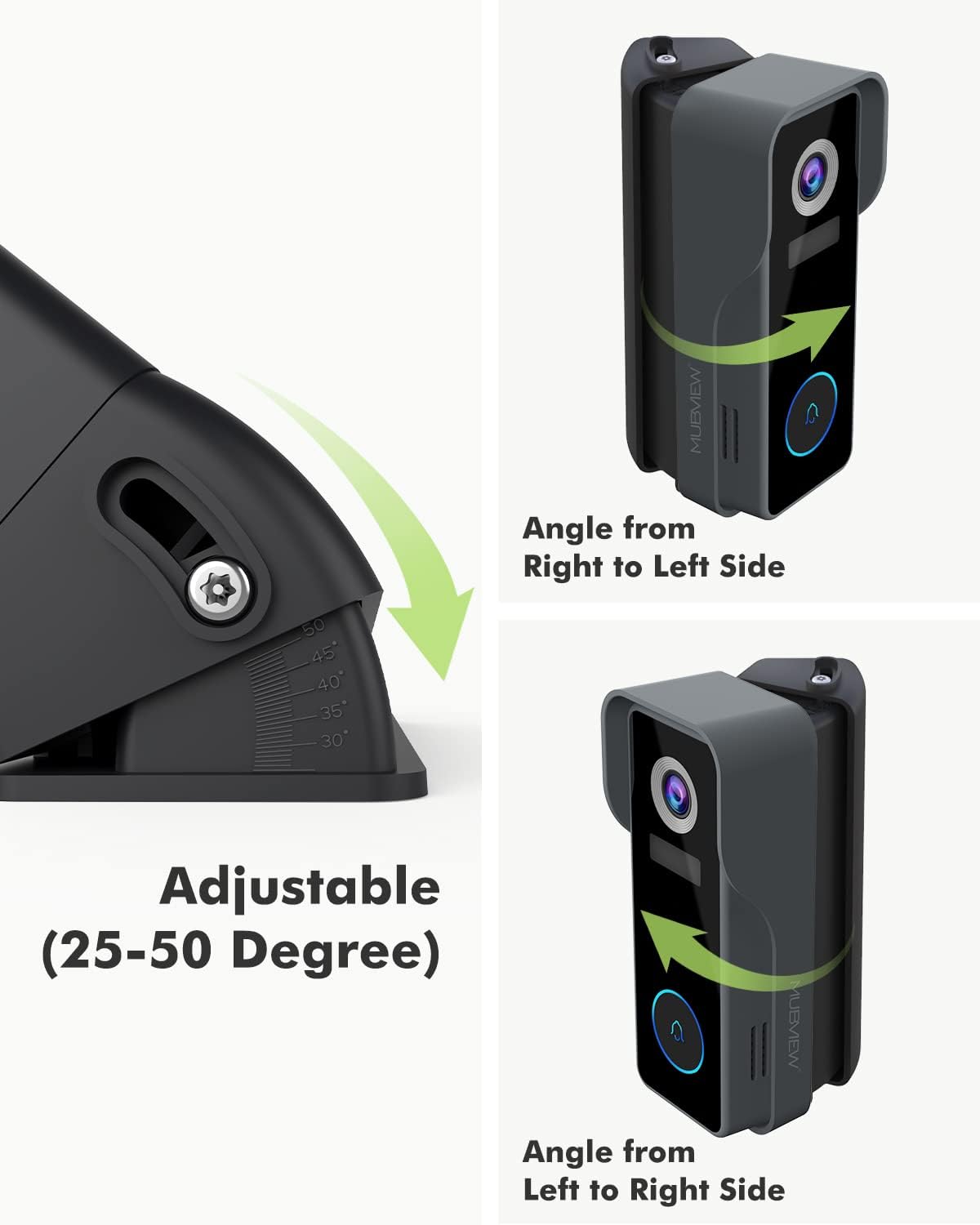
Figure 3: Illustration of the adjustable angle mechanism, allowing rotation from 25 to 50 degrees.

그림 4: 예ample of the MUBVIEW Adjustable Angle Mount with doorbell securely installed on a wall.

Figure 5: Comparison demonstrating the expanded visible area achieved with the angle mount versus without it.
6. 운영
The primary function of the MUBVIEW Adjustable Angle Mount is to provide flexible positioning for your doorbell camera. Once installed, you can fine-tune the horizontal view잉 각도:
- To adjust the angle, gently loosen the adjustment screw located on the side of the mount.
- Carefully rotate the doorbell and mount assembly to the left or right until the desired field of view is achieved. The mount allows for adjustments between 25 and 50 degrees.
- Once the optimal angle is found, securely tighten the adjustment screw to lock the position. This ensures the doorbell remains stable and maintains its set view잉 각도.
7. 유지관리
더 머브VIEW Adjustable Angle Mount is constructed from durable, weather-resistant materials designed for outdoor use. Minimal maintenance is required:
- 청소: Periodically wipe the mount with a soft, damp cloth to remove dust, dirt, or debris. Avoid using harsh chemicals or abrasive cleaners, as these may damage the finish.
- 점검: Occasionally check the mounting screws to ensure they remain tight and secure. Re-tighten if necessary.
8. 문제 해결
If you encounter issues with your MUBVIEW Adjustable Angle Mount, consider the following:
- 마운트가 느슨해진 느낌: Ensure all mounting screws are securely tightened. If installed with wall anchors, verify they are properly seated in the wall.
- 각도 조절이 어렵습니다. Check that the adjustment screw is sufficiently loosened before attempting to rotate the mount. Do not force the rotation.
- 가난한 viewing angle after adjustment: Re-adjust the angle as described in the "Operation" section. Use your doorbell's live view feature to confirm the optimal field of view.
9. 사양
| 상표 | 허브VIEW |
| 모델 | 조정 가능한 각도 마운트 |
| 장착 유형 | 벽걸이형 |
| 조정 가능한 각도 범위 | 25 to 50 degrees (horizontal) |
| 재료 | Stainless Steel (screws), Rugged Composite (mount) |
| 품목 무게 | 3.52 온스 |
| 패키지 크기 | 5.12 x 3.19 x 1.73 인치 |
| 제조업체 | 허브VIEW |
| 첫 번째 이용 가능 날짜 | 22년 2022월 XNUMX일 |
10. 보증 및 지원
허브VIEW products are designed for reliability and performance. For specific warranty information or technical support, please refer to the documentation included with your original MUBVIEW doorbell or visit the official MUBVIEW web대지. 보증 청구를 위해 구매 영수증을 보관하십시오.