
Lloyd's LC-1330
Lloyd's Advanced Video Doorbell Camera
모델: LC-1330
소개
This manual provides detailed instructions for the installation, operation, and maintenance of your Lloyd's Advanced Video Doorbell Camera LC-1330. This wireless outdoor security device features Full HD 1080P video, two-way audio, night vision, and motion detection to enhance your home security.
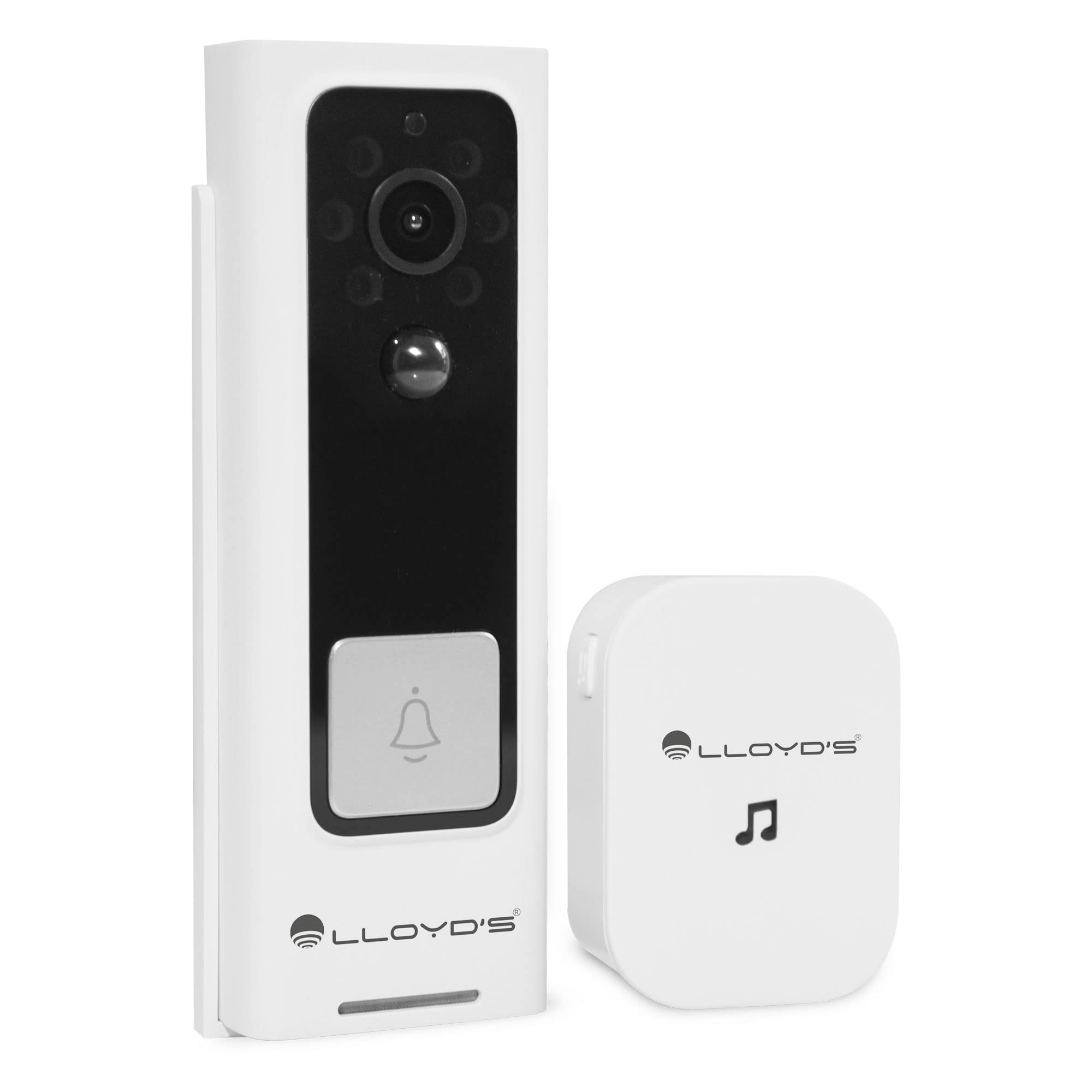
Figure 1: Lloyd's Advanced Video Doorbell Camera LC-1330 and Chime in packaging.
패키지 내용
아래 나열된 모든 품목이 패키지에 포함되어 있는지 확인하세요.
- 1 x Lloyd's Wi-Fi Video Doorbell Camera (LC-1330)
- 1 x Wireless Chime
- 2 x 18650 Rechargeable Batteries (pre-installed in doorbell)
- 1 x USB 충전 케이블
- 1 x 장착 브래킷
- 1 x Mounting Screw Kit (screws, wall anchors)
- 1 x Reset Pin / Ejector Tool
- 1 x 사용자 설명서
품목이 누락되었거나 손상된 경우 고객 지원팀에 문의하세요.
제품 끝view
Familiarize yourself with the components of your video doorbell and chime:
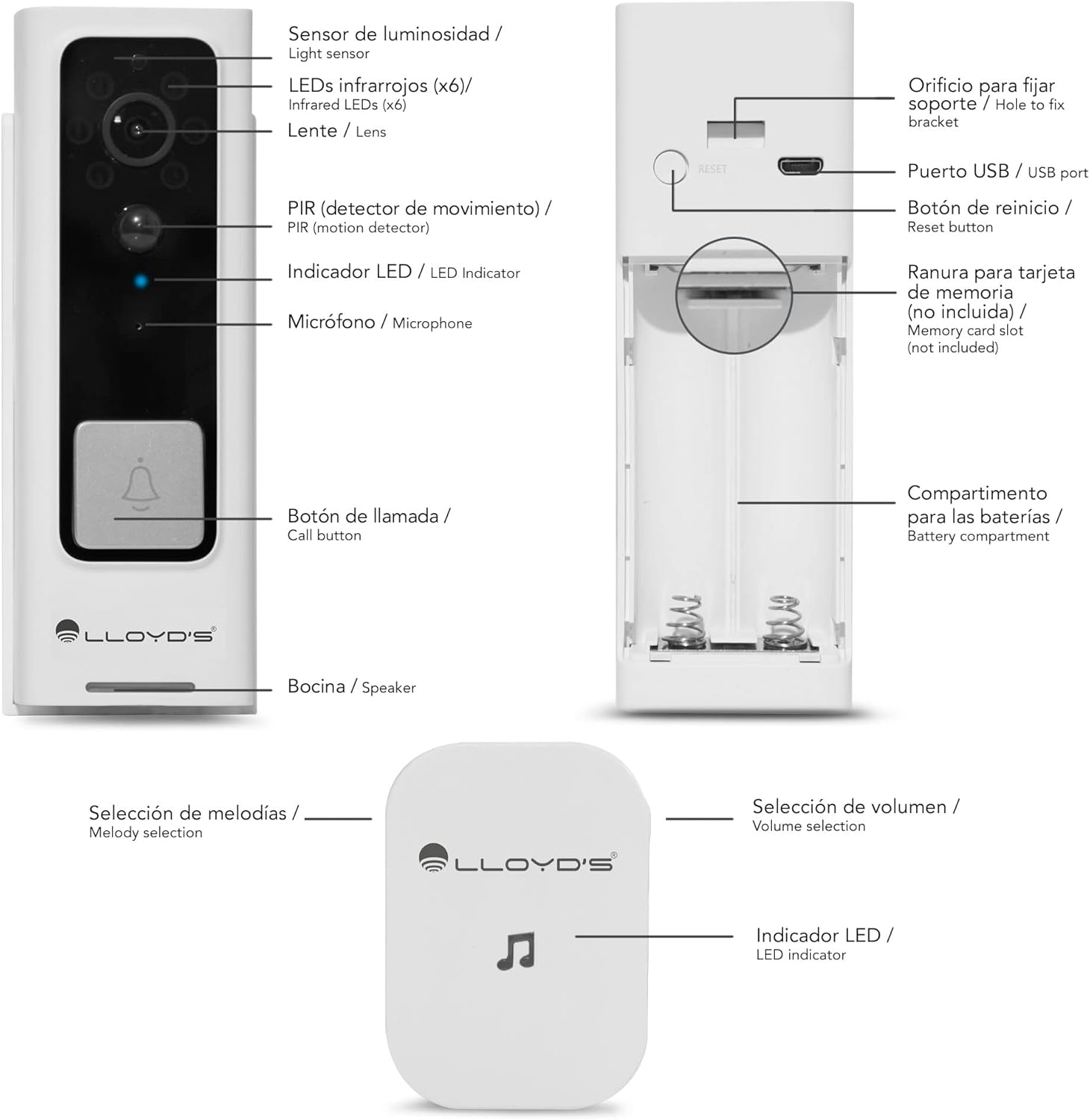
Figure 2: Doorbell Camera and Chime Components.
- 조도 센서: 주변광을 감지하여 자동으로 야간 시야를 활성화합니다.
- Infrared LEDs (x6): 야간 투시를 위한 조명을 제공합니다.
- 렌즈: Captures Full HD 1080P video with a 140° view잉 각도.
- PIR (Motion Detector): Detects human motion to trigger alerts.
- LED 표시등: Shows device status (e.g., charging, recording, network).
- 마이크로폰: 양방향 통신을 위한 오디오를 캡처합니다.
- 호출 버튼: Pressed by visitors to alert you.
- 스피커: 양방향 통신을 위한 오디오 출력을 제공합니다.
- USB 포트: For charging the doorbell's internal battery.
- 재설정 버튼: 장치를 공장 설정으로 재설정하는 데 사용됩니다.
- 메모리 카드 슬롯: Supports Micro SD cards up to 128GB for local storage.
- 배터리 칸: Houses the two 18650 rechargeable batteries.
- Melody Selection (Chime): Button to change the chime melody.
- Volume Selection (Chime): Button to adjust the chime volume (5 levels, max 100dB).
- LED Indicator (Chime): 차임 상태를 보여줍니다.
설정
1. 초기 충전
Before first use, fully charge the doorbell camera. Open the rubber cover on the side to access the USB port. Connect the doorbell to a 5V DC power source using the provided USB cable. The LED indicator will show charging status.
2. 앱 다운로드 및 계정 생성
Download the 'Lloyd's Smart' app from the App Store (iOS) or Google Play Store (Android). Create an account and log in.
3. 기기 페어링
- Open the 'Lloyd's Smart' app and tap '+' to add a new device.
- Select 'Video Doorbell' from the device list.
- Follow the in-app instructions to connect the doorbell to your 2.4GHz Wi-Fi network. This typically involves pressing the reset/sync button on the doorbell and scanning a QR code generated by the app.
4. 차임벨 설정
The wireless chime operates on 3 AAA batteries (not included). Insert the batteries into the chime. The chime will automatically pair with the doorbell once the doorbell is successfully connected to the app. You can select melodies and adjust volume using the buttons on the chime.
5. 설치
The doorbell can be installed using screws or adhesive tape. For secure installation, screw mounting is recommended.
- Remove the back cover from the doorbell using the provided ejector tool.
- Position the back cover on your desired mounting surface (door frame or wall) and mark the screw holes.
- 필요한 경우 파일럿 구멍을 뚫고 벽 앵커를 삽입합니다.
- Secure the back cover to the surface with screws.
- Attach the doorbell camera to the secured back cover. Ensure it clicks into place securely.
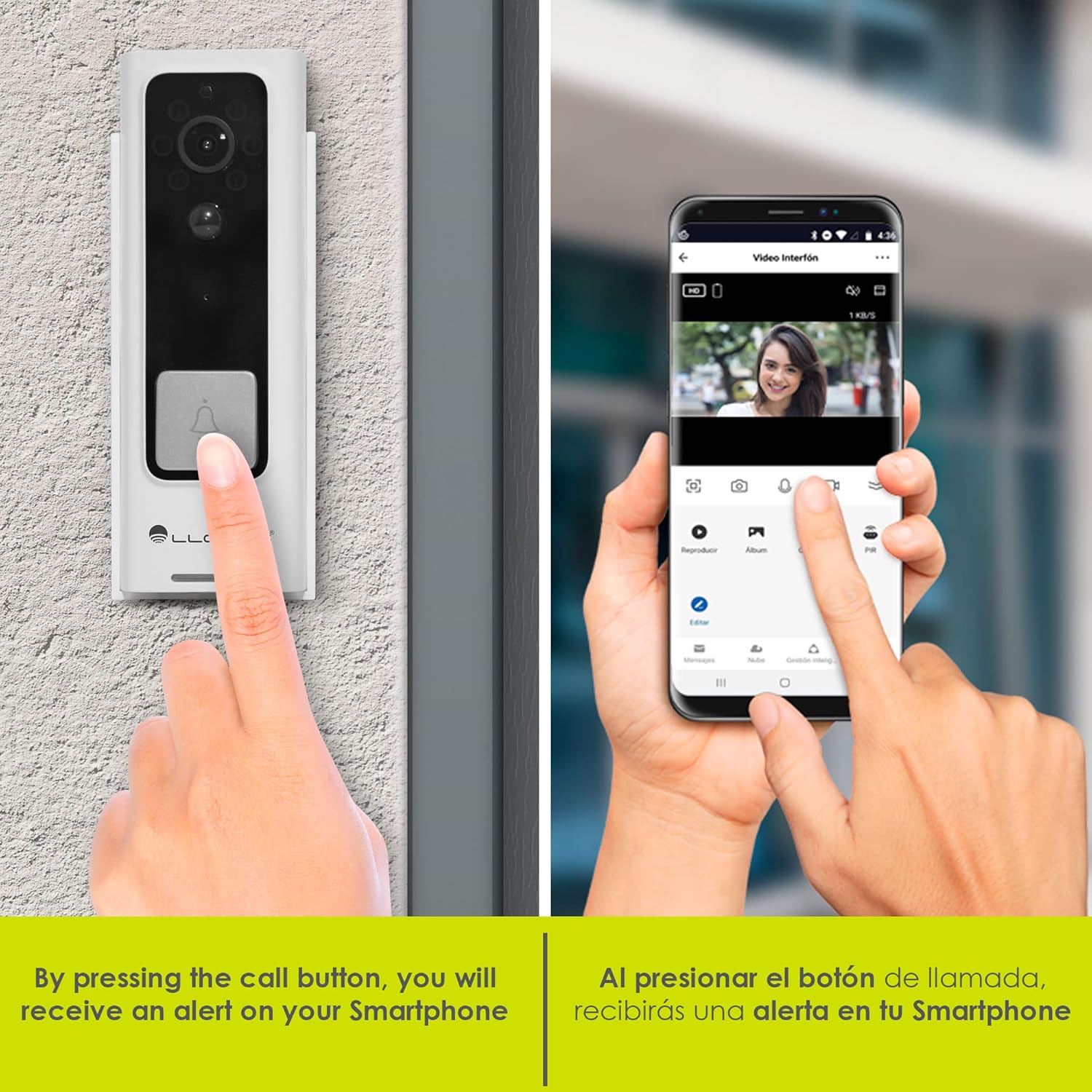
Figure 3: Doorbell mounting options.
Video 1: Installation guide for a similar doorbell model.
작동 지침
1. 라이브 View & 양방향 오디오
Access the 'Lloyd's Smart' app to view the live video feed from your doorbell. Use the microphone and speaker icons in the app to engage in two-way communication with visitors at your door.

Figure 4: Two-way audio communication via the app.
2. 동작 감지 알림
The doorbell's PIR sensor detects motion and sends instant notifications to your smartphone. You can customize motion detection sensitivity and activity zones within the app to reduce false alerts.

Figure 5: Instant alerts on your smartphone when the doorbell is pressed.
3. 야간 투시경
초인종은 어두운 환경에서 자동으로 야간 투시 모드로 전환되어 선명한 흑백 영상을 제공합니다.tage.
4. 로컬 및 클라우드 저장소
Recordings can be stored locally on a Micro SD card (up to 128GB, not included) inserted into the doorbell's slot, or via optional cloud storage services (subscription may be required).
5. 음성 변환기
Utilize the voice changer feature in the app during two-way communication to alter your voice for added privacy or security.
특징
- 풀 HD 1080P 비디오: 선명하고 상세한 영상을 캡처합니다.tage (1920*1080P).
- 140° 광각 View: 광범위한 분야를 제공합니다 view to monitor your entryway.
- H.264 압축: Efficient video compression for optimized storage and streaming.
- 충전식 배터리: Powered by two 18650 batteries, offering up to 2 months of use on a single charge.
- 스마트 알림: Receive instant notifications for motion detection and low battery status.
- 가상 비서 호환성: Compatible with Siri, Google Assistant, and Amazon Alexa for voice control and integration into smart home routines.

Figure 6: Monitor and control your doorbell from your smartphone.

Figure 7: Automate your home with Lloyd's smart products.
Video 2: A closer look at the doorbell camera and chime.
유지
1. 배터리 충전
The doorbell's battery can be charged while installed or by removing the doorbell from its mount. Connect the USB charging cable to the doorbell's USB port and a power source. A full charge can last up to 2 months, depending on usage.
2. 청소
부드러운 천으로 초인종 렌즈와 본체를 닦으세요.amp 먼지와 이물질을 제거할 때는 천을 사용하십시오. 기기가 손상될 수 있으므로 강한 화학 약품이나 연마제를 사용하지 마십시오.
문제 해결
- 전원 없음: Ensure the batteries are correctly inserted and fully charged.
- Wi-Fi 연결 없음: Check your Wi-Fi router and ensure the doorbell is within range. Try resetting the doorbell using the reset button and re-pairing it with the app.
- 움직임 알림 없음: Verify that motion detection is enabled in the app and sensitivity settings are appropriate. Check activity zones.
- 낮은 비디오 품질: Ensure the lens is clean and free from obstructions. Check your Wi-Fi signal strength.
- 초인종이 울리지 않음: Check the chime's batteries. Ensure the chime is paired with the doorbell.
명세서
| 제조업체 | Lloyd's |
| 부품 번호 | LC-1330 |
| 제품 치수 | 3.48 x 4.98 x 13.39cm |
| 품목 무게 | 450g |
| 색상 | 흰색/검정색 |
| 권tage | 7.4볼트(DC) |
| 왓tage | 170밀리amp_시간 |
| 배터리 | 2 x 18650 Lithium (included) |
| 비디오 해상도 | Full HD 1920*1080P |
| View잉 각도 | 140° 시야각 |
| 저장 | 마이크로 SD 카드(최대 128GB), 클라우드 저장소(선택 사항) |
| 연결성 | 와이파이(2.4GHz) |
| 내후성 | IP66 Weatherproof (from video) |
보증 및 지원
This product comes with a 2-year manufacturer warranty. For technical support, troubleshooting, or warranty claims, please refer to the 'Lloyd's Smart' app or visit the official Lloyd's web대지.
Ask a question about this manual
Ask about setup, troubleshooting, compatibility, parts, safety, or missing instructions. Manuals+ will review the question and use this page’s manual context to help answer it.