
HTC TWS2
HTC True Wireless Earbuds 1 (Model TWS2) User Manual
설치, 작동, 유지관리에 대한 포괄적인 지침입니다.
1. 서론
Thank you for choosing the HTC True Wireless Earbuds 1. This manual provides essential information to help you set up, operate, and maintain your earbuds for optimal performance.
패키지 내용
패키지에 모든 품목이 들어 있는지 확인하세요.
- 1 Pair HTC True Wireless Earbuds
- 1 USB-C 충전 케이블
- 고무 이어팁 2쌍 (S/L)
- 1 퀵 가이드
- 1 보증 카드
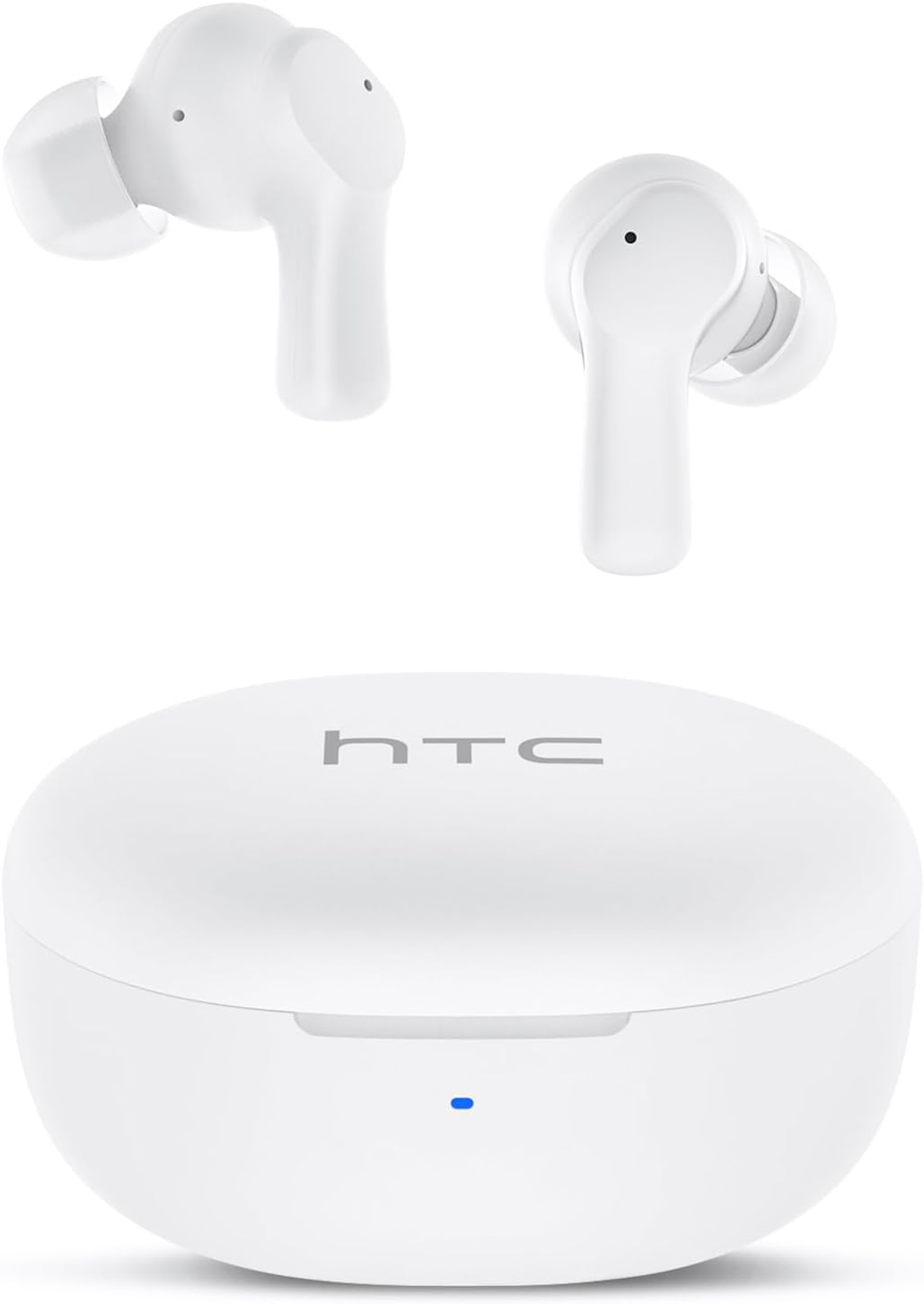
Image: HTC True Wireless Earbuds 1 and their charging case.

Image: The charging case opened, showing the two earbuds nestled inside.
2. 설정 및 페어링
초기 설정
- 보호 필름 제거: Before first use, remove the protective film from the charging contacts on both earbuds.
- 이어버드 충전: Place the earbuds back into the charging case and close the lid. Connect the charging case to a USB power source using the provided USB-C cable. Ensure the earbuds and case are fully charged before initial use.
- 전원 켜기: 충전 케이스 뚜껑을 여세요. 이어버드가 자동으로 켜지고 페어링 모드로 전환됩니다.
블루투스 페어링
The HTC True Wireless Earbuds 1 feature one-step auto-pairing after the initial setup.
- 블루투스 활성화: 기기(스마트폰, 태블릿, 컴퓨터)에서 Bluetooth를 활성화하세요.
- 검색 장치: 기기의 Bluetooth 설정에서 사용 가능한 기기를 검색하세요.
- Select 'HTC TWS2': From the list of found devices, select 'HTC TWS2' to connect.
- 확인: 연결되면 오디오 안내가 나오고 이어버드를 사용할 수 있습니다.
After the first successful pairing, the earbuds will automatically connect to the last paired device when taken out of the charging case, provided Bluetooth is enabled on the device.

Image: Illustration of the one-step auto-pairing process, showing earbuds connecting to a smartphone.
3. 착용 방법
For optimal sound quality and comfort, it is important to wear the earbuds correctly.
- 이어팁을 선택하세요: Select the rubber eartips (S, M, L) that best fit your ear canal. A proper seal enhances bass response and noise isolation.
- 이어버드 삽입: 각 이어버드를 해당 귀에 부드럽게 삽입하십시오(L은 왼쪽, R은 오른쪽).
- Rotate to Lock: Rotate the earbud slightly forward or backward until it feels secure and comfortable in your ear canal.

Image: Diagram showing how to properly insert the earbuds and the available S/M/L silicone eartips.
4. Operating Instructions (Touch Control)
The HTC True Wireless Earbuds 1 feature intuitive touch controls on each earbud. The following actions can be performed:
| 행동 | 제어 | 기능 |
|---|---|---|
| 음악 재생 | 한 번 탭하기 (이어폰 어느 쪽이든) | 재생 / 일시 정지 |
| 음악 재생 | 왼쪽 이어버드 두 번 탭하기 | 이전 노래 |
| 음악 재생 | 오른쪽 이어버드를 두 번 탭하세요 | 다음 노래 |
| 전화 | 한 번 탭하기 (이어폰 어느 쪽이든) | 응답 / 종료 |
| 전화 | 이어버드(어느 쪽이든)를 길게 누르세요. | 전화 거부 |
| 음성 지원 | 세 번 탭하세요 (이어폰 어느 쪽이든 상관없습니다) | 음성 지원 기능(Siri, Google Assistant 등)을 활성화하세요. |
| 볼륨 조절 | 왼쪽 이어버드를 길게 누르세요 | 볼륨 낮추기 |
| 볼륨 조절 | 오른쪽 이어버드를 길게 누르세요 | 볼륨을 높이다 |
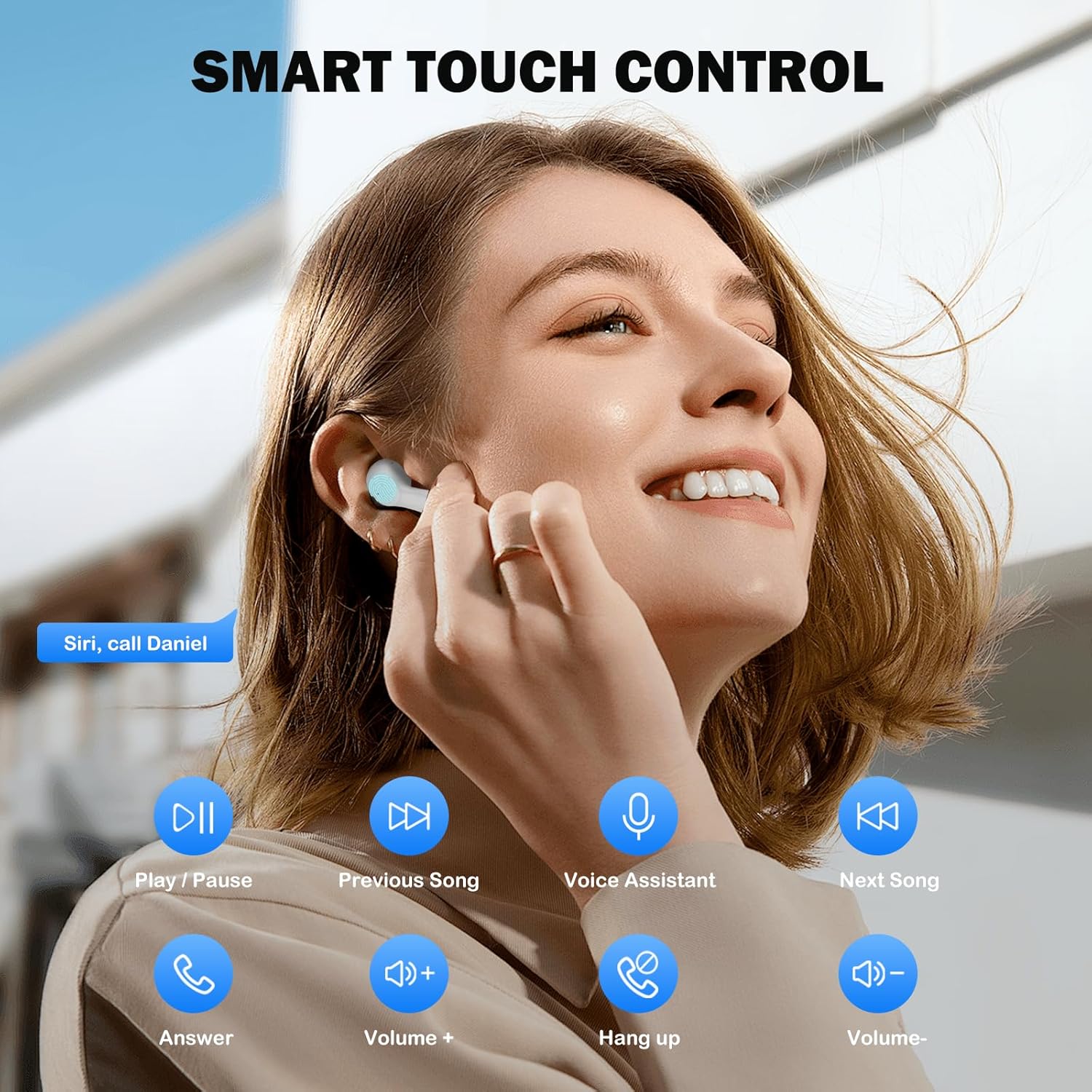
Image: Visual guide to the smart touch controls for music, calls, and voice assistant.
5. 충전
The earbuds and charging case are powered by internal rechargeable batteries.
이어버드 충전하기
Place the earbuds into the charging case. They will automatically begin charging. The LED indicator on the case will show charging status.
케이스 충전하기
Connect the provided USB-C cable to the charging port on the case and to a USB power adapter (not included). The LED indicator on the case will show charging progress. A full charge for the earbuds takes approximately 40 minutes.
배터리 수명
- 이어 버드 : Up to 8 hours of listening time on a single charge (at 50% volume).
- 충전 케이스 포함: 케이스를 이용해 여러 번 충전하면 총 최대 40시간 동안 사용할 수 있습니다.
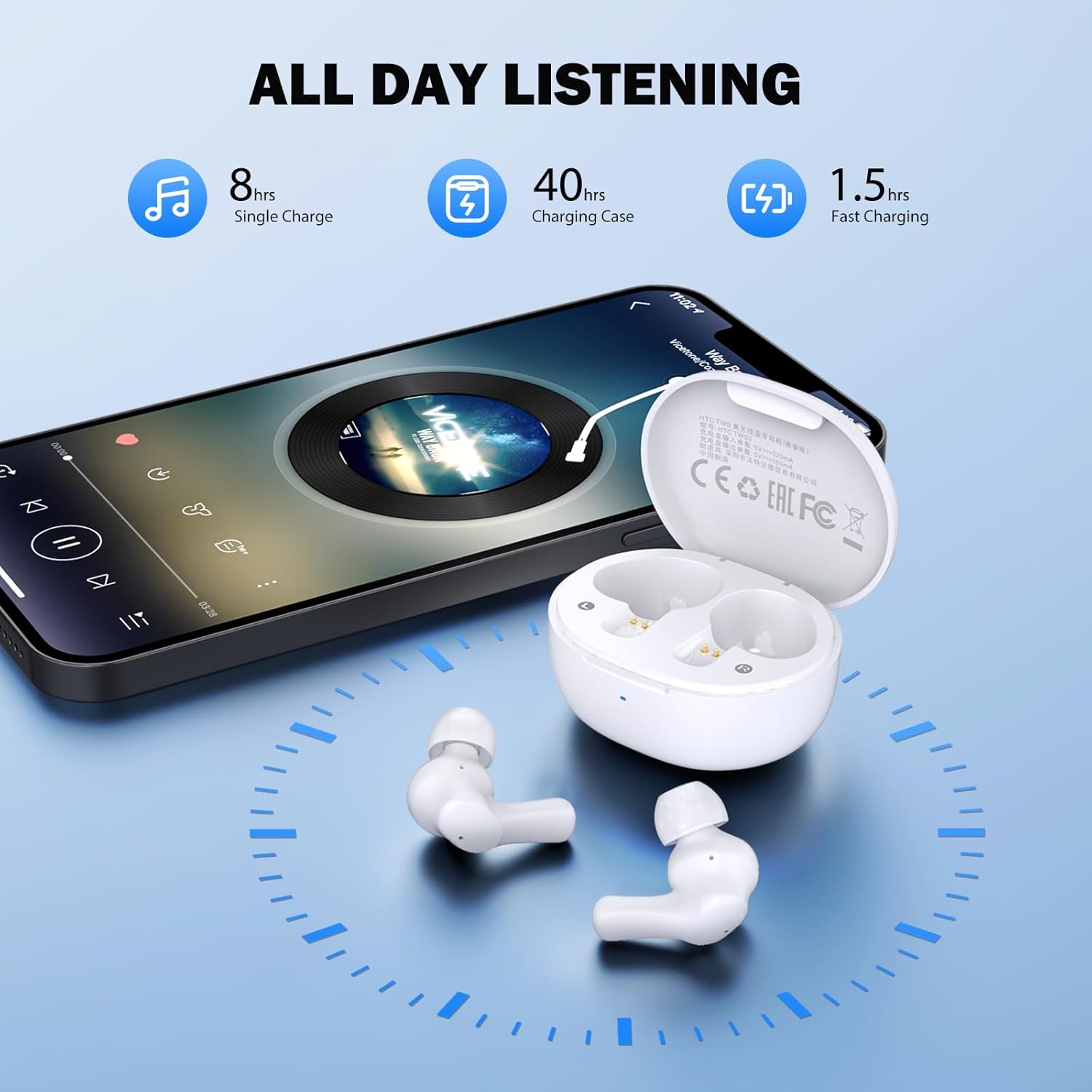
Image: Visual representation of 8 hours single charge, 40 hours with charging case, and 1.5 hours fast charging for the case.
6. 유지관리 및 관리
적절한 관리로 이어버드의 수명과 성능을 보장하세요.
청소
- 부드럽고 마른 보푸라기 없는 천으로 이어버드와 충전 케이스를 정기적으로 청소하세요.
- 이어팁을 제거하고 순한 비누와 물로 세척한 후, 다시 부착하기 전에 완전히 말리세요.
- Ensure charging contacts on both earbuds and inside the case are clean and free of debris.
방수성
이어폰은 다음과 같은 등급을 받았습니다. IPX4 방수, meaning they are protected against splashing water from any direction. They are suitable for exercise and light rain, but should not be submerged in water or exposed to heavy downpours.
저장
사용하지 않을 때는 이어버드를 충전 케이스에 보관하여 보호하고 충전 상태를 유지하세요.
7. 문제 해결
문제가 발생하면 다음 해결 방법을 시도해 보세요.
- 소리 없음: Ensure earbuds are charged, connected to your device, and volume is up on both the earbuds and your device.
- 페어링 문제: 기기에서 Bluetooth가 활성화되어 있고 이어버드가 페어링 모드인지 확인하세요. 기기에서 Bluetooth를 껐다가 다시 켜보세요.
- 한쪽 이어버드가 작동하지 않음: 두 이어버드를 충전 케이스에 다시 넣고 뚜껑을 닫은 후 몇 초간 기다렸다가 다시 꺼내세요. 이렇게 하면 다시 동기화되는 경우가 많습니다.
- 간헐적인 연결: Ensure there are no obstructions between the earbuds and your device. Keep your device within the 10-meter Bluetooth range.
공장 초기화
If problems persist, a factory reset may resolve them:
- 양쪽 이어버드를 충전 케이스에 넣습니다.
- With the earbuds in the case, quickly tap each earbud 5 times.
- The LED on the earbuds will flash red, then turn off, indicating a successful reset.
- Close the charging case lid, then open it again to re-initiate pairing.

Image: Visual instructions for initial setup, wearing the earbuds, and performing a factory reset.
8. 사양
| 특징 | 세부 사항 |
|---|---|
| 모델명 | HTC TWS2 |
| 연결 기술 | 무선(블루투스 5.3) |
| 블루투스 범위 | 최대 10미터(33피트) |
| 오디오 드라이버 유형 | 10mm 다이나믹 드라이버 |
| 주파수 범위 | 20Hz - 20,000Hz |
| 이어버드 배터리 수명 | 최대 8시간(1회 충전) |
| 총 재생 시간(케이스 포함) | 최대 40시간 |
| 이어버드 충전 시간 | 약 40분 |
| 방수 레벨 | IPX4 (Sweatproof, Splash Resistant) |
| 제어 유형 | 터치 컨트롤 |
| 마이크로폰 | Built-in with Call Noise Cancellation |
| 낮은 대기 시간 | 40ms(게임 모드) |
| 이어 버드 무게 | 이어버드 하나당 약 3.8g |
| 호환 장치 | iOS, Android, Windows 기기 |

Image: Diagram illustrating the 10mm diameter loud speaker for HiFi stereo sound.

Image: Visual representation of Bluetooth 5.3 technology benefits: low consumption, faster transmission, lower latency, and built-in microphone.
9. 보증 및 지원
보증 정보
Your HTC True Wireless Earbuds 1 come with a warranty. Please refer to the included Warranty Card for detailed terms and conditions, including coverage period and what is covered.
고객 지원
For any questions, technical assistance, or warranty claims, please contact HTC customer support. Refer to the contact information provided in your Quick Guide or on the official HTC web대지.
Ask a question about this manual
Ask about setup, troubleshooting, compatibility, parts, safety, or missing instructions. Manuals+ will review the question and use this page’s manual context to help answer it.