Thank you for choosing the MAXTOP T5 Smartwatch. This device is designed to help you monitor your health and fitness activities, receive notifications, and manage various daily functions. Please read this manual carefully to ensure proper use and optimal performance.
Image: The MAXTOP T5 Smartwatch in use during a run, highlighting its fitness and health tracking capabilities.
2. 패키지 내용
패키지에 모든 품목이 들어 있는지 확인하세요.
MAXTOP T5 Smartwatch Head
시계 스트랩
자기 충전 케이블
사용자 설명서
3. 설정 및 초기 사용
3.1. 스마트워치 충전하기
Before first use, fully charge the smartwatch.
스마트워치 뒷면의 충전 단자에 자석식 충전 케이블을 연결하세요.
케이블의 USB 끝을 표준 USB 전원 어댑터(권장 5V/1A)나 컴퓨터의 USB 포트에 연결합니다.
시계 화면에 충전 상태가 표시됩니다. 완전 충전에는 일반적으로 약 2시간이 소요됩니다.
메모: The battery life is approximately 3 to 5 days with normal use and up to 7 days in standby mode. Actual battery life may vary based on usage.
3.2. 앱 설치 및 페어링
To access all features and synchronize data, download and install the companion app on your smartphone.
Scan the QR code in the manual or search for "MAXTOP" or "H BAND" in your smartphone's app store (Google Play Store for Android, Apple App Store for iOS).
앱을 다운로드하고 설치하세요.
스마트폰에서 Bluetooth가 활성화되어 있는지 확인하세요.
Open the app and follow the on-screen instructions to create an account and pair your MAXTOP T5 Smartwatch.
During pairing, select "T5" from the list of available devices.
호환성: Requires iOS 9.0 or higher, or Android 6.0 or higher.
4. 스마트워치 작동
4.1. 기본 탐색
터치스크린: 좌우 또는 상하로 스와이프하여 메뉴와 기능을 탐색하세요. 탭하여 선택하세요.
측면 버튼: 홈 화면으로 돌아가거나 기기를 깨우려면 누르세요.
Image: The MAXTOP T5 Smartwatch showing its main display with time, steps, distance, and calories.
4.2. 피트니스 추적
The smartwatch tracks various fitness metrics throughout the day.
걸음 수 카운터: 매일 걸음 수를 자동으로 기록합니다.
거리: 걸음 수를 기준으로 이동한 거리를 계산합니다.
소모된 칼로리: 칼로리 소모량을 추산합니다.
Image: A visual representation of the smartwatch's 24-hour tracking feature, showing steps, distance, and calorie data.
4.3. 스포츠 모드
The smartwatch offers 10 exercise modes to track specific workouts.
Access the "Sports" menu on the watch.
원하는 활동을 선택하세요 (예: 달리기, 걷기, 자전거 타기).
The watch will record duration, distance, and calories for the selected activity.
Image: A man running, with icons representing the 10 available sports modes on the MAXTOP T5 Smartwatch.
Image: A man exercising with weights, illustrating the 10 sports modes available on the smartwatch.
4.4. 건강 모니터링
스마트워치는 주요 건강 지표를 지속적으로 모니터링합니다.
심박수 모니터: Measures your heart rate in real-time. Access this function from the watch menu or view 앱의 데이터
혈압 모니터: Provides blood pressure readings. For medical accuracy, consult a professional medical device.
수면 추적: 깊은 수면, 얕은 수면, 깨어있는 시간 등 수면 패턴을 모니터링합니다. View detailed analysis in the app to adjust sleep habits.
월경 주기 추적: For female users, the app can track and predict menstrual cycles.
Image: A man sleeping, with the smartwatch displaying heart rate and icons indicating deep sleep, light sleep, and awake time tracking.
Image: The smartwatch screen showing sleep data, including duration and quality.
Image: The smartwatch displaying a heart rate reading.
Image: The smartwatch displaying a blood pressure reading.
Image: A woman wearing the smartwatch, with an overlay showing the menstrual period management feature.
4.5. 알림
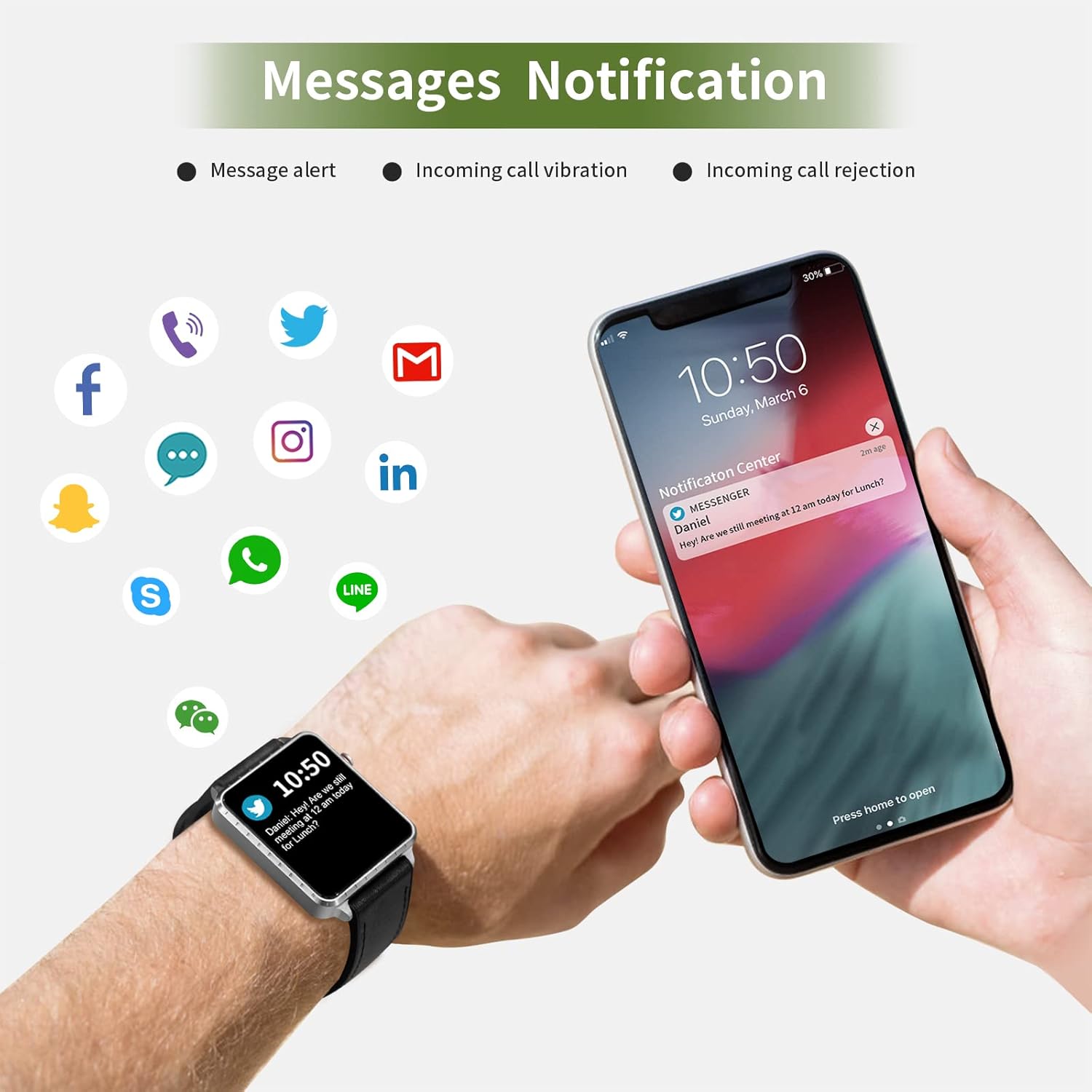
Receive call and message notifications directly on your smartwatch when paired with your phone.
수신 전화: The watch will vibrate and display caller ID. You can reject calls from the watch.
메시지 알림: Receive notifications from SMS, Facebook, WhatsApp, Twitter, Instagram, LinkedIn, etc.
중요한: The smartwatch cannot answer calls or reply to messages.
Image: The smartwatch and a smartphone displaying message notifications from social media and communication apps.
Image: The smartwatch screen showing icons for various social media and communication app notifications.
4.6. 추가 기능
음악 제어: 스마트폰의 음악 재생(재생, 일시 정지, 트랙 건너뛰기)을 시계에서 직접 제어하세요.
카메라 원격 제어: 시계를 스마트폰 카메라의 원격 셔터로 사용해보세요.
알람 시계: Set alarms through the app, and the watch will vibrate to alert you.
스톱워치/타이머: 기본적인 시간 측정 기능.
전화번호 찾기: 스마트워치에서 알림음을 울려 연결된 스마트폰을 찾으세요.
앉아서 보내는 시간 상기시키기: The app can remind you to move if you've been inactive for too long.
사용자 정의 가능한 시계 화면: Choose from various watch faces via the app.
Image: The smartwatch screen showing the camera icon, indicating its remote camera control function.
Image: The smartwatch screen showing music control icons (play, pause, skip).
Image: A collage of different watch faces available for the MAXTOP T5 Smartwatch.
5. 유지관리
5.1. 방수 등급(IP68)
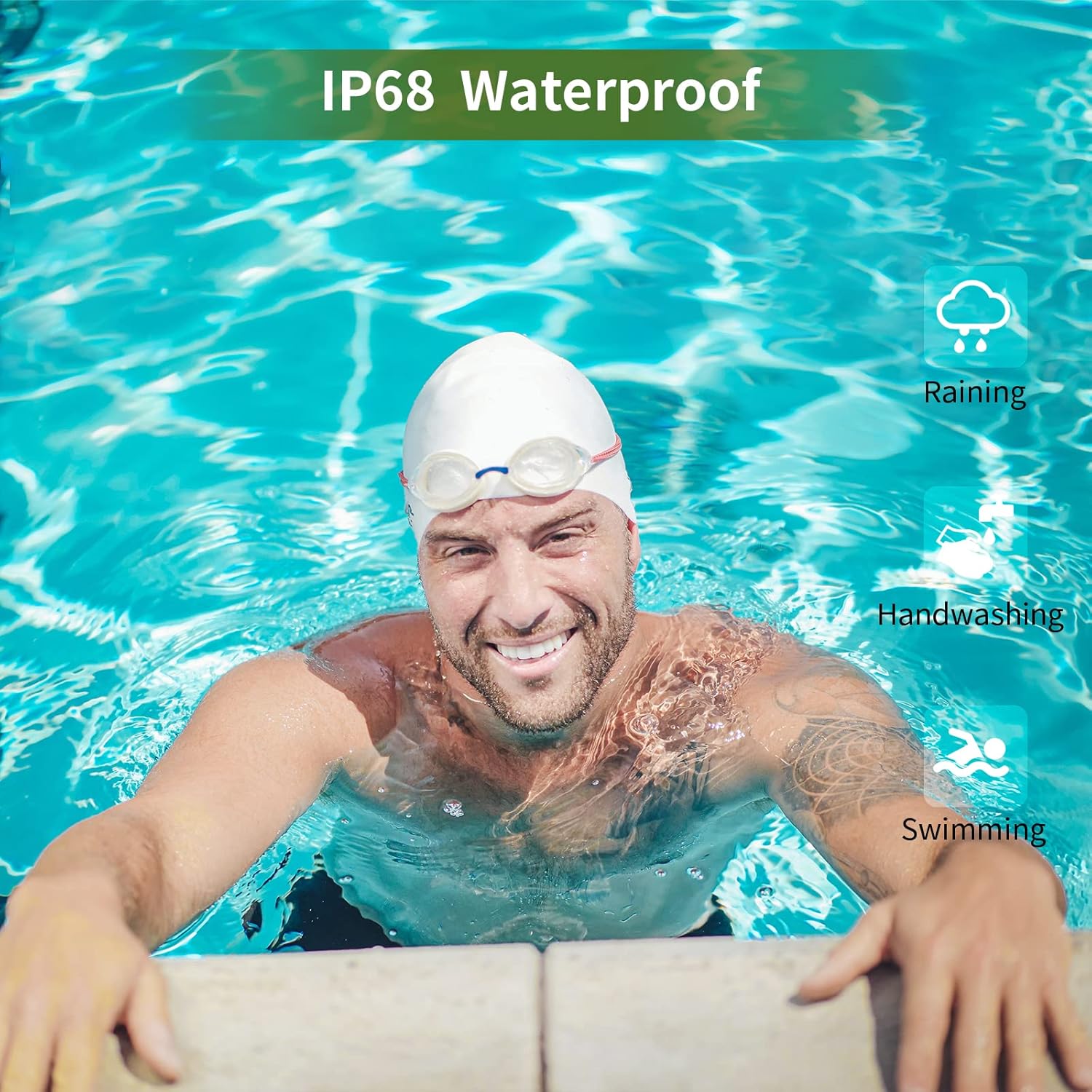
The MAXTOP T5 Smartwatch is IP68 waterproof, meaning it is dust-tight and protected against continuous immersion in water up to 1.5 meters for a maximum of 30 minutes.
You can wear the watch while washing hands, running in the rain, or swimming in shallow water.
하지 마세요 immerse the watch in seawater, hot water, or use it in hot springs or saunas.
시계를 고압의 물줄기에 노출시키지 마십시오.
Image: A man swimming, demonstrating the IP68 waterproof capability of the MAXTOP T5 Smartwatch.
Image: The smartwatch with water droplets, visually confirming its IP68 waterproof rating.
5.2. 청소
부드럽고 마른 천으로 시계와 스트랩을 정기적으로 닦으세요. 필요한 경우 약간 묽은 천을 사용하세요.amp 천으로 닦아 완전히 말리십시오. 강한 화학 약품 사용은 피하십시오.
6. 문제 해결
시계가 켜지지 않음: 시계가 완전히 충전되었는지 확인하세요. 충전기에 최소 10분 동안 연결해 두세요.
스마트폰과 페어링할 수 없습니다:
휴대폰에서 Bluetooth가 활성화되어 있는지 확인하십시오.
시계가 Bluetooth 범위(일반적으로 10m) 내에 있는지 확인하세요.
시계와 스마트폰을 모두 다시 시작하세요.
앱이 최신 버전으로 업데이트되었는지 확인하세요.
이전에 페어링한 적이 있다면, 휴대폰의 블루투스 설정에서 페어링을 해제한 후 앱을 통해 다시 페어링해 보세요.
부정확한 건강 데이터:
시계를 손목에 꼭 맞게 착용하세요. 너무 꽉 조이거나 너무 느슨하지 않도록 하세요.
측정하는 동안 과도한 움직임을 피하세요.
Environmental factors can affect readings. For medical accuracy, consult a professional medical device.
알림을 받지 못했습니다:
Check app permissions on your smartphone to ensure the app has access to notifications.
Verify that notification settings are enabled within the MAXTOP/H BAND app.
시계가 Bluetooth로 연결되어 있는지 확인하세요.
짧은 배터리 수명:
Frequent use of features like continuous heart rate monitoring, bright screen, and numerous notifications can reduce battery life.
Reduce screen brightness and notification frequency if extended battery life is desired.
7. 사양
Image: Detailed physical dimensions of the MAXTOP T5 Smartwatch, including watch face and strap measurements.
특징
세부 사항
상표
맥스탑
모델
T5
화면 크기
1.54인치
치수
4.5 x 3.8 x 1cm
무게
250g
방수 등급
IP68
연결성
블루투스
운영 체제
iOS (9.0 이상), 안드로이드 (6.0 이상)
배터리 유형
리튬폴리머
충전 시간
약 2시간
배터리 수명(일반 사용)
3-5일
배터리 수명(대기)
최대 7일
포함된 구성 요소
Watch head, strap, magnetic charging cable, manual
8. 보증 및 지원
For warranty information and customer support, please refer to the warranty card included in your package or visit the official MAXTOP web대지.
부인 성명: The health monitoring features of this device are for general wellness and fitness purposes only and are not intended for medical diagnosis, treatment, or prevention of any disease. Always consult a medical professional for health-related concerns.
Ask a question about this manual
Ask about setup, troubleshooting, compatibility, parts, safety, or missing instructions. Manuals+ will review the question and use this page’s manual context to help answer it.