
소개
Thank you for choosing the Edifier Hecate GT4 Gaming Earbuds. These true wireless earbuds are designed to provide a low-latency audio experience for gaming across multiple platforms, including PS5, PS4, Nintendo Switch, mobile phones, and PCs. Featuring Bluetooth 5.2 connectivity, an IP55 rating for dust and splash resistance, and customizable RGB lighting, the GT4 earbuds offer both performance and convenience. Please read this manual thoroughly to ensure proper use and optimal performance of your new earbuds.
패키지 내용
아래 나열된 모든 품목이 패키지에 들어 있는지 확인하세요.
- Edifier Hecate GT4 Gaming Earbuds (Left and Right)
- 충전 케이스
- USB-C 충전 케이블
- 다양한 크기의 이어팁 제공 (소형, 중형, 대형)
- 사용자 설명서

Image: The Edifier Hecate GT4 earbuds, charging case, USB-C cable, and extra eartips are shown, representing the package contents.
설정
1. 이어버드와 케이스 충전
Before first use, fully charge the earbuds and charging case. Place the earbuds into the charging case. Connect the USB-C charging cable to the charging port on the case and the other end to a USB power adapter (not included) or a computer's USB port. The indicator lights on the case will show charging status.
- 충전 시간: 완전 충전에는 약 1.5시간이 소요됩니다.
- 배터리 수명: 한 번 충전으로 최대 7시간 재생 가능하며, 충전 케이스를 사용하면 추가로 21시간을 더 사용할 수 있습니다.
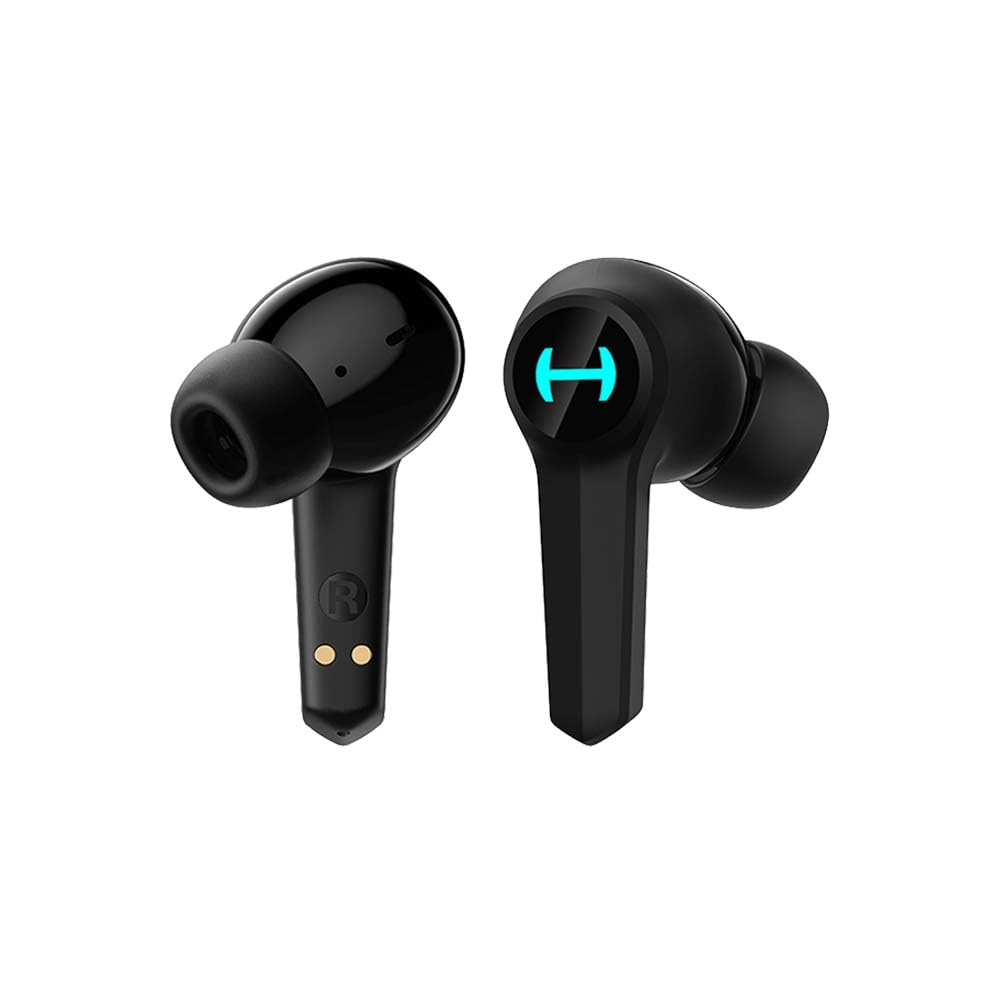
Image: The Edifier Hecate GT4 earbuds are shown inside their open charging case, with the case's RGB lights illuminated.
2. 블루투스 페어링
- 이어버드가 충전되어 있는지 확인하세요.
- 충전 케이스를 엽니다. 이어버드가 자동으로 페어링 모드로 진입하며, 표시등이 깜빡입니다.
- On your device (phone, PC, console), enable Bluetooth and search for new devices.
- Select "EDIFIER HECATE GT4" from the list of available devices to connect.
- Once connected, the earbud lights will stop flashing or show a steady light.
이어버드는 안정적이고 효율적인 연결을 위해 Bluetooth 5.2을 지원합니다.
작동 지침
1. 전원 켜기/끄기
- 전원 켜기: 충전 케이스를 열거나 이어버드를 케이스에서 꺼내세요. 이어버드가 자동으로 켜집니다.
- 전원 끄기 : 이어버드를 충전 케이스에 다시 넣고 뚜껑을 닫으세요. 전원이 자동으로 꺼집니다.
2. 터치 컨트롤
The Edifier Hecate GT4 earbuds feature touch-sensitive controls on each earbud. Refer to the diagram below for touch panel location.

Image: A finger is shown touching the outer surface of an earbud, indicating the smart touch control area.
| 행동 | 왼쪽 이어버드(L) | 오른쪽 이어버드(R) |
|---|---|---|
| 재생/일시정지 | 더블 탭 | 더블 탭 |
| 다음 트랙 | 트리플 탭 | 트리플 탭 |
| 전화 받기/종료하기 | 더블 탭 | 더블 탭 |
| 전화 거부 | 길게 누르기(2초) | 길게 누르기(2초) |
| 게임 모드 활성화 | 길게 누르기(2초) | 길게 누르기(2초) |
| Deactivate Game Mode | 길게 누르기(2초) | 길게 누르기(2초) |
참고: 볼륨 조절은 연결된 장치에서 직접 조정해야 할 수도 있습니다.
3. Game Mode (45ms Low-Latency)
The Edifier Hecate GT4 features a dedicated Game Mode to reduce audio latency to as low as 45ms, providing a synchronized audio-visual experience crucial for gaming. To activate or deactivate Game Mode, long press either earbud for 2 seconds. You will hear an audio prompt indicating the mode change.

Image: An illustration depicting the low latency feature of the earbuds, highlighting the 45ms response time.
비디오: 공식 제품 소개 영상asing the features of the EDIFIER HECATE GT4 Gaming Earbuds, including low latency and ergonomic design.
4. RGB 조명
The charging case and earbuds feature RGB lighting. The lighting indicates various statuses such as charging, pairing, and game mode activation. The specific patterns and colors are pre-set and provide visual feedback on the earbuds' operational status.

Image: The Edifier Hecate GT4 charging case is shown with its red RGB lighting illuminated, indicating its gaming aesthetic.
유지
- 청소: Use a soft, dry cloth to clean the earbuds and charging case. Do not use liquid cleaners or abrasive materials.
- 방수 기능: The earbuds have an IP55 rating, meaning they are protected against dust and low-pressure water jets. Avoid submerging them in water or exposing them to heavy rain. Dry them thoroughly if they get wet.
- 저장: 사용하지 않을 때는 이어버드를 충전 케이스에 보관하여 보호하고 충전 상태를 유지하세요. 서늘하고 건조한 곳에 극한의 온도를 피해 보관하세요.

Image: An Edifier Hecate GT4 earbud is shown with water splashing around it, illustrating its water-resistant feature.
문제 해결
| 문제 | 가능한 원인 | 해결책 |
|---|---|---|
| 이어폰의 전원이 켜지지 않습니다. | 배터리가 부족합니다. | 이어버드와 충전 케이스를 완전히 충전하세요. |
| 기기와 페어링할 수 없습니다. | Bluetooth not enabled, earbuds not in pairing mode, or device too far. | Ensure Bluetooth is enabled on your device. Place earbuds in case, close, then open to re-enter pairing mode. Keep devices within 10 meters. |
| 소리가 나지 않거나 간헐적으로 소리가 납니다. | Earbuds not properly connected, low battery, or interference. | Check Bluetooth connection. Recharge earbuds. Move away from sources of interference (e.g., Wi-Fi routers). |
| 한쪽 이어버드에서 소리가 나지 않습니다. | Individual earbud connection issue. | Place both earbuds back into the charging case, close the lid, then open it again to reset the connection. Re-pair if necessary. |
| Low latency mode not working. | Game Mode not activated. | Long press either earbud for 2 seconds to activate Game Mode. Listen for the audio prompt. |
| Cannot connect to PS4/PS5/Switch. | Console limitations or specific pairing requirements. | Some consoles may require a separate Bluetooth adapter for full compatibility or specific pairing steps. Refer to your console's manual for Bluetooth audio device connection instructions. |
명세서
| 특징 | 세부 사항 |
|---|---|
| 모델 번호 | GT4-BK |
| 상표 | 에디파이어 |
| 연결 기술 | 무선(블루투스) |
| 블루투스 버전 | 5.2 |
| 귀 위치 | 귀에 |
| 오디오 드라이버 유형 | Dynamic Driver (10mm Composite Diaphragm Unit) |
| 주파수 범위 | 20Hz-20kHz |
| 낮은 대기 시간 | 45ms(게임 모드) |
| 배터리 수명(이어버드) | 최대 7시간 |
| 총 배터리 수명(케이스 포함) | Up to 28 hours (7 + 21 hours) |
| 배터리 충전 시간 | 약 1.5시간 |
| 제어 방법 | 만지다 |
| 방수 레벨 | IP55(방진 및 방수) |
| 호환 장치 | PS5, PS4, Nintendo Switch, Phone (Android, iOS), PC |
| 재료 | 플라스틱 |
| 품목 무게 | 0.12 킬로그램 |
보증 및 지원
에디파이어 제품은 최고 품질 기준에 따라 설계 및 제조되었습니다. 보증 범위에 대한 자세한 내용은 제품 포장에 포함된 보증 카드를 참조하거나 에디파이어 공식 웹사이트를 방문하십시오. website. If you encounter any issues or have questions about your Edifier Hecate GT4 Gaming Earbuds, please contact Edifier customer support through their official channels for assistance.
공식 교육자 Web대지: www.edifier.com