
페릭스 페리보드-332
Perixx PERIBOARD-332 유선 백라이트 USB 키보드 사용 설명서
소개
This manual provides detailed instructions for the setup, operation, maintenance, and troubleshooting of your Perixx PERIBOARD-332 Wired Backlit USB Keyboard. Please read this manual thoroughly before using the product to ensure optimal performance and longevity.

Image: The Perixx PERIBOARD-332 Wired Backlit USB Keyboard, showcasin컴팩트한 디자인입니다.
패키지 내용
패키지에 모든 품목이 들어 있는지 확인하세요.
- Perixx PERIBOARD-332 Wired Backlit USB Keyboard
- 통합 USB 케이블
- 사용 설명서 (본 문서)

Image: The Perixx PERIBOARD-332 keyboard, its integrated USB cable, the user manual, and the product packaging.
설치 지침
키보드 연결: Locate an available USB port on your computer (PC, laptop, tablet, or smartphone with appropriate adapter). Insert the USB cable from the PERIBOARD-332 into the USB port.
드라이버 설치: The keyboard is plug-and-play and typically does not require additional drivers for basic functionality on Windows, macOS, Linux, or Chrome OS. Your operating system should automatically detect and configure the device.
놓기: Place the keyboard on a stable, flat surface. The compact design is ideal for small workspaces.

Image: A user typing on the Perixx PERIBOARD-332 keyboard, demonstrating its compact size and wired connection on a desk.
작동 지침
일반적인 사용
The Perixx PERIBOARD-332 features a standard US English QWERTY layout with 84 keys. Its low-profile scissor keys provide a quiet and comfortable typing experience, similar to laptop keyboards. The compact design helps optimize desk space.

Image: A user typing on the Perixx PERIBOARD-332 keyboard, highlighting its compact size and ergonomic placement in a workspace.

이미지: 클로즈업 view of the sculpted, low-profile scissor keys of the Perixx PERIBOARD-332, highlighting their design.
Function Keys (Fn Hotkeys)
The keyboard includes integrated Fn hotkeys for quick access to multimedia and system functions. These functions are primarily designed for Windows operating systems. For other operating systems (macOS, Linux, Chrome OS), their functionality may vary or require specific system settings/configurations.
- Fn+F1: Fn 잠금
- Fn+F2: Backlight Brightness Adjustment (Cycle through levels)
- Fn+F3: 무음
- Fn+F4: 볼륨 낮추기
- Fn+F5: 볼륨을 높이다
- Fn+F6: 이전 트랙
- Fn+F7: 재생/일시정지
- Fn+F8: 다음 트랙
- Fn+F9: 정지시키다
- Fn+F10: 스크롤 잠금
- Fn+F11: 끼워 넣다
- Fn+F12: 인쇄 화면

Image: Diagram illustrating the integrated Fn hotkeys on the Perixx PERIBOARD-332, showing the function of each F-key when pressed with the Fn key.
백라이트 제어
The PERIBOARD-332 features white LED backlighting with adjustable brightness. To adjust the backlight brightness, press the FN + F2 keys simultaneously. Repeatedly pressing this combination will cycle through different brightness levels (including off).
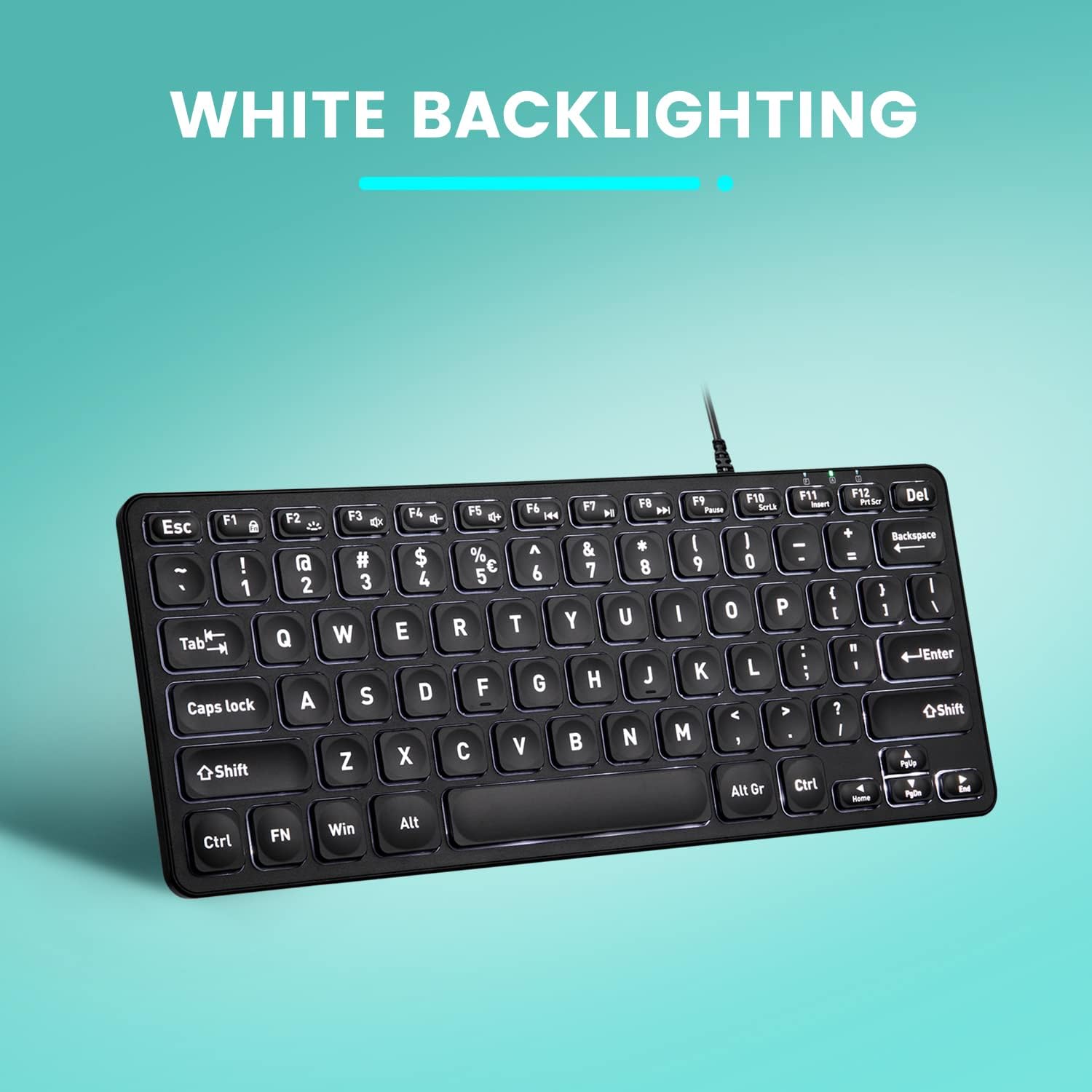
이미지: 위에서 아래로 view of the Perixx PERIBOARD-332 keyboard with its white LED backlighting illuminated, showcasing the clear, large font on the keys.
유지
키보드의 수명 연장과 정상적인 작동을 위해 다음 유지 관리 지침을 따르십시오.
- 청소: 부드럽고 털이 없는 천을 살짝 사용하세요.amp물이나 순한 세척액으로 키보드 표면을 닦으십시오. 과도한 습기를 피하십시오. 세척제를 키보드에 직접 분사하지 마십시오.
- 먼지 제거: 압축 공기를 사용하여 키 사이의 먼지와 이물질을 제거합니다.
- 유출을 방지하세요: Keep liquids away from the keyboard to prevent damage. The keyboard is not water-resistant.
- 저장: 사용하지 않을 때는 키보드를 극한의 온도를 피해 깨끗하고 건조한 곳에 보관하세요.
문제 해결
If you encounter issues with your Perixx PERIBOARD-332, refer to the following common solutions:
키보드가 응답하지 않음
- USB 연결 확인: USB 케이블이 키보드와 컴퓨터의 USB 포트에 제대로 연결되어 있는지 확인하십시오. 다른 USB 포트를 사용해 보십시오.
- 컴퓨터를 다시 시작합니다. 때로는 컴퓨터를 재시작하는 것만으로 연결 문제가 해결될 수 있습니다.
- 다른 장치에서 테스트: Connect the keyboard to another computer or device to determine if the issue is with the keyboard or the original computer.
백라이트가 작동하지 않거나 밝기가 조절되지 않습니다.
- Check Brightness Setting: 누르다 FN + F2 repeatedly to cycle through all brightness levels, including off. Ensure it's not set to the lowest or off setting.
- 전원: 키보드가 전원이 공급되는 USB 포트에 제대로 연결되어 있는지 확인하십시오.
키가 제대로 작동하지 않습니다
- 클린 키: 해당 키 아래에 이물질이나 장애물이 있는지 확인하십시오. 압축 공기를 사용하여 제거하십시오.
- 소프트웨어 충돌: If specific keys are not working, check for any software or driver conflicts on your computer.
Multimedia Keys Not Working on macOS/Linux/Chrome OS
- 운영 체제 호환성: The multimedia shortcut keys are primarily designed for Windows. On other operating systems, their functionality may vary or require specific system settings/configurations.
명세서
| 특징 | 세부 사항 |
|---|---|
| 상표 | 페릭스 |
| 모델 번호 | 페리보드-332 |
| 연결 기술 | USB(유선) |
| 키보드 설명 | US English QWERTY |
| 특징 | Backlit (White LED) |
| 스위치 유형 | 가위형 스위치 |
| 키의 개수 | 84 |
| 제품 크기(L x W x H) | 11.22" x 4.57" x 0.83"(28.5cm x 11.6cm x 2.1cm) |
| 품목 무게 | 0.79 lbs (12.3 Ounces / 350 grams approx.) |
| 호환 장치 | PC, Laptop, Tablet, Smartphone (with compatible USB port/adapter) |
| 운영 체제 호환성 | Windows 7, 8, 10, 11; macOS; Linux; Chrome OS |
| 재료 | 플라스틱 |
보증 및 지원
보증 정보
Your Perixx PERIBOARD-332 keyboard comes with a 12개월 한정 보증 from the date of purchase. This warranty covers manufacturing defects and workmanship under normal use. It does not cover damage caused by misuse, accidents, unauthorized modifications, or external factors.
보증 청구를 위해 구매 증명서를 보관하십시오.
고객 지원
For technical assistance, warranty claims, or any questions regarding your Perixx product, please visit the official Perixx website or contact their customer support team. Contact information can typically be found on the Perixx web사이트 또는 제품 포장.
또한 방문할 수 있습니다 아마존에서 Perixx 스토어를 만나보세요 자세한 정보 및 지원 리소스를 확인하세요.
관련 문서페리보드-332


Ask a question about this manual
Ask about setup, troubleshooting, compatibility, parts, safety, or missing instructions. Manuals+ will review the question and use this page’s manual context to help answer it.