
소개
Thank you for choosing the Amazon Basics 4V Cordless Stick Screwdriver. This versatile tool is designed for various household tasks, offering convenience and efficiency. It comes with a comprehensive 34-piece bit set and a durable carrying case for easy storage and transport. This manual provides essential information for safe operation, maintenance, and troubleshooting.

Image: The Amazon Basics 4V Cordless Stick Screwdriver shown alongside its included carrying case, highlighting the complete package.
안전 정보
이 도구를 작동하기 전에 모든 안전 경고 및 지침을 읽고 숙지하십시오. 경고 및 지침을 따르지 않을 경우 감전, 화재 및/또는 심각한 부상을 입을 수 있습니다. 나중에 참조할 수 있도록 이 설명서를 보관하십시오.
자세한 안전 지침은 공식 자료를 참조하십시오. 안전 정보 PDF 제조업체가 제공함.
구성 요소 이상view

Image: An illustrative diagram pointing out key features of the screwdriver, including torque settings, LED light, USB-C charging port, and 1/4-inch quick change collet.
- 무선 드라이버: The main unit, powered by a built-in 2000mAh Lithium-ion battery.
- 34피스 비트 세트: A variety of screwdriver bits for different screw types.
- 운반 케이스: Durable case for organized storage of the screwdriver and bits.
- USB-C 충전 케이블: For recharging the screwdriver's internal battery.
- LED 작업등: 작업 표면을 밝게 합니다.
- 토크 설정: Three adjustable settings for precise control.
설정
1. 초기 충전
Before first use, fully charge the screwdriver. Connect the included USB-A to USB-C charging cable to the screwdriver's USB-C port and a compatible USB power source (not included). The battery indicator lights will show charging progress. A full charge typically takes approximately 2-3 hours.
2. 비트 삽입 및 제거
The screwdriver features a 1/4-inch quick-change collet. To insert a bit, simply push it firmly into the collet until it clicks into place. To remove, pull the bit straight out. Ensure the bit is securely seated before operation.

이미지: 자세한 view of the screwdriver's front, showing the bit collet and control buttons.
작동 지침
1. Powering On/Off and Direction Control
The screwdriver is activated by pressing the forward or reverse button. The central button controls the direction of rotation:
- 를 누르세요 앞으로 화살표 버튼 to drive screws (clockwise rotation).
- 를 누르세요 reverse arrow button to remove screws (counter-clockwise rotation).
- 드라이버를 멈추려면 버튼을 놓으세요.
2. 토크 설정 조정
This screwdriver offers 3 torque settings, allowing you to adjust the power output for different applications. The torque setting button is located near the end of the handle. Press the button to cycle through the settings. Higher torque is suitable for larger screws or tougher materials, while lower torque prevents overtightening or damaging delicate surfaces.
3. LED 작업등 사용
The integrated LED work light automatically illuminates the work surface when the screwdriver is in operation, providing better visibility in dimly lit areas.
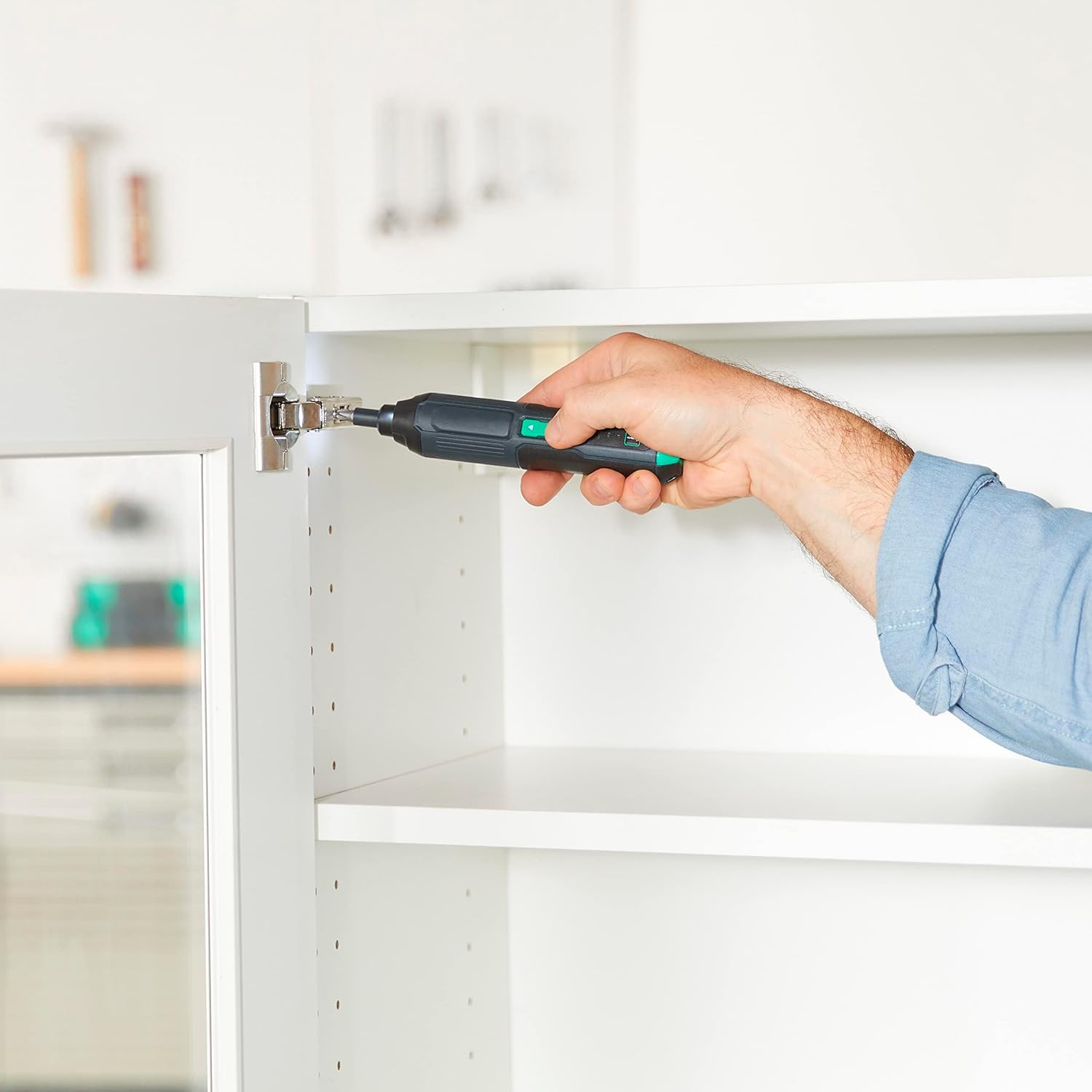
Image: A person using the Amazon Basics Cordless Stick Screwdriver to install a cabinet hinge, demonstrating its practical application in tight spaces.
유지
- 청소: 도구를 부드러운 천으로 닦으세요.amp 옷감. 강한 화학 물질이나 연마성 세제를 사용하지 마십시오.
- 저장: Store the screwdriver and bit set in the provided carrying case in a dry, cool place, away from direct sunlight and moisture.
- 배터리 관리 : For optimal battery life, avoid fully discharging the battery frequently. Recharge the battery regularly, even if the tool is not in use for extended periods.
문제 해결
| 문제 | 가능한 원인 | 해결책 |
|---|---|---|
| 드라이버가 켜지지 않습니다. | 배터리가 소진되었습니다. | Charge the battery fully using the provided USB-C cable. |
| Bit slips or does not engage screw. | 비트 크기가 잘못되었거나 비트가 마모되었습니다. | Ensure the correct bit size is used for the screw head. Replace worn bits. |
| 드라이버가 작동 중에 멈춥니다. | 과부하 보호가 활성화되었습니다. | Reduce pressure or switch to a higher torque setting if appropriate. Allow the tool to cool down. |
명세서
| 특징 | 세부 사항 |
|---|---|
| 모델 번호 | ASD2401-02 |
| 권tage | 4V |
| 배터리 유형 | 2000mAh 리튬 이온 내장 |
| 최대 RPM | 300 분당 |
| 최대 토크 | 최대 22인치파운드 |
| 토크 설정 | 3 |
| 척 사이즈 | 1/4인치 육각 |
| 충전 포트 | USB-C (USB-A to USB-C cable included) |
| 품목 무게 | 10.6 온스 |
| 제품 치수 | 1.38 x 1.42 x 6.97 인치 |
| 재료 | Plastic, Iron, Copper, Others |

Image: The back of the screwdriver showing the product label with model number and electrical specifications.
보증 및 지원
This product is covered by the Power Tool 5-Year Tool Warranty. For full details regarding warranty coverage, terms, and conditions, please refer to the official 보증 PDF.
For customer support or service inquiries, please visit the Amazon Basics Store or contact Amazon customer service.