
소개
The VEVA Circular Air Purifier is designed to provide clean, fresh air in your home or office. It features a multi-stage filtration system, including a HEPA filter and UV-C light, to effectively capture airborne particles and help sanitize the air. Its compact design and quiet operation make it suitable for various room sizes, covering up to 220 sqft.
제품 끝view

This diagram illustrates the three layers of filtration: a removable pre-filter, an activated carbon filter, and an H13 HEPA filter, working together to capture airborne particles.
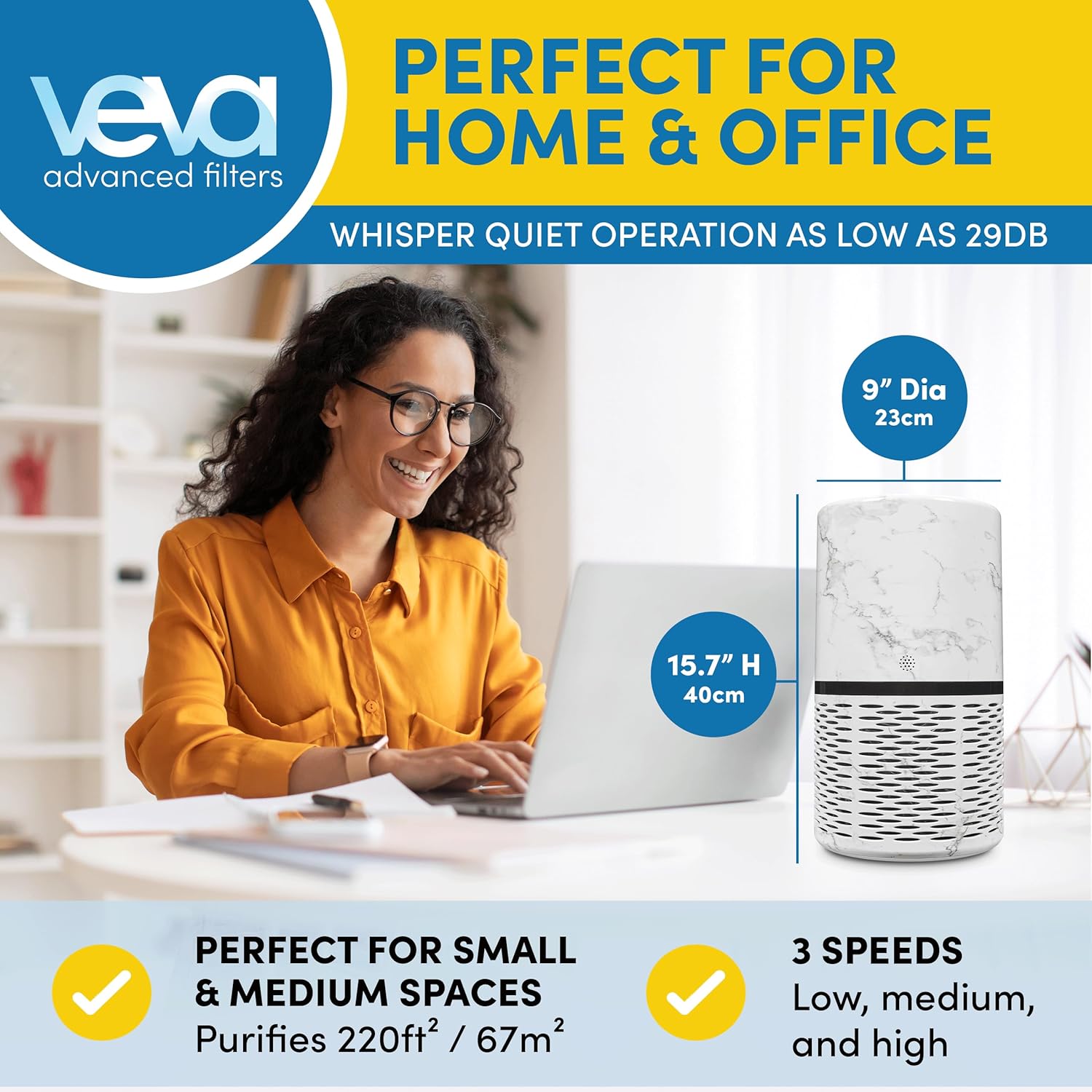
The air purifier's dimensions are 9 inches diameter and 15.7 inches high, suitable for purifying up to 220 sqft. It operates quietly, as low as 29dB.
This official video provides a visual overview of the VEVA Circular Air Purifier, highlighting its design, filtration system, and ease of use.
설치 지침
- 단위 풀기: Carefully remove the air purifier and all components from its packaging.
- 필터 포장 제거: Locate the filter inside the unit and remove any plastic wrapping or protective materials.
- 필터 설치:Remove the base of the air purifier by twisting it counter-clockwise. Insert the ProHEPA™ Mini UV Filter into the unit, ensuring the tag is facing outwards. Secure the base by twisting it clockwise until it locks.

To replace the filter, remove the base of the unit, then insert the new ProHEPA™ Mini UV Filter with the tag 당신을 마주하고 있습니다.
- 놓기: Place the air purifier on a firm, level surface, ensuring adequate space around the unit for optimal airflow.
- 전원 연결: 전원 코드를 표준 전기 콘센트에 꽂으세요.
작동 지침

The control panel features buttons for Sleep Mode, Auto Mode, Speed adjustment, UV-C light, and a Timer for 2, 4, or 8-hour intervals. An air quality indicator is also present.
- 전원 켜기/끄기: Press the power button (usually indicated by a circle with a vertical line) on the control panel to turn the unit on or off.
- 팬 속도 조정: Press the 'Speed' button to cycle through three fan speed settings (Low, Medium, High).
- UV-C Light Function: Press the 'UV' button to activate or deactivate the UV-C light for enhanced air sanitization.
- 부드러운 빛: The unit features a soft light, ideal for night use. This light can typically be controlled via the control panel or automatically adjusted in Sleep Mode.
- 수면 모드 : Activate Sleep Mode for quiet operation and muted brightness, ensuring a peaceful environment.
- 자동 모드 : When Auto Mode is selected, the air purifier will automatically adjust its fan speed based on the detected air quality.
- 시간 제한 모드: Use the 'Timer' button to set the operating duration for 2, 4, or 8 hours. The unit will automatically shut off after the selected time.
- 공기질 표시기 : The unit includes an air quality indicator that provides visual feedback on the current air quality.
유지
- 필터 교체: For optimal performance, replace the ProHEPA™ Mini UV Filter every 6-12 months. Refer to the 'Setup Instructions' for filter replacement steps.
- 외부 청소: 공기청정기 외부는 부드럽고 마른 천으로 닦으세요. 연마성 세제나 용제는 사용하지 마세요.
- 사전 필터 청소: The removable pre-filter can be gently cleaned with a soft brush or vacuum cleaner to remove larger particles. Ensure it is completely dry before re-installing.
문제 해결
- 장치가 켜지지 않습니다:
- Ensure the power cord is securely plugged into a working electrical outlet. Check if the power button has been pressed. Verify that the filter is correctly installed and the base is securely locked.
- 약한 공기 흐름:
- Check if the filter is clogged and requires cleaning or replacement. Ensure there are no obstructions blocking the air intake or outlet vents.
- 이상한 소음:
- Ensure the unit is placed on a stable, flat surface. Check for any foreign objects inside the unit or around the fan. The filter might be incorrectly installed.
- 대기질 지표가 변하지 않음:
- Ensure the sensor is not blocked or dirty. Gently clean the sensor area if accessible, following manufacturer guidelines.
명세서
| 특징 | 세부 사항 |
|---|---|
| 제품 치수 | 9 x 9 x 15.7 인치 |
| 품목 무게 | 8.05파운드(3.65킬로그램) |
| 전원 | 교류/직류 |
| 제어 방법 | Touch, Button Control |
| 필터 유형 | 헤파 |
| 필터 클래스 | HEPA, UV-C |
| 바닥 면적 적용 | 220제곱 피트 |
| 소음 수준 | 29데시벨 |
| 특별 기능 | UV-C light sanitization, compact and modern design |
| 색상 | 하얀색 |
| ASIN | B09N7MD2QL |
| 한국어: | 860006769130 |
보증 및 지원
For any issues not covered in this manual, or for warranty information, please contact VEVA customer support. Refer to the product packaging or the official VEVA web연락처 정보 사이트.