
소개
구매해주셔서 감사합니다asing the Gemmac Astronaut Galaxy Projector Star Night Light. This device is designed to project a captivating nebula and starry sky onto your walls and ceiling, creating a relaxing and immersive atmosphere. Please read this manual carefully before use to ensure proper operation and to maximize your enjoyment of the product.
안전 정보
안전한 작동을 보장하고 손상을 방지하려면 다음 예방 조치를 준수하세요.
- 광원을 직접 응시하지 마십시오. The projector uses bright lights that can cause eye discomfort or damage.
- 감전 사고를 방지하기 위해 기기를 물이나 기타 액체로부터 멀리하십시오.
- 기기를 직접 분해하거나 수리하려고 하지 마십시오. 서비스를 받으려면 자격을 갖춘 기술자에게 문의하십시오.
- Use only the provided power adapter or one with compatible specifications.
- Keep out of reach of small children to prevent accidental ingestion of small parts or direct exposure to the light source.
- Ensure the device is placed on a stable, flat surface to prevent it from falling.
- 프로젝터를 열원 근처나 직사광선에 노출시키지 마십시오.
패키지 내용
패키지에 모든 품목이 들어 있는지 확인하세요.
- 1 x Gemmac Astronaut Galaxy Projector
- 1 x 원격 제어
- 1 x USB 전원 케이블
- 1 x 사용자 설명서

Image: The package includes the astronaut projector, remote control, USB power cable, and user manual.
제품 끝view
The Gemmac Astronaut Galaxy Projector features a unique astronaut design with a flexible head that can be rotated to adjust the projection angle. It combines nebula and star projections for a dynamic visual experience.

Image: The Gemmac Astronaut Galaxy Projector and its remote control.

이미지: 상세 view of the astronaut projector's flexible design and remote control functions.
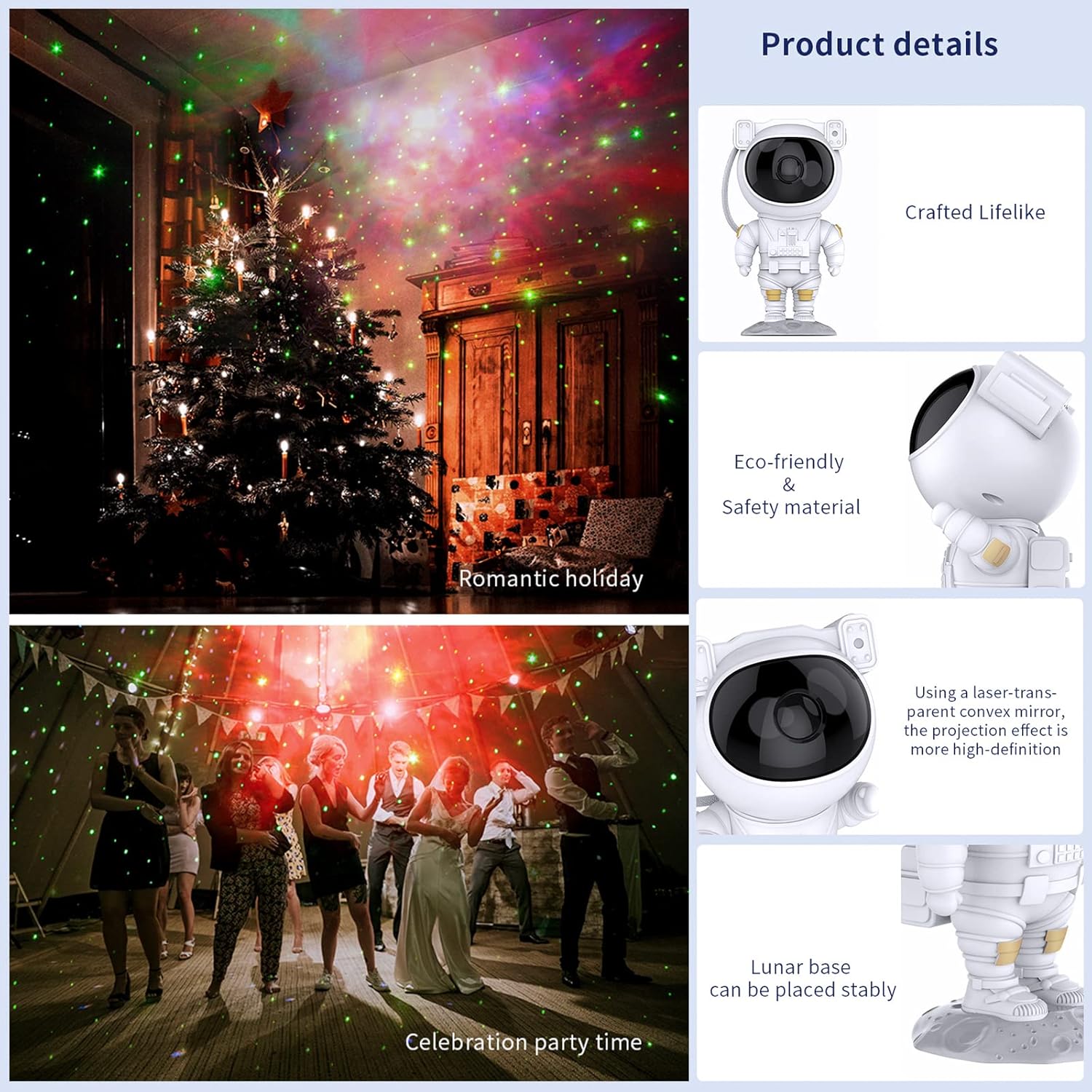
Image: Key product details including design, materials, projection lens, and stable base.
설정
전원 연결
- Place the astronaut projector on a stable, flat surface.
- Connect the USB power cable to the projector's power input port (located on the backpack).
- USB 케이블의 다른 쪽 끝을 호환되는 USB 전원 어댑터(포함되지 않음) 또는 USB 포트에 꽂습니다.
- 전원이 안정적인지 확인하세요.
작동 지침
장치 버튼
The buttons on the back of the astronaut's backpack allow for basic control:
- 전원 버튼: 프로젝터를 켜거나 끕니다.
- Nebula Mode Button: Cycles through different nebula colors and effects.
- Star Mode Button: Turns the star projection on or off.
원격 제어 기능
The included remote control provides comprehensive control over the projector's features:
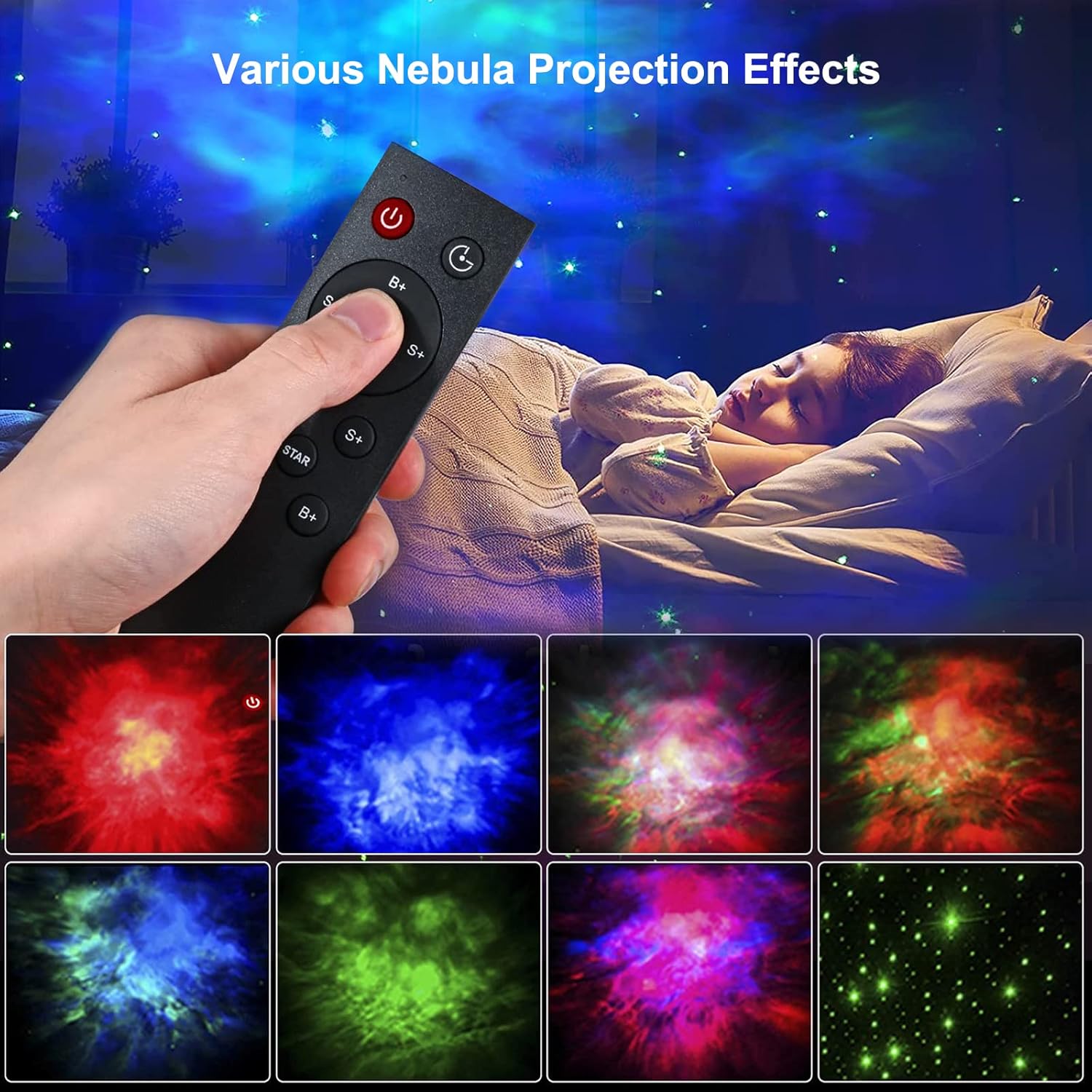
Image: Remote control in use, demonstrating various projection effects.
- 전원(켜기/끄기): 프로젝터를 켜거나 끕니다.
- 시간 전환: Sets the automatic shut-off timer (e.g., 45 minutes, 90 minutes).
- Nebula Brightness (B+/B-): Adjusts the brightness of the nebula projection.
- Nebula Change Speed (S+/S-): Controls the speed of nebula movement.
- Nebula Color Switching (NEBULA): Cycles through different nebula colors.
- Star Breathing Rate (S+/S-): Adjusts the fading speed of the stars.
- Star Switch (STAR): Turns the star projection on or off.
- Star Brightness (B+/B-): Adjusts the brightness of the star projection.
특징
Nebula and Star Projection
The projector offers a combination of colorful nebula clouds and twinkling stars. These can be displayed together or independently, providing a variety of celestial scenes. The nebula colors and star brightness are adjustable to suit your preference.
Video: Demonstration of the Gemmac Astronaut Galaxy Projector's nebula and star light effects.

Image: The projector creating a green nebula and star effect in a living room setting.

Image: The projector creating a colorful nebula and star effect inside a car.
타이머 기능
Utilize the timer function on the remote control to set the projector to automatically turn off after a specified duration (e.g., 45 or 90 minutes). This is ideal for bedtime use.
조정 가능한 투사 각도
The astronaut's head is magnetically connected to its body, allowing you to rotate it 360 degrees. This flexibility enables you to direct the projection to any desired angle on your ceiling or walls.
유지
적절한 유지관리는 프로젝터의 수명과 최적의 성능을 보장합니다.
- 청소: 프로젝터 외부를 닦을 때는 부드럽고 마른 천을 사용하십시오. 연마성 세척제나 용제를 사용하지 마십시오.
- 렌즈 관리: Gently clean the projection lenses with a soft, lint-free cloth to maintain clear projection quality. Avoid touching the lenses directly with your fingers.
- 저장: When not in use for extended periods, store the projector in a cool, dry place, away from direct sunlight and moisture.
문제 해결
문제가 발생할 경우, 다음의 일반적인 문제 및 해결 방법을 참조하십시오.
| 문제 | 가능한 원인 | 해결책 |
|---|---|---|
| 프로젝터가 켜지지 않습니다. | 전원이 들어오지 않고, 연결이 느슨하고, 어댑터에 결함이 있습니다. | Check power cable connection. Ensure power adapter is working. Try a different USB port or adapter. |
| 리모컨이 작동하지 않습니다. | 배터리 방전, 리모컨 작동 범위 이탈, 장애물. | Replace remote control batteries. Ensure remote is pointed at the projector and within range. Remove any obstructions between the remote and projector. |
| 투사가 흐릿하거나 어둡습니다. | Dirty lens, incorrect focus, too much ambient light. | Gently clean the projection lenses. Ensure the room is dark enough for optimal projection. Adjust brightness settings via remote. |
| 별이나 성운이 나타나지 않습니다. | 기능이 꺼져 있습니다. | Use the remote control to turn on the star or nebula projection modes. |
명세서
| 특징 | 세부 사항 |
|---|---|
| 상표 | Gemmac |
| 모델 | 우주인 갤럭시 프로젝터 |
| 제품 치수 | 9.6인치 깊이 x 4.5인치 너비 x 4.7인치 높이 |
| 품목 무게 | 2.4 온스(0.15 파운드) |
| 광원 유형 | 주도의 |
| 재료 | 아크릴로니트릴 부타디엔 스티렌(ABS) |
| 전원 | 코드식 전기 |
| 왓tage | 5 와트 |
| 제어 방법 | Remote, Device Buttons |
| 특별 기능 | Color Changing, Timer, Dimmable |
| 실내/실외 사용 | 실내 |
| 한국어: | 755419178313 |
보증 및 지원
For warranty information or technical support, please refer to the contact details provided with your purchase documentation or visit the official Gemmac web사이트. 구매 증빙 자료로 구매 영수증을 보관하세요.