
1. 서론
This manual provides detailed instructions for the installation, operation, and maintenance of your LAMAX T4 Car Camera. Please read this manual thoroughly before using the device to ensure proper function and safety. The LAMAX T4 is a Full HD dashcam designed to record your journeys, featuring a magnetic mount, super capacitor power, and a 140-degree wide-angle lens.
2. 패키지 내용
아래 나열된 모든 품목이 패키지에 들어 있는지 확인하세요.
- LAMAX T4 Dashcam
- 마그네틱 홀더
- Car Adapter with additional USB port
- 3M Replacement Adhesive
- Mini USB PC Cable
- Optional Magnetic 3M Holder with GPS (accessory)

Figure 2.1: Contents of the LAMAX T4 Car Camera package. Includes the dashcam, magnetic mount, car charger, USB cable, and adhesive pads.
3. 제품 오버view
The LAMAX T4 Car Camera is equipped with several features to enhance your driving experience and provide reliable recording. Key features include Full HD video resolution, a 140-degree wide-angle lens, Wide Dynamic Range (WDR) for improved image quality in varying light conditions, a G-sensor for incident detection, and a super capacitor for enhanced durability.
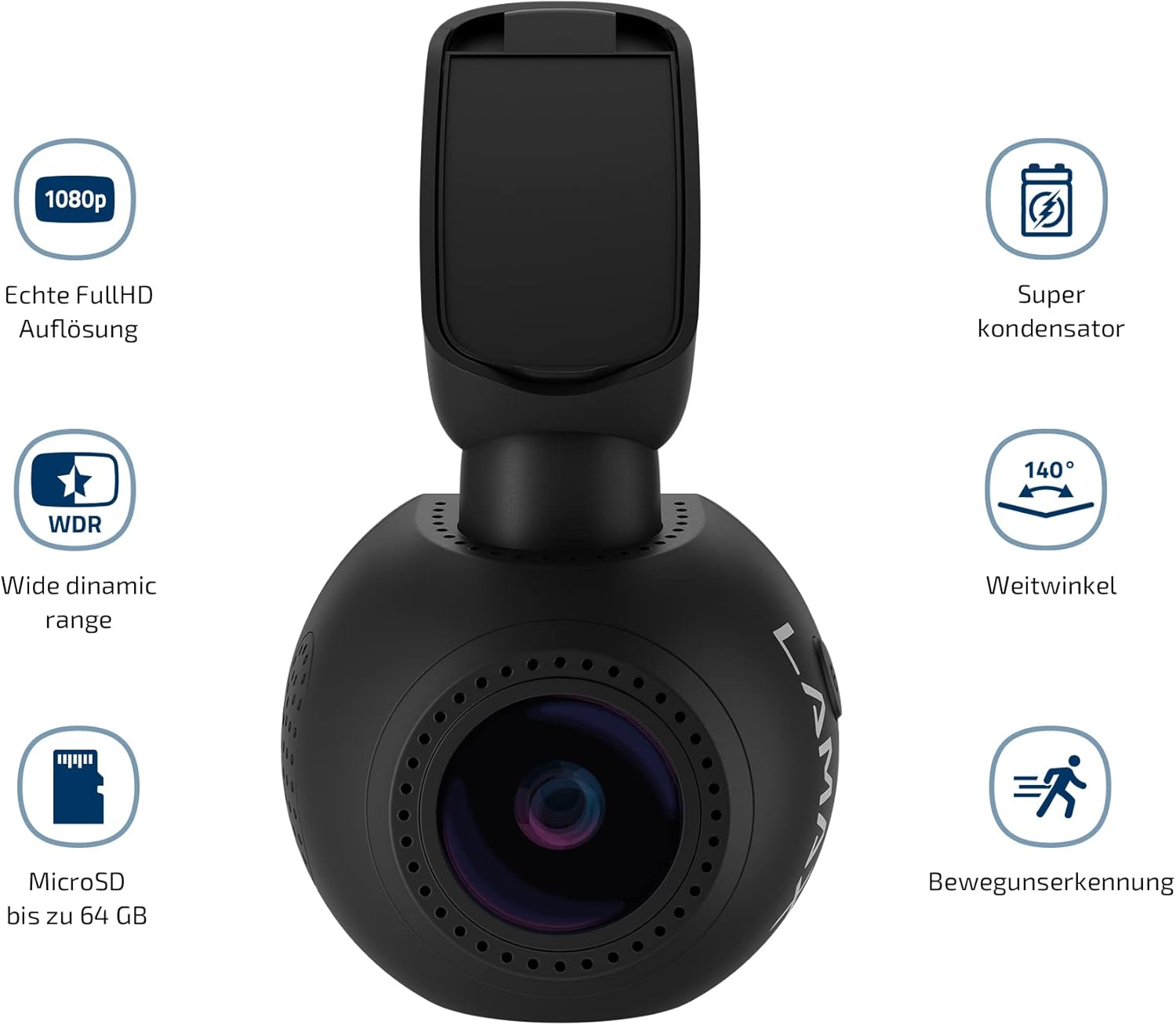
그림 3.1: 이상view of LAMAX T4 Car Camera features, highlighting 1080p Full HD, Super Capacitor, 140-degree wide angle, WDR, MicroSD support up to 64GB, and Motion Detection.
3.1 구성 요소 식별
Familiarize yourself with the various parts of your LAMAX T4 dashcam:
- 카메라 렌즈: 영상을 녹화합니다.
- 1.5 Inch Display: 을 위한 view잉 라이브 푸tag재생 및 메뉴 탐색.
- Magnetic Mount Connector: For attaching the camera to the magnetic holder.
- MicroSD 카드 슬롯: 여기에 메모리 카드를 삽입하세요.
- 마이크로폰: 오디오를 녹음합니다.
- LED 표시등: Shows device status (e.g., recording, charging).
- 제어 버튼: 메뉴 탐색 및 기능 선택을 위해.
- 미니 USB 포트: 전원 공급 및 데이터 전송용.

Figure 3.2: Detailed diagram identifying the components of the LAMAX T4 Car Camera, including the magnetic mount, power input, MicroSD slot, microphone, LED indicator, and control buttons.
4. 설정
4.1 카메라 장착
- Clean the area on your windshield where you intend to mount the camera. Ensure it does not obstruct your view.
- Attach the magnetic holder to the windshield using the provided 3M adhesive pad. Press firmly for at least 30 seconds to ensure a secure bond.
- Slide the LAMAX T4 dashcam onto the magnetic holder. The magnetic connection will secure the camera. An additional lock mechanism on the mount provides extra stability.
- 카메라 각도를 조정하여 명확한 시야를 확보하세요. view 앞으로의 길에 대하여.
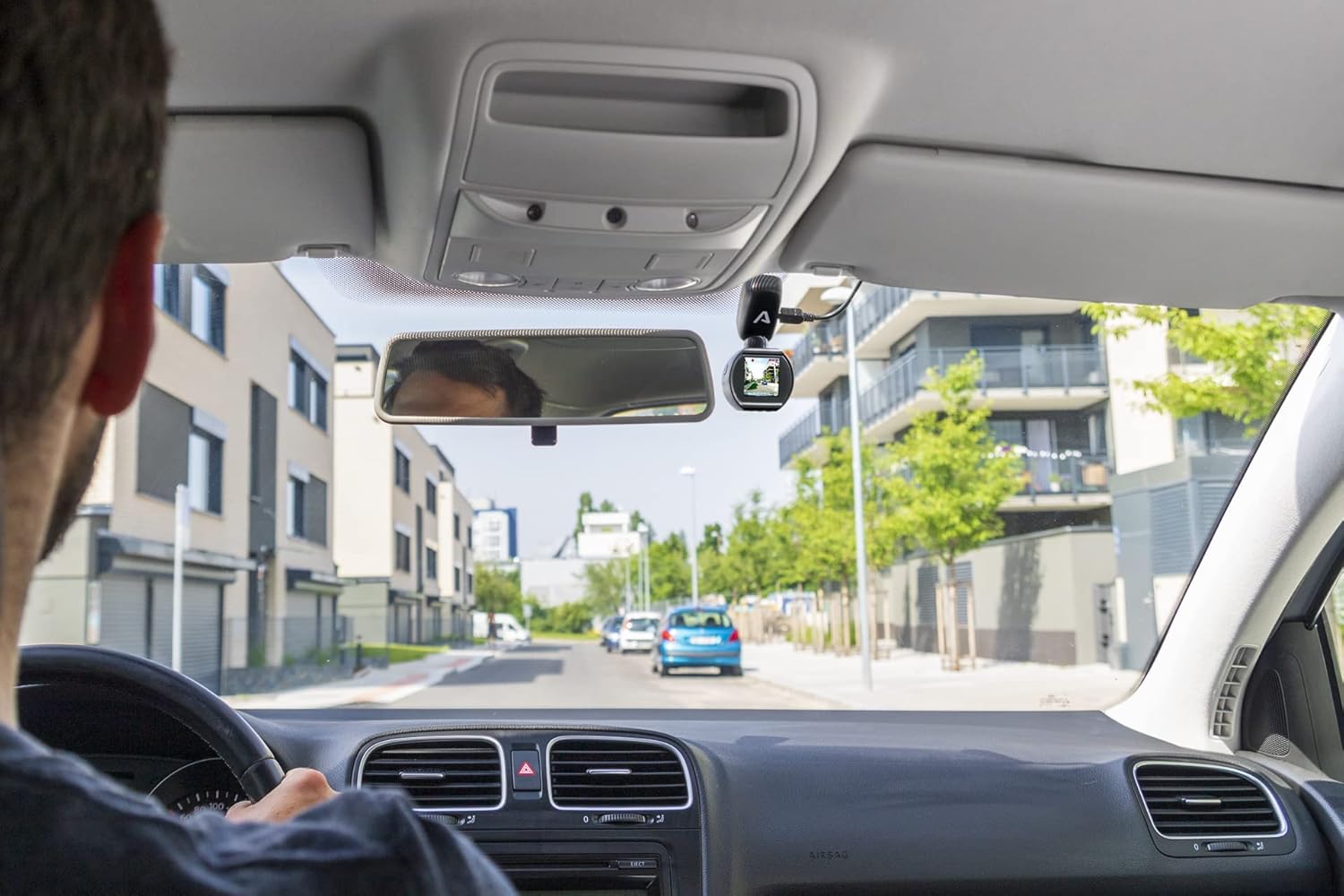
Figure 4.1: LAMAX T4 Car Camera mounted on the windshield, showing the driver's perspective of the road.

그림 4.2: 클로즈업 view of the LAMAX T4 Car Camera securely mounted on the car windshield.
4.2 전원 연결
- Connect the Mini USB cable to the camera's Mini USB port.
- Plug the other end of the cable into the provided car adapter.
- Insert the car adapter into your vehicle's 12V cigarette lighter socket.
- The camera will automatically power on and begin recording when the vehicle's ignition is turned on. The car adapter also includes an additional USB port for charging other devices.
4.3 MicroSD 카드 삽입
The LAMAX T4 supports MicroSD cards up to 64GB. A high-speed card (Class 10 or higher) is recommended for optimal performance.
- With the camera powered off, locate the MicroSD card slot on the side of the device.
- 카메라 뒷면의 금색 접점을 향해 MicroSD 카드를 삽입하여 딸깍 소리가 날 때까지 제자리에 고정합니다.
- 제거하려면 카드를 딸깍 소리가 날 때까지 살짝 밀어 넣은 다음 놓으면 카드가 배출됩니다.
4.4 Optional GPS Module
If you have the optional GPS module, attach it to the magnetic mount before attaching the camera. The GPS module records vehicle position and speed, which can be displayed in the video footage.
5. 사용 설명서
5.1 전원 켜기/끄기
- 오토매틱: The camera powers on and off automatically with the vehicle's ignition.
- 수동 : Press and hold the power button to manually turn the camera on or off.
5.2 비디오 녹화
The LAMAX T4 records in Full HD (1080p) at 30 frames per second. It utilizes loop recording, meaning when the memory card is full, the oldest unprotected files는 새 녹음으로 덮어쓰여집니다.
- 녹음 시작: Recording typically starts automatically when the camera powers on. A flashing LED indicator confirms recording is active.
- 녹음 중지: Press the 'OK' button to stop recording. Press again to resume.
- 보호하다 Files: During recording, press the 'M' button to manually protect the current recording from being overwritten. Files protected by the G-sensor are also locked.
5.3 G-센서 기능
The integrated G-sensor detects sudden impacts or rapid acceleration/deceleration. When triggered, it automatically locks the current video segment, preventing it from being overwritten during loop recording. The sensitivity of the G-sensor can be adjusted in the camera settings.
5.4 광역 동적 범위(WDR)
WDR technology improves video quality in challenging lighting conditions, such as strong backlighting or rapid changes from dark to bright environments. This ensures clearer details in both bright and dark areas of the image.
5.5 디스플레이 및 메뉴 탐색
The 1.5-inch display allows you to view 라이브 푸tage, play back recorded videos, and access camera settings. Use the control buttons (Up, Down, OK, M) to navigate through the menu options.

Figure 5.1: The LAMAX T4 Car Camera display showing a live view of the road during operation.
5.6 날짜 및 시간 설정
It is important to set the correct date and time for accurate video timestamps. Access these settings through the camera's menu. Due to the super capacitor, the camera relies on continuous power to maintain date and time settings over extended periods without power. If the camera is left unpowered for several days, the date and time may need to be reset.
6. 유지관리
6.1 카메라 청소
- 부드럽고 마른 천을 사용하여 카메라 본체를 청소하세요.
- 렌즈의 경우, 긁힘을 방지하기 위해 특수 렌즈 세척 천과 세척 용액을 사용하세요.
- 연마성 세척제나 용제를 사용하지 마십시오.
6.2 MicroSD 카드 관리
- Regularly format your MicroSD card (e.g., once a month) using the camera's menu option to maintain optimal performance and prevent data corruption.
- Replace the MicroSD card if you experience frequent recording errors or data loss.
7. 문제 해결
If you encounter issues with your LAMAX T4, refer to the following common problems and solutions:
- 카메라 전원이 켜지지 않습니다:
Ensure the car adapter is securely plugged into the 12V socket and the Mini USB cable is firmly connected to the camera. Check if the vehicle's 12V socket is receiving power. - Camera does not record:
Verify that a MicroSD card is inserted correctly and is not full. Format the MicroSD card if necessary. Ensure the camera is receiving continuous power. - Date and time settings are not saved:
The LAMAX T4 uses a super capacitor, which requires continuous power to maintain date and time settings over long periods. If the camera is disconnected from power for more than a few days, the date and time may reset. Reconnect to power and reset the date/time in the settings. - Video quality is poor or license plates are unreadable:
Ensure the camera lens is clean and free from obstructions. Check that the camera is recording in Full HD (1080p) resolution in the settings. While the camera records in Full HD, license plate readability can be affected by distance, speed, and lighting conditions. - Magnetic mount is not stable:
Ensure the windshield surface is clean and dry before applying the 3M adhesive. Press the adhesive firmly for the recommended time. If the adhesive wears out, use a replacement 3M adhesive pad. - Camera freezes or malfunctions:
Try resetting the camera by pressing the reset button (if available) or disconnecting and reconnecting the power. If the issue persists, try using a different MicroSD card.
8. 사양
Technical specifications for the LAMAX T4 Car Camera:
| 모델 번호 | LMXT4 |
| 비디오 캡처 해상도 | 1080p(풀 HD) |
| 초당 프레임 | 30fps |
| View잉 각도 | 140° (horizontal max.) |
| 디스플레이 크기 | 1.5 인치 |
| 전원 | Super Capacitor, 12V Car Adapter |
| 저장 | 최대 64GB 용량의 microSD 카드(Class 10 권장) |
| 특별 기능 | WDR, G-Sensor, Loop Recording, Magnetic Mount, Optional GPS |
| 연결성 | 보조, USB |
| 장착 유형 | 자석 마운트 |
| 제품 치수 | 6 x 16 x 11cm |
| 품목 무게 | 340g |
9. 보증 정보
LAMAX products are covered by a manufacturer's warranty. The specific terms and duration of the warranty may vary by region and retailer. Please retain your proof of purchase for any warranty claims. For detailed warranty information, refer to the documentation provided with your purchase or visit the official LAMAX web대지.
10. 고객 지원
If you require further assistance or have questions not covered in this manual, please contact LAMAX customer support. You can typically find contact information on the official LAMAX website or through your product retailer. When contacting support, please have your product model (LMXT4) and proof of purchase available.