
1. 서론
This manual provides detailed instructions for the installation, operation, and maintenance of your DIHOOM BC13 3MP WiFi Outdoor Security Camera. This camera is designed to provide reliable surveillance with features such as 3-megapixel resolution, full-color night vision, AI-powered human and face detection, two-way audio, and IP65 weather resistance. Please read this manual thoroughly before using the product to ensure proper setup and functionality.
2. 패키지 내용
아래 나열된 모든 품목이 패키지에 포함되어 있는지 확인하세요.
- 1 x DIHOOM BC13 3MP WiFi Outdoor Security Camera (with 10400 mAh battery)
- 1 x 사용자 설명서
- 1 x Mounting Bracket with Screw Set
- 1 x USB 유형 C 충전 케이블
- 1 x 보증 카드
3. 제품 오버view
카메라의 구성 요소를 숙지하세요.

The DIHOOM BC13 camera features a cylindrical design with dual antennas for enhanced Wi-Fi connectivity. It is designed for outdoor installation.
- 카메라 렌즈: 동영상 foo를 캡처합니다.tage.
- 스포트라이트: Provide illumination for color night vision and act as a deterrent.
- 적외선 LED: Enable black and white night vision.
- 마이크로폰: 양방향 통신과 녹음을 위해 오디오를 캡처합니다.
- 스피커: 양방향 통신 및 경보를 위한 오디오를 출력합니다.
- Dual 5dBi Antennas: Enhance Wi-Fi signal reception for stable connectivity.
- 장착베이스: 벽이나 천장에 안전하게 설치할 수 있습니다.
- USB 타입-C 포트: 내부 배터리를 충전합니다.
- 마이크로 SD 카드 슬롯: 로컬 비디오 저장용(최대 128GB 지원).
- 재설정 버튼: 카메라를 공장 설정으로 재설정하는 데 사용됩니다.
4. 설정
4.1 앱 다운로드 및 계정 등록
- Download the "Eseecloud" app from your smartphone's app store (iOS App Store or Google Play Store).
- 앱을 열고 화면의 지시에 따라 새 계정을 등록하세요.
- 새로 만든 계정에 로그인하세요.
4.2 Initial Camera Pairing (Wi-Fi Connection)
- Ensure the camera is fully charged using the provided USB Type-C cable.
- 카메라의 전원을 켭니다.
- In the Eseecloud app, tap the "+" icon to add a new device.
- Select the appropriate camera type (e.g., "Wireless Camera" or scan the QR code on the camera).
- Follow the app's instructions to connect the camera to your 2.4GHz Wi-Fi network. Ensure your Wi-Fi password is correct.
- 연결되면 카메라 이름을 지정하고 라이브 방송을 시작할 수 있습니다. view주고받음.
4.3 장착 지침

Featuring a 120-degree wide-angle lens, the camera provides broad coverage. The dual 5dBi antennas ensure a stable and extended Wi-Fi connection.
- Choose a suitable outdoor location for mounting, ensuring good Wi-Fi signal strength and a clear view 모니터링하려는 영역의
- Use the mounting bracket as a template to mark the drill holes on the wall or ceiling.
- 드릴로 구멍을 뚫고 제공된 벽 앵커를 삽입하십시오.
- 나사를 사용하여 장착 브래킷을 벽에 고정하십시오.
- 카메라를 마운팅 브래킷에 부착하고 최적의 촬영 각도를 위해 각도를 조정하십시오.
- 카메라가 직사광선이나 강한 광원으로부터 멀리 떨어져 있어 이미지 품질에 영향을 미치지 않도록 배치하십시오.
5. 사용 설명서
5.1 라이브 View
Open the Eseecloud app on your smartphone. Tap on the camera's name to access the live video feed. You can switch between Standard Definition (SD) and High Definition (HD) for optimal viewing based on your network conditions.
5.2 양방향 오디오

The integrated microphone and speaker enable two-way audio communication, allowing you to speak with visitors or deter intruders directly through the Eseecloud app.
라이브 중 view, tap the microphone icon in the app to activate two-way audio. Speak into your phone to communicate with anyone near the camera. Tap the icon again to end the conversation.
5.3 Motion Detection & AI Features

The camera's AI features can distinguish between general motion, human figures, and faces, sending specific alerts to your smartphone via the Eseecloud app. This helps reduce false alarms.
The camera is equipped with advanced AI algorithms that can differentiate between general motion, human shapes, and faces. This significantly reduces false alarms caused by pets, insects, or swaying branches. When motion, a person, or a face is detected, the camera will automatically record a video clip and send a push notification to your smartphone via the Eseecloud app. You can customize detection sensitivity and alert types within the app settings.
5.4 야간 투시 모드
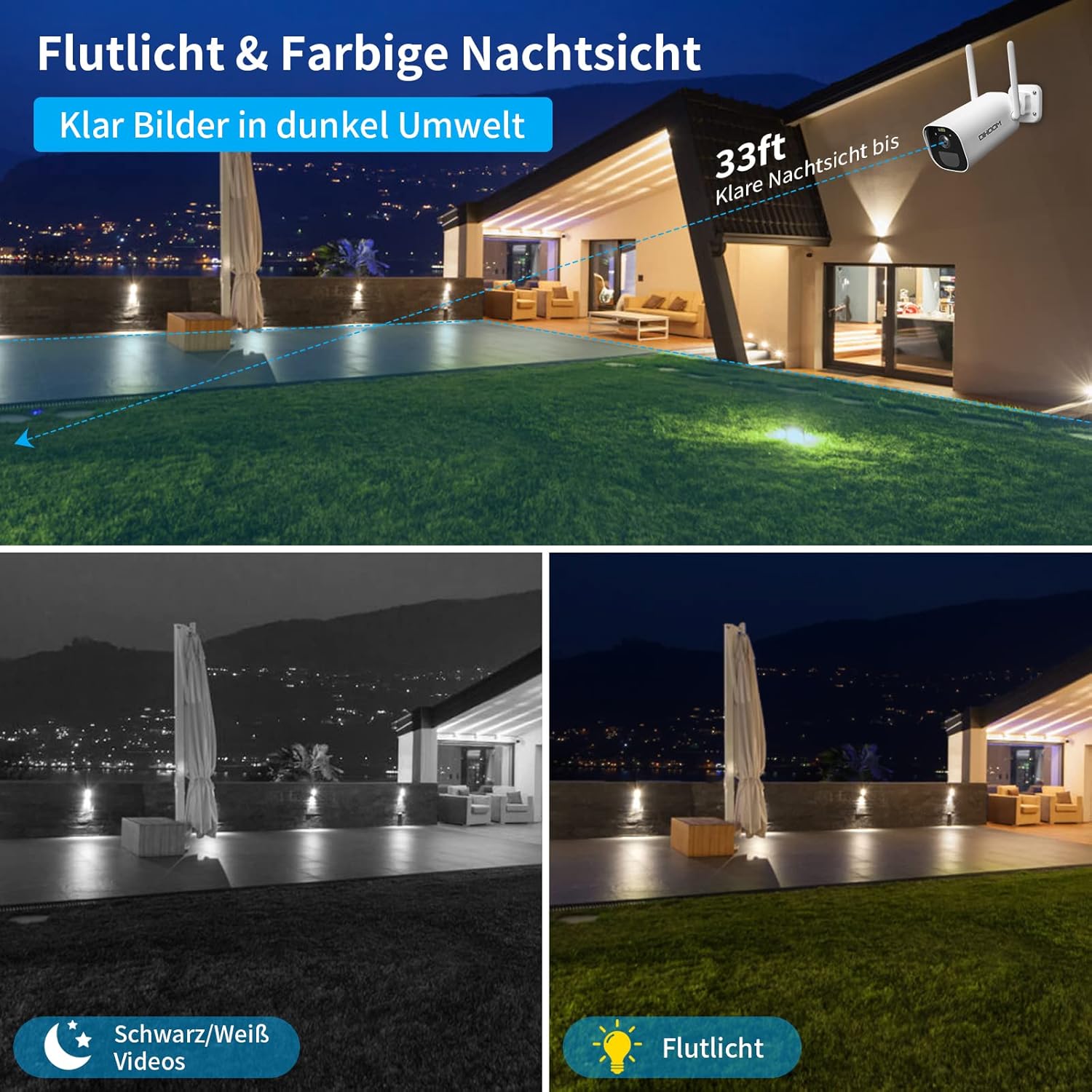
This image illustrates the camera's night vision capabilities, showing both standard black and white infrared mode and the enhanced full-color night vision activated by the integrated spotlight.
카메라는 두 가지 야간 시야 모드를 제공합니다.
- 적외선(IR) 야간 투시경: Provides clear black and white video footage in complete darkness, with a range of up to 25 meters.
- 풀컬러 야간 투시경: When motion is detected, the integrated spotlights activate, providing full-color video even in low-light conditions. This mode can also act as a visual deterrent.
You can configure the night vision mode preferences within the Eseecloud app.
5.5 녹음 및 저장
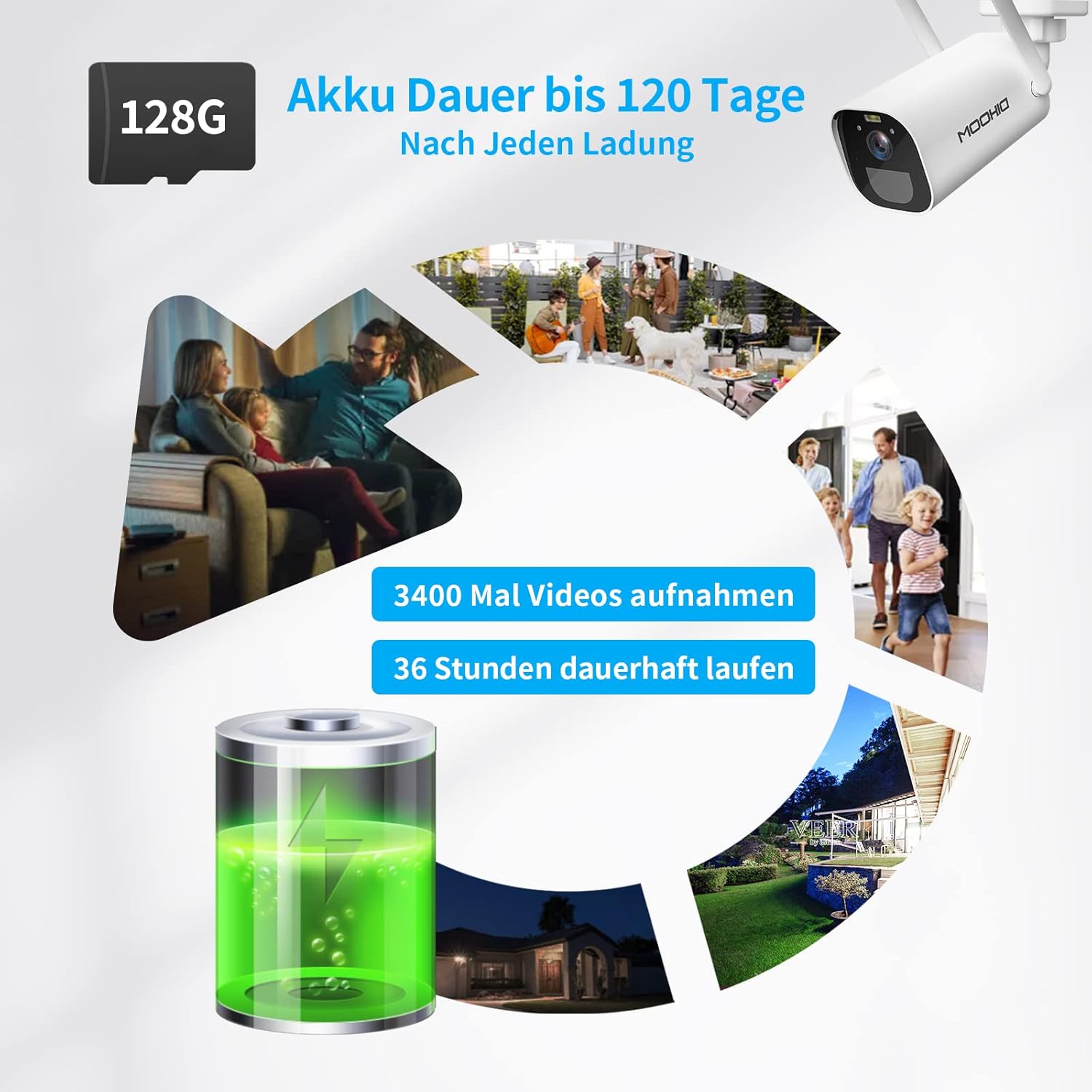
The camera is equipped with a 10400 mAh rechargeable battery, providing extended operation. It supports local storage via a Micro SD card up to 128GB for recording events.
The camera supports two storage options for recorded video clips:
- 마이크로 SD 카드 : Insert a Micro SD card (up to 128GB, not included) into the designated slot on the camera. The camera will automatically record motion-triggered events to the card.
- 클라우드 스토리지: The camera supports AWS Cloud storage services. Refer to the Eseecloud app for subscription details and activation.
Recorded videos can be reviewed and downloaded directly from the Eseecloud app.
5.6 배터리 관리
The DIHOOM BC13 camera is powered by a 10400 mAh rechargeable lithium-ion battery. A full charge can provide up to 120 days of standby time or approximately 3400 motion-triggered recordings. For continuous operation, especially in areas with frequent activity, consider connecting a compatible solar panel (sold separately). Note that solar panel efficiency may be reduced in winter conditions.
To charge the camera, connect the provided USB Type-C cable to the camera's charging port and a standard 5V/2A USB power adapter (not included).
6. 유지관리
- 청소: Gently wipe the camera lens and body with a soft, dry cloth to remove dust and dirt. Avoid using harsh chemicals or abrasive materials.
- 배터리 관리 : For optimal battery life, avoid fully discharging the battery frequently. Charge the camera regularly, especially if it's not connected to a solar panel.
- 펌웨어 업데이트: Periodically check the Eseecloud app for available firmware updates to ensure your camera has the latest features and security enhancements.
7. 문제 해결
- 카메라가 Wi-Fi에 연결되지 않음:
- Wi-Fi 네트워크가 2.4GHz인지 확인하세요. 카메라는 5GHz Wi-Fi를 지원하지 않습니다.
- Wi-Fi 비밀번호가 정확한지 확인하세요.
- Place the camera closer to your Wi-Fi router during initial setup.
- 카메라의 재설정 버튼을 사용하여 카메라를 재설정한 후 다시 페어링을 시도하십시오.
- 잦은 오경보:
- Adjust the motion detection sensitivity in the Eseecloud app.
- Ensure AI human/face detection is enabled to filter out non-human movements.
- Avoid pointing the camera at areas with constant movement (e.g., busy roads, swaying trees).
- 야간 시야 품질이 좋지 않음:
- 카메라 렌즈가 깨끗하고 이물질이 없는지 확인하십시오.
- Check if the IR LEDs or spotlights are blocked.
- Verify that the night vision mode is set correctly in the app.
- 배터리가 충전되지 않음:
- Ensure the USB Type-C cable is securely connected to both the camera and the power adapter.
- Try a different USB power adapter (5V/2A recommended).
- 충전 포트가 깨끗하고 이물질이 없는지 확인하세요.
- 오디오가 나오지 않거나 오디오 품질이 좋지 않음:
- Ensure the microphone and speaker are not blocked.
- Check the audio settings in the Eseecloud app.
- Verify your smartphone's volume is turned up.
8. 사양
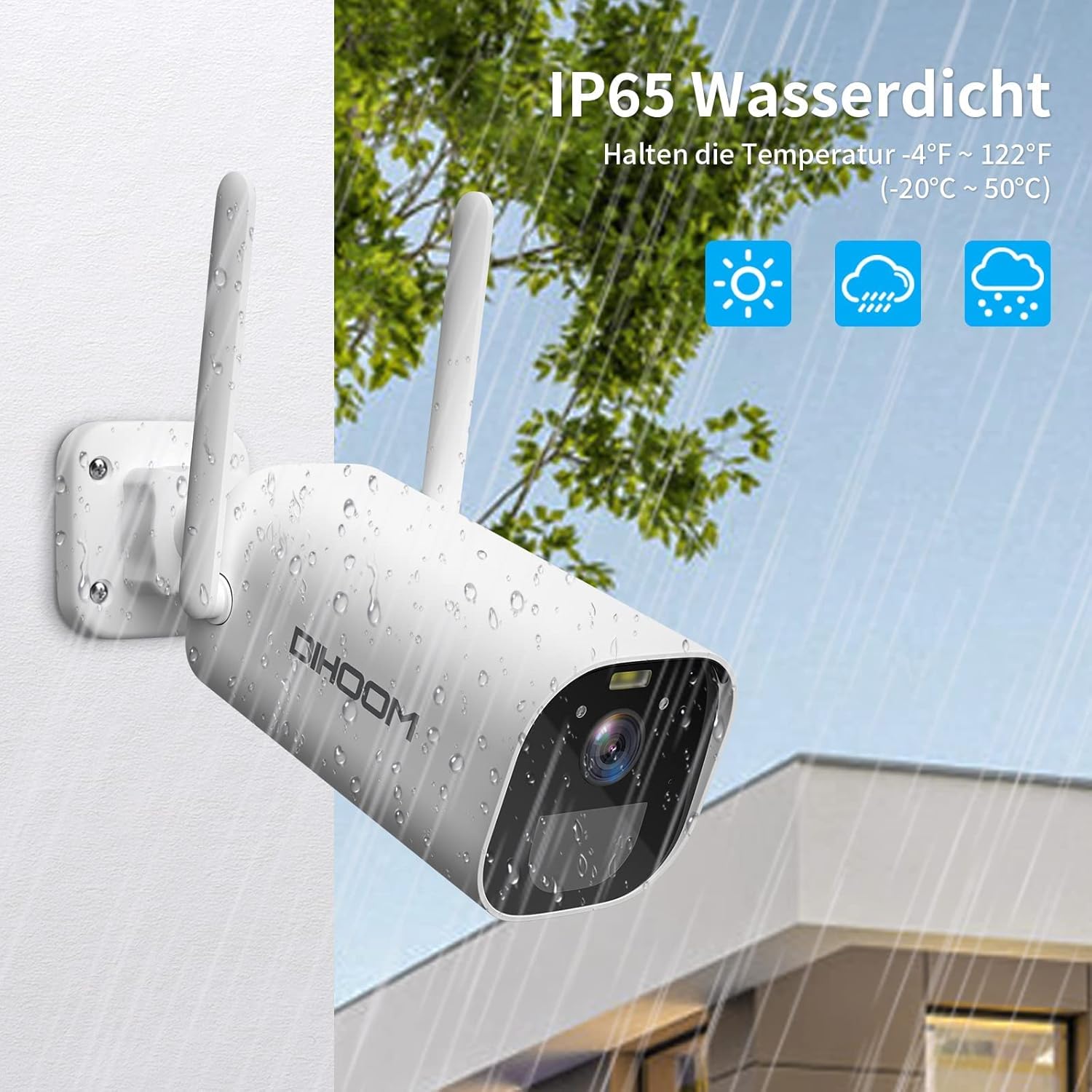
The camera boasts an IP65 weather-resistant rating, ensuring reliable operation in various outdoor conditions, including rain and extreme temperatures ranging from -10°C to 50°C.
| 특징 | 사양 |
|---|---|
| 모델 번호 | 기원전 13 |
| 비디오 해상도 | 3MP(2304 x 1296) |
| 프레임 속도 | 1080P/30FPS, 1296P/25fps |
| View잉 각도 | 120도 |
| 무선 연결 | Wi-Fi(2.4GHz만 해당) |
| 안테나 | Dual 5dBi |
| 나이트 비전 | Infrared (B&W) & Full-Color (with spotlight) |
| 동작 감지 | PIR, AI Human/Face Detection |
| 오디오 | 양방향 오디오(내장 마이크 및 스피커) |
| 저장 옵션 | Micro SD Card (up to 128GB), AWS Cloud Storage |
| 배터리 용량 | 10400 마판 리튬 이온 |
| 전원 입력 | USB Type-C (5V/2A recommended) |
| 내후성 | IP65 |
| 작동 온도 | -10°C ~ 50°C(14°F ~ 122°F) |
| 재료 | ABS 플라스틱 |
| 치수(길이 x 너비 x 높이) | 19 x 7 x 7cm |
| 무게 | 820그램 |
9. 보증 및 지원
9.1 보증 정보
Your DIHOOM BC13 camera comes with a limited warranty. Please refer to the included warranty card in your package for specific terms, conditions, and duration of the warranty coverage.
9.2 기술 지원
For technical assistance, troubleshooting, or any questions regarding your DIHOOM BC13 camera, please refer to the support section within the Eseecloud app. You may also find contact information for customer support on the warranty card or the official DIHOOM web대지.