
1. 중요한 안전 정보
Please read all safety and operating instructions carefully before using this television. Keep this manual for future reference. Always follow basic safety precautions to reduce the risk of fire, electric shock, and injury.
- 이 제품을 비나 습기에 노출시키지 마십시오.
- 환기구를 막지 마십시오. 제조업체의 지침에 따라 설치하십시오.
- 라디에이터, 난방 조절기, 스토브 또는 기타 장치(다음을 포함)와 같은 열원 근처에 설치하지 마십시오. amp열을 생성하는 발전기.
- 전원 코드가 밟히거나 조이지 않도록 보호하십시오. 특히 플러그, 콘센트 및 기기에서 나오는 지점에서 전원 코드가 밟히거나 조이지 않도록주의하십시오.
- 제조사가 지정한 부속품/액세서리만 사용하세요.
- 모든 서비스는 자격을 갖춘 서비스 담당자에게 문의하십시오. 장비가 어떤 식으로든 손상된 경우 서비스가 필요합니다.
2. 상자 안에 무엇이 들어있나요?
Carefully unpack your new Sansui TV and ensure all items listed below are present.
- 1 x Sansui 4K Ultra HD Android LED TV (JSW50ASUHD)
- 테이블 스탠드 받침대 2개
- 1 x Wall Mounting Set
- 4 x Screws for stand/mount
- 1 x 사용자 설명서
- 1 x 보증 카드
- 1 x 원격 제어
- AAA 배터리 2개(리모컨용)
- 1 X 전원 코드
- 1 x 미니 AV 케이블
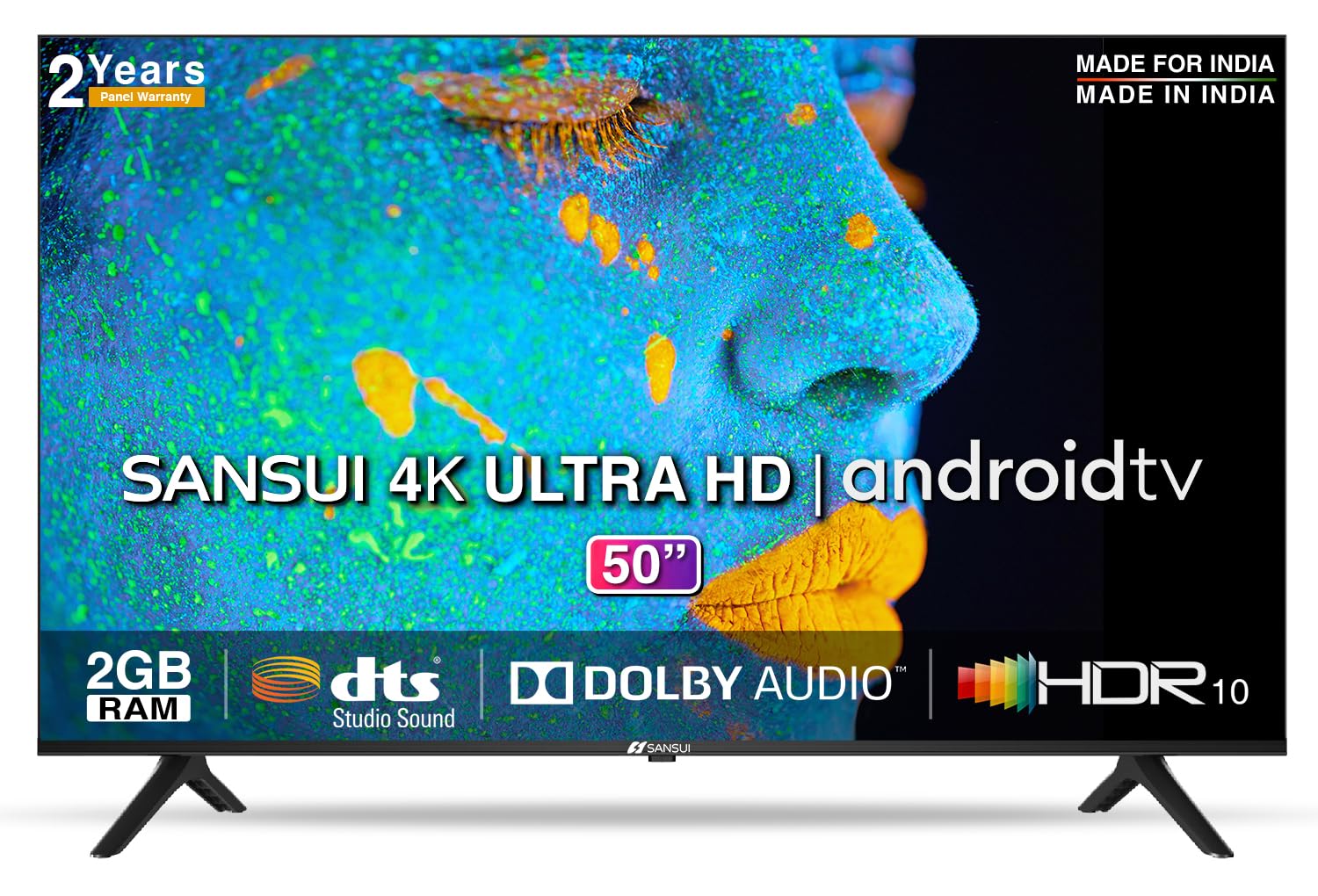
Image: Sansui 50-inch 4K Ultra HD Android LED TV with its table stand.
3. 제품 오버view
3.1. 주요 특징
- 표시하다: 4K Ultra HD (3840x2160) resolution, 60Hz refresh rate, Wide Viewing Angle, A+ Grade Panel, Wide Colour Gamut, HDR 10, Crystal Clear Display, High Brightness, Bezel-less Design.
- 오디오: Dolby Audio, DTS Studio Sound, 20 Watts Audio Output.
- 스마트 TV 기능: Android 10.0 (Certified by Google), Google Assistant, Alexa Enabled Support, Built-in Chromecast, CA53 Quad Core Processor, 2GB RAM, 8GB ROM.
- 지원되는 앱: Prime Video, Netflix, Disney + Hotstar, YouTube, Google Play.
- 연결성: 3 HDMI ports, 2 USB ports, 3.5mm audio jack, Bluetooth, Wi-Fi, RJ45 (Ethernet), Antenna.

Image: Visual representation of the TV's main features and capabilities.
3.2. 치수
The TV features a 50-inch screen (127 cm diagonal) with a bezel-less design for an immersive view경험.

Image: Detailed dimensions of the Sansui 50-inch TV, including width, height, and depth with and without the stand.
4. 설정
4.1. 테이블 스탠드 설치
- 손상을 방지하려면 TV 화면을 아래로 하여 부드럽고 평평한 표면에 놓으세요.
- Align the table stand bases with the corresponding slots at the bottom of the TV.
- Secure the bases using the provided screws. Ensure they are tightened firmly.
4.2. 벽면 장착 (선택 사항)
If you choose to wall mount your TV, please use the provided wall mounting set and screws. The VESA mount standard is 800 x 400 mm. It is recommended to seek professional assistance for wall mounting to ensure proper and safe installation.
4.3. 장치 연결
The TV offers various connectivity options for your external devices.
- 힘: 전원 코드를 TV의 전원 입력 단자에 연결한 다음 벽면 콘센트에 연결합니다.
- HDMI : Use HDMI cables to connect devices like set-top boxes, gaming consoles, or Blu-ray players to the 3 HDMI ports.
- USB: Connect USB drives or other USB devices to the 2 USB ports for media playback.
- 오디오 출력: Use the 3.5mm jack to connect headphones or external audio systems.
- 이더넷(RJ45): 안정적인 인터넷 연결을 위해 라우터에서 RJ45 포트로 이더넷 케이블을 연결하십시오.
- 안테나: Connect your antenna cable to the RF input for terrestrial broadcasting.
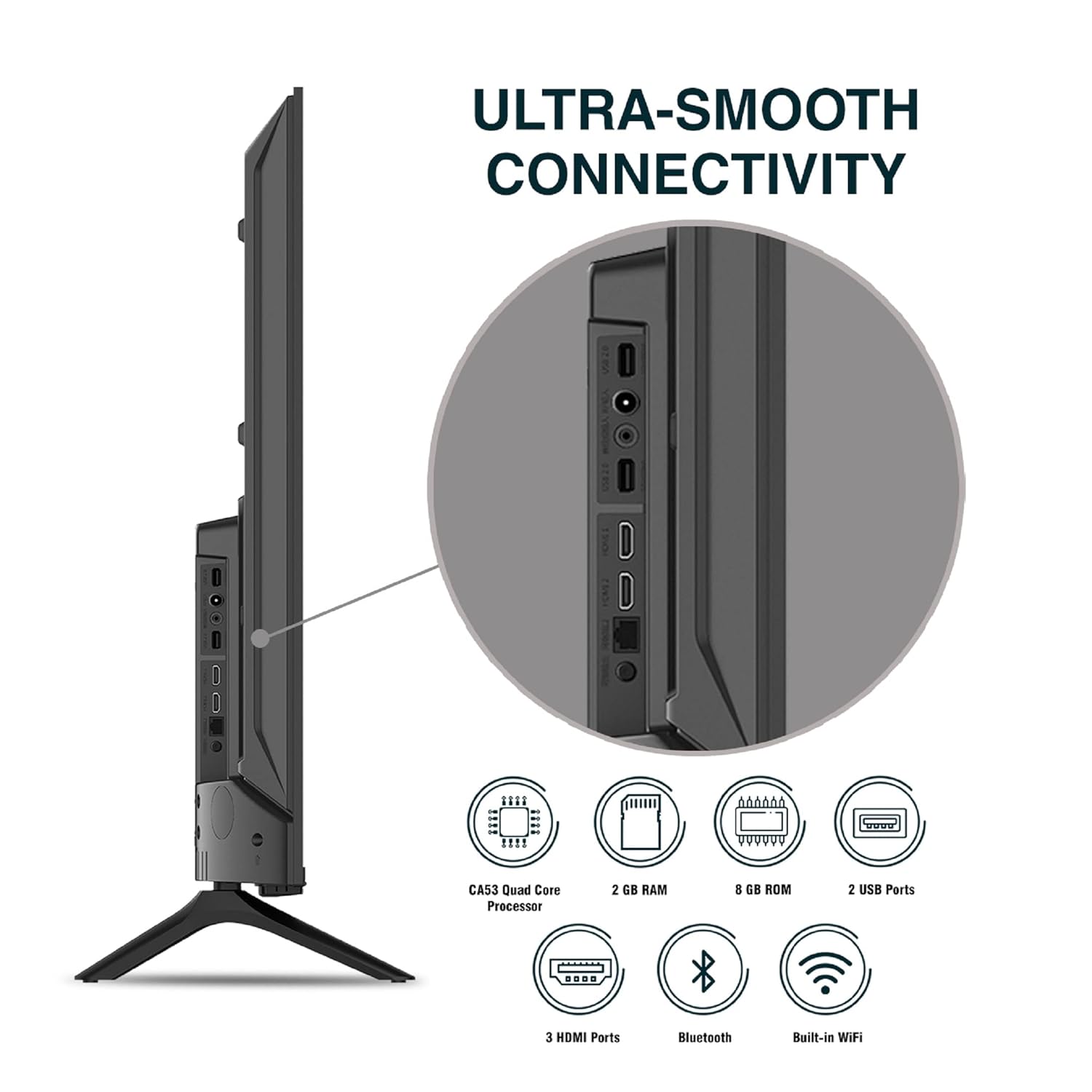
이미지: 상세 view TV의 연결 포트 중 하나.
5. 사용 설명서
5.1. 기본 동작
- 전원 켜기/끄기: 리모컨이나 TV의 전원 버튼을 눌러 전원을 켜거나 끄세요.
- 초기 설정 : Upon first power-on, follow the on-screen instructions to set up language, network connection, and Google account.
- 입력 소스: Press the 'Input' button on the remote to select between HDMI, AV, TV, or other connected sources.
- 볼륨 조절: 리모컨의 볼륨 높이기/낮추기 버튼을 사용하세요.
5.2. 스마트 리모컨 사용 방법
The included remote control features voice control and dedicated hotkeys for quick access to popular streaming services.
- 음성 제어: Press the Google Assistant button (microphone icon) and speak your commands to search for content, control smart home devices, or ask questions.
- 단축키: Directly launch Netflix, Prime Video, YouTube, and Google Play with a single press.
- 항해: Use the directional pad and 'OK' button to navigate the Android TV interface.

Image: Sansui Smart Remote Control with voice control and app hotkeys.
5.3. Android TV Interface and Smart Features
Your Sansui TV runs on Android 10.0, providing access to a wide range of apps and smart functionalities.
- 홈 화면: The home screen displays your favorite apps, recommended content, and input sources.
- 구글 플레이 스토어: Download and install additional apps, games, and content from the Google Play Store.
- 내장 Chromecast: Cast content (videos, photos, music) from your smartphone, tablet, or computer directly to the TV.
- 구글 어시스턴트/알렉사: Use voice commands via the remote or a compatible Alexa device to control your TV and other smart home devices.

Image: Android TV home screen showing available applications.
6. 유지관리
적절한 관리와 유지 보수는 TV의 수명을 연장시켜줍니다.
- 화면 청소: 부드럽고 보풀이 없는 천으로 화면을 부드럽게 닦으세요. 잘 지워지지 않는 얼룩의 경우, TV용 화면 세척제를 천에 묻혀 사용하세요. 화면에 직접 묻히지 않도록 주의하세요.
- 캐비닛 청소: 부드럽고 마른 천으로 TV 캐비닛을 닦으세요. 연마성 세제나 용제는 사용하지 마세요.
- 통풍: 과열을 방지하기 위해 환기구에 먼지와 이물질이 쌓이지 않도록 하십시오.
- 전원 코드: Regularly check the power cord for any damage. If damaged, replace it with an authorized part.
7. 문제 해결
문제가 발생할 경우, 다음의 일반적인 문제 및 해결 방법을 참조하십시오.
| 문제 | 가능한 원인 | 해결책 |
|---|---|---|
| 전원이 없습니다 | 전원 코드가 분리되었습니다. 전원 콘센트 문제 | 전원 코드 연결을 확인하세요. 다른 장치로 콘센트를 테스트하세요. |
| 영상 없음, 소리만 있음 | Incorrect input source; External device issue | Select correct input source; Check external device connection and power. |
| 소리 없음, 영상만 있음 | Volume muted/low; External audio system issue | Unmute or increase volume; Check external audio system connections. |
| 리모컨이 작동하지 않음 | 배터리가 소진되었습니다. 리모컨과 TV 사이에 방해물이 있습니다. | 배터리를 교체하세요. 장애물을 제거하세요. |
| Wi-Fi 연결 문제 | 잘못된 비밀번호; 라우터 문제; 신호 간섭 | 비밀번호를 다시 입력하세요. 라우터를 재시작하세요. TV를 라우터 가까이 옮기거나 이더넷 케이블을 사용하세요. |
이러한 해결 방법을 시도한 후에도 문제가 지속되면 고객 지원팀에 문의하세요.
8. 사양
Detailed technical specifications for the Sansui JSW50ASUHD TV.
| 특징 | 설명 |
|---|---|
| 모델명 | SANSUI LED - JSW50ASUHD |
| 화면 크기 | 50 인치 (127cm) |
| 디스플레이 기술 | 주도의 |
| 해결 | 4K 울트라 HD (3840x2160) |
| 새로 고침 빈도 | 60Hz |
| 운영 체제 | 안드로이드 10.0 (구글 인증) |
| 프로세서 | CA53 쿼드 코어 |
| 숫양 | 2GB (XNUMX기가바이트) |
| ROM(저장소) | 8GB (XNUMX기가바이트) |
| 오디오 출력 | 20 와트 |
| 사운드 기술 | 돌비 오디오, DTS 스튜디오 사운드 |
| HDMI 포트 | 3 |
| USB 포트 | 2 |
| 무선 연결 | 와이파이, 블루투스 |
| 기타 연결성 | Ethernet (RJ45), 3.5mm Audio Jack, Antenna |
| HDR 지원 | HDR10 |
| 장착 유형 | 벽걸이형 & 테이블형 |
| VESA 마운트 표준 | 800 x 400mm |
| 전력 소비 | 120 와트 |
| 품목 무게 | 9650그램 |
| 색상 | Mystique Black |
9. 보증 및 지원
Your Sansui TV comes with a comprehensive warranty and dedicated customer support.
- 보증: 1 year comprehensive warranty and 1 year additional on panel from the date of purchase.
- 보증 지원: For warranty-related queries, please contact Sansui Toll Free No.: 1800-419-3777.
- 수입자 연락처: Jaina India Pvt Ltd., D170, Okhla Industrial Area, Phase-1, New Delhi-110020 INDIA | Email: sansuicare@jainaindia.com.
보증 청구를 위해 구매 영수증을 보관하세요.


