
1. 서론
This manual provides instructions for the safe and efficient installation, operation, and maintenance of the VENTS-US OV1 250-10 Inch Through-the-wall Exhaust Fan. Please read these instructions thoroughly before installation and use, and retain for future reference.
2. 안전 정보
Always observe basic safety precautions when installing, operating, or maintaining electrical appliances to reduce the risk of fire, electric shock, and injury to persons.
- 수리 또는 청소하기 전에 전원을 차단하십시오.
- 감전을 방지하기 위해 올바르게 접지하십시오.
- 손상된 코드나 플러그로는 선풍기를 작동하지 마세요.
- Do not use this fan with any solid-state speed control device unless specifically designed for it.
- 설치는 모든 지역 및 국가 전기 규정에 따라 자격을 갖춘 전기 기술자가 수행해야 합니다.
- Keep fingers and foreign objects away from the fan blades and grille during operation.
3. 제품 특징
- Designed for direct air exhaust through walls.
- Axial through-the-wall fan with a 10 5/16-inch diameter.
- Suitable for ventilation in parking garages, agricultural facilities, stores, greenhouses, warehouses, and manufacturing plants.
- Features an asynchronous motor on ball bearings for smooth operation.
- Equipped with thermal protection for enhanced safety.
- The fan body is constructed from steel with a polymeric coating.
- Impeller is made of aluminum for quiet and balanced performance.
4. 사양
| 사양 | 세부 사항 |
|---|---|
| 상표 | 벤트 |
| 모델명 | VENTS OV1 250 (120V/60Hz) |
| 크기 | OV1 250 (10 Inch Wall Exhaust Fan) |
| 색상 | 검은색 |
| 선풍기 디자인 | 배기 팬 |
| 전원 | AC |
| 권tage | 120볼트(AC) |
| 왓tage | 60 와트 |
| 속도 | 1200 RPM |
| 소음 수준 | 4 아들 |
| 제품 치수 | 5.5인치 깊이 x 14.56인치 너비 x 14.56인치 높이 |
| 품목 무게 | 11.38파운드 |
| 마무리 유형 | Polymeric Coated |
| 모터 유형 | Brushless (Asynchronous motor on ball bearings) |
| 설치 유형 | 벽걸이형 |
| 장착 유형 | 벽걸이형 |
| 실내/실외 사용 | 실내 |
| 제어 방법 | App (Note: Functionality may require additional accessories or specific setup.) |
| 사양 충족 | HVI, UL, cUL |
5. 설정 및 설치
The VENTS-US OV1 250 fan is designed for through-the-wall installation. Proper installation is crucial for optimal performance and safety. It is recommended that installation be performed by a qualified professional.
5.1 설치 전 확인 사항
- Verify that the power supply matches the fan's specifications (120V/60Hz).
- Ensure the mounting surface is structurally sound and can support the fan's weight.
- Confirm adequate clearance around the installation area for airflow and maintenance.
5.2 설치 단계(일반)
- 오프닝을 준비하세요: Create a circular opening in the wall with the appropriate diameter (approximately 10 5/16 inches) to accommodate the fan's duct.
- 팬 장착: Secure the fan's mounting plate to the wall using appropriate fasteners. Ensure the fan is level and securely attached.
- 전기 연결: Connect the fan to the electrical supply. This must be done by a qualified electrician following all local and national electrical codes. Ensure proper grounding.
- 테스트 작업: After installation, briefly power on the fan to ensure it operates correctly and quietly.
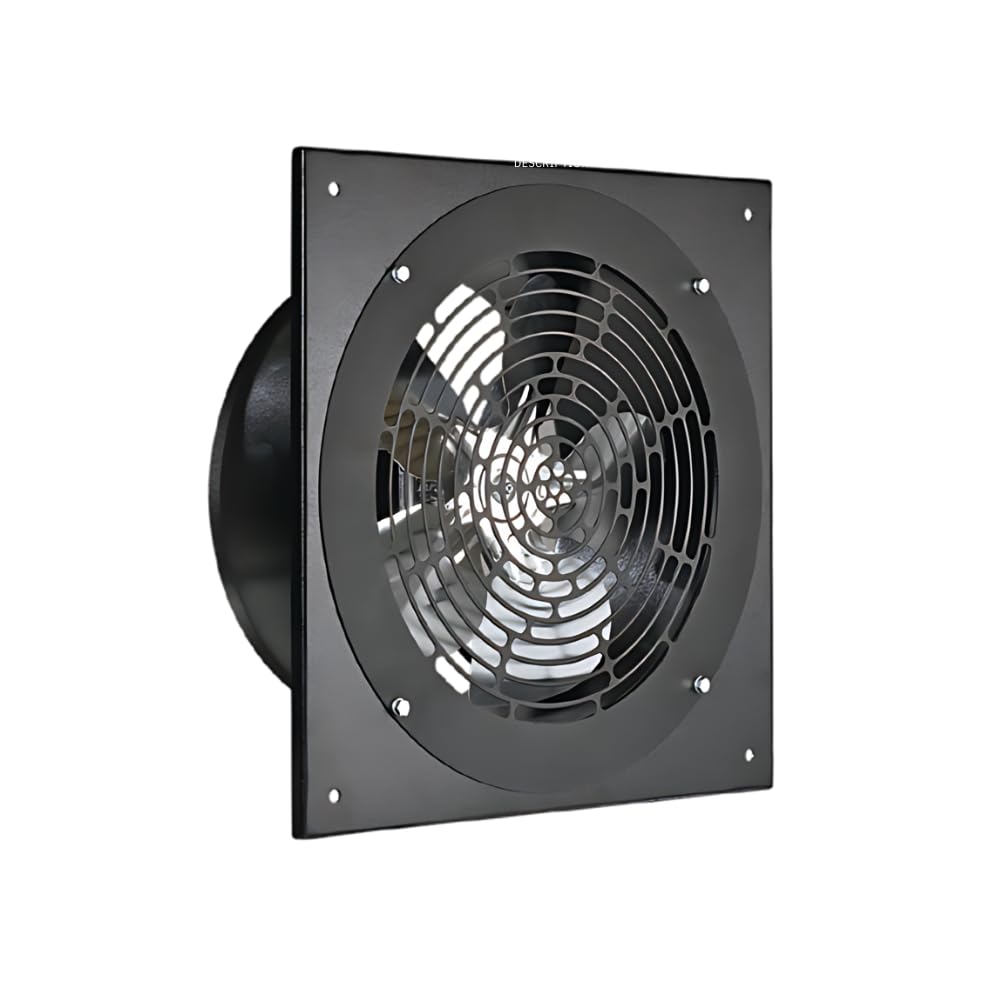
그림 1: 전면 view of the VENTS-US OV1 250 exhaust fan. This image shows the protective grille and the overall square frame design of the fan.
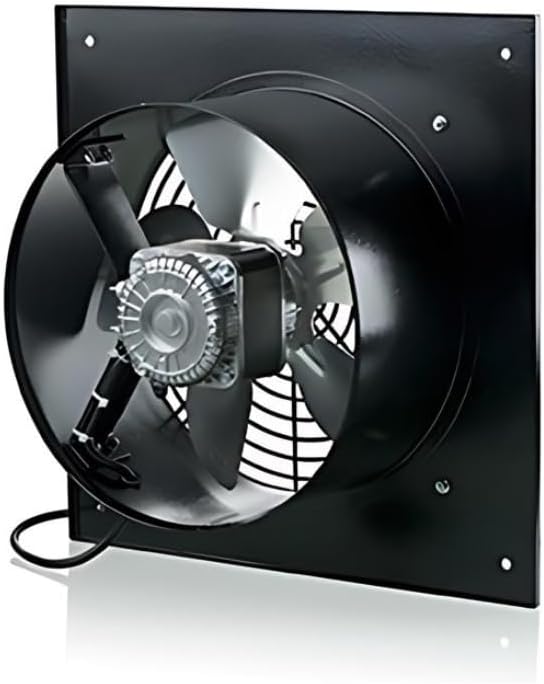
그림 2: 후면 view of the VENTS-US OV1 250 exhaust fan. This image highlights the motor assembly, fan blades, and the electrical connection box at the bottom.

Figure 3: Dimensional drawing of the VENTS-US OV1 250 exhaust fan. This diagram provides key measurements for installation, including the overall width (B), duct diameter (D), and depth (L).
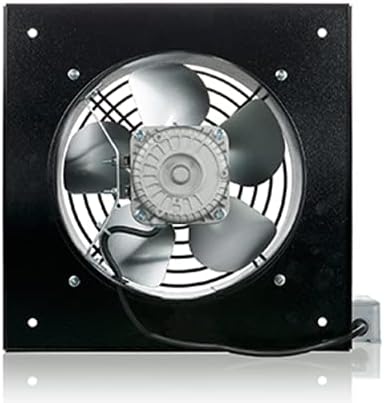
Figure 4: Table of dimensions for VENTS OV1 series models. This table lists various measurements (D, D1, D2, d, L) for OV1 200, OV1 250, and OV1 315 models, aiding in selecting the correct size and planning installation.
6. 사용 설명서
The VENTS-US OV1 250 fan is designed for straightforward operation. Once properly installed and connected to power, the fan can be activated via its designated switch (e.g., push button, wall switch, or app control if applicable).
- 전원 켜기/끄기: Use the connected switch to turn the fan on or off.
- 공기 흐름 방향: Ensure the fan is installed to exhaust air in the desired direction. The OV1 series is specifically for direct air exhaust.
- 연속 작업: This fan is built for environments requiring constant performance.
Video 1: A view of the OV1-250 Through-the-Wall Exhaust Fan. This video provides a visual overview of the fan's design and components, demonstrating its physical characteristics and how it appears from different angles.
Video 2: VENTS-US OV1 Axial Fan Series Overview. This video offers a broader look at the OV1 series, showcasing its features and applications across different models, including the OV1 250.
7. 유지관리
Regular maintenance ensures the longevity and efficient operation of your VENTS-US OV1 250 exhaust fan.
7.1 청소
- 빈도: Inspect and clean the fan blades and grille periodically, depending on the operating environment and dust accumulation.
- 절차:
- 전원 분리: Always turn off and disconnect power to the fan before cleaning.
- 그릴 제거: Carefully remove any protective grilles or covers.
- 칼날과 하우징을 깨끗하게 닦으십시오: Use a soft cloth or brush to remove dust and debris from the fan blades and interior housing. For stubborn dirt, a mild detergent solution can be used, ensuring no liquid enters the motor or electrical components.
- 재조립: Once clean and dry, reattach the grilles and covers securely.
7.2 검사
- 마모, 손상 또는 연결 불량의 징후가 있는지 주기적으로 점검하십시오.
- 작동 중 이상한 소음이 들리는지 주의 깊게 살펴보십시오. 이상한 소음은 문제가 발생했음을 나타낼 수 있습니다.
8. 문제 해결
If you encounter issues with your VENTS-US OV1 250 fan, refer to the following common troubleshooting steps:
| 문제 | 가능한 원인 | 해결책 |
|---|---|---|
| 팬이 켜지지 않음 | No power supply, loose wiring, faulty switch, motor issue. | Check power connection, circuit breaker. Verify wiring connections. Test the switch. If motor issue suspected, contact support. |
| 공기 흐름 감소 | Blocked grille or fan blades, motor running slow. | Clean fan blades and grille. Ensure no obstructions. If motor is slow, contact support. |
| 과도한 소음 또는 진동 | Loose mounting, unbalanced impeller, foreign object in fan. | Check mounting screws for tightness. Inspect for foreign objects. If impeller is unbalanced, contact support. |
| 과열 | Blocked airflow, motor overload. | Ensure clear airflow paths. If fan continues to overheat, disconnect power and contact support. |
For issues not resolved by these steps, please contact VENTS-US customer support.
9. 보증 및 지원
For warranty information and customer support, please refer to the documentation included with your purchase or visit the official VENTS-US web대지. 보증 청구를 위해 구매 영수증을 보관하십시오.