
소개
This manual provides detailed instructions for the INIU WI-I211 15W Wireless Charger Stand. Please read this guide thoroughly before using the product to ensure proper operation and longevity. This device is designed to provide efficient and convenient wireless charging for compatible smartphones and other Qi-enabled devices.
패키지 내용

영상: The INIU Wireless Charger Stand, a USB-C charging cable, and a welcome guide are included in the package. The image also highlights a 3-year warranty.
- INIU WI-I211 Wireless Charger Stand
- USB-C 충전 케이블
- 환영 가이드
설정
- 케이블 연결: Insert the USB-C end of the provided charging cable into the port on the back of the wireless charger stand.
- 전원에 연결: Plug the USB-A end of the cable into a compatible power adapter (not included). For optimal fast charging performance, use a Quick Charge 3.0 or Power Delivery compatible adapter with at least 18W output.
- 놓기: Place the charger stand on a stable, flat surface. Ensure there are no metal objects or foreign materials between the charging pad and your device.
작동 지침
무선 충전
The INIU WI-I211 supports various charging speeds depending on your device and power adapter.

영상: This image illustrates the speed advantage of 15W charging. An iPhone 15 charges fully in 3.4 hours with the INIU 15W charger, saving up to 45 minutes compared to a standard 10W charger which takes 4.2 hours.
- 장치 배치: Position your Qi-compatible smartphone directly onto the charging pad of the stand. Ensure the device is centered for optimal charging.
- 충전 확인: The LED indicator on the charger will illuminate to confirm that charging has begun. Your device's screen will also typically show a charging icon.
- 최적의 성능: For best results, remove your phone case if it is thicker than 5mm or contains metal.
Adaptive LED Indicator
The charger features an adaptive LED light designed for user comfort.

영상: The charger features an adaptive LED indicator. It shows a brighter "Daylight Mode" and a dimmer "Sleep-Friendly" mode, automatically adjusting to ambient light conditions.
- 일광 모드: The LED indicator will be brighter during the day or in well-lit environments.
- Sleep-Friendly Mode: In dark environments, the LED automatically dims to avoid disturbing your sleep.
세로 및 가로 충전
The stand design allows for charging in both vertical and horizontal orientations.
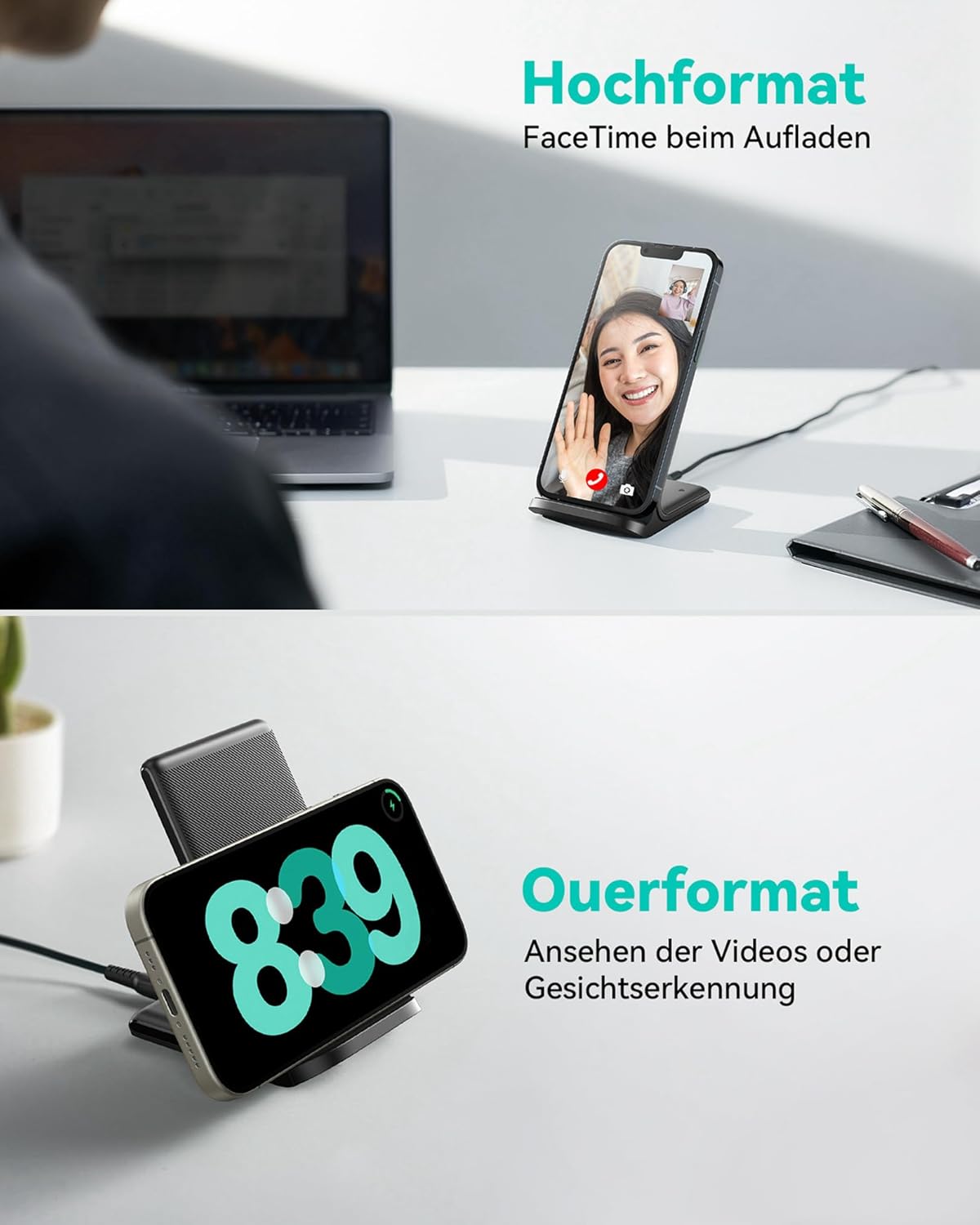
영상: The charger supports both portrait and landscape orientations. Portrait mode is ideal for video calls (e.g., FaceTime), while landscape mode is suitable for watching videos or using facial recognition features.
- 세로 모드 : Ideal for video calls, checking notifications, or browsing.
- 가로 모드: Perfect for watching videos, movies, or using apps that benefit from a wider screen.
호환성
The INIU WI-I211 Wireless Charger Stand is compatible with a wide range of Qi-enabled devices, offering various charging speeds:

영상: This chart details the charging compatibility. It shows 15W Max fast charging for LG (V60, V40+, V30+, G7, G8, G8X) and Google Pixel (8-3XL series). 10W fast charging is for Samsung (S24-S8 series, Note 10, Note 9, Note 8). 7.5W fast charging is for iPhone (15-11 series, SE, XR, XS, 8, 8 Plus). Standard 5W charging is for other phones with wireless charging functionality.
- 최대 15W 고속 충전: For LG V60, V40+, V30+, G7, G8, G8X, and Google Pixel 3XL to 8 series.
- 10W 고속 충전: For Samsung Galaxy S8 to S24 series, and Note 8, Note 9, Note 10.
- 7.5W 고속 충전: For iPhone 8 to 15 series, including SE, XR, XS, and Plus models.
- 5W 표준 충전: For all other Qi-enabled smartphones and devices.
Note: Actual charging speed may vary based on your device, power adapter, and environmental factors.
유지
- 청소: 청소하기 전에 충전기를 전원 콘센트에서 분리하십시오. 부드럽고 마른 천으로 표면을 닦으십시오. 연마성 세제나 용제를 사용하지 마십시오.
- 저장: 사용하지 않을 때에는 충전기를 서늘하고 건조한 곳에 보관하십시오.
- 손상을 방지하세요: Do not expose the charger to extreme temperatures, humidity, or direct sunlight. Avoid dropping or subjecting it to strong impacts.
문제 해결
If you encounter issues with your INIU Wireless Charger Stand, please refer to the following common solutions:

영상: This image highlights INIU's exclusive Temp°Guard technology, designed to prevent battery overheating and prolong battery life. A comparison shows 98% battery health after 6 months of use with INIU, versus 79% with other chargers, indicating better temperature management.
- 장치가 충전되지 않음:
- 기기가 Qi 호환인지 확인하세요.
- Check if the charging cable is securely connected to both the charger and the power adapter.
- Verify that the power adapter is functioning correctly and provides sufficient power (e.g., 18W+ for fast charging).
- 두껍거나 금속 재질의 휴대폰 케이스는 모두 제거하세요.
- Reposition your device on the charging pad to ensure proper alignment with the charging coil.
- 느린 충전:
- Confirm your power adapter supports fast charging (e.g., QC 3.0 or PD).
- Ensure your device supports the higher wireless charging speeds (10W, 15W).
- 충전 중에는 기기를 과도하게 사용하지 마세요. 충전 속도가 느려질 수 있습니다.
- Check for any background apps consuming excessive power.
- LED 표시기가 작동하지 않음:
- 충전기가 전원에 제대로 연결되어 있는지 확인하세요.
- If the room is very dark, the LED might be in sleep-friendly mode and appear very dim.
- 과열:
- The INIU charger features Temp°Guard technology to prevent overheating. If your device or charger feels excessively hot, remove the device immediately.
- Ensure there are no foreign objects on the charging pad.
- 직사광선이나 더운 환경에서 충전하지 마세요.
명세서
| 특징 | 세부 사항 |
|---|---|
| 상표 | 이누 |
| 모델 번호 | WI-I211 |
| 커넥터 유형 | USB Type C, 무선 |
| 호환 장치 | Smartphones (Qi-enabled), Smartwatches |
| 왓tage | 15와트(최대) |
| Amp에라 지 | 3아 |
| 케이블 길이 | 1 미터 |
| 특별 기능 | Fast Charging, Wireless Charging, Adaptive Light |
| 색상 | 딥블랙 |
| 품목 무게 | 180g |
| 전원 | 코드식 전기 |
| 장착 유형 | 탁상 마운트 |
| 인증 | Qi |
보증 및 지원
The INIU WI-I211 Wireless Charger Stand comes with a 3년 보증 구매일로부터 제조상의 결함에 대한 보증을 제공합니다.
For technical support, warranty claims, or any inquiries, please contact INIU customer service through their official website or the retailer where the product was purchased. Please have your purchase receipt and product model number (WI-I211) ready when contacting support.
온라인 지원: www.iniu.com/support


