
HTC HTC TWS3
HTC 트루 와이어리스 블루투스 이어버드 2 사용 설명서
모델: HTC TWS3
소개
Thank you for choosing the HTC True Wireless Bluetooth Earbuds 2. This manual provides detailed instructions on how to set up, operate, and maintain your earbuds to ensure optimal performance and longevity. Please read this manual carefully before using the product.
상자 안에 무엇이 들어있나요?
- 1x 충전 케이스
- 1x USB Type-C 케이블
- 1x 퀵 스타트 가이드
- 2x True Wireless Earbuds (Left and Right)
- 2x pairs of rubber tips (large and small) - Note: A medium pair is likely pre-installed.
제품 끝view
Familiarize yourself with the components of your HTC True Wireless Bluetooth Earbuds 2 and their charging case.

Image: The HTC True Wireless Earbuds 2, with one earbud outside the open charging case, showing the charging contacts and indicator light.
The charging case features a USB-C port for charging and an LED indicator to show charging status. Each earbud has touch-sensitive surfaces for control and charging contacts at the bottom.
설정
1. 이어버드와 케이스 충전
처음 사용하기 전에 이어버드와 충전 케이스가 모두 완전히 충전되었는지 확인하세요.
- Place the earbuds into the charging case. Ensure they are correctly seated; the indicator lights on the earbuds should illuminate, indicating charging.
- USB Type-C 케이블을 케이스의 충전 포트에 연결하고 다른 쪽 끝을 USB 전원(예: 컴퓨터, 벽면 어댑터)에 연결합니다.
- The charging case's indicator light will show charging status. A full charge for the case provides up to 3 additional charges for the earbuds, extending total playtime to 32 hours.

Image: The HTC True Wireless Earbuds 2 in their charging case, illustrating the long battery life performance with up to 8 hours listening time per charge and 32 hours total with the 500mAh charging case.
2. 장치와 페어링
이 이어버드는 빠르고 안정적인 연결을 위해 블루투스 5.1을 사용합니다.
- 충전 케이스를 여세요. 이어버드가 자동으로 페어링 모드로 진입합니다.
- 기기(스마트폰, 태블릿, 노트북)에서 Bluetooth를 활성화하세요.
- 검색 "HTC TWS3" or "HTC True Wireless Earbuds 2" in the list of available Bluetooth devices.
- 연결할 이어버드를 선택하세요. 연결되면 확인음이 들립니다.

Image: The HTC True Wireless Earbuds 2 and their charging case positioned near a smartphone, demonstrating the quick and easy pairing process facilitated by the latest Bluetooth 5.1 chipset.
The earbuds can be used individually or together. For optimal stereo sound, use both earbuds. They maintain a stable connection up to 10 meters (32 feet) from your device.
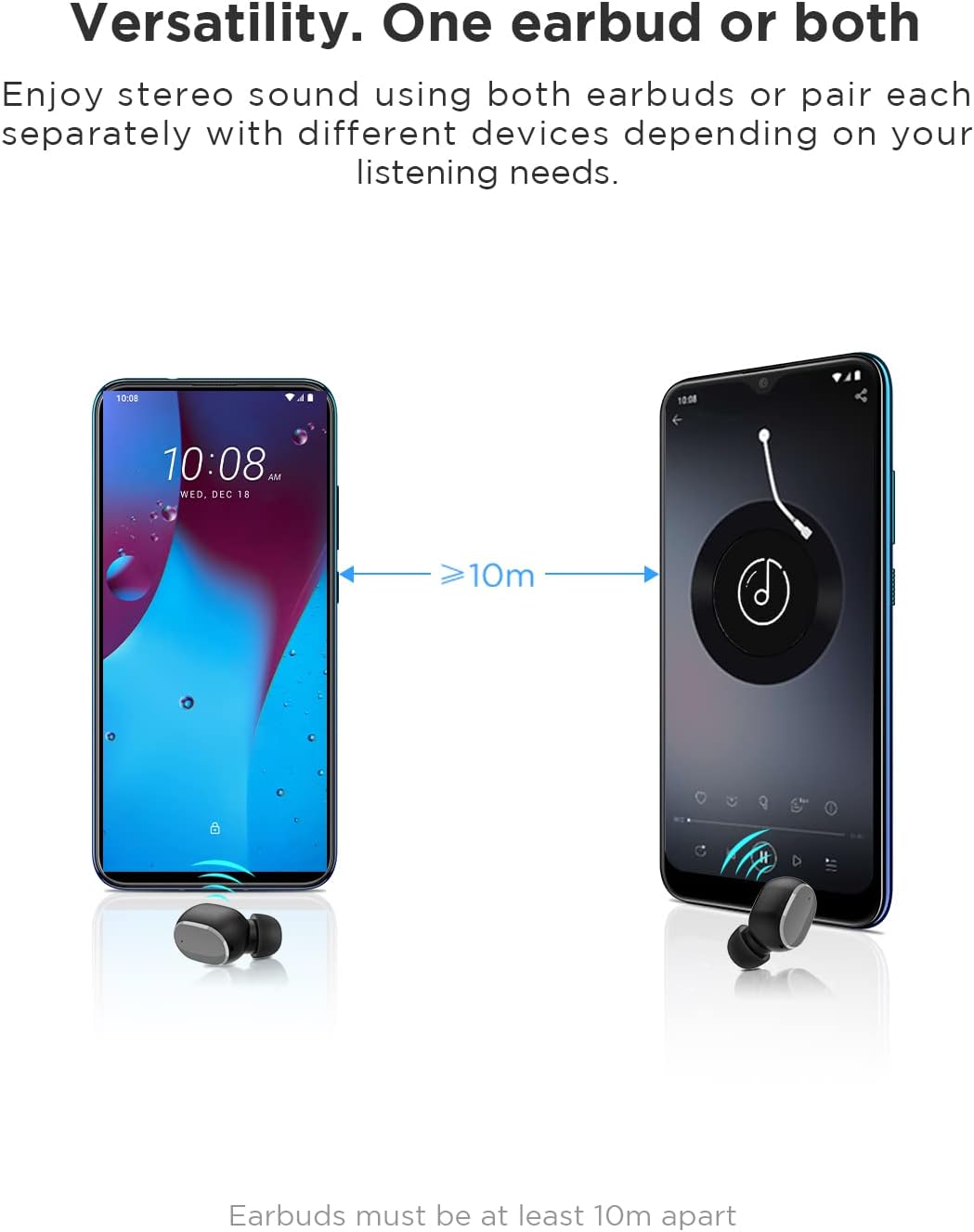
Image: An illustration showing two smartphones and earbuds, emphasizing the versatility of using one or both earbuds and the effective operating range of at least 10 meters.
작동 지침
The HTC True Wireless Bluetooth Earbuds 2 feature intuitive touch controls for various functions.

Image: A detailed diagram illustrating the simple touch controls for the HTC True Wireless Earbuds 2, including commands for play/pause, track navigation, call management, voice assistant, and volume control.
| 행동 | 기능 |
|---|---|
| 한쪽 이어폰을 한 번 탭하세요. | Play / Pause music, Answer / End call |
| 왼쪽 이어버드를 두 번 탭하세요. | 볼륨을 높이다 |
| 오른쪽 이어버드를 두 번 탭하세요. | 볼륨 감소 |
| 양쪽 이어버드를 세 번 탭하세요 | 음성 지원 활성화 |
| 왼쪽 이어버드를 2초 동안 길게 누릅니다. | 이전 노래 재생 |
| 오른쪽 이어버드를 2초 동안 길게 누릅니다. | 다음 노래 재생 |
| Tap and hold either earbud for 2 seconds (during incoming call) | 전화 거절 |
| Tap either earbud 5 times | Clear pairing / Restore factory settings |
The earbuds are designed for comfortable, long-term wear, weighing only 4.4g per earbud. They come with three different sizes of ear tips to ensure a secure and comfortable fit.

Image: A person comfortably wearing an HTC earbud, accompanied by illustrations highlighting the ergonomic design, skin-friendly material, and the inclusion of three different earplug sizes for optimal fit and comfort.
유지
청소
정기적인 청소는 건전한 품질과 위생을 유지하는 데 도움이 됩니다.
- 부드럽고 마른 보푸라기 없는 천으로 이어폰과 충전 케이스를 닦으세요.
- For earwax or debris in the ear tips or speaker mesh, use a small, soft brush or cotton swab. Do not use sharp objects.
- 연마성 세척제, 알코올, 화학 용제 사용을 피하세요.
저장
사용하지 않을 때는 이어버드를 충전 케이스에 보관하여 보호하고 충전 상태를 유지하세요.
- 극한의 온도와 직사광선을 피해 시원하고 건조한 곳에 보관하세요.
- 먼지가 많거나 더러운 환경에 보관하지 마세요.
방수 기능(IPX5)
The HTC True Wireless Bluetooth Earbuds 2 are rated IPX5 water-resistant, meaning they can withstand a sustained, low-pressure water jet spray. This makes them suitable for workouts and light rain.
- 이어버드를 물에 담그지 마세요.
- 충전 케이스는 방수 기능이 없습니다. 물에 젖지 않도록 보관하십시오.
- 손상을 방지하려면 이어버드를 충전 케이스에 다시 넣기 전에 건조한지 확인하세요.
문제 해결
이어버드에 문제가 발생하면 다음의 일반적인 해결 방법을 참조하세요.
| 문제 | 해결책 |
|---|---|
| 이어버드가 기기와 페어링되지 않음 |
|
| 이어폰 한쪽에서만 소리가 나옵니다. |
|
| 이어폰이 충전되지 않음 |
|
| 음질 불량 또는 연결 끊김 |
|
명세서
Detailed technical specifications for the HTC True Wireless Bluetooth Earbuds 2.
| 특징 | 세부 사항 |
|---|---|
| 모델명 | TWS 2 (HTC TWS3) |
| 연결 기술 | 무선(블루투스 5.1) |
| 헤드폰 잭 | USB (충전 케이스용) |
| 제어 유형 | 터치, 볼륨 조절 |
| 방수 레벨 | IPX5(이어버드) |
| 마이크 형식 | Built-In, Stereo |
| 플레이타임(이어버드) | 최대 8시간(1회 충전) |
| 통화 시간(이어폰) | 최대 6시간(1회 충전) |
| 충전 케이스를 사용한 총 재생 시간 | 최대 32시간 |
| 충전 케이스 배터리 용량 | 500mAh |
| 이어버드 무게 (개당) | 4.4g |
| 최대 작동 거리 | 32피트(약 10미터) |
| 호환 장치 | Android, Laptops, iPhone |
| 재료 | 플라스틱 |
| 제품 치수 | 4.34 x 4.34 x 3.45 cm; 160 g (overall package) |
안전 정보
Please observe the following safety guidelines for safe and effective use:
- 제품을 분해, 수리 또는 개조하지 마십시오. 화재, 감전 또는 제품 완전 손상의 원인이 될 수 있습니다.
- 제품을 극한 온도, 직사광선, 높은 습도에 두지 마세요.
- 제품을 떨어뜨리거나 강한 충격을 가하지 마세요.
- 이어폰을 과도하게 높은 볼륨으로 장시간 사용하지 마십시오. 청력 손상을 유발할 수 있습니다.
- 어린이와 애완동물의 손이 닿지 않는 곳에 보관하세요.
- 해당 지역 규정에 따라 제품과 배터리를 책임감 있게 폐기하세요.
고객 지원
For further assistance or inquiries, please contact HTC customer support through their official channels. Refer to the product packaging or the official HTC web연락처 정보 사이트.
Note: Specific warranty details are not provided in this manual. Please refer to your purchase documentation or the manufacturer's web보증 정보 사이트.
Ask a question about this manual
Ask about setup, troubleshooting, compatibility, parts, safety, or missing instructions. Manuals+ will review the question and use this page’s manual context to help answer it.