
1. 제품 오버view
The ASUS RT-AX86S is a high-performance dual-band WiFi 6 gaming router designed to deliver ultrafast WiFi speeds and a low-latency gaming experience. It supports internet connections up to 2 Gbps, optimizing both wired and wireless networking.
주요 특징:
- Ultrafast WiFi 6 speeds up to 5700 Mbps.
- Mobile Game Mode for lag-free, low-latency mobile gaming.
- Supports up to 2 Gbps internet connection.
- 2.5G LAN/WAN Port for prioritized traffic and full WiFi 6 potential.
- Quad-core CPU processor, advanced cooling, and optimized antenna design.
- Triple-level Game Acceleration.
- AiMesh support for easy extendable network.
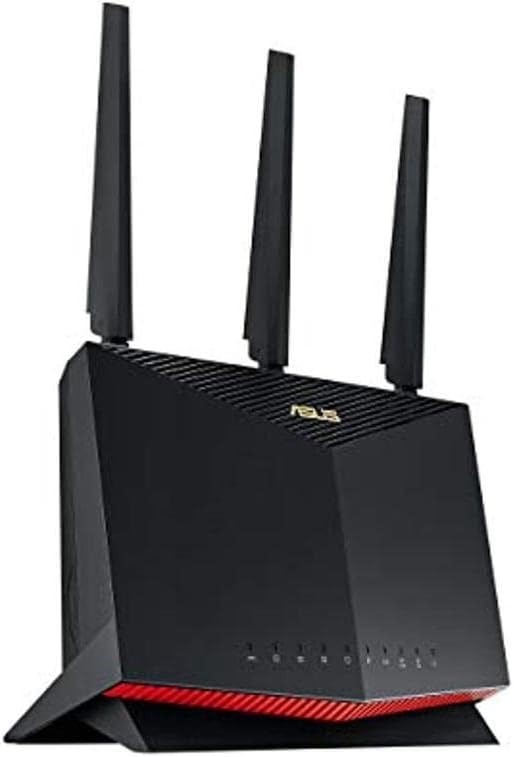
그림 1: 전면 view of the ASUS RT-AX86S router, showcasin디자인과 LED 표시등이 특징입니다.
2. 패키지 내용
시작하기 전에 패키지에 모든 품목이 들어 있는지 확인하세요.
- RT-AX86S WiFi router
- RJ-45 케이블
- 전원 어댑터
- 빠른 시작 가이드
- 보증서
3. 설정 가이드
Follow these steps to set up your ASUS RT-AX86S router:
- 라우터 위치 지정: Place the router in a central location in your home or office, away from obstructions and other electronic devices that may cause interference. Ensure good airflow around the device.

그림 2: 후면 view of the ASUS RT-AX86S router, showing the various ports for connectivity.
- 안테나 연결: Screw the three external antennas firmly onto the connectors at the back of the router. Adjust them vertically for optimal signal coverage.

그림 3: 상향식 view of the ASUS RT-AX86S router, highlighting the antenna placement.
- 인터넷에 연결:
- Connect one end of the provided RJ-45 cable to the WAN port (usually blue) on your RT-AX86S router.
- Connect the other end of the RJ-45 cable to your modem's LAN port.
- 전원 켜기: Connect the power adapter to the router's DC-in port and plug it into a power outlet. Press the power button. Wait for the LED indicators on the front of the router to stabilize (usually solid white or blue for internet and Wi-Fi).
- 초기 구성:
- ASUS 라우터 앱 사용 방법: Download the ASUS Router app from your mobile device's app store. Open the app and follow the on-screen instructions to detect and set up your new router. This is the recommended method for ease of use.
- 를 사용하여 Web 브라우저: Connect your computer to the router via Wi-Fi (using the default SSID and password found on the router's label) or via an Ethernet cable to one of the LAN ports. Open a web 브라우저로 이동하여 탐색하세요
router.asus.comor192.168.1.1. Follow the setup wizard to configure your internet connection and Wi-Fi settings.

그림 4: 각도 view of the ASUS RT-AX86S router, showing its sleek design and LED indicators.
4. 라우터 작동
Once set up, your RT-AX86S router provides advanced features for an optimized network experience:
- 듀얼 밴드 작동: The router operates on both 2.4 GHz and 5 GHz frequencies. The 2.4 GHz band offers wider coverage, while the 5 GHz band provides faster speeds for compatible devices.
- WiFi 6(802.11ax): To fully utilize WiFi 6 capabilities, ensure your client devices (smartphones, laptops, etc.) are WiFi 6 compatible. This standard offers improved efficiency, higher speeds, and better performance in congested environments.
- Gaming Port: The dedicated Gaming Port (often a specific LAN port, check your router's physical markings or web interface) prioritizes gaming traffic, reducing latency for a smoother online gaming experience.
- AiMesh: If you have other AiMesh-compatible ASUS routers, you can create a seamless whole-home mesh Wi-Fi system. Refer to the ASUS AiMesh documentation for detailed setup instructions.
- 모바일 게임 모드: Activate Mobile Game Mode via the ASUS Router app to optimize network performance specifically for mobile gaming, minimizing lag and improving responsiveness.
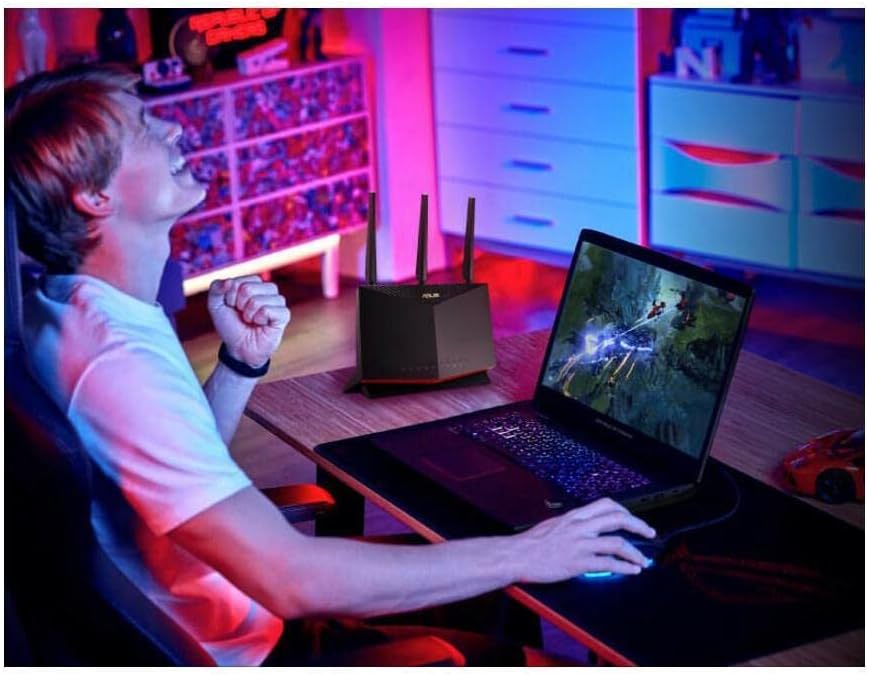
Figure 5: The ASUS RT-AX86S router enhancing a user's gaming experience, demonstrating its intended use for high-performance networking.
5. 유지관리
정기적인 유지 관리는 라우터의 최적 성능과 수명 연장을 보장합니다.
- 펌웨어 업데이트: Regularly check for and install the latest firmware updates through the ASUS Router app or the router's web 인터페이스. 펌웨어 업데이트에는 성능 향상, 보안 패치 및 새로운 기능이 포함되는 경우가 많습니다.
- 물리적 청소: 라우터를 깨끗하고 먼지가 없는 상태로 유지하세요. 부드럽고 마른 천으로 외부를 닦으세요. 통풍구가 막히지 않았는지 확인하세요.
- 다시 시작: 주기적으로 라우터를 재시작하세요(전원 플러그를 10초간 뽑았다가 다시 꽂으세요). 그러면 연결이 새로 고쳐지고 일시적인 문제가 해결됩니다.
- 네트워크 보안: Use strong, unique passwords for your Wi-Fi network and router administration. Enable WPA2/WPA3 encryption.
6. 문제 해결
If you encounter issues with your RT-AX86S router, try the following common troubleshooting steps:
- 인터넷에 연결되지 않음:
- 모든 케이블 연결 상태(WAN 포트와 모뎀 연결, 전원)를 확인하십시오.
- 모뎀을 재시작한 다음 라우터를 재시작하세요.
- 인터넷 서비스 제공자(ISP) 연결이 활성화되어 있는지 확인하세요.
- 느린 Wi-Fi 속도:
- Ensure your device is connected to the appropriate band (5 GHz for faster speeds, if supported).
- Check for Wi-Fi interference from other devices (cordless phones, microwaves).
- Update router firmware and device drivers.
- 신호 수신 범위를 개선하려면 라우터의 위치를 조정하는 것을 고려해 보세요.
- 라우터 설정에 접근할 수 없습니다:
- 장치가 라우터 네트워크에 연결되어 있는지 확인하세요.
- 접속해 보세요
router.asus.comor192.168.1.1. - 브라우저 캐시를 지우거나 다른 브라우저를 사용해 보세요.
- If you forgot your login credentials, you may need to perform a factory reset (refer to the full user manual for instructions, as this will erase all settings).
For more detailed troubleshooting and advanced configurations, please refer to the official ASUS RT-AX86S User Manual PDF: 사용자 가이드 다운로드(PDF)
7. 사양
| 특징 | 세부 사항 |
|---|---|
| 모델명 | RT-AX86S |
| 무선 표준 | 802.11ax (WiFi 6), 802.11ac, 802.11n, 802.11a, 802.11g, 802.11b |
| 주파수 대역 | 듀얼 밴드(2.4GHz, 5GHz) |
| 데이터 속도 | 최대 5700Mbps(AX5700) |
| 안테나 | 외부 안테나 (3) |
| 포트 | 1x 2.5G WAN/LAN, 1x Gigabit WAN, 4x Gigabit LAN, 2x USB 3.2 Gen 1 |
| 프로세서 | 쿼드코어 CPU |
| 치수(길이 x 너비 x 높이) | 12.8 x 3.94 x 9.53 인치 |
| 품목 무게 | 1.8파운드 |
| 특별 기능 | WPS, Internet Security, Mobile Game Mode, AiMesh, Triple-level Game Acceleration |
8. 보증 및 지원
Your ASUS RT-AX86S router comes with a manufacturer's warranty. Please refer to the included Warranty Card for specific terms and conditions, including warranty period and coverage details.
For technical support, driver downloads, firmware updates, and additional resources, please visit the official ASUS support website or refer to the comprehensive User Manual:
- ASUS 공식 지원: https://www.asus.com/support/
- 사용자 가이드(PDF): https://manuals.plus/m/bdd961e24cd4d66280ae5baa8a831567fef7b6ac2e2fdac251bffaade4b820f8
Disclaimer: Actual data throughput and WiFi coverage will vary from network conditions and environmental factors, including the volume of network traffic, building material and construction, and network overhead, resulting in lower actual data throughput and wireless coverage. To benefit from WiFi 6 features, the WiFi client needs to be WiFi 6 capable.