
Pigtronix GDR
Pigtronix Gamma Drive Overdrive Pedal
사용자 설명서
소개
The Pigtronix Gamma Drive is a versatile overdrive pedal designed to deliver a wide range of tones, from subtle boosts to aggressive, all-out grind. Its intuitive controls allow musicians to sculpt their sound with precision, making it an essential tool for any guitarist seeking dynamic and expressive overdrive.

그림 1: 전면 view of the Pigtronix Gamma Drive Overdrive Pedal. This image displays the pedal's blue casing, the four control knobs (Volume, Gain, Treble, Bass), the footswitch, and the DC 9V power input label.
주요 특징
- Overdrive Pedal with Treble Bass Controls
- Wide range of gain from subtle boost to heavy distortion
- 컴팩트하고 내구성 있는 디자인
- True bypass switching for signal integrity
패키지 내용
패키지를 열 때 다음 품목이 모두 들어 있는지 확인하세요.
- Pigtronix Gamma Drive Overdrive Pedal
- 사용자 설명서(본 문서)
- 연결 케이블
설치 가이드
Follow these steps to properly set up your Pigtronix Gamma Drive pedal:
1. 전원 연결
Connect a standard 9V DC power supply (not included) to the "DC 9V" input jack on the top of the pedal. Ensure the power supply is center-negative and provides at least 10mA of current.
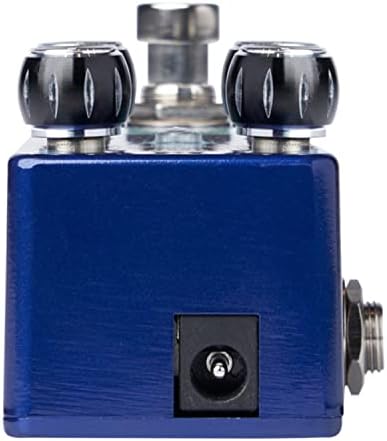
Figure 2: Close-up of the DC 9V power input jack located on the top side of the pedal.
2. 악기 연결
Connect your instrument (e.g., guitar) to the INPUT jack on the right side of the pedal using a standard 1/4-inch instrument cable.
3. Amp리퍼 커넥션
페달 왼쪽의 OUTPUT 잭을 페달에 연결합니다. amp앰프 입력단에 다른 표준 1/4인치 계측기 케이블을 사용합니다.
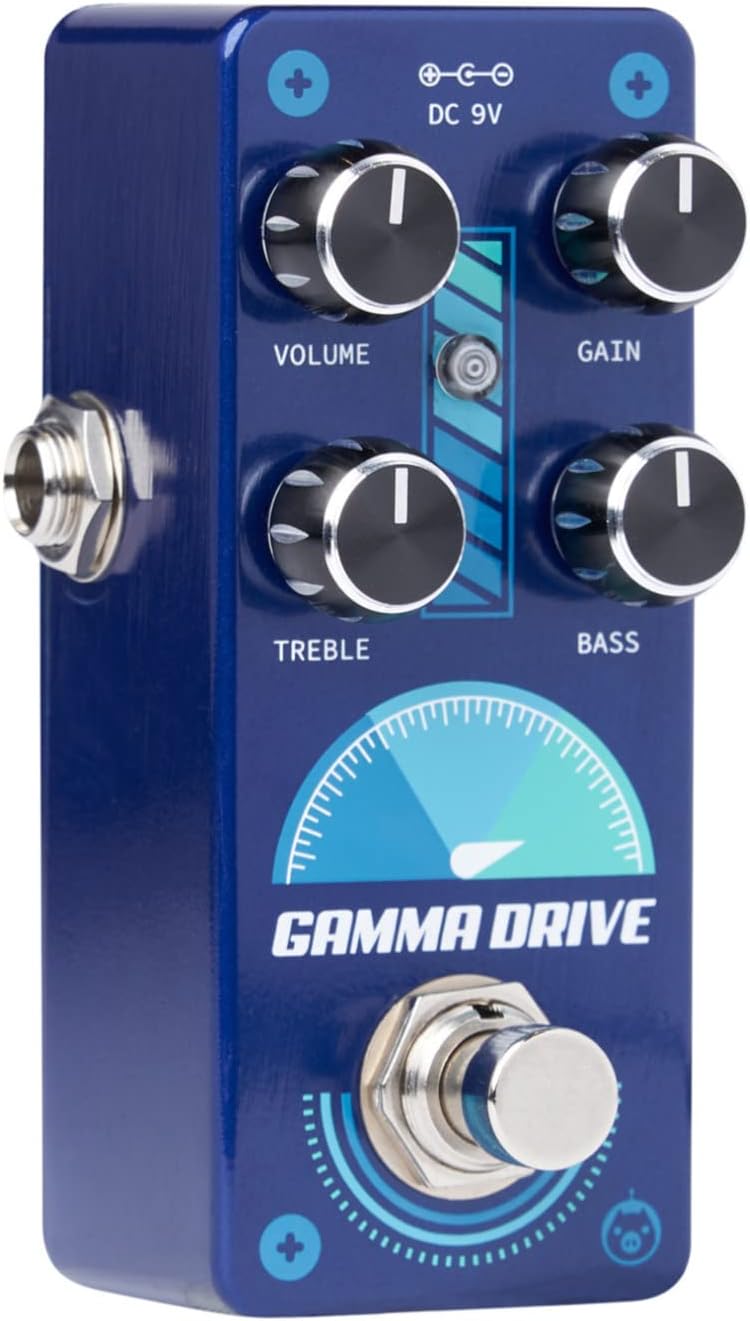
그림 3: 각도 view illustrating the input jack (right side) and output jack (left side) for instrument and amp리퍼 연결.
작업
The Pigtronix Gamma Drive features four primary control knobs and a footswitch for intuitive sound shaping.
컨트롤 오버view
그림 4: 전면 view of the pedal showing the layout of the control knobs.
- 음량: Controls the overall output level of the pedal. Turn clockwise to increase the volume.
- 이득: Adjusts the amount of overdrive and distortion. Higher settings produce more saturated and aggressive tones.
- 고음부: Shapes the high-frequency content of your tone. Turn clockwise for brighter sounds, counter-clockwise for warmer tones.
- 베이스: Controls the low-frequency content. Turn clockwise to add more bass, counter-clockwise to reduce it.
풋스위치 사용
The large footswitch at the bottom of the pedal engages or bypasses the effect. When the effect is active, the LED indicator above the footswitch will illuminate. When bypassed, your signal passes through the pedal unaffected (true bypass).
유지 보수 및 관리
- 청소: 페달 표면은 부드럽고 마른 천으로 닦으십시오. 연마성 세척제나 용제는 사용하지 마십시오.
- 저장: 페달은 직사광선과 극한의 온도를 피해 서늘하고 건조한 곳에 보관하세요.
- 힘: Always use a regulated 9V DC power supply with the correct polarity (center-negative) to prevent damage.
- 사이: Ensure all cables are securely connected before use. Disconnect cables when not in use to prevent accidental damage.
문제 해결
| 문제 | 가능한 원인 | 해결책 |
|---|---|---|
| 페달을 밟아도 소리가 나지 않습니다. | Incorrect cable connections; Power supply issue; Pedal not engaged. | Check all input/output cables; Ensure 9V DC power supply is connected and functional; Press footswitch to engage pedal (LED should light up). |
| 소리가 약하거나 왜곡됨. | Low power; Incorrect gain/volume settings. | 전원 공급 장치 볼륨 확인tage and current; Adjust GAIN and VOLUME knobs to desired levels. |
| 원치 않는 소음이나 윙윙거리는 소리. | Ground loop; Faulty cables; Interference from other electronics. | Use isolated power supply; Try different cables; Move pedal away from power transformers or fluorescent lights. |
기술 사양
| 사양 | 값 |
|---|---|
| 품목 무게 | 9 온스 |
| 제품 치수 | 8.4 x 6.3 x 4.7 인치 |
| 모델 번호 | 동독 |
| 색상 | Light Blue, Black |
| 하드웨어 인터페이스 | HP-HSC |
| 신호 형식 | 비슷한 물건 |
| 전원 | Battery Powered (Note: Typically refers to ability to use battery, but 9V DC adapter is standard for pedals) |
| 권tage | 9볼트 직류 |
| Amp에라 지 | 10밀리amps (minimum required) |
보증 및 지원
For detailed warranty information, product registration, and technical support, please visit the official Pigtronix web사이트를 방문하거나 고객 서비스 부서에 문의하세요. 보증 청구를 위해 구매 증빙 자료를 보관하세요.
공식적인 Web대지: www.pigtronix.com
Ask a question about this manual
Ask about setup, troubleshooting, compatibility, parts, safety, or missing instructions. Manuals+ will review the question and use this page’s manual context to help answer it.