
Samsung SM-M526BLBDEUE
삼성 갤럭시 M52 5G 사용 설명서
Model: SM-M526BLBDEUE
제품 끝view
The Samsung Galaxy M52 5G is a powerful smartphone designed for seamless connectivity and multimedia experiences. It features a vibrant 6.7-inch OLED display, a versatile 64MP triple camera system, and a long-lasting 5000mAh battery, all powered by a Snapdragon processor and Android 11.

이미지: 앞면과 뒷면 view of the Samsung Galaxy M52 5G smartphone in light blue, showcasin세련된 디자인과 카메라 모듈이 특징입니다.

Image: Diagram illustrating the dimensions of the Samsung Galaxy M52 5G (164.2mm height, 76.4mm width, 7.4mm thickness) and its weight (173g).
설치 가이드
1. 언박싱 및 초기 검사
Carefully open the product packaging and ensure all components are present. The standard package includes the Samsung Galaxy M52 5G smartphone, a USB Type-C cable, a 15W charger, a quick start guide, and a SIM tray ejector tool.
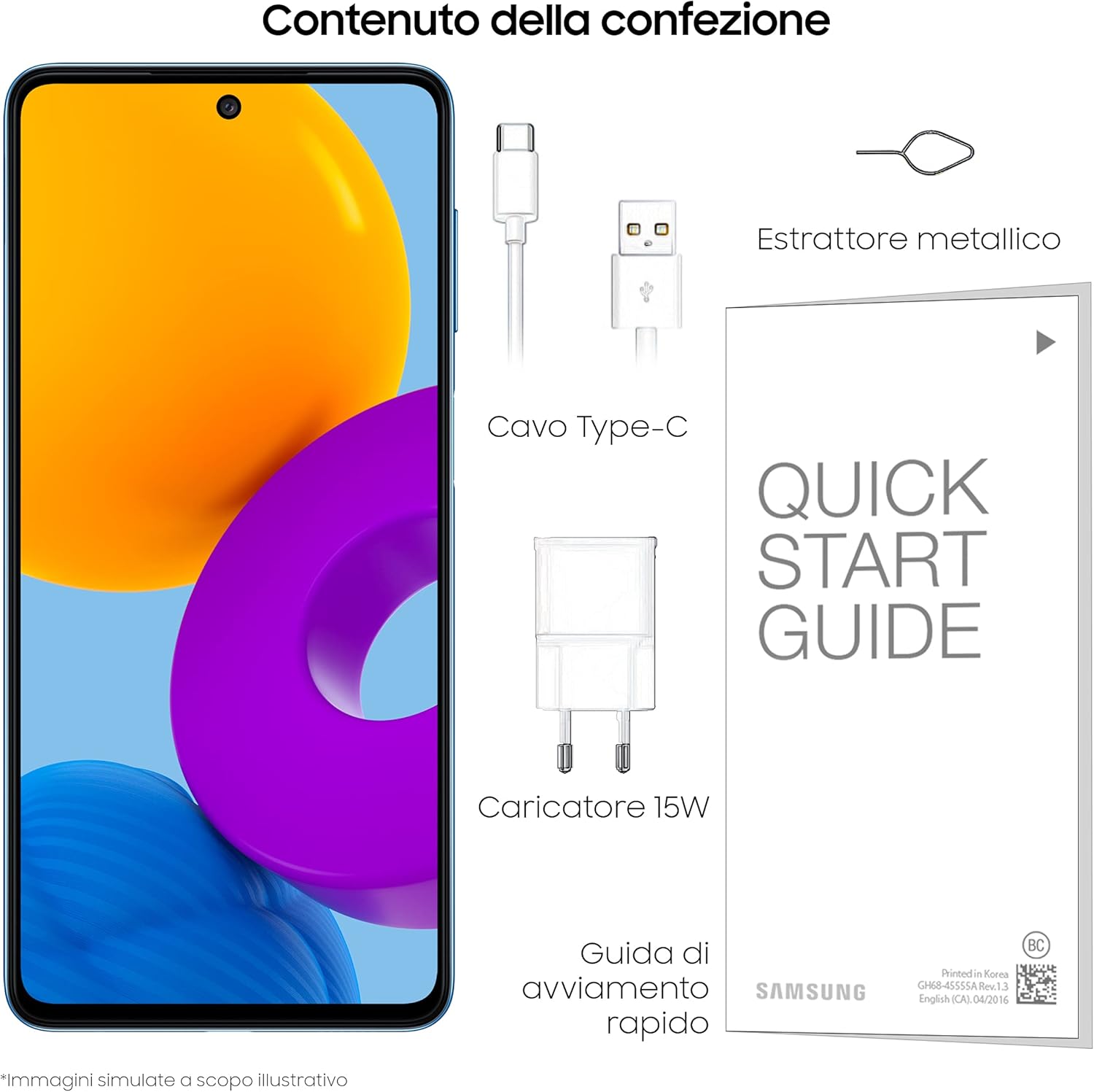
Image: Illustration of the Samsung Galaxy M52 5G box contents, including the smartphone, USB Type-C cable, 15W charger, quick start guide, and metallic ejector tool.
2. SIM 카드 및 microSD 카드 삽입 (선택 사항)
Locate the SIM tray on the side of the device. Use the provided ejector tool to open the tray. Insert your Nano-SIM card(s) and/or a microSD card into the designated slots. Ensure the cards are correctly oriented before gently pushing the tray back into the device.
3. 전원 켜기 및 초기 설정
Press and hold the Power/Side key until the Samsung logo appears. Follow the on-screen prompts to complete the initial setup. This includes selecting your language, connecting to a Wi-Fi network, accepting terms and conditions, and setting up your Google account and Samsung account.
작동 지침
디스플레이 기능
The Galaxy M52 5G features a 6.7-inch Infinity-O FHD+ sAMOLED Plus display with a 120Hz refresh rate, providing a smooth and immersive viewing experience. The high refresh rate ensures fluid scrolling and responsive touch interactions.
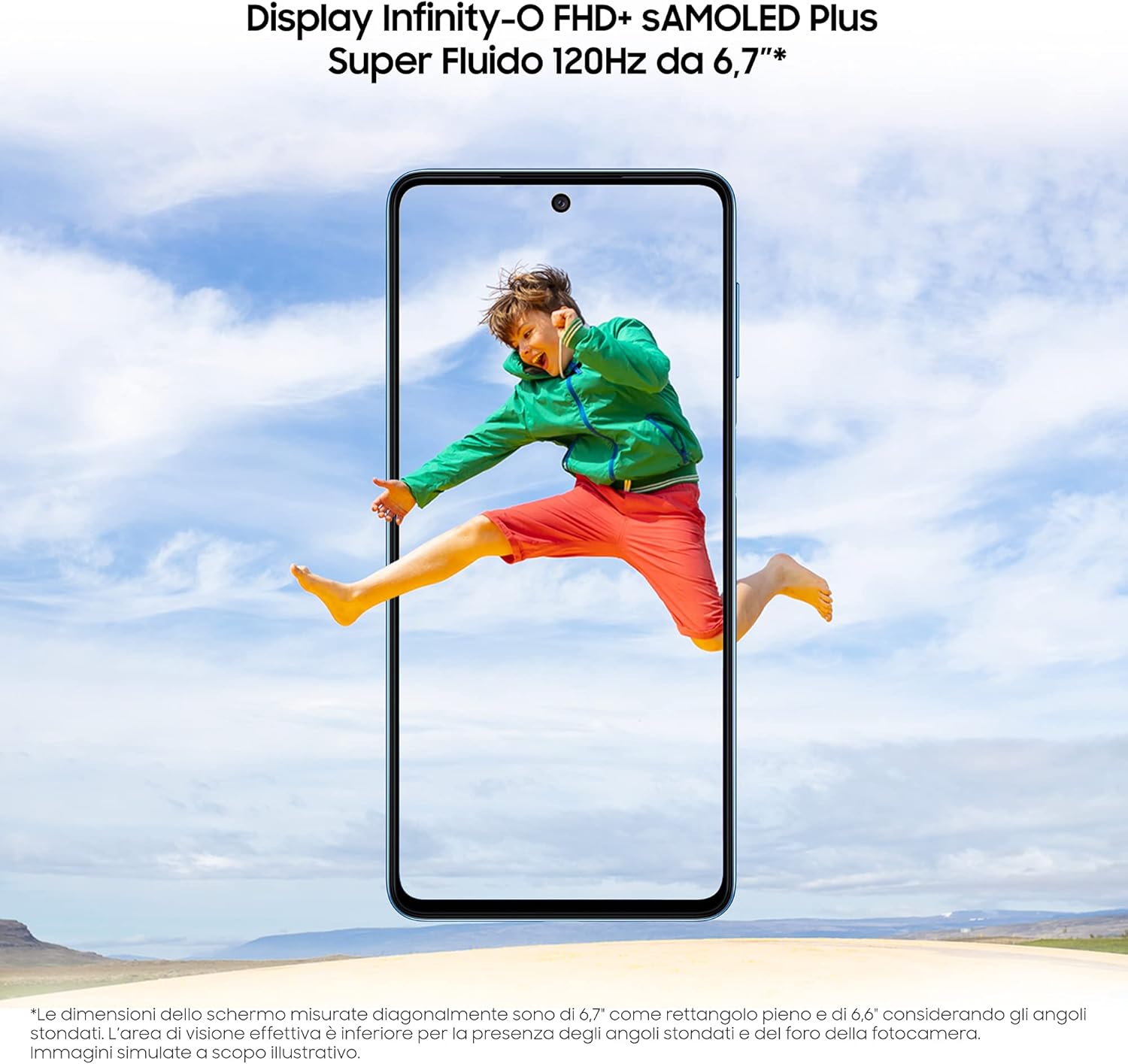
Image: A visual representation of the Samsung Galaxy M52 5G's 6.7-inch Infinity-O FHD+ sAMOLED Plus display with 120Hz refresh rate, showing a dynamic image on screen.
카메라 사용
The device is equipped with a versatile triple rear camera system and a high-resolution front camera:
- 메인 카메라: 64MP(F1.8) 카메라로 고해상도 사진 촬영이 가능합니다.
- 초광각 카메라: 광활한 풍경 사진 촬영에 적합한 12MP(F2.2).
- 매크로 카메라: 5MP (F2.4) for detailed close-up photography.
- 전면 카메라: 32MP (F2.2) for clear selfies and video calls.
Open the Camera app from your home screen or app drawer. Select your desired mode (Photo, Video, Portrait, Pro, etc.) and tap the shutter button to capture images or start recording.

Image: Diagram detailing the camera specifications of the Samsung Galaxy M52 5G, including the 64MP main, 12MP ultra-wide, 5MP macro, and 32MP front cameras.
5G 연결
Experience ultra-fast speeds with 5G connectivity, enabling quicker downloads, smoother streaming, and low-latency gaming. Ensure your mobile plan supports 5G and you are in a 5G coverage area for optimal performance.

Image: A graphic emphasizing the 5G capability of the Samsung Galaxy M52 5G, highlighting its speed and efficiency for content sharing and enjoyment.
배터리 관리
The Galaxy M52 5G is equipped with a 5000mAh (typical) battery for extended usage. It supports Ultra-Fast Charging (25W) to quickly replenish power. For best battery life, use the provided charger and avoid extreme temperatures.

Image: A split image showing typical battery usage scenarios (day and night) and highlighting the 5000mAh typical battery capacity and 25W Ultra-Fast Charging capability of the Samsung Galaxy M52 5G.
게임 경험
Enhance your gaming with the Frame Booster function, which adds virtual frames between existing frames to make graphics smoother and more fluid, providing a fantastic gaming experience.

Image: A graphic demonstrating the Frame Booster feature of the Samsung Galaxy M52 5G, showing a racing game with 60Hz and 120Hz options, indicating smoother graphics.
유지
장치 청소
To clean your Samsung Galaxy M52 5G, gently wipe the screen and body with a soft, lint-free cloth. For stubborn smudges, slightly damp천에 증류수나 전자제품용 화면 세정제를 묻혀 닦아주세요. 강한 화학 물질, 연마재 또는 과도한 습기는 피하세요.
소프트웨어 업데이트
기기에 최신 기능, 보안 패치 및 성능 향상 기능이 적용되어 있는지 확인하려면 소프트웨어 업데이트를 정기적으로 확인하고 설치하세요. 업데이트를 확인하려면 여기를 클릭하세요. 설정 > 소프트웨어 업데이트 > 다운로드 및 설치.
배터리 관리
To prolong battery lifespan, avoid fully discharging the battery frequently. It is recommended to keep the charge level between 20% and 80%. Avoid exposing the device to extreme heat or cold, as this can degrade battery performance over time.
문제 해결
This section provides solutions to common issues you might encounter with your Samsung Galaxy M52 5G.
장치가 켜지지 않음
- Ensure the battery is charged. Connect the device to its charger and wait a few minutes before attempting to power it on.
- Perform a forced restart: Press and hold the Volume Down key and the Power/Side key simultaneously for more than 7 seconds.
네트워크 연결 문제
- 비행기 모드가 꺼져 있는지 확인하세요.
- 기기를 다시 시작하세요.
- SIM 카드가 제대로 삽입되었는지 확인하세요.
- Reset network settings: Go to 설정 > 일반 관리 > 재설정 > 네트워크 설정 재설정.
앱이 충돌하거나 멈춤
- 앱을 닫았다가 다시 엽니다.
- Clear the app's cache and data: Go to 설정 > 앱 > [앱 이름] > 저장공간 > 캐시 지우기 / 데이터 지우기.
- Google Play 스토어에서 앱을 업데이트하세요.
- 장치의 소프트웨어가 최신 상태인지 확인하세요.
공장 초기화
If issues persist, you may need to perform a factory data reset. This will erase all data on your device, so ensure you back up important information first. Go to 설정 > 일반 관리 > 재설정 > 공장 초기화.
명세서
| 특징 | 세부 사항 |
|---|---|
| 모델명 | M52 |
| 모델 번호 | SM-M526BLBDEUE |
| 상표 | 삼성 |
| 운영 체제 | 안드로이드 11 |
| CPU 모델 | 금어초 |
| 표시하다 | 6.7-inch OLED, 1080 x 2400 resolution, 120Hz refresh rate |
| 저장 용량 | 128GB (XNUMX기가바이트) |
| 메인 카메라 | 64MP 트리플 카메라 |
| 전면 카메라 | 32MP |
| 배터리 | 5000mAh 리튬 이온 배터리 (포함) |
| 연결 기술 | 5G, USB |
| 색상 | 라이트 블루 |
| 제품 치수 | 16.42 x 7.64 x 0.74cm; 173그램 |
보증 및 지원
Your Samsung Galaxy M52 5G comes with a standard manufacturer's warranty. Please refer to the warranty card included in your product packaging for specific terms and conditions, including warranty period and coverage details.
기술 지원, 서비스 또는 추가 정보가 필요하시면 삼성 공식 지원 페이지를 방문하십시오. website or contact their customer service. You can find support resources and FAQs at www.samsung.com/support/.
이 제품에 대한 판매자의 공식 제품 비디오를 찾을 수 없습니다.
Ask a question about this manual
Ask about setup, troubleshooting, compatibility, parts, safety, or missing instructions. Manuals+ will review the question and use this page’s manual context to help answer it.