
1. 소개 및 이상view
The EPOS Impact D 30 USB ML headset offers premium audio performance and powerful wireless reach, designed for clear communication in professional environments. It features EPOS Voice technology and a noise-cancelling microphone to ensure natural and clear conversations, prioritizing the customer experience.
This headset is ideal for users requiring plug-and-play functionality and a streamlined design, especially in hot-desking scenarios. With robust DECT security certification and protected pairing, your calls remain secure from third-party interception. The double-sided wearing style promotes focus, and single connectivity to a PC makes it accessible for various users.
- 프리미엄 오디오: EPOS VoiceTM technology and noise-cancelling microphone for clear calls.
- 강력한 무선 범위: Move freely up to 55 m/180 ft in typical offices, or up to 180 m/590 ft line of sight.
- 간편한 연결: Plug-and-play with single-connectivity to your PC/Softphone.
- 통화 시간 연장: 한 번 충전으로 최대 12시간 동안 통화할 수 있습니다.
2. 상자 안에 무엇이 들어있나요?
Your EPOS Impact D 30 USB ML headset package includes the following components:
- 헤드폰
- 기지국
- USB 케이블
- 인쇄된 빠른 가이드
- Printed Safety Guide

Figure 1: Contents of the EPOS Impact D 30 USB ML package, including the headset, base station, USB cable, quick guide, and safety guide.
3. 설정 지침
Follow these steps to set up your EPOS Impact D 30 USB ML headset for optimal use:
- 기지국 연결: Plug the provided USB cable into the base station and then into an available USB port on your PC/Softphone.
- 헤드셋 충전: Place the headset onto the base station. The headset will begin charging automatically. A solid blue light on the headset indicates it is fully charged.
- 전원 켜기: Slide the 'On/Off' switch on the headset to the 'On' position.
- 편성: The headset is designed for plug-and-play functionality with your PC/Softphone via the base station. For initial setup, ensure your PC recognizes the base station as an audio device.
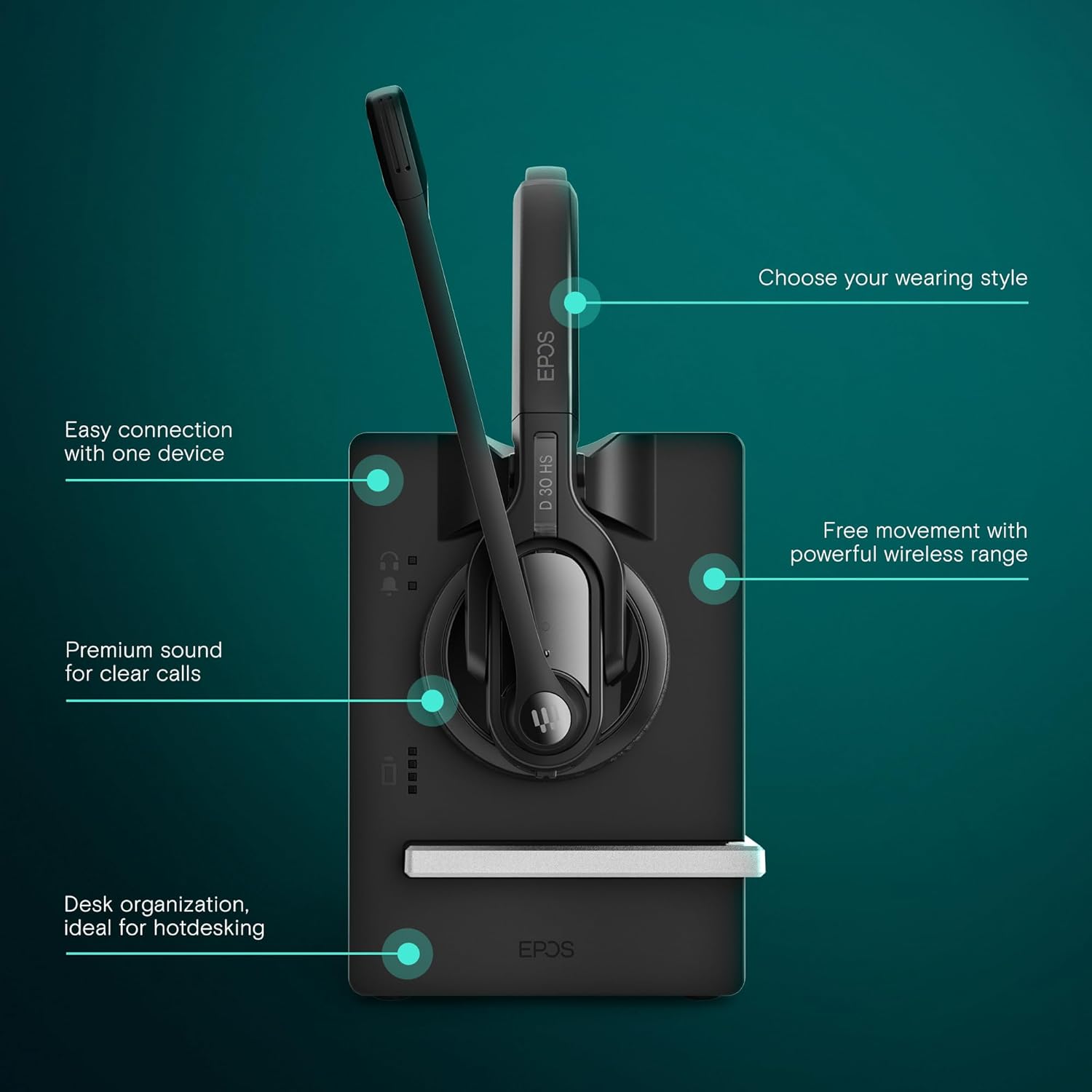
Figure 2: Visual guide for connecting the EPOS Impact D 30 USB ML headset to its base station and PC, highlighting easy connection and wireless range.
Video 1: Official EPOS video demonstrating the setup and key features of the Impact D 30 USB ML Headset, including connectivity and charging.
4. 사용 설명서
The EPOS Impact D 30 USB ML headset is designed for intuitive operation during calls and media playback.
- 통화 제어: Use the multi-function button on the headset to answer or end calls.
- 마이크 음소거: A dedicated mute button is available on the microphone boom for quick privacy during calls.
- 볼륨 조절: Adjust the listening volume using the volume controls located on the headset.
- 착용 스타일 : The headset features a double-sided wearing style for optimal focus. The microphone boom is adjustable to position it correctly for clear voice pickup.

Figure 3: Close-up of the EPOS Impact D 30 USB ML headset, illustrating the one-touch call control, microphone, and volume adjustment buttons.

Figure 4: The EPOS Impact D 30 USB ML headset designed for optimized performance with Unified Communications platforms.
5. 배터리 및 충전
The headset is equipped with a Lithium Ion battery, providing up to 12 hours of talk time. It supports fast charging to minimize downtime.
- 충전 시간: 완전 충전에는 약 1시간이 걸립니다.
- 배터리 수명: 통화 시간은 최대 12시간입니다.
- 충전 표시기: The headset will display an indicator light when charging on the base station.

Figure 5: The EPOS Impact D 30 USB ML headset placed on its charging base, illustrating the quick charging capability for extended use.
6. 유지관리
To ensure the longevity and optimal performance of your EPOS Impact D 30 USB ML headset, follow these maintenance guidelines:
- 청소: Regularly wipe the headset and base station with a soft, dry cloth. Avoid using harsh chemicals or abrasive materials.
- 저장: When not in use, store the headset on its base station or in a cool, dry place away from direct sunlight and extreme temperatures.
- 배터리 관리 : 배터리를 자주 완전히 방전시키지 마십시오. 배터리 수명 유지를 위해 매일 사용하지 않더라도 헤드셋을 정기적으로 충전하십시오.
7. 문제 해결
If you encounter issues with your EPOS Impact D 30 USB ML headset, consider the following troubleshooting steps:
- 오디오 없음/마이크 작동하지 않음: Ensure the base station is securely connected to your PC and recognized as the default audio device. Check the headset's power and mute status.
- 낮은 오디오 품질: Verify the headset is within range of the base station. Ensure there are no obstructions causing interference. Check PC audio settings.
- 헤드셋이 충전되지 않음: Confirm the USB cable is properly connected to the base station and a power source. Ensure the headset is correctly seated on the charging contacts of the base station.
- 페어링 문제: Refer to the quick guide for specific pairing instructions. Ensure no other DECT devices are causing interference.
8. 사양
Detailed technical specifications for the EPOS Impact D 30 USB ML Headset:
| 특징 | 사양 |
|---|---|
| 모델명 | 임팩트 D 30 USB ML |
| 품목 모델 번호 | 1000992 |
| 연결 기술 | 무선 전화 |
| 무선 통신 기술 | DECT |
| 헤드폰 잭 | USB |
| 주파수 응답 | 6800Hz |
| 배터리 수명 | 12시간 |
| 충전 시간 | 12 Hours (Note: This likely refers to total usage time, not charging time. Fast charging is a feature.) |
| 소음 제어 | 능동 소음 제거 |
| 호환 장치 | UC Optimized devices, Desk Phones, Computers, Laptops, Smartphones |
| 품목 무게 | 3 온스 |
| 제품 치수 | 7.8 x 6.57 x 3.23 인치 |
| 재료 | 플라스틱 |
9. 보증 및 지원
The EPOS Impact D 30 USB ML headset comes with a manufacturer's warranty. For detailed information regarding warranty terms, conditions, and duration, please refer to the documentation included in your product packaging or visit the official EPOS support web대지.
For technical assistance, troubleshooting, or any product-related inquiries, please contact EPOS customer support. Contact details can typically be found in your quick guide or on the manufacturer's web대지.