
Ctronics CTIPC-380C-4MP
Ctronics 2K 4MP PTZ Security Camera User Manual
모델: CTIPC-380C-4MP
1. 서론
Thank you for choosing the Ctronics 2K 4MP PTZ Security Camera. This manual provides detailed instructions for setting up, operating, and maintaining your camera. Please read this manual thoroughly before use to ensure proper functionality and safety.
2. 제품 오버view
The Ctronics 2K 4MP PTZ Security Camera is designed for outdoor surveillance, offering high-resolution video, pan-tilt-zoom capabilities, human detection, auto-tracking, and two-way audio. It is IP66 rated for weather resistance.

Figure 2.1: Ctronics 2K 4MP PTZ Security Camera (Front View)
This image displays the main unit of the Ctronics 2K 4MP PTZ Security Camera, featuring its white dome-shaped body, dual antennas for enhanced connectivity, and the camera lens surrounded by multiple LED lights for night vision. The Ctronics logo is visible on the front.
3. 패키지 내용
Ensure all items are present and in good condition. If any items are missing or damaged, please contact customer support.
- Ctronics 2K 4MP PTZ Security Camera
- 전원 어댑터
- 장착 나사 및 앵커
- 네트워크 케이블용 방수 키트
- 빠른 시작 가이드

Figure 3.1: Camera and Packaging
This image shows the Ctronics camera alongside its retail packaging, indicating the product's branding and presentation.
4. 설정 가이드
4.1 카메라 전원 켜기
- 전원 어댑터를 카메라의 전원 입력 포트에 연결합니다.
- 전원 어댑터를 표준 전기 콘센트에 연결하십시오.
- The camera will perform a self-test, indicated by its movement and the status indicator light.
- Wait for the camera to complete its initialization process. This may take a few minutes.
4.2 앱 설치
Download the "Ctronics Pro" app from your mobile device's app store (iOS or Android). Alternatively, you can use the HiP2P Client for desktop operating systems.
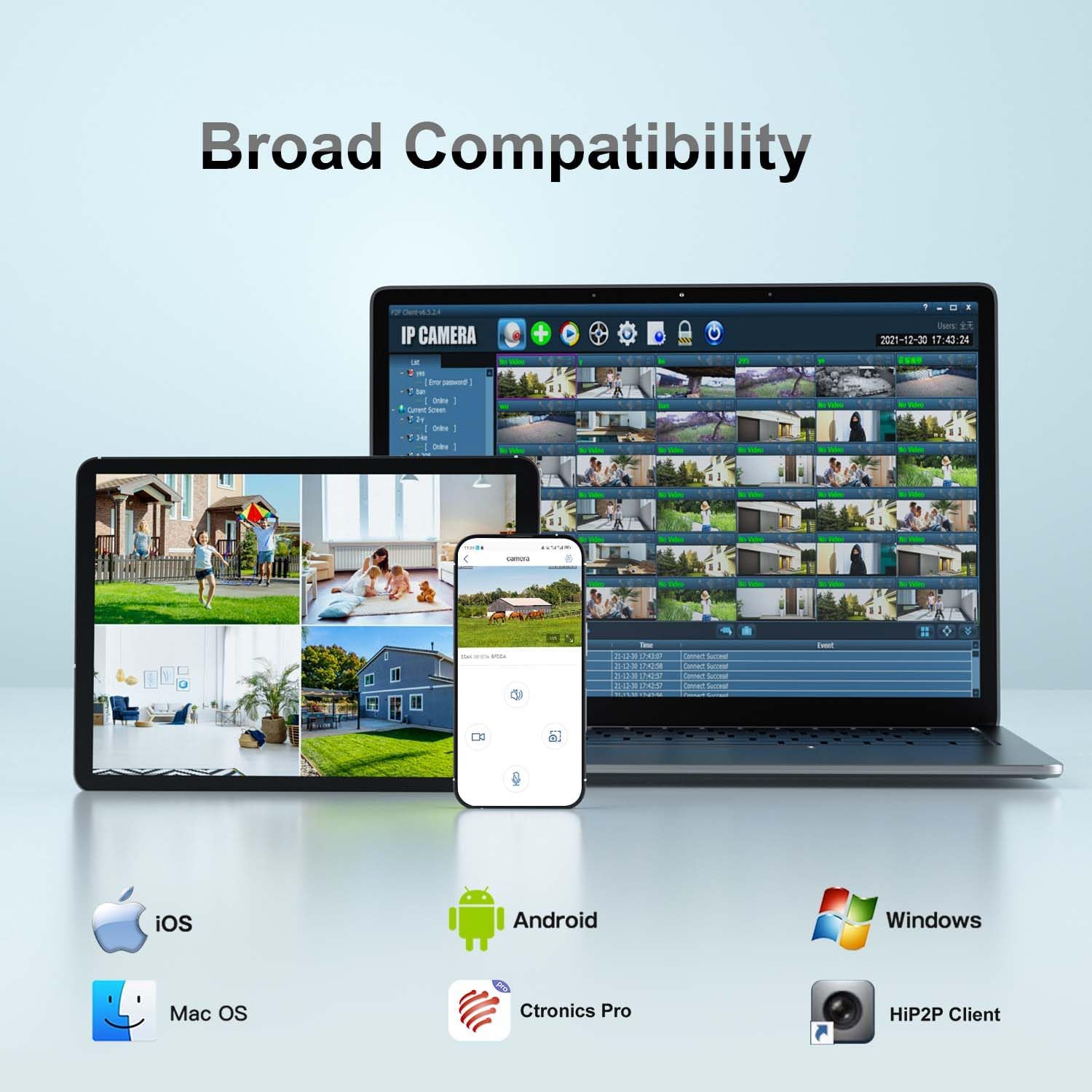
그림 4.1: 폭넓은 호환성
This image illustrates the broad compatibility of the Ctronics camera with various operating systems and applications, including iOS, Android, Mac OS, Windows, Ctronics Pro app, and HiP2P Client, showcasing the flexibility in accessing and managing the camera.
4.3 Wi-Fi 연결
Follow these steps to connect your camera to your Wi-Fi network using the Ctronics Pro app:
- Open the Ctronics Pro app and tap "Add Camera".
- Select "Wireless Installation" or "Search Camera from LAN" if the camera is connected via Ethernet for initial setup.
- Follow the on-screen prompts to enter your Wi-Fi network details (SSID and password).
- The camera will confirm successful connection with an audible prompt.
Video 4.1: WIFI Connection Video for 380 2K Security Camera
This video demonstrates the step-by-step process of connecting the Ctronics 380 2K Security Camera to a Wi-Fi network using the mobile application. It covers powering the camera, accessing the app settings, and entering Wi-Fi credentials for a successful connection.
5. 카메라 작동
5.1 PTZ 제어 (좌우 회전, 상하 이동, 줌)
The camera supports Pan 355° and Tilt 90° for comprehensive coverage. Use the controls within the Ctronics Pro app to remotely adjust the camera's view잉 각도.
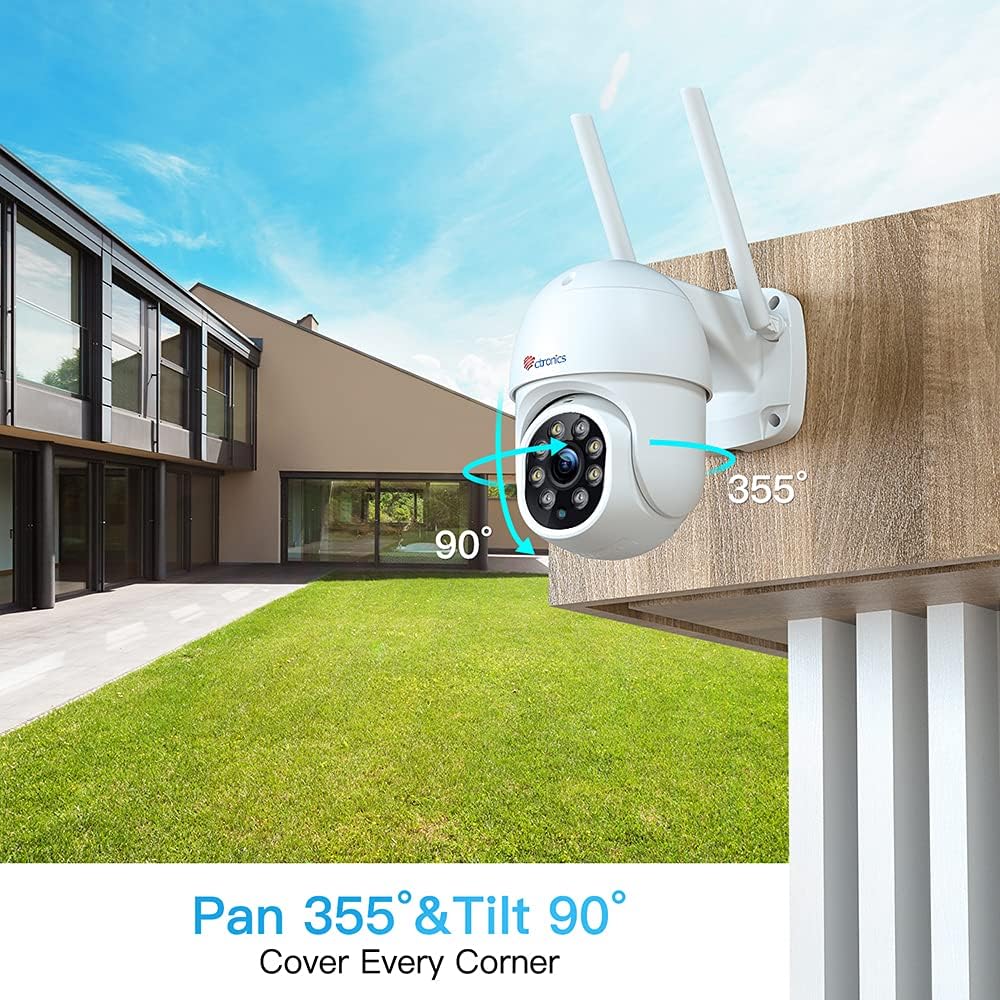
Figure 5.1: Pan 355° & Tilt 90°
This image illustrates the camera's pan and tilt capabilities, showing its wide range of motion (355 degrees horizontally and 90 degrees vertically) to cover a large area.
5.2 사람 감지 및 자동 추적
Enable human detection in the app settings to receive alerts when a human figure is detected. The auto-tracking feature allows the camera to automatically follow detected human movement within its field of view.

Figure 5.2: Human Detection & Auto Tracking
This image demonstrates the camera's human detection and auto-tracking features, showing an on-screen alert for a detected visitor and the camera's ability to follow human movement.
5.3 양방향 오디오
Utilize the built-in microphone and speaker for two-way communication. This feature allows you to listen to the camera's surroundings and speak through the camera from your mobile device.
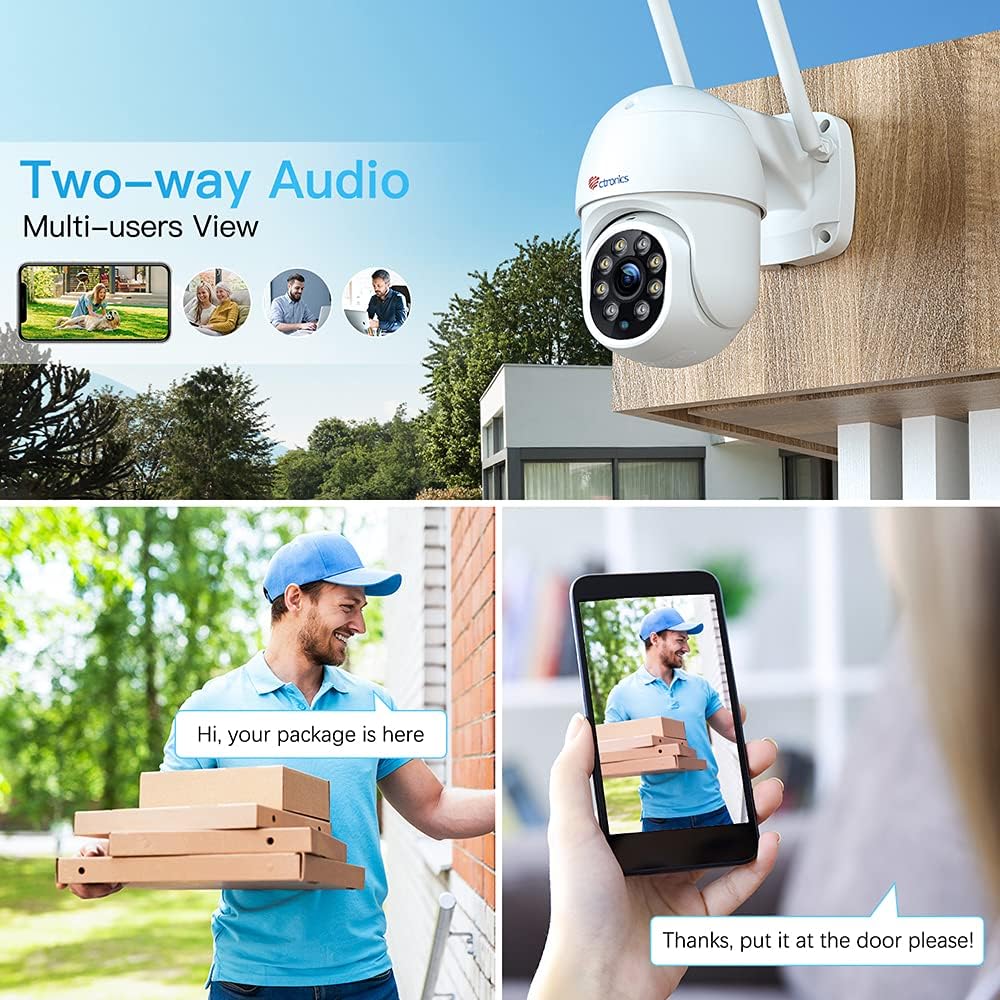
그림 5.3: 양방향 오디오
This image illustrates the two-way audio functionality, showing a person speaking into their phone and another person receiving the audio through the camera, enabling real-time communication.
5.4 야간 투시경
The camera features color night vision for clear surveillance even in low-light conditions. The integrated LEDs provide illumination for enhanced visibility.

Figure 5.4: 2.5K 4MP HD Resolution
This image highlights the camera's 2.5K 4MP HD resolution (2560x1440P), emphasizing the clarity and brightness of the videos and pictures captured by the device, even in varying light conditions.
5.5 로컬 저장소(SD 카드)
The camera supports local storage via a MicroSD card (not included). Insert the card into the designated slot to record video footage 장치에서 직접.
6. 설치 지침
The Ctronics PTZ camera is designed for outdoor use with an IP66 weatherproof rating. Choose a mounting location that provides optimal viewing coverage and a stable surface.
- 제공된 장착 템플릿을 사용하여 드릴링 지점을 표시하십시오.
- 필요한 경우 구멍을 뚫고 벽 고정 장치를 삽입합니다.
- 카메라 받침대를 나사를 사용하여 장착 표면에 고정하십시오.
- Ensure all cable connections are properly sealed using the waterproof kit to prevent water ingress.

그림 6.1: IP66 방수/방진 등급
This image shows the Ctronics camera mounted outdoors, being exposed to rain, highlighting its IP66 weatherproof rating and suitability for various environmental conditions.
7. 유지관리
- 선명한 화질을 유지하려면 부드럽고 마른 천으로 카메라 렌즈를 정기적으로 닦아주세요.
- 케이블 연결부에 마모나 손상 흔적이 있는지 주기적으로 점검하십시오.
- Ensure the camera's firmware is up to date through the Ctronics Pro app for optimal performance and security.
- 카메라 표면에 독한 화학 약품이나 연마성 세척제를 사용하지 마십시오.
8. 문제 해결
| 문제 | 가능한 원인 | 해결책 |
|---|---|---|
| 카메라 오프라인 | No power; Wi-Fi signal weak/disconnected; Network issues. | Check power supply; Relocate camera closer to router; Restart router and camera. |
| 화질이 나쁘다 | 렌즈 오염; 낮은 네트워크 대역폭; 불충분한 조명. | Clean lens; Check internet speed; Ensure adequate lighting for night vision. |
| 동작 감지가 작동하지 않음 | Detection settings incorrect; Obstructions in view. | Adjust sensitivity in app; Clear obstructions from camera's field of view. |
| Wi-Fi에 연결할 수 없습니다 | Incorrect password; Out of range; 5GHz network. | Verify Wi-Fi password; Move camera closer to router; Ensure 2.4GHz network is used. |
9. 사양
| 특징 | 세부 사항 |
|---|---|
| 모델 번호 | CTIPC-380C-4MP |
| 비디오 캡처 해상도 | 2K (2560×1440P), 4MP |
| 연결 기술 | 무선(2.4G WiFi) |
| 팬/틸트 범위 | 팬 355 °, 틸트 90 ° |
| 특별 기능 | Night Vision, PTZ Technology, Motion Sensor, Human Detection, Auto Tracking, 2-Way Audio, Custom Sound Alarm |
| 실내/실외 사용 | 집 밖의 |
| 국제 보호 등급 | IP66 |
| 전원 | AC/DC (12 Volts, 12 Watt-hours) |
| 품목 치수(L x W x H) | 3.54 x 5.91 x 11.81 인치 |
| 품목 무게 | 1.54파운드 |
| 호환 장치 | iOS (and Android, Windows, Mac OS via app/client) |
10. 보증 및 지원
Ctronics products typically come with a limited warranty. Please refer to the warranty card included in your package or visit the official Ctronics web자세한 보증 정보는 사이트를 참조하십시오.
For technical support, troubleshooting assistance, or any inquiries, please contact Ctronics customer service. Contact details can usually be found on the product packaging or the official Ctronics web대지.
Ask a question about this manual
Ask about setup, troubleshooting, compatibility, parts, safety, or missing instructions. Manuals+ will review the question and use this page’s manual context to help answer it.