
Leipan DM9-7" Digital Microscope
Leipan 7-inch LCD Digital Microscope User Manual
Model: DM9-7" Digital Microscope
1. 제품 오버view
The Leipan DM9-7" Digital Microscope is a versatile tool designed for detailed observation, featuring a 7-inch rotatable HD screen, 12MP camera, and up to 1200X magnification. It is suitable for various applications including coin inspection, circuit board repair, and educational exploration.
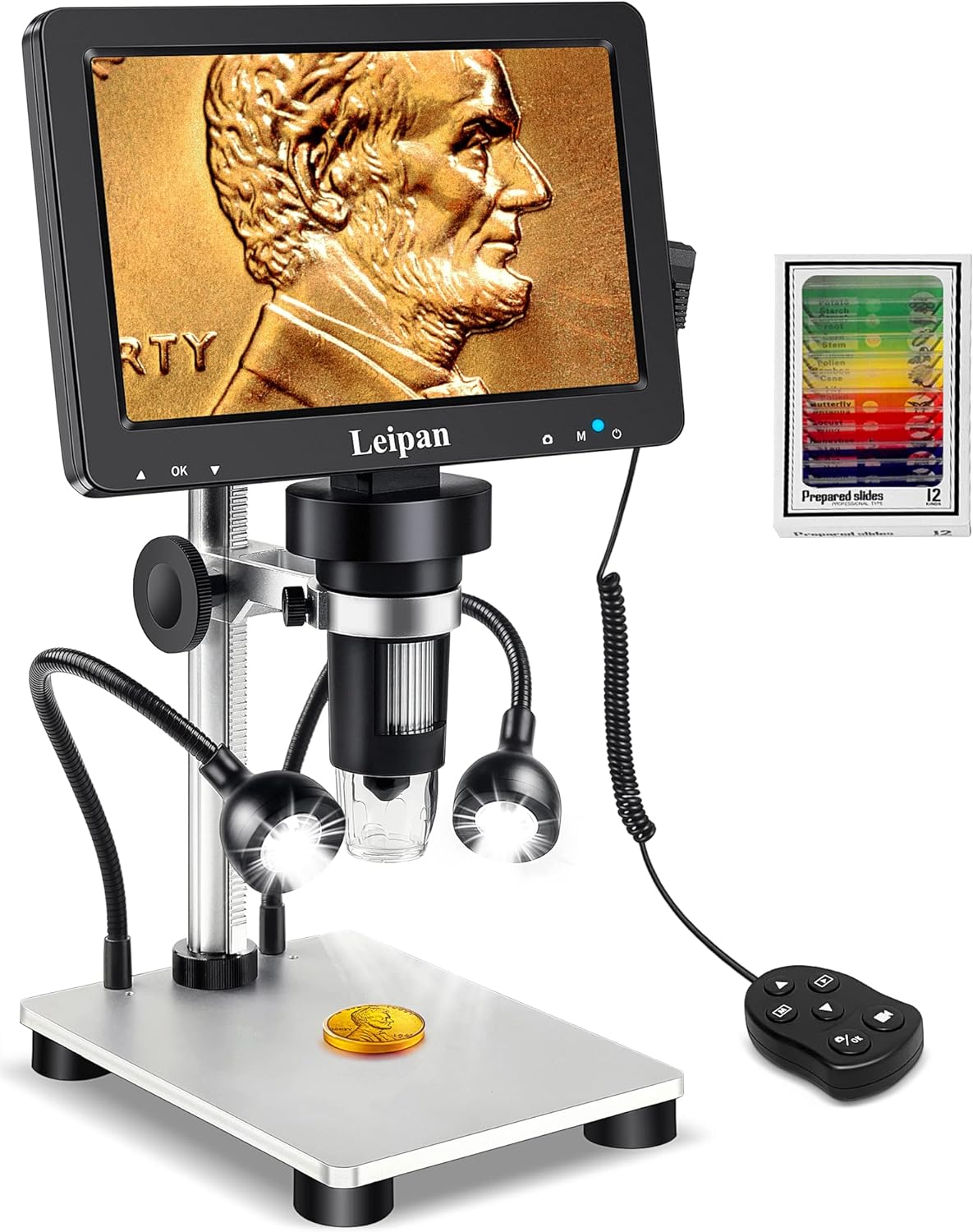
Figure 1.1: Leipan DM9-7" Digital Microscope with included accessories.
주요 특징:
- 7-inch Rotatable HD Screen (1080P)
- 12MP Focusing Camera for High-Quality Images and Videos
- Continuous 10X-1200X Magnification
- 8 Adjustable LED Lights + 2 Flexible Side Lights
- PC Compatibility (Windows and Mac OS)
- Photo and Video Recording Functionality with Wired Remote
- Height Adjustable Solid Metal Holder and Base
2. 설정 가이드
2.1 포장 풀기 및 조립
Carefully remove all components from the packaging. Assemble the microscope stand and attach the main unit, ensuring all connections are secure. The metal base provides stability for various applications.
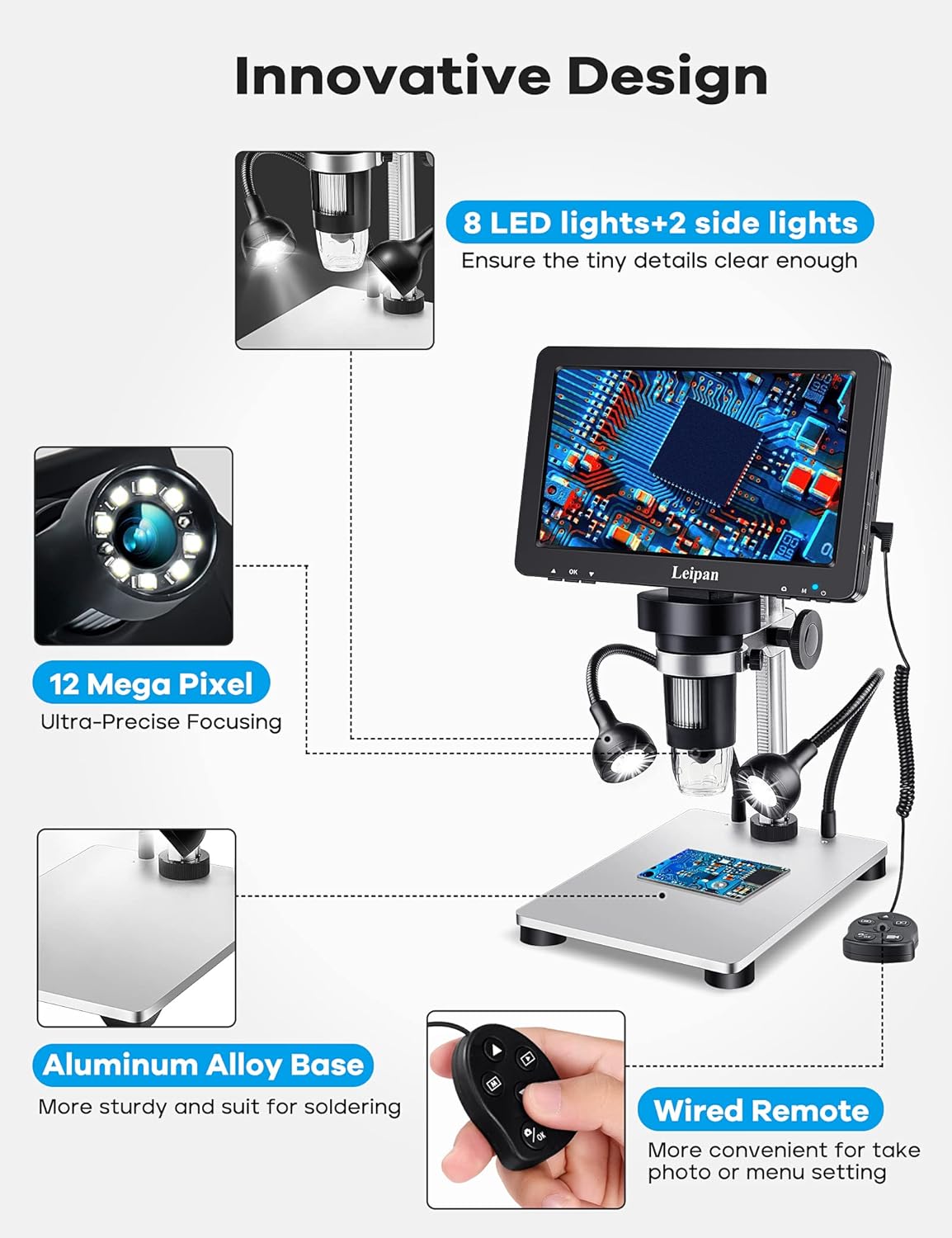
그림 2.1: 구성 요소 오버view and innovative design features.
2.2 전원 켜기 및 초기 연결
Connect the microscope to a power source using the provided USB cable. The device can be powered via a standard USB adapter or a computer USB port. Press the power button to turn on the microscope.
Video 2.2: Demonstrates how to charge and power on the Leipan DM9 microscope.
2.3 Connecting to a PC (Windows/Mac OS)
에게 view images on a larger screen, connect the microscope to your PC or laptop using a data cable. No additional software download is required. For Windows 10, use the default "Windows Camera" application. For iMac/MacBook, use "Photo Booth."
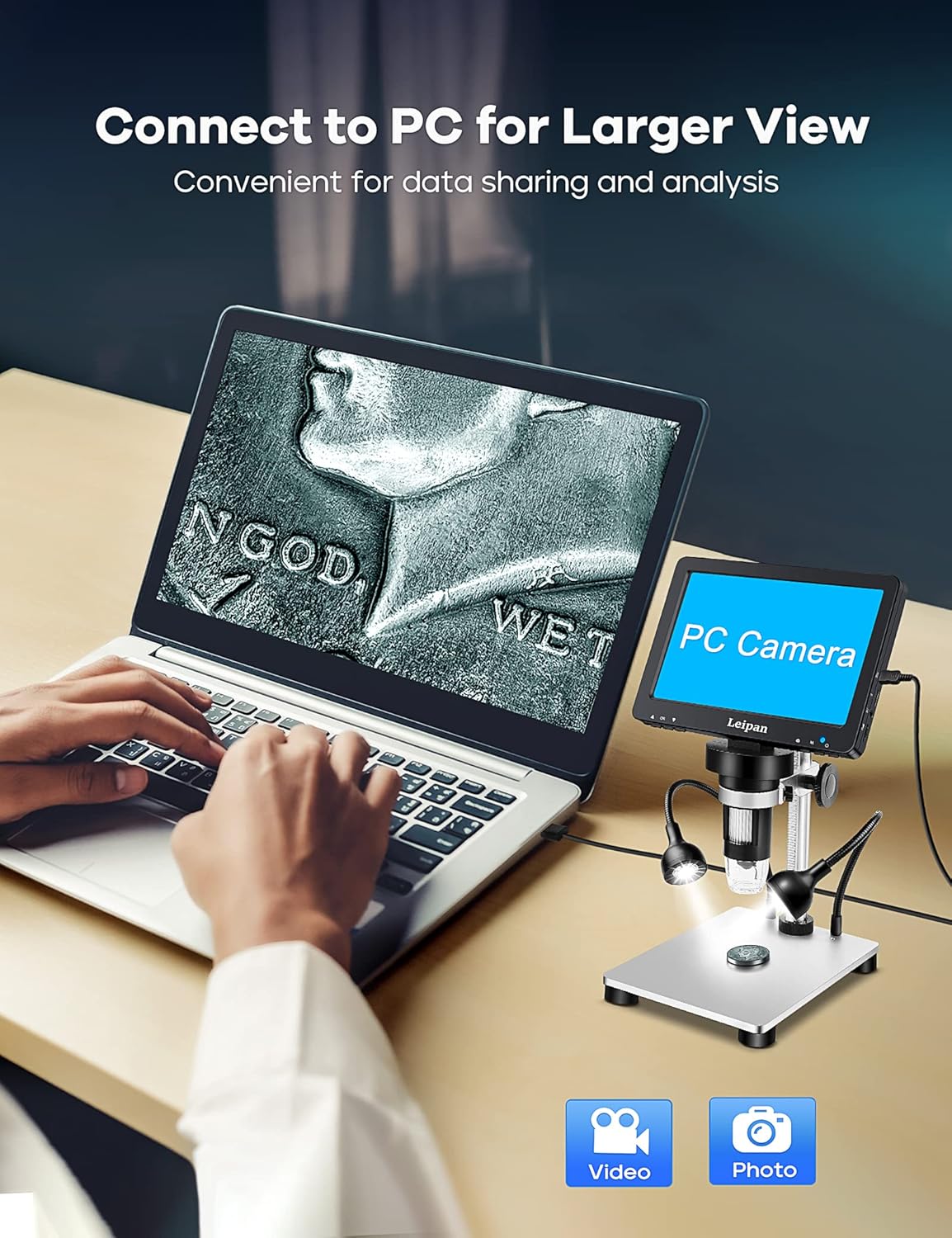
그림 2.3: 더 큰 이미지를 얻기 위해 현미경을 PC에 연결하는 방법 view.
Video 2.4: Instructions on how to connect the Leipan DM9 to a computer and use it as a PC camera.
3. 사용 설명서
3.1 확대 및 초점 조절
The microscope offers continuous magnification from 10X to 1200X. Rotate the focus wheel on the main unit to achieve a clear image. The actual magnification observed will vary based on the screen size and the distance between the camera and the object.

그림 3.1: 예amples of magnification levels from 10X to 1200X.
3.2 조명 제어
The microscope is equipped with 8 adjustable LED illuminators and 2 flexible side lights. Adjust the brightness and position of the side lights to ensure all parts of your specimen are clearly illuminated, especially for objects with complex surfaces.
Video 3.2: Guide on how to turn on and adjust the side lights for optimal view주고받음.
3.3 사진 및 비디오 녹화
Capture 12MP photos (4023*3024) and record 1080FHD videos (1920*1080 at 30fps). You can take photos and videos by pressing the button on the main unit or by using the wired remote control. Using the wired remote is recommended to minimize camera shake and achieve clearer results.

Figure 3.3: The microscope's capability to capture high-quality photos and videos.
비디오 3.4: 오버view of the Leipan 7-inch digital microscope's features and operational aspects.
3.4 Screen and Stand Adjustment
The 7-inch screen is rotatable up to 90 degrees, allowing you to find the most comfortable viewing angle and reduce eye and neck strain during prolonged use. The robust metal stand is height-adjustable, providing flexibility for various object sizes and observation needs.
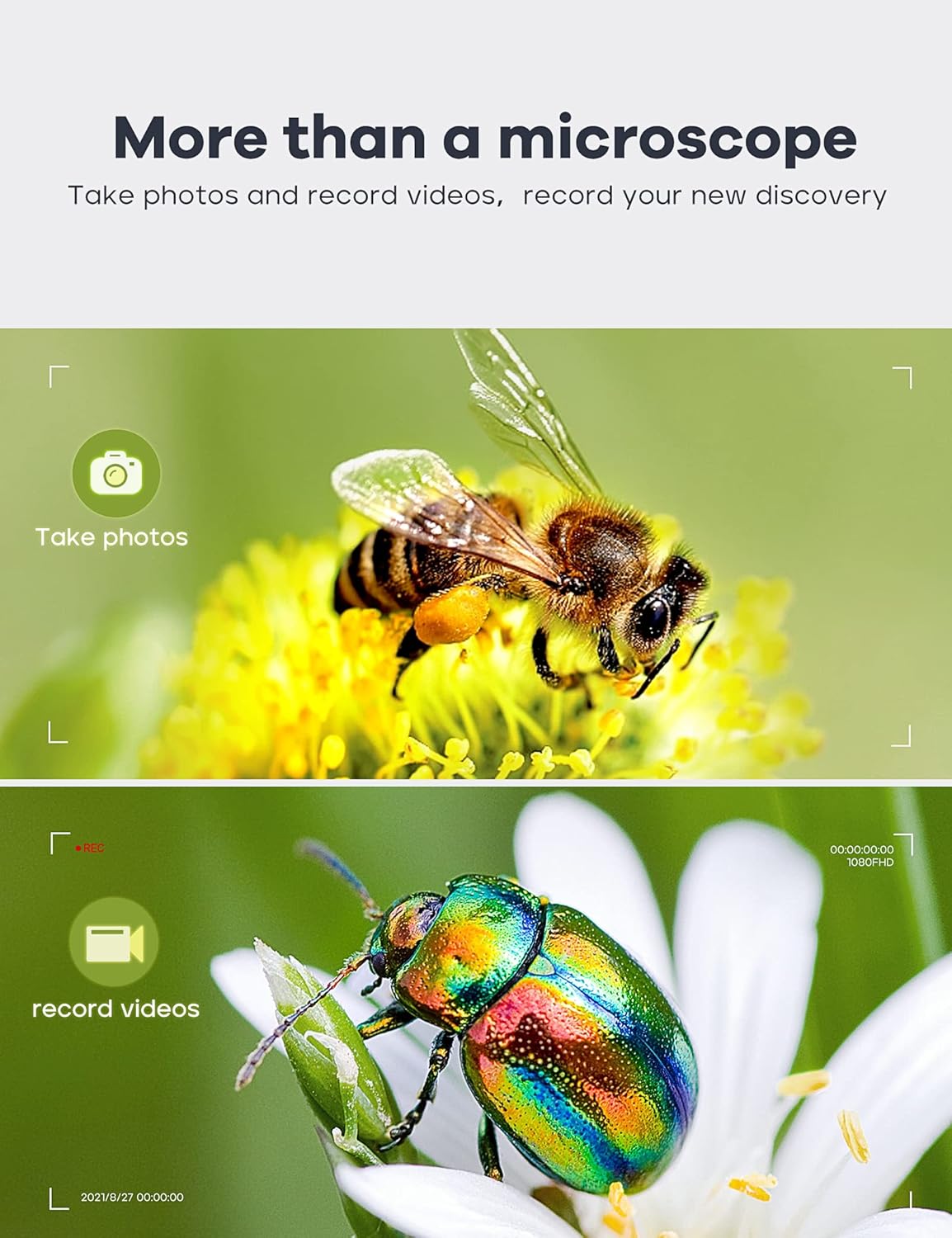
Figure 3.5: Adjustable stand and screen for ergonomic view주고받음.
4. 유지관리
4.1 청소
To maintain optimal performance, regularly clean the microscope's lens and screen. Use a soft, lint-free cloth for the screen. For the lens, use a specialized lens cleaning solution and cloth to avoid scratches. Ensure the device is powered off and disconnected from power before cleaning.
4.2 보관
Store the microscope in a dry, dust-free environment when not in use. Avoid exposing it to extreme temperatures or direct sunlight. If storing for an extended period, ensure the battery is partially charged (around 50%) to prolong its lifespan.
4.3 배터리 관리
The microscope uses a Lithium Ion battery. For long-term usage exceeding 30 minutes, it is recommended to keep the power connection plugged in. Avoid fully discharging the battery frequently to maintain its health.
5. 문제 해결
5.1 전원이 켜지지 않음/기기가 켜지지 않음
- Ensure the power cable is securely connected to both the microscope and the power source.
- 전원이 활성화되어 있는지 확인하세요.
- 배터리가 완전히 방전된 경우 최소 30분 동안 충전하십시오.
- 다른 USB 케이블이나 전원 어댑터를 사용해 보세요.
5.2 Blurred Image
- Adjust the focus wheel on the main unit until the image is clear.
- Ensure the object is placed directly under the lens and within the optimal working distance.
- 렌즈에 얼룩이나 먼지가 묻어 있으면 닦아주세요.
5.3 PC Connection Issues
- Ensure the USB cable is properly connected to both the microscope and the computer.
- On the microscope screen, select "PC Camera" mode when prompted after connecting to the computer.
- Verify that your computer's camera application (e.g., "Windows Camera" or "Photo Booth") is open and selected the microscope as the input device.
- 컴퓨터의 다른 USB 포트를 사용해 보십시오.
6. 사양
| 특징 | 사양 |
|---|---|
| 상표 | 레이판 |
| 모델 번호 | LP-DM9 |
| 제품 치수 | 9.5 x 8.2 x 3.3인치(24.13 x 20.83 x 8.38cm) |
| 품목 무게 | 2.82파운드(1.28킬로그램) |
| 화면 크기 | 7인치 |
| 확대 | 10X-1200X |
| 카메라 해상도 | 12MP(4023*3024) |
| 비디오 해상도 | 1080FHD (1920*1080 30fps) |
| 광원 유형 | LED (8 main, 2 flexible side lights) |
| 재료 | Metal (Aluminum Alloy Base) |
| 전원 | 5 Volts (DC), 1 Lithium Ion battery required |
| 호환 장치 | Laptop (Windows, Mac OS) |
7. 보증 및 지원
7.1 보증 정보
Leipan digital microscopes are manufactured under strict quality standards. We provide a 3-year worry-free warranty from the date of purchase. This warranty covers manufacturing defects and issues arising from normal use.
7.2 고객 지원
For any issues, questions, or support needs, please do not hesitate to contact our customer service team. We offer 7*24 hours customer service and are committed to providing a satisfied solution.
Please refer to your purchase documentation or the Leipan official web구체적인 연락처 정보는 해당 사이트를 참조하세요.
Ask a question about this manual
Ask about setup, troubleshooting, compatibility, parts, safety, or missing instructions. Manuals+ will review the question and use this page’s manual context to help answer it.