
1. 소개 및 이상view
This manual provides comprehensive instructions for the Vormooi 64GB Mini Voice Recorder V15. This compact and lightweight device is designed for high-quality audio recording in various settings, including lectures, meetings, interviews, and classes. It features a large storage capacity, long battery life, and user-friendly operation.

이미지 1.1: The Vormooi Mini Voice Recorder highlighting its main features: 750 hours recording capacity, 64GB memory, and 40-50 hours battery life.
2. 제품 특징
- 초소형 디자인: Measuring 6x32x54 mm (0.23x1.25x2.10 inches) and weighing only 21g, this recorder is highly portable.
- 원키 녹음: Simple operation to start, stop, and save recordings.
- 64GB 대용량: Stores up to 750 hours of recording files.
- 배터리 수명 연장: Built-in 200mAh battery provides 40-50 hours of continuous recording or 30 hours of playback after a 2.5-hour charge.
- Automatic Noise Reduction & HD Recording: Utilizes PCM ten-core triple digital intelligent noise reduction technology for 384kbps high-quality sound.
- 음성 활성화 모드: Automatically starts recording when sound is detected and stops when quiet, conserving battery and memory.
- 타임 스트리트amp 기능: 녹음 files are named with the date and time for easy organization.
- OTG 기능: Allows direct connection to Android phones (via included adapter) for file 관리.
- 내구성 있는 구조: Premium blue metal shell made of zinc alloy.
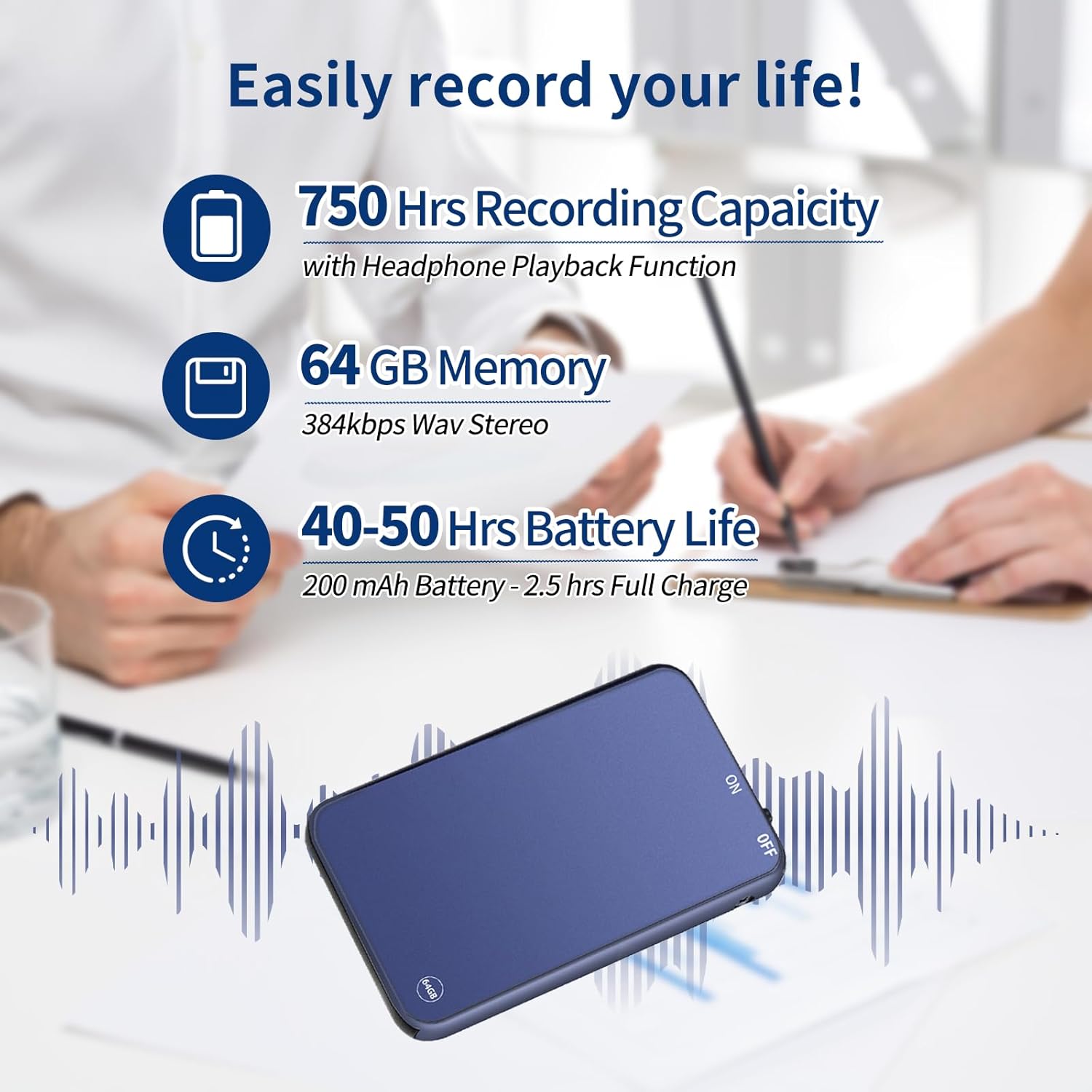
이미지 2.1: Visual representation of the recorder's impressive recording capacity, memory, and battery performance.
3. 장치 레이아웃 및 컨트롤
Familiarize yourself with the physical components and controls of your Vormooi Mini Voice Recorder.

이미지 3.1: Dimensions of the Vormooi Mini Voice Recorder and key physical features like the lanyard hole and one-touch recording switch.
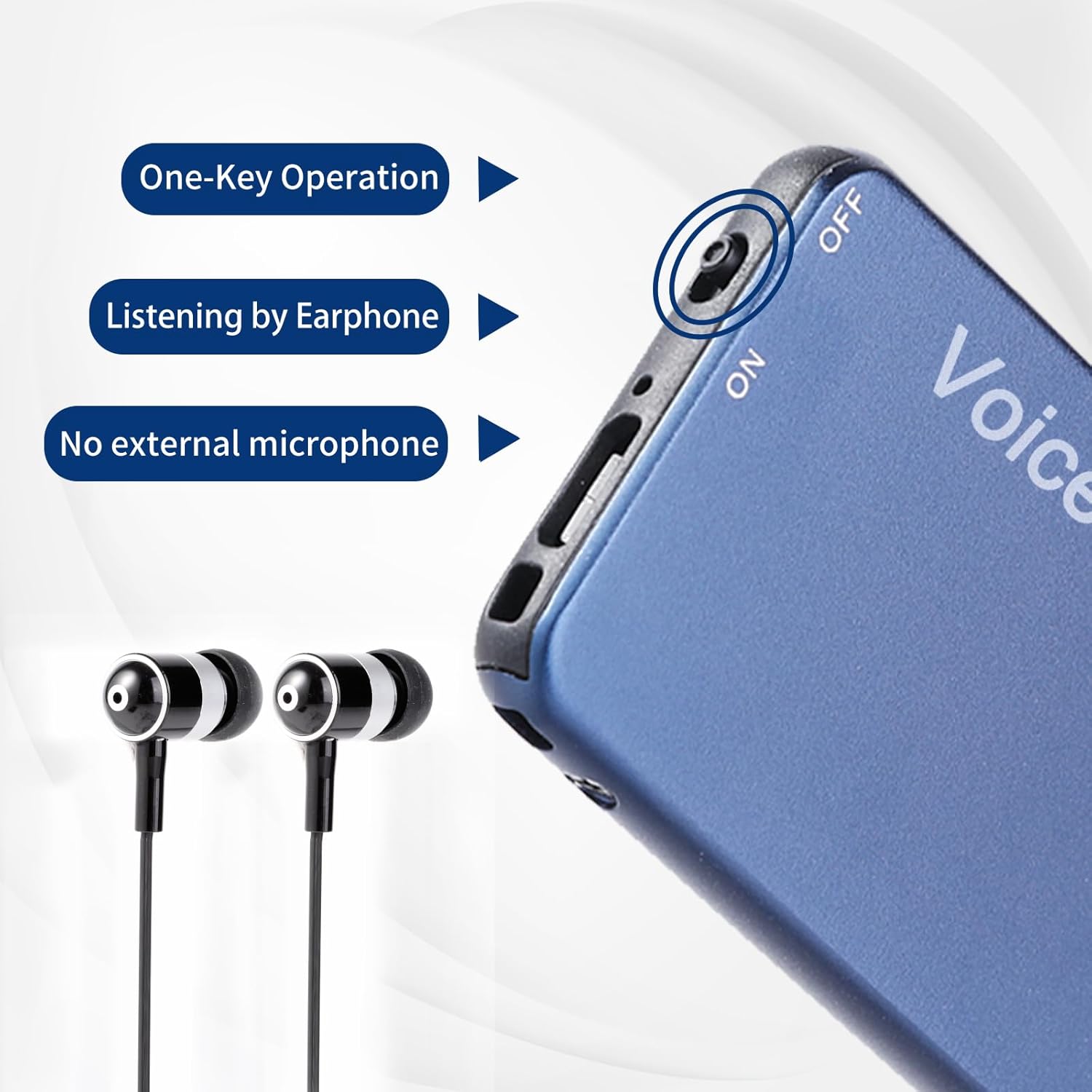
이미지 3.2: Detail of the recorder's side, showing the ON/OFF switch and earphone jack, emphasizing its one-key operation and integrated microphone.
4. 설정
4.1 초기 충전
Before first use, fully charge the device. Connect the recorder to a USB power source (e.g., computer USB port or USB wall adapter) using the provided USB cable. A full charge takes approximately 2.5 hours.
4.2 전원 켜기/끄기
- To power on, slide the switch to the "ON" position.
- 전원을 끄려면 스위치를 "OFF" 위치로 밀어주세요.
5. 사용 설명서
5.1 원키 레코딩
- 장치의 전원이 켜져 있는지 확인합니다.
- To start recording, slide the dedicated recording switch (often marked "REC" or similar, or simply the ON switch if it initiates recording upon power-on) to the recording position. The device will begin recording immediately.
- 녹화를 중지하고 저장하려면 file, slide the recording switch back to its original position or to the "OFF" position. The recording will be saved automatically with a timestamp (date and time).
5.2 Voice Activated Mode (VOR)
The Voice Activated Mode (VOR) conserves memory and battery by recording only when sound is detected. This feature is factory default off.
- To enable/disable VOR, refer to the specific instructions in the included "RECSET.txt" file on the device when connected to a computer, or consult the manufacturer's web자세한 단계는 사이트를 참조하세요.
- Once enabled, the recorder will automatically start recording when it detects sound and pause when there is silence.
5.3 재생
녹음을 들으려면:
- Connect the included earphones to the 3.5mm audio jack on the recorder.
- 장치의 전원을 켭니다.
- Use the inline controls on the earphone cable (if provided) or the device's buttons to navigate through files, adjust volume, play/pause, fast forward, and rewind.

이미지 5.1: The recorder demonstrating OTG function with a phone and PC, along with the earphone playback controls.
5.4 Connecting to PC/Phone (OTG Function)
The OTG function allows you to manage files directly on a computer or Android phone.
- 중요한: Before connecting the recorder to a PC or phone, ensure the recorder is powered 끄다.
- Use the provided USB cable and Type-C/Micro-USB adapter (for Android phones) to connect the recorder to your device.
- Once connected, the recorder will appear as a removable disk. You can then browse, play, or delete recording files.
Note: Some USB cables only support charging and cannot transmit data. Always use the cable provided with your recorder for file 관리.
6. 유지관리
- 충전 중: Avoid overcharging. Disconnect the device once fully charged to prolong battery life.
- File 관리: Regularly back up important recordings to your computer. Do not modify or delete the "RECSET.txt" file, as this can affect device functionality.
- 청소: 부드럽고 마른 천을 사용하여 기기를 닦으세요. 액체 세척제나 연마재는 사용하지 마세요.
- 저장: 녹음기는 직사광선과 극한 온도 변화를 피해 서늘하고 건조한 곳에 보관하십시오.
7. 문제 해결
| 문제 | 해결책 |
|---|---|
| Recorder not recognized by computer/phone. | Ensure the recorder is powered 끄다 before connecting it to your computer or phone. Use the original USB cable. |
| Recording stops automatically during charging. | This is normal behavior. The device automatically saves the current recording when charging begins. To continue recording, disconnect from charging and restart recording. |
| Cannot play WAV files on Windows 10. | The default Windows 10 GROOVE player may not support WAV format. Use "Windows Media Player" or another compatible music player. |
| Voice Activated Mode (VOR) is not working. | VOR is factory default off. Ensure you have enabled it according to the instructions in the "RECSET.txt" file or the manufacturer's support resources. |
| 기기가 켜지지 않거나 응답하지 않습니다. | 기기가 완전히 충전되었는지 확인하십시오. 문제가 지속되면 고객 지원팀에 문의하십시오. |
8. 사양
| 특징 | 세부 사항 |
|---|---|
| 모델 번호 | V15 |
| 메모리 저장 용량 | 64GB (XNUMX기가바이트) |
| 기록 용량 | 최대 750시간 |
| 기록 형식 | WAV (384kbps) |
| 배터리 유형 | 1 리튬 이온(200mAh) |
| 배터리 수명(녹화 시) | 40-50시간 |
| 배터리 수명(재생) | 30시간 |
| 충전 시간 | 약 2.5시간 |
| 치수(길이 x 너비 x 높이) | 54 x 32 x 6mm(2.10 x 1.25 x 0.23인치) |
| 품목 무게 | 21그램 |
| 마이크 폼 팩터 | Built-In, Omnidirectional Stereo |
| 헤드폰 잭 | 3.5 밀리미터 |
| 호환 장치 | Personal Computer (Windows/Mac), Android Phones |
| 재료 | 고품질 아연 합금 |
9. 보증 및 지원
Vormooi provides a 1-Year After-Sales Guarantee for this product, ensuring quality and customer satisfaction.
고객 지원
If you encounter any questions or issues with your Vormooi Mini Voice Recorder, please do not hesitate to contact our support team. When contacting support, please provide your order number for faster assistance.
연락 방법: [Order Number] - [Vormooi-US] - [Ask a Question] (via your purchase platform)
Our support team aims to reply within 24 hours.
10. 사용 시나리오
The Vormooi Mini Voice Recorder is versatile and suitable for various recording needs:

이미지 10.1: The Vormooi Mini Voice Recorder is suitable for diverse environments, including recording lectures in a classroom, discussions in a business meeting, conversations during an interview, and presentations at public events.
Note: The image above illustrates various scenarios where the Vormooi Mini Voice Recorder can be effectively used.