
1. 서론
This manual provides detailed instructions for the installation, operation, maintenance, and troubleshooting of your JOYING 10.1 Android Car Stereo Double Din Head Unit. Please read this manual thoroughly before using the product to ensure proper functionality and safety.
2. 제품 특징
- 운영 체제: Latest Android 10 OS for a faster and smoother user experience.
- 프로세서 및 메모리: Powerful 1.8GHz Octa-core CPU with 4GB RAM and 64GB ROM.
- 오디오 품질 : DSP sound effect processing chip with TDA7851 power amplifier output chip, supporting SPDIF digital audio output and 32-band EQ for customizable sound.
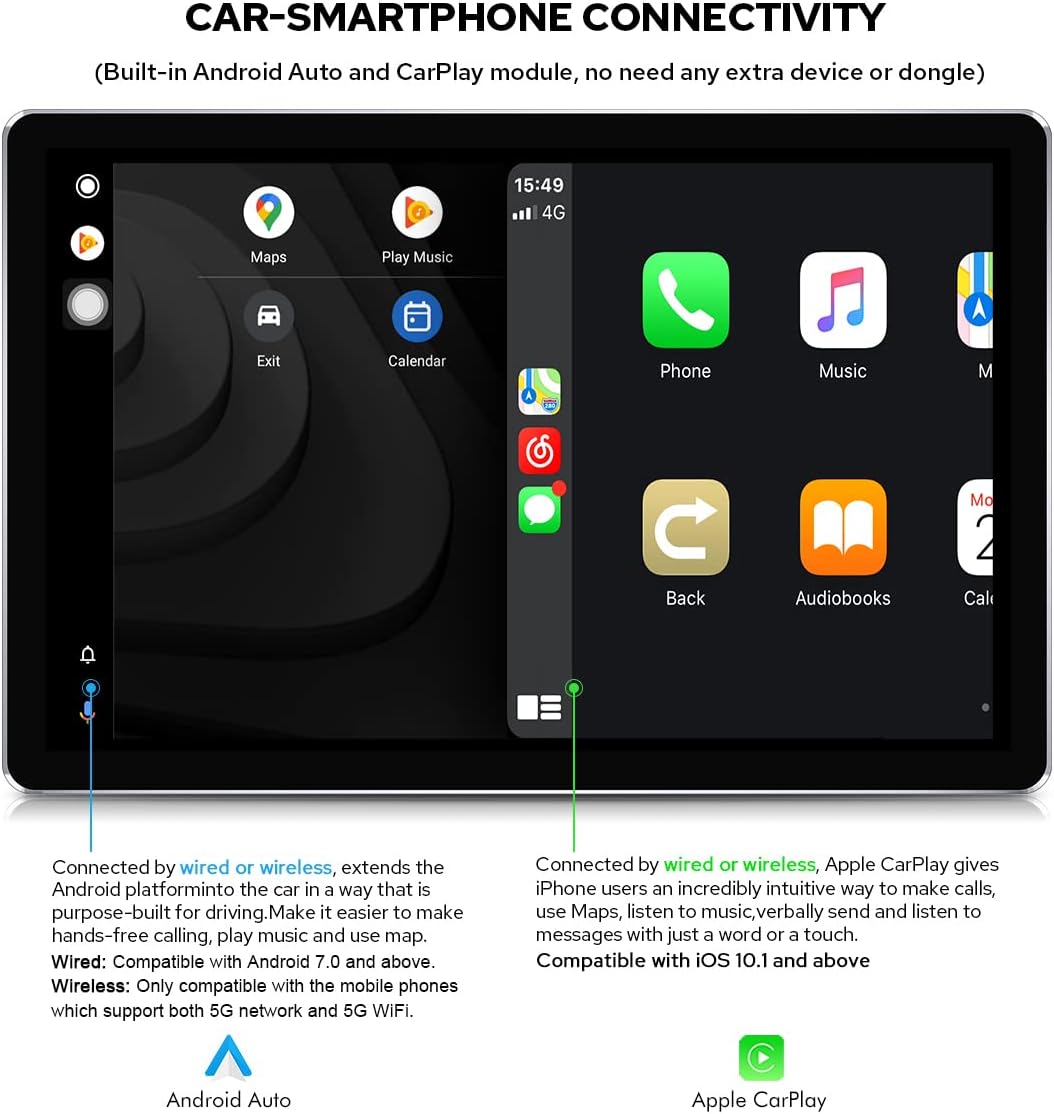
- 스마트폰 연결: Built-in Carlink supporting wired/wireless Apple CarPlay (iOS 10.1 or later) and wired/wireless Android Auto (Android 7.0 or later, wireless for Android 11+ with 5G WiFi).
- 블루투스: Upgraded Bluetooth 5.1 (v2.1 + EDR, v5.1 Low Energy) for enhanced transmission rate, effective working distance, audio streaming, automatic Phone Book transfer, and hands-free calls. Supports phone and OBD dongle connection.
- 디지털 오디오 출력: Optical Fiber and Coaxial Digital Output for connection to external amplifiers, providing high-fidelity audio.
- 표시하다: 10.1-inch screen with 1920x1200 resolution, offering high definition and brightness.
- 네트워크 연결성: Supports 5GHz WiFi for stable network signals and a built-in 4G module (SIM card not included) for internet access.
- 항해: Integrated GPS with pre-installed Google Maps, supporting online and offline navigation.
- 스티어링 휠 제어: Supports factory steering wheel controls for convenient operation.
3. 패키지 내용
제품 패키지에는 다음 품목이 포함되어 있습니다.
- JOYING 10.1 Android Car Stereo Head Unit
- GPS Navigation Antenna
- 2x 4G Antennas
- 2x USB 케이블
- 외부 마이크
- ISO 하네스
- 20-pin Harness
- Steering Wheel Control Decoder
- 외부 Ampliifier 연결 케이블
- Radio Antenna Connection Cable
- 사용자 설명서

4. 설정 및 설치
Professional installation is recommended for this product. Incorrect installation may damage the unit or your vehicle. Ensure the vehicle's power is disconnected before beginning installation.
4.1 물리적 치수
Refer to the diagram below for the dimensions of the head unit and screen to ensure compatibility with your vehicle's dashboard.

4.2 배선 연결
Use the provided ISO and 20-pin harnesses to connect the head unit to your vehicle's electrical system. Ensure all connections are secure and correctly matched according to your vehicle's wiring diagram.


4.3 Screen Mounting
The screen features a detachable design and adjustable fixed mount positions. Adjust the screen's position to avoid obstructing air-conditioning vents or control switches during installation.

5. 사용 설명서
Your JOYING car stereo runs on Android 10, providing a familiar and intuitive interface. The 10.1-inch touchscreen allows for easy interaction with all functions.
5.1 기본 인터페이스 및 탐색
The main interface provides access to various applications and settings. Swipe left or right to navigate through app pages. The status bar at the top displays time, network status, and other system information.
5.2 Audio Features and Equalizer
The unit features a Digital Sound Processor (DSP) and a 32-band equalizer (EQ) to customize your audio experience. You can select from preset sound modes (e.g., Rock, Pop, Jazz, Cinema) or create a custom user profile. The DSP also allows for independent adjustment of front and rear speakers, surround sound control, and bass boost.

5.3 Smartphone Connectivity (Carlink, Bluetooth)
The built-in Carlink function enables seamless integration with your smartphone. Connect your iPhone for Apple CarPlay or Android phone for Android Auto to access navigation, make calls, listen to music, and use compatible apps directly from the stereo's display.
Bluetooth 5.1 allows for hands-free calling and audio streaming. Pair your phone with the head unit via Bluetooth settings to enjoy these features.
5.4 Network and GPS
The unit supports 5GHz WiFi for high-speed internet access and includes a built-in 4G module for mobile data connectivity (SIM card required). The integrated GPS module provides accurate positioning for navigation using pre-installed or downloaded map applications.
5.5 High-Resolution Display
The 10.1-inch screen boasts a 1920x1200 resolution, providing clear and vibrant visuals for navigation, video playback, and app usage. The high brightness ensures readability even in direct sunlight.

5.6 데모 영상
The following video demonstrates various functionalities of the JOYING 10.1 Android Car Stereo, including navigating the user interface, playing music, using the equalizer, tuning the radio, playing videos, and connecting via Bluetooth and Carlink.
6. 유지관리
JOYING 차량용 스테레오의 수명 연장 및 최적의 성능 유지를 위해 다음 유지 관리 지침을 따르십시오.
- 화면 청소: 부드럽고 보풀이 없는 천을 사용하여 터치스크린을 부드럽게 닦으세요. 잘 지워지지 않는 얼룩은 가볍게 닦아주세요.amp천에 물이나 화면에 안전한 세척제를 묻혀 닦아주세요. 연마재나 강한 화학 물질은 사용하지 마세요.
- 일반 청소: 장치에 먼지나 이물질이 없도록 하세요. 부드러운 솔이나 압축 공기를 사용하여 통풍구와 틈새를 청소하세요.
- 소프트웨어 업데이트: Periodically check for and install software updates provided by JOYING to ensure the system runs efficiently and has the latest features and security patches.
- 극한의 온도를 피하세요: 제품을 장시간 극심한 고온이나 저온에 노출시키지 마십시오. 성능 및 수명에 영향을 미칠 수 있습니다.
7. 문제 해결
JOYING 차량용 스테레오에 문제가 발생하면 다음의 일반적인 문제 해결 단계를 참조하십시오.
- 전원 없음: 모든 전원 연결부와 퓨즈를 점검하십시오. 차량의 시동이 켜져 있는지 확인하십시오.
- 소리 없음: Verify speaker connections, volume levels, and equalizer settings. Check if the mute function is active.
- 블루투스 연결 문제: 스테레오와 휴대폰 모두에서 블루투스가 켜져 있는지 확인하세요. 두 기기의 연결을 해제했다가 다시 연결해 보세요.
- GPS 신호 손실: GPS 안테나가 올바르게 설치되었는지, 그리고 시야가 확보되었는지 확인하십시오. view 하늘의. 지도 앱 설정을 확인하세요.
- 터치스크린이 반응하지 않음: 기기를 재시작해 보세요. 문제가 지속되면 공장 초기화가 필요할 수 있습니다(참고: 공장 초기화 시 모든 사용자 데이터가 삭제됩니다).
- CarPlay/Android Auto 연결 안 됨: Ensure your phone's operating system is compatible and that the connection (wired or wireless) is stable. Check app permissions on your phone.
이러한 조치를 취해도 문제가 해결되지 않으면 JOYING 고객 지원팀에 문의하여 추가 지원을 받으십시오.
8. 사양
| 특징 | 사양 |
|---|---|
| 상표 | 기쁨 |
| 모델 | B09CDB61KM |
| 운영 체제 | 안드로이드 10 |
| CPU 프로세서 | 1.8GHz Octa-core (UIS7862 12nm Dual ARM Cortex-A75 Six ARM A55) |
| 램 + 롬 | 4GB + 64GB |
| 화면 크기 | 10.1 인치 |
| 해결 | 1920 x 1200 |
| 터치스크린 타입 | 용량성 |
| 블루투스 | Bluetooth 5.1 (v2.1 + EDR, v5.1 Low Energy) |
| 와이파이 | 5GHz Wi-Fi Support |
| 4G 모듈 | Built-in (SIM card not included) |
| Carlink Support | Wired/Wireless Apple CarPlay, Wired/Wireless Android Auto |
| 오디오 출력 | DSP, TDA7851 Amplifier, SPDIF Digital Output, Optical Fiber, Coaxial Digital Output |
| GPS | Built-in Google Maps, supports online/offline navigation |
| USB 포트 | 3개의 USB 포트 |
| 마이크로 SD 카드 슬롯 | 1 slot (supports up to 64GB) |
| 오디오 전원 출력 | 4x50W |
| 작업 볼륨tage | 10V-14V |
| 작동 온도 | -40℃ - 80℃ |
9. 보증 및 지원
JOYING products are designed for reliability and performance. For warranty information and technical support, please refer to the warranty card included in your package or visit the official JOYING website. Our customer service team is available to assist with any questions or concerns you may have regarding your product.
For additional resources and FAQs, please visit: JOYING Store on Amazon