
cimetech KF10
cimetech KF10 Wireless Keyboard and Mouse Combo User Manual
모델명: KF10
Brand: cimetech
1. 서론
Thank you for choosing the cimetech KF10 Wireless Keyboard and Mouse Combo. This product is designed to provide a comfortable, efficient, and quiet typing and navigation experience for your computer. With its ultra-slim design, stable 2.4G wireless connection, and silent keys, it is ideal for various environments, including home, office, and travel.
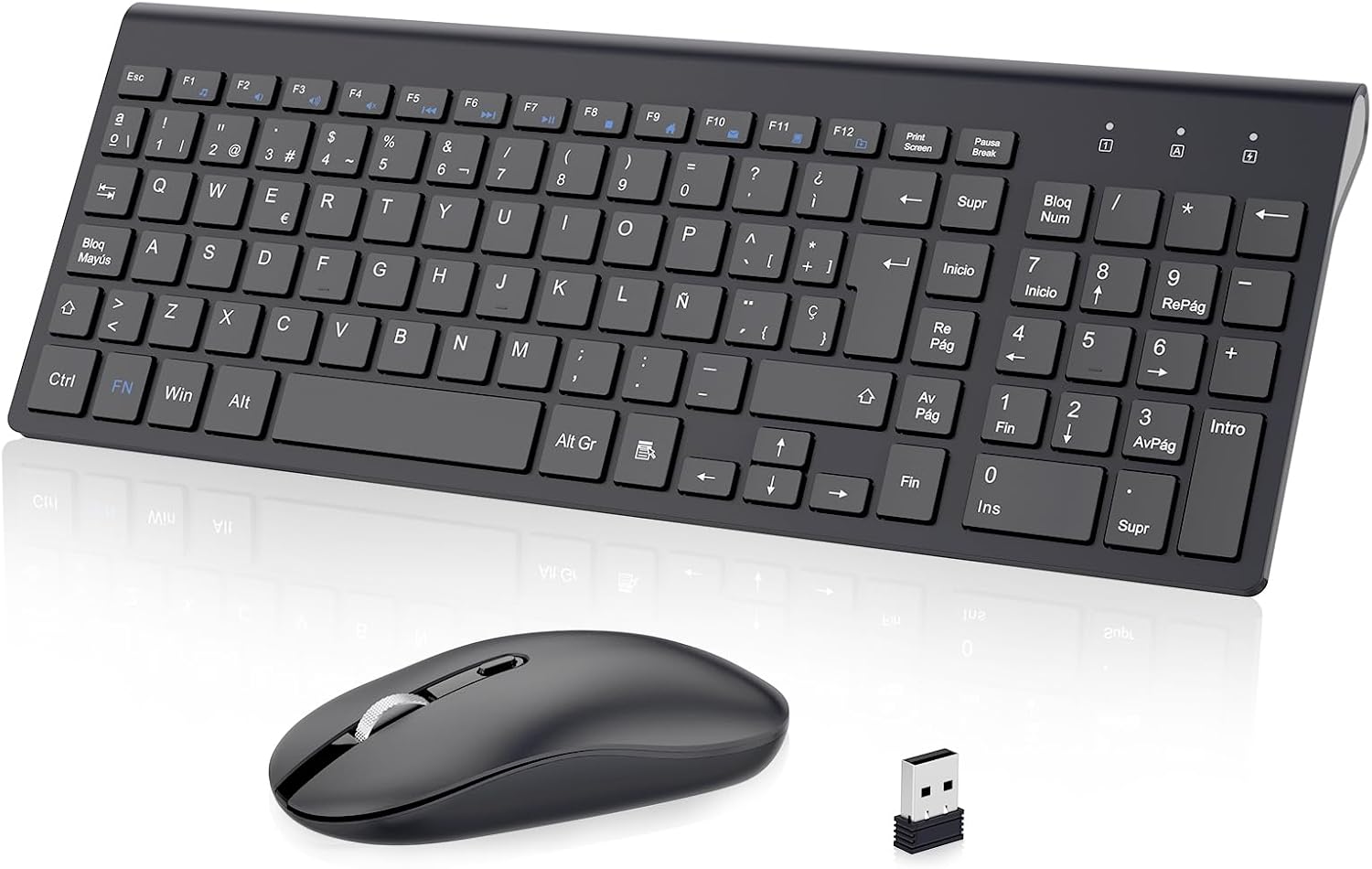
Figure 1: cimetech KF10 Wireless Keyboard and Mouse Combo.
2. 패키지 내용
- 1 x cimetech Wireless Keyboard
- 1 x cimetech Wireless Mouse
- 1 x 2-in-1 USB Receiver (stored inside the mouse)
- 1 x 사용자 설명서
3. 설정 가이드
3.1. 배터리 설치
The keyboard requires 2 AAA batteries and the mouse requires 1 AA battery (batteries are not included). Please ensure correct polarity when inserting the batteries.
3.2. Locating the USB Receiver
The 2-in-1 USB receiver for both the keyboard and mouse is conveniently stored inside the mouse. To access it, open the battery compartment cover on the underside of the mouse.

Figure 2: The USB receiver is stored in the mouse's battery compartment.
3.3. Connecting to Your Device (Plug and Play)
- 마우스 배터리 칸에서 USB 수신기를 꺼내세요.
- USB 수신기를 컴퓨터나 노트북의 사용 가능한 USB 포트에 연결합니다.
- 마우스 밑면에 있는 전원 스위치를 사용하여 마우스를 켜십시오.
- 키보드와 마우스가 자동으로 기기에 연결됩니다. 추가 드라이버는 필요하지 않습니다.

Figure 3: Simply plug the USB receiver into your device for instant connection.
Video 1: Demonstrates the setup process for the cimetech Wireless Keyboard and Mouse Combo, highlighting its ergonomic, silent, and portable features, along with the plug-and-play setup and energy-saving mode.
4. 사용 설명서
4.1. 키보드 사용
- 전체 크기 레이아웃: The keyboard features a full-size layout with 102 keys (Spanish QWERTY layout), including a numeric keypad for efficient data entry.
- 멀티미디어 키: Utilize the 12 multimedia function keys (F1-F12, often combined with the 'Fn' key) for quick access to media controls, volume, and other common functions.
- 무음 타이핑: The advanced scissor-switch keys provide a comfortable, responsive, and significantly quieter typing experience compared to traditional keyboards.

Figure 4: The silent keys reduce typing noise by up to 90%.
4.2. 마우스 사용법
- 조용한 클릭: The mouse features silent buttons, ensuring a quiet working environment without disruptive clicking sounds.
- 조정 가능한 DPI: The mouse offers adjustable DPI levels (800/1200/1600 PPP) to customize cursor sensitivity for precise control. Press the DPI button on top of the mouse to cycle through the settings.
- 양손잡이 디자인: 이 마우스는 왼손잡이와 오른손잡이 사용자 모두가 편안하게 사용할 수 있도록 설계되었습니다.
Figure 5: The silent mouse features adjustable DPI settings for customized sensitivity.
5. 절전 모드
To conserve battery life, both the keyboard and mouse feature an automatic sleep mode:
- 마우스는 8분간 움직임이 없으면 절전 모드로 들어갑니다.
- 키보드는 3분 동안 활동이 없으면 절전 모드로 전환됩니다.
To wake the devices, simply press any key on the keyboard or move/click the mouse. The devices will reactivate within 3 seconds.

Figure 6: Automatic sleep mode helps save battery power.
6. 기능 이상view
- 2.4G Stable Wireless Connection: Provides a powerful and reliable connection up to 10 meters (33 feet) without delays or dropouts.
- 초슬림형 및 휴대성 뛰어난 디자인: The keyboard is only 0.7 inches thick, making the combo easy to carry and space-saving.
- Silent Typing and Clicking: Advanced scissor-switch keys and silent mouse buttons ensure a quiet working environment.
- 인체공학적 디자인: The keyboard is designed with an inclination angle to alleviate muscle strain during long hours of work.

Figure 7: The ergonomic design provides a comfortable typing experience.

Figure 8: Dimensions illustrating the ultra-thin and lightweight design of the keyboard and mouse.
7. 호환성
The cimetech KF10 Wireless Keyboard and Mouse Combo is widely compatible with various operating systems and devices:
- 운영 체제: Windows 2000 / ME / XP / Vista / 7 / 8 / 10.
- 호환 장치: Desktops, Chromebooks, PCs, laptops, and more with an available USB port.

Figure 9: The combo is compatible with Windows operating systems and various computer types.
8. 유지관리
- Keep the keyboard and mouse clean by wiping them with a soft, dry cloth.
- Avoid exposing the devices to excessive moisture or extreme temperatures.
- 장기간 사용하지 않을 때는 배터리 수명을 절약하기 위해 마우스를 끄십시오.
- Store the USB receiver inside the mouse to prevent loss when transporting the devices.
9. 문제 해결
| 문제 | 가능한 해결책 |
|---|---|
| 키보드/마우스가 응답하지 않습니다 |
|
| 지연 또는 간헐적 연결 |
|
| 마우스 커서가 불규칙하거나 부드럽게 움직이지 않습니다. |
|
10. 사양
| 특징 | 세부 사항 |
|---|---|
| 연결 기술 | 2.4GHz 무선(USB 수신기) |
| 무선 범위 | 최대 10미터(33피트) |
| 키보드 레이아웃 | Spanish QWERTY (102 keys) |
| 키보드 유형 | Ultra-slim, Scissor-switch keys |
| 마우스 DPI 설정 | 800/1200/1600 PPP (Adjustable) |
| 마우스 방향 | 양손잡이 |
| 전원 | Keyboard: 2 x AAA batteries (not included) Mouse: 1 x AA battery (not included) |
| 호환되는 운영 체제 | 윈도우 2000 / ME / XP / 비스타 / 7 / 8 / 10 |
| 제품 크기 (키보드 포함) | 대략. 36.8 x 13.8 x 0.6cm |
| 제품 무게 | 610g (총 패키지 무게) |
11. 보증 및 지원
cimetech products come with a 12-month warranty. For any questions, technical support, or warranty claims, please contact cimetech customer service. Professional customer service is available 24 hours to provide a satisfactory solution.
Ask a question about this manual
Ask about setup, troubleshooting, compatibility, parts, safety, or missing instructions. Manuals+ will review the question and use this page’s manual context to help answer it.