
1. 서론
Thank you for choosing the Loluka Invisible Earbuds. This manual provides essential information for setting up, operating, and maintaining your new earbuds. Please read it carefully before use to ensure optimal performance and longevity of your device.
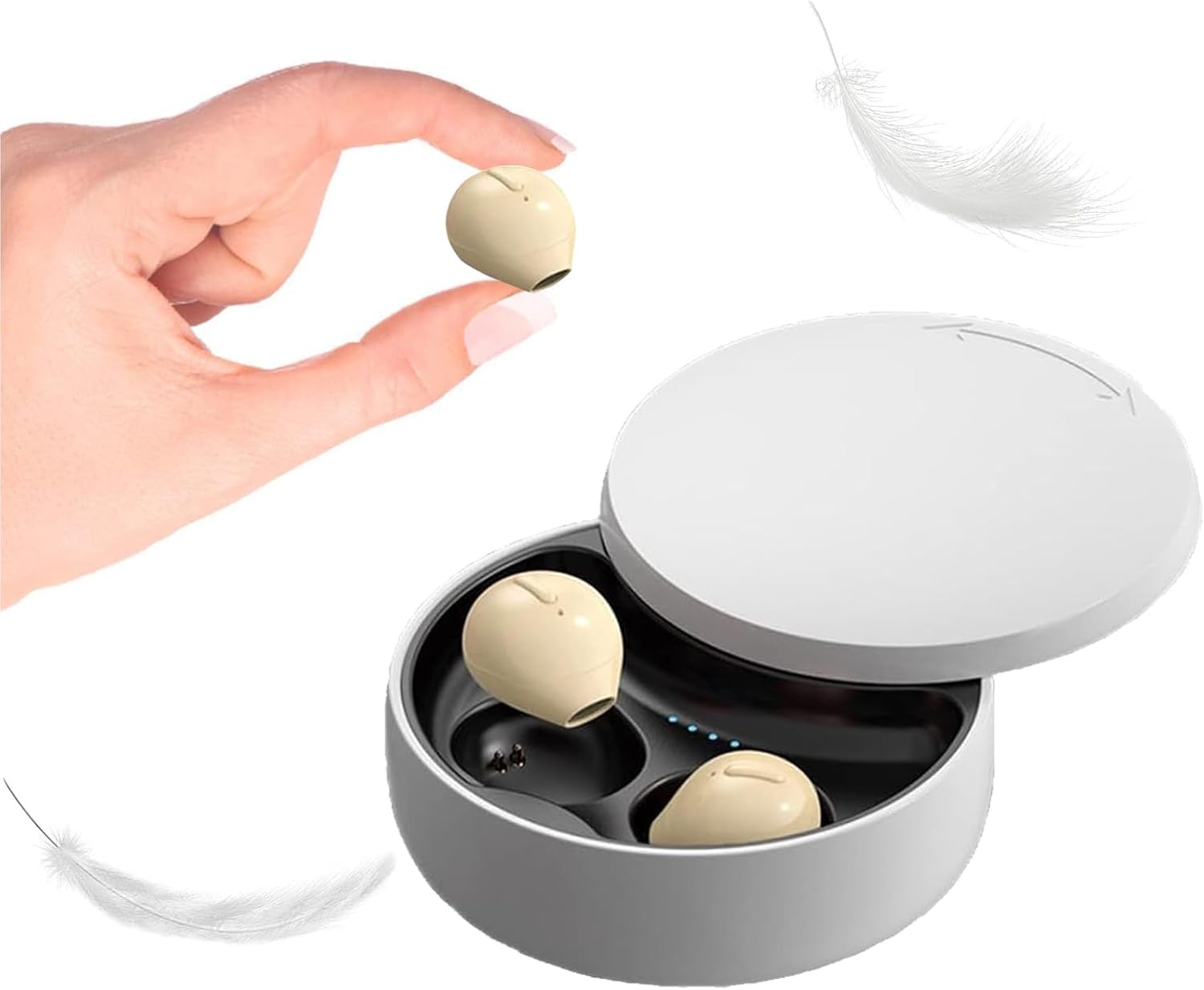
Image 1.1: Loluka Invisible Earbuds with their compact charging case. One earbud is shown held between fingers, highlighting its small size.
These earbuds are designed for discreet and comfortable listening, featuring a mini design, stable Bluetooth 5.1 connectivity, and a long battery life.
2. 패키지 내용
다음 품목이 패키지에 포함되어 있는지 확인하세요.
- Loluka Invisible Earbuds (Left and Right)
- 충전 케이스
- USB 충전 케이블
- 사용 설명서(본 문서)
3. 제품 특징
- 미니 디자인: Extremely small and lightweight for comfortable, long-term wear.
- 확장 재생: Up to 5 hours of single playtime, with the charging case providing an additional 30 hours for a total of 35 hours.
- 단일 이어버드 사용: 양쪽 이어버드를 독립적으로 사용할 수 있습니다.
- One-Key Control: Simple button for power, music playback, and call management.
- 안정적인 연결: Bluetooth 5.1 chip ensures a stable connection and low latency.
- 방수 기능: IPX5 방수 등급.

Image 3.1: Visual comparison of an earbud's size to a US quarter, demonstrating its compact and lightweight design (approximately 3.7g).

Image 3.2: A woman wearing an earbud, illustrating its discreet and hidden-in-ear design.
4. 설정
4.1 초기 충전
처음 사용하기 전에 이어버드와 충전 케이스를 완전히 충전하세요.
- 양쪽 이어버드를 충전 케이스에 넣습니다.
- USB 충전 케이블을 케이스의 충전 포트와 전원에 연결하세요.
- 케이스의 표시등은 충전 상태를 나타냅니다. 완전히 충전하는 데는 약 1.5시간이 걸립니다.
4.2 장치와의 페어링
이 이어버드는 편의를 위해 자동 페어링을 지원합니다.

Image 4.1: Visual guide for connecting the earbuds via Bluetooth, showing a phone's Bluetooth settings and the charging case.
- 처음 연결:
- 충전 케이스에서 이어버드를 꺼냅니다. 자동으로 전원이 켜지고 페어링 모드로 들어갑니다.
- 모바일 기기에서 Bluetooth를 활성화하세요.
- 검색 "X21S" (or similar model name) in the list of available devices and select it to pair.
- 후속 연결:
- Once paired, the earbuds will automatically connect to your last-paired device when removed from the charging case and Bluetooth is enabled on your device.
5. 사용 설명서
5.1 전원 켜기/끄기
- 전원 켜기: Take the earbuds out of the charging case. They will power on automatically. Alternatively, long-press the touch area on each earbud.
- 전원 끄기 : Place the earbuds back into the charging case. They will power off automatically. Alternatively, long-press the touch area on each earbud until they power off.
5.2 음악 제어
- 재생/일시 중지: Single-click the touch area on either earbud.
- 다음 노래: 오른쪽 이어버드의 터치 영역을 두 번 클릭하세요.
- 이전 노래: 왼쪽 이어버드의 터치 영역을 두 번 클릭하세요.
5.3 통화 제어
- 전화 받기/종료: Single-click the touch area on either earbud.
- 전화 거부: Long-press the touch area on either earbud.
5.4 단일 이어버드 사용
You can use either the left or right earbud independently. Simply take one earbud out of the charging case, and it will automatically connect to your device if previously paired.

이미지 5.1: Examples of discreet earbud usage in different environments, including work, sleep, and communication.
6. 유지관리
6.1 청소
- 부드럽고 마른 보푸라기 없는 천으로 이어버드와 충전 케이스를 정기적으로 청소하세요.
- 연마성 세척제, 용제 또는 에어로졸 스프레이를 사용하지 마십시오.
- 충전 접점에 먼지나 이물질이 없는지 확인하세요.
6.2 보관
- 이어버드를 사용하지 않을 때는 충전 케이스에 보관하여 보호하고 충전 상태를 유지하세요.
- 극단적인 온도와 직사광선을 피하세요.
7. 문제 해결
- 이어버드가 페어링되지 않음: 양쪽 이어버드가 모두 충전되었는지 확인하세요. 기기의 블루투스를 껐다가 켜세요. 이어버드를 재설정해 보세요(제조사 설명서를 참조하세요). web(필요한 경우 구체적인 재설정 지침은 해당 사이트를 참조하세요).
- 소리가 나지 않습니다: 기기의 볼륨 레벨을 확인하고 이어버드가 제대로 연결되어 있는지 확인하세요.
- 간헐적 연결: 블루투스 범위 내 15미터 이내에 있는지, 이어버드와 기기 사이에 장애물이 없는지 확인하십시오.
- 이어폰이 충전되지 않음: 충전 케이블이 단단히 연결되어 있고 이어버드와 케이스의 충전 접점이 깨끗한지 확인하세요.
8. 사양
| 특징 | 사양 |
|---|---|
| 모델 번호 | B09B75DZ89 |
| 상표 | 롤루카 |
| 연결 기술 | 무선(블루투스 5.1) |
| 블루투스 범위 | 15 미터 |
| 단일 이어버드 배터리 수명 | 최대 5시간 |
| 총 재생 시간(케이스 포함) | 최대 35시간 |
| 충전 시간 | 약 1.5시간 |
| 방수 레벨 | IPX5(방수) |
| 제어 유형 | Touch / One-key Control |
| 귀 위치 | 귀에 |
| 품목 무게 | 3.52 온스 |
| 제품 치수 | 3.1 x 1.6 x 4.3 인치 |
9. 보증 및 지원
Loluka products are designed for reliability and performance. For warranty information and customer support, please refer to the contact details provided with your purchase or visit the official Loluka web사이트. 보증 청구를 위해 구매 증빙 자료로 구매 영수증을 보관하세요.
추가적인 도움이 필요하시면 고객 지원팀으로 문의해 주세요.