
소개
This manual provides detailed instructions for the safe and efficient operation of your Prixton Picasso Portable Projector. Please read this manual thoroughly before using the device and retain it for future reference.
상자 안에 무엇이 들어있나요?
짐을 풀 때 다음 품목이 모두 있는지 확인하세요.
- Prixton Picasso Portable Projector
- 원격 제어
- HDMI 케이블
- USB 케이블
- (Optional: 100" Projection Screen, if included in your package)

Image: Prixton Picasso portable projector with a projection screen.
안전 정보
- l을 사용할 때 프로젝터 렌즈를 직접 쳐다보지 마십시오.amp 켜져있습니다.
- 과열을 방지하려면 적절한 환기를 유지하세요.
- 장치를 물이나 기타 액체에서 멀리 두십시오.
- 제공된 전원 어댑터만 사용하세요.
- 프로젝터를 직접 분해하거나 수리하려고 하지 마십시오. 자격을 갖춘 서비스 담당자에게 문의하십시오.
제품 끝view
The Prixton Picasso is a portable Full HD projector designed for versatile use. It features a high-quality LED lamp and multiple connectivity options.
주요 특징:
- Full HD 1920 x 1080 native resolution.
- 9000 lumens brightness (260 ANSI lumens).
- 3000:1 contrast ratio.
- LED 엘amp life of over 50,000 hours.
- Projection distance: 1 to 7 meters.
- Projection size: 30" to 210".
- Wireless connectivity for Android and iOS devices.
- Multiple input ports: 2x HDMI, USB 2.0, TF card, Jack, AV IN, DC IN.

Image: Prixton Picasso projector shown with its remote control.

이미지: 상단 view of the projector, highlighting the lens and control buttons.
설정
1. 배치
Place the projector on a stable, flat surface. Ensure there is adequate space around the projector for ventilation. The optimal projection distance is between 1 and 7 meters, allowing for a screen size from 30 to 210 inches.

Image: Visual guide for projection distance and screen size.
2. 전원 연결
Connect the power adapter to the DC IN port on the projector and then plug it into a power outlet.
3. 초기 전원 켜기
프로젝터 또는 리모컨의 전원 버튼을 눌러 기기를 켜세요. 표시등이 켜집니다.

Image: Projector displaying its brightness specification.

Image: Projector powered on and projecting light.
4. 초점 및 키스톤 조정
Adjust the focus ring on the projector lens until the image is clear. Use the keystone correction dial (if available) to correct any trapezoidal distortion of the image.

Image: Projector emphasizing Full HD compatibility, relevant for image clarity.
작동 지침
1. 입력 소스 선택
Use the "Source" button on the remote control or the projector to select your desired input: HDMI 1, HDMI 2, USB, TF Card, or AV.
2. 장치 연결
- HDMI : HDMI 케이블을 사용하여 노트북, 게임 콘솔 또는 기타 HDMI 지원 장치를 연결하세요.
- USB/TF 카드: Insert a USB drive or TF card into the respective port to play media file직접적으로.
- 유명인 : Use the AV input for older devices with composite video output.
3. Wireless Connection (Screen Mirroring)
The projector supports wireless screen mirroring for both Android and iOS devices.
- Select the "Screen Mirroring" or "Wireless Display" option from the projector's main menu.
- For iOS devices, enable "Screen Mirroring" or "AirPlay" on your device and select the projector from the list.
- 안드로이드 기기의 경우 "무선 디스플레이" 및 "스마트"를 활성화하세요. View," or "Cast" on your device and select the projector.
- Ensure both the projector and your mobile device are connected to the same Wi-Fi network for optimal performance.
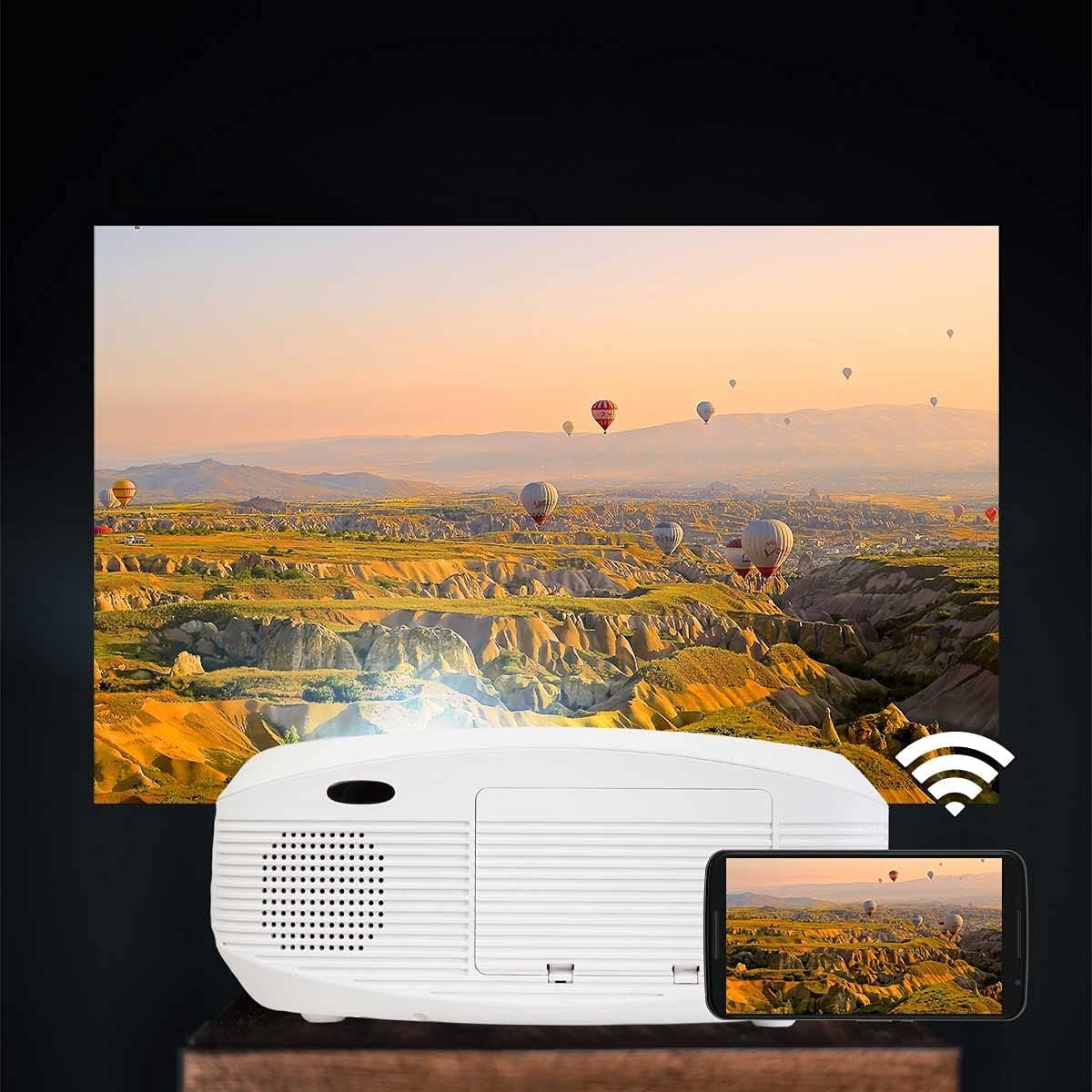
Image: Projector connected wirelessly to a smartphone.

Image: Wireless connectivity icon and smartphone mirroring.
4. 오디오 출력
The projector has built-in speakers. You can also connect external speakers or headphones via the 3.5mm audio jack for enhanced sound.
유지
- 렌즈 청소: Use a soft, lint-free cloth specifically designed for optical lenses to gently wipe the projector lens. Avoid using abrasive cleaners.
- C 청소asing: Wipe the projector's exterior with a soft, dry cloth. Do not use liquid or aerosol cleaners.
- 통풍: Regularly check that the ventilation openings are not blocked by dust or debris to ensure proper airflow and prevent overheating.
- 저장: 장기간 사용하지 않을 경우, 프로젝터를 서늘하고 건조한 곳에 보관하고 먼지로부터 보호하세요.
문제 해결
| 문제 | 가능한 원인 | 해결책 |
|---|---|---|
| 이미지가 표시되지 않음 | Power not connected; incorrect input source; cable not connected properly. | Check power connection; select correct input source; ensure HDMI/USB/AV cables are securely connected. |
| 이미지가 흐릿함 | 초점이 조정되지 않았습니다. 프로젝터가 화면에서 너무 가깝거나 멀리 떨어져 있습니다. | 렌즈의 초점 링을 조정하십시오. 투사 거리를 조정하십시오. |
| 이미지가 왜곡됩니다(사다리꼴 모양) | 프로젝터가 스크린에 수직이 아닙니다. | Adjust keystone correction dial. Reposition the projector. |
| 소리가 나지 않습니다 | Volume too low; audio cable not connected; source device muted. | Increase projector volume; check audio cable connections; unmute source device. |
| Cannot connect to Wi-Fi / Screen Mirroring issues | Incorrect Wi-Fi password; devices not on the same network; device compatibility issues. | Verify Wi-Fi password; ensure both devices are on the same 2.4GHz Wi-Fi network; restart both devices. |
| Spot on the lens / projected image | Dust or debris on the lens or inside the projector. | Gently clean the lens with a soft, lint-free cloth. If the spot is internal, contact customer support. |
명세서
| 특징 | 세부 사항 |
|---|---|
| 상표 | 프릭스턴 |
| 모델명 | 피카소 |
| 권장 사용 | 홈 시네마 |
| 특징 | Portable, Wireless Connection |
| 연결 기술 | HDMI, USB |
| 디스플레이 해상도 | 1920 x 1080(풀HD) |
| 최대 디스플레이 해상도 | 1920 x 1080 |
| 디스플레이 유형 | 액정표시장치 |
| 폼 팩터 | 가지고 다닐 수 있는 |
| 장착 유형 | 플로어 마운트 |
| 명도 | 9000 루멘 (260 ANSI 루멘) |
| 왓tage | 85 와트 |
| Control Device Type | 원격 제어 |
| 호환 장치 | 노트북, 스마트폰 |
| 대비율 | 3000시 1분 |
| 최대 투사 거리 | 7 미터 |
| 빛의 근원 생명 | 50,000시간 |
| 최대 이미지 크기 | 210 인치 |
| 최소 투사 거리 | 1 미터 |
| 최소 이미지 크기 | 30 인치 |
| 비디오 인코딩 | H.264 |
| 원산지 | 중국 |
보증 및 지원
Your Prixton Picasso Portable Projector is covered by a standard manufacturer's warranty. Please refer to the specific warranty terms provided at the time of purchase for details on coverage duration and conditions.
For technical support, troubleshooting assistance, or warranty claims, please contact Prixton customer service. Contact information can typically be found on the official Prixton web사이트 또는 구매 문서에서 확인하세요.
반품 정책: This product is eligible for return or replacement within 30 days of purchase, subject to the retailer's return policy.