
1. 소개 및 이상view
The usogood DL502 Trail Camera is a reliable and feature-rich device designed for observing wildlife, monitoring property, and various outdoor surveillance applications. It captures high-resolution photos and videos with sound, both day and night, utilizing advanced technologies like infrared night vision and motion detection. This manual provides essential information for setting up, operating, and maintaining your camera.
2. 제품 특징
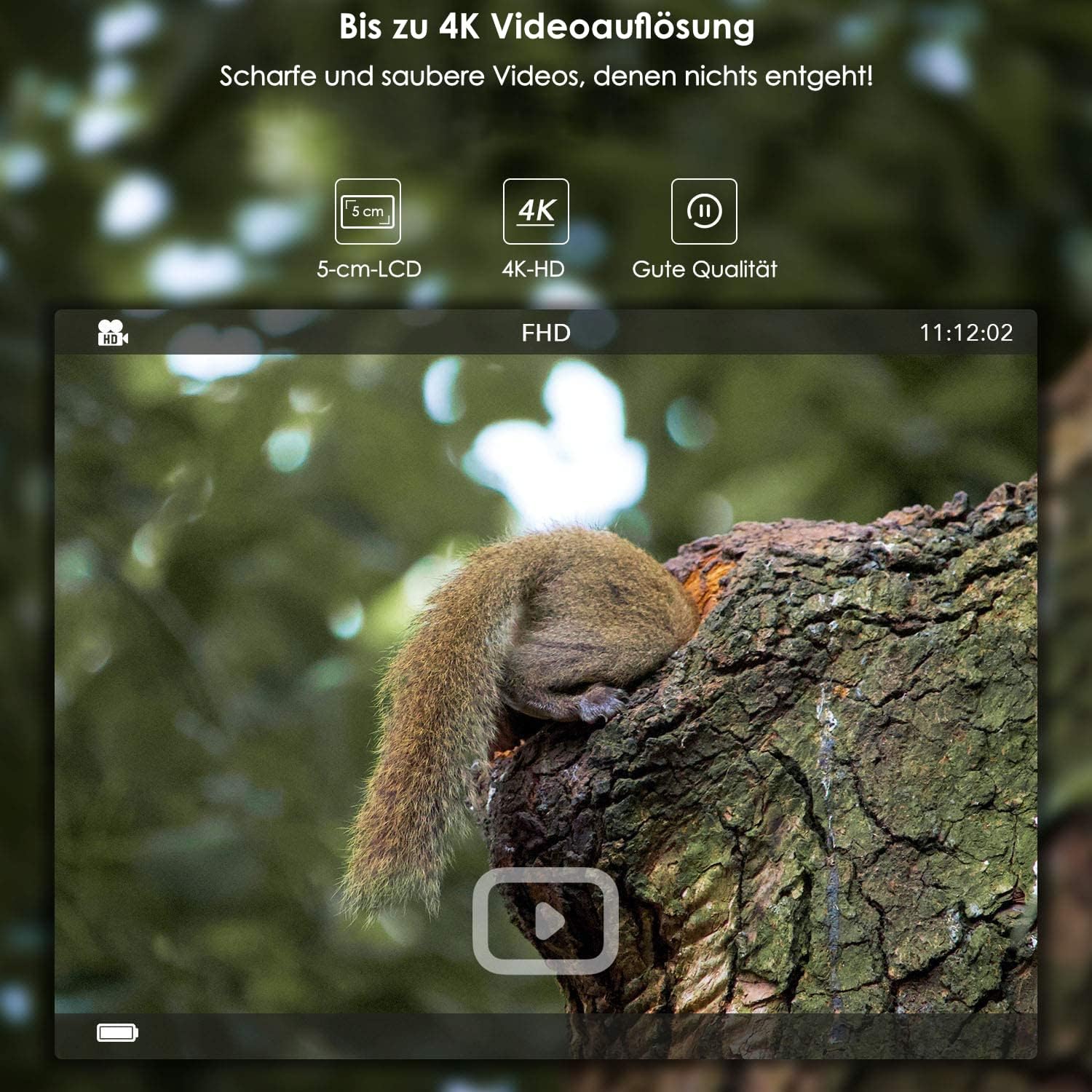
- 고해상도 이미징: Captures photos up to 24 MP (interpolated) and videos up to 4K (3840 x 2160).
- Integrated WiFi & Bluetooth: Allows for wireless settings adjustment, control, and image transfer via a smartphone application (Android and iOS). Bluetooth activates WiFi for energy efficiency.
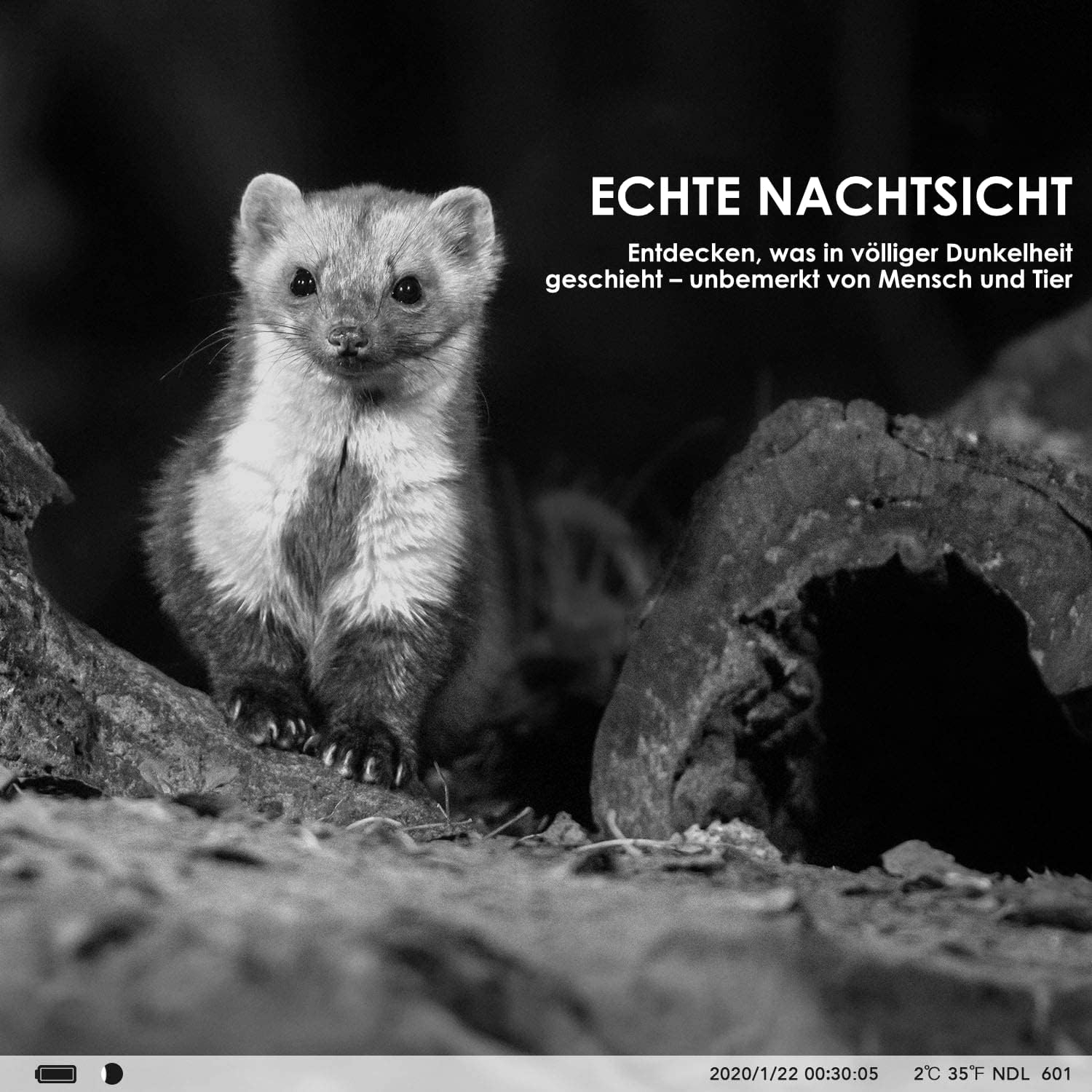
- 고급 야간 투시경: Features invisible 940nm IR LEDs for illumination up to 20 meters, ensuring clear black and white images in complete darkness without disturbing animals.
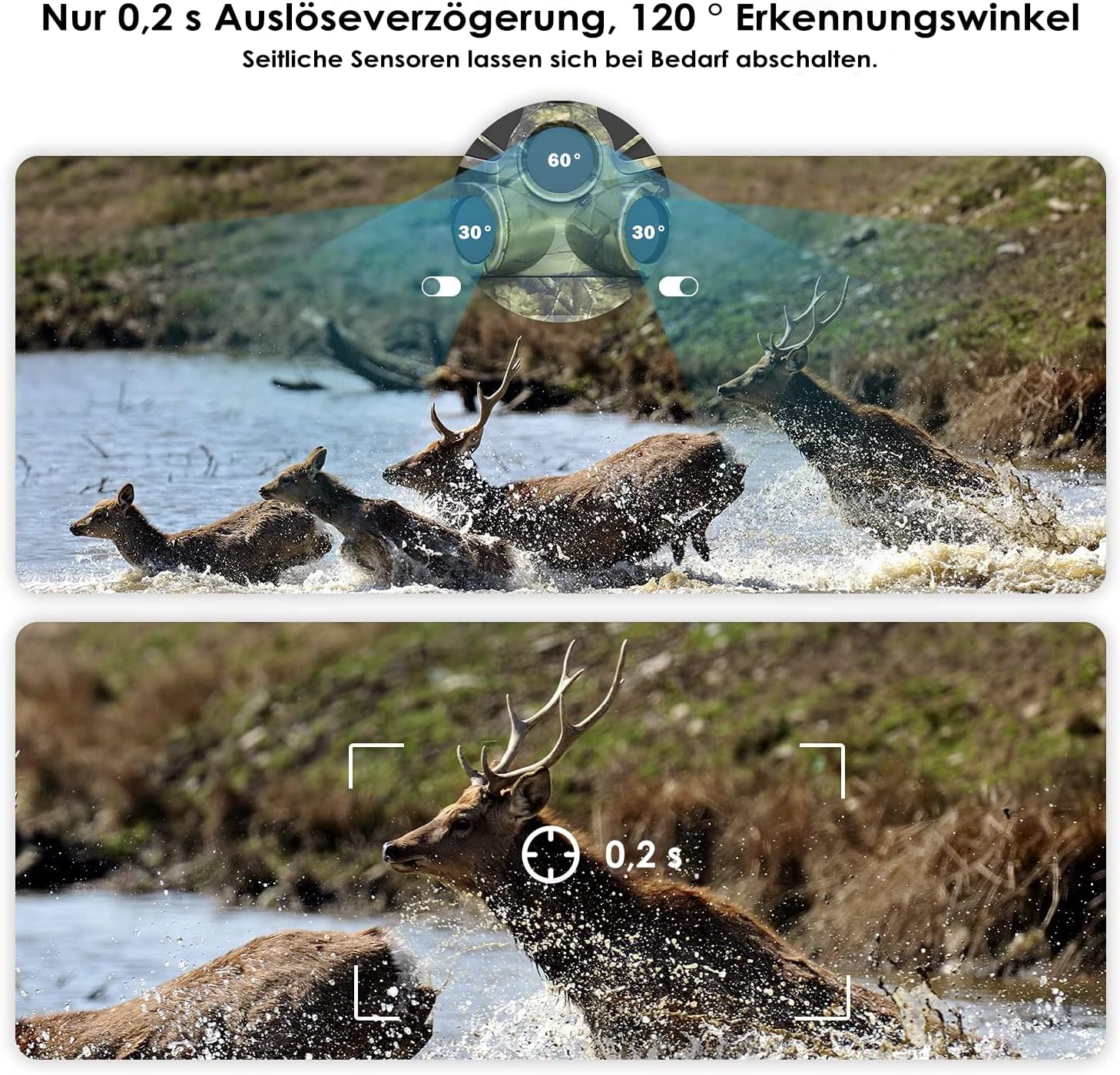
- Fast Motion Detection: Equipped with three separate PIR motion detectors, offering a rapid 0.2-second trigger delay and a wide 120° detection angle.
- 내구성 있는 디자인: IP66 dust and water-resistant, suitable for various weather conditions.
- 일체형 LCD 화면: A protected 5 cm (2-inch) LCD screen for easy menu navigation and playback.
- 유연한 전원 옵션: Operates on 8 standard AA batteries or can be connected to an external power supply (3.5 x 1.35 mm).
- 타임랩스 기능: Ideal for monitoring plant growth, construction progress, or other long-term events.
- 가장 타임스트amp: Photos and videos include a timestamp with time, date, temperature, and moon phase.
- 저장: Supports SD memory cards up to 128 GB (card sold separately).
3. 패키지 내용
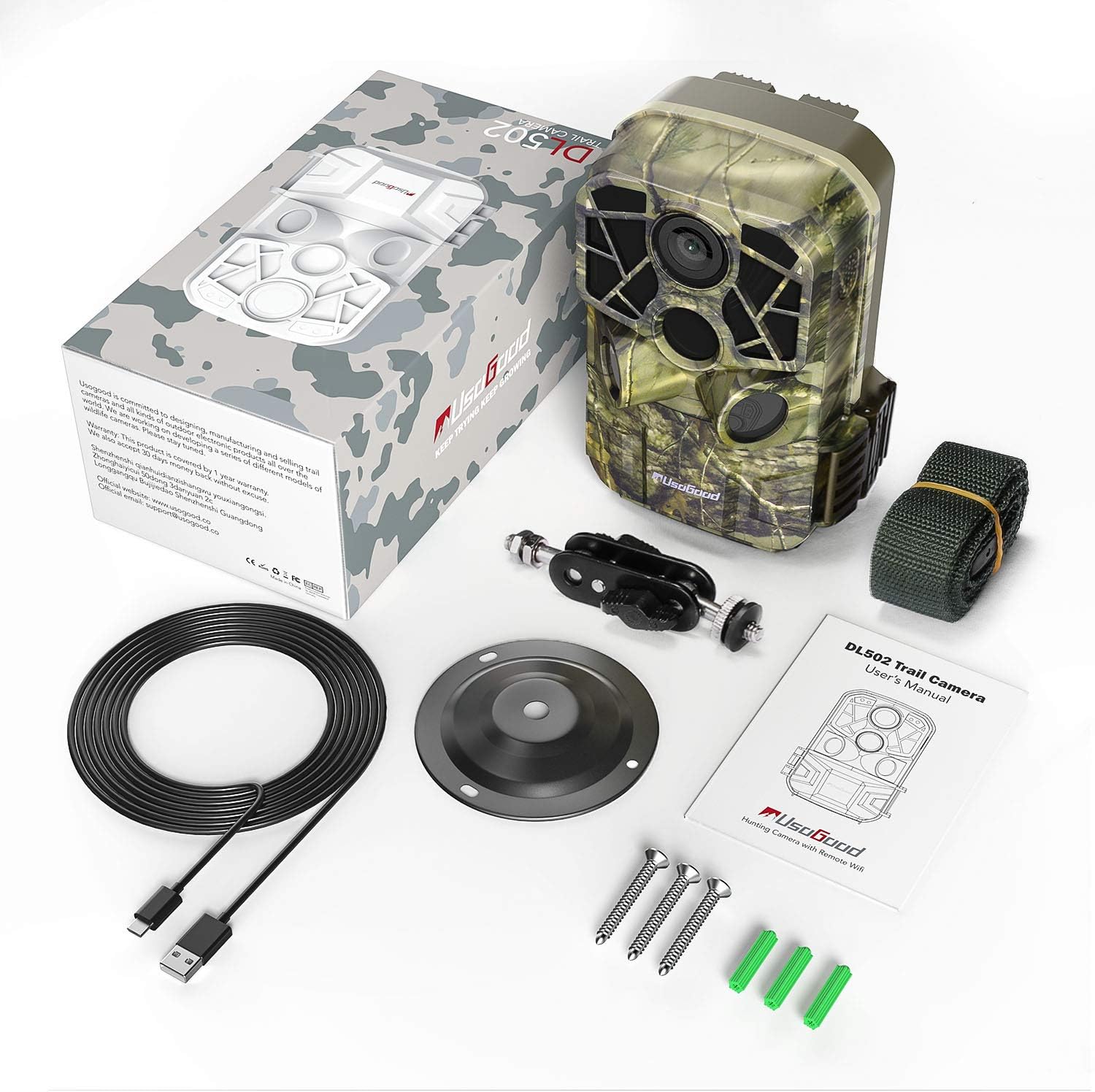
패키지에 모든 품목이 들어 있는지 확인하세요.
- usogood DL502 Trail Camera
- 장착 스트랩
- Wall/Tree Mount
- 나사 및 벽면 플러그
- USB 케이블
- 사용자 설명서

4. 설정
4.1 배터리 설치
- Open the camera housing and locate the battery compartment.
- 올바른 극성(+/-)을 확인하여 새 AA 배터리 8개를 삽입합니다.
- Close the battery compartment securely to maintain the camera's waterproof rating.
4.2 SD 카드 설치
- 카메라 본체 안쪽에 있는 SD 카드 슬롯을 찾으세요.
- Insert a formatted SD card (up to 128 GB) into the slot until it clicks into place.
- 카드가 손상되지 않도록 올바르게 삽입되었는지 확인하십시오.
4.3 카메라 장착
The camera can be mounted using the provided strap or wall/tree mount.
- 스트랩 장착: 카메라 뒷면의 슬롯에 장착 스트랩을 끼우고 나무나 기둥에 고정하십시오.
- Wall/Tree Mount: Use the included screws and wall plugs to attach the mount to a desired surface. Then, attach the camera to the mount using the adjustable screw.

5. 사용 설명서
5.1 전원 켜기/끄기
Locate the power switch inside the camera housing. Slide it to the 'ON' position to power on the camera. To turn off, slide the switch to 'OFF'.
5.2 메뉴 탐색
Use the buttons next to the 5 cm LCD screen to navigate through the camera's menu. The screen allows you to adjust settings, review captured media, and select operating modes.
5.3 사진 및 비디오 모드
Select your desired capture mode (photo, video, or photo+video) from the menu. Adjust resolution settings for photos (up to 24MP) and videos (up to 4K) as needed.

5.4 WiFi and Bluetooth Connection (App)
To connect your camera to a smartphone:
- Download the dedicated usogood app from your smartphone's app store (Android or iOS).
- 스마트폰에서 Bluetooth가 활성화되어 있는지 확인하세요.
- On the camera, activate Bluetooth. This will then enable the camera's WiFi.
- Open the app on your smartphone and follow the instructions to connect to the camera's WiFi network.
- 연결되면 설정을 조정할 수 있습니다. view live feed, and transfer images/videos wirelessly.

5.5 PIR 센서 설정
The camera features three PIR sensors with an adjustable detection angle from 60° to 120°. You can configure the sensitivity and detection range in the camera's menu to optimize for your specific monitoring area.
5.6 야간 투시경
The camera automatically activates its infrared filter and 940nm invisible IR LEDs in low-light conditions, providing clear black and white images and videos at night without emitting a visible red glow that could alert animals.
5.7 타임랩스 기능
Enable the time-lapse function in the settings to capture images at set intervals over an extended period. This is useful for observing slow processes like plant growth or construction projects.
6. 유지관리
- 청소: Regularly clean the camera lens and PIR sensors with a soft, dry cloth to ensure optimal performance. Avoid abrasive materials or harsh chemicals.
- 배터리 교체: Replace all 8 AA batteries when the low battery indicator appears or when performance degrades.
- SD 카드 관리 : Periodically format your SD card to prevent data corruption and ensure sufficient storage space. Back up important files를 포맷하기 전에.
- 저장: When not in use for extended periods, remove the batteries and store the camera in a cool, dry place away from direct sunlight.
7. 문제 해결
- 카메라 전원이 켜지지 않음: Ensure batteries are inserted correctly with proper polarity and are fully charged. Check for any corrosion in the battery compartment.
- 이미지/비디오 품질이 좋지 않음: Clean the camera lens. Ensure the camera is stable and not vibrating. Check resolution settings. For night images, ensure IR LEDs are not obstructed and the subject is within range.
- 동작 감지 없음: Adjust PIR sensor sensitivity in the settings. Ensure the detection angle covers the desired area. Clear any obstructions in front of the sensors.
- WiFi/Bluetooth Connectivity Issues: Ensure Bluetooth is enabled on your smartphone and the camera. Follow the app's connection steps carefully. Try restarting both the camera and your smartphone. Ensure you are within range of the camera's WiFi signal.
- SD 카드 오류: Ensure the SD card is properly inserted and formatted. Try using a different, compatible SD card.
8. 사양
| 특징 | 사양 |
|---|---|
| 사진 해상도 | 최대 24MP |
| 비디오 해상도 | 최대 4K(3840 x 2160) |
| 연결성 | 와이파이, 블루투스 |
| 나이트 비전 | 940nm Invisible IR LEDs, 20m Range |
| 트리거 속도 | 0.2초 |
| PIR 감지 각도 | 120 degrees (Adjustable) |
| 표시하다 | 5 cm (2-inch) LCD Screen |
| 저장 | SD Card up to 128 GB |
| 전원 | 8x AA Batteries or External 3.5 x 1.35 mm Power Supply |
| 방수 등급 | IP66 |
| 권장 사용 | Motion Detection, Hunting, Night Vision, Wildlife Monitoring |
9. 보증 정보
For detailed warranty information regarding your usogood DL502 Trail Camera, please refer to the warranty card included in your product packaging or visit the official usogood web사이트. 보증 청구를 위해 구매 증빙 자료를 보관하세요.
10. 지원
If you encounter any issues or require further assistance with your usogood DL502 Trail Camera, please contact usogood customer support. You can typically find contact information on the official usogood web사이트 또는 제품 설명서 내에서.