
1. 소개 및 이상view
The Hbada W203 Gaming Chair is designed to provide ergonomic support and comfort for extended periods of sitting, whether for gaming or office work. It features a robust construction, adjustable components, and a design focused on user well-being.
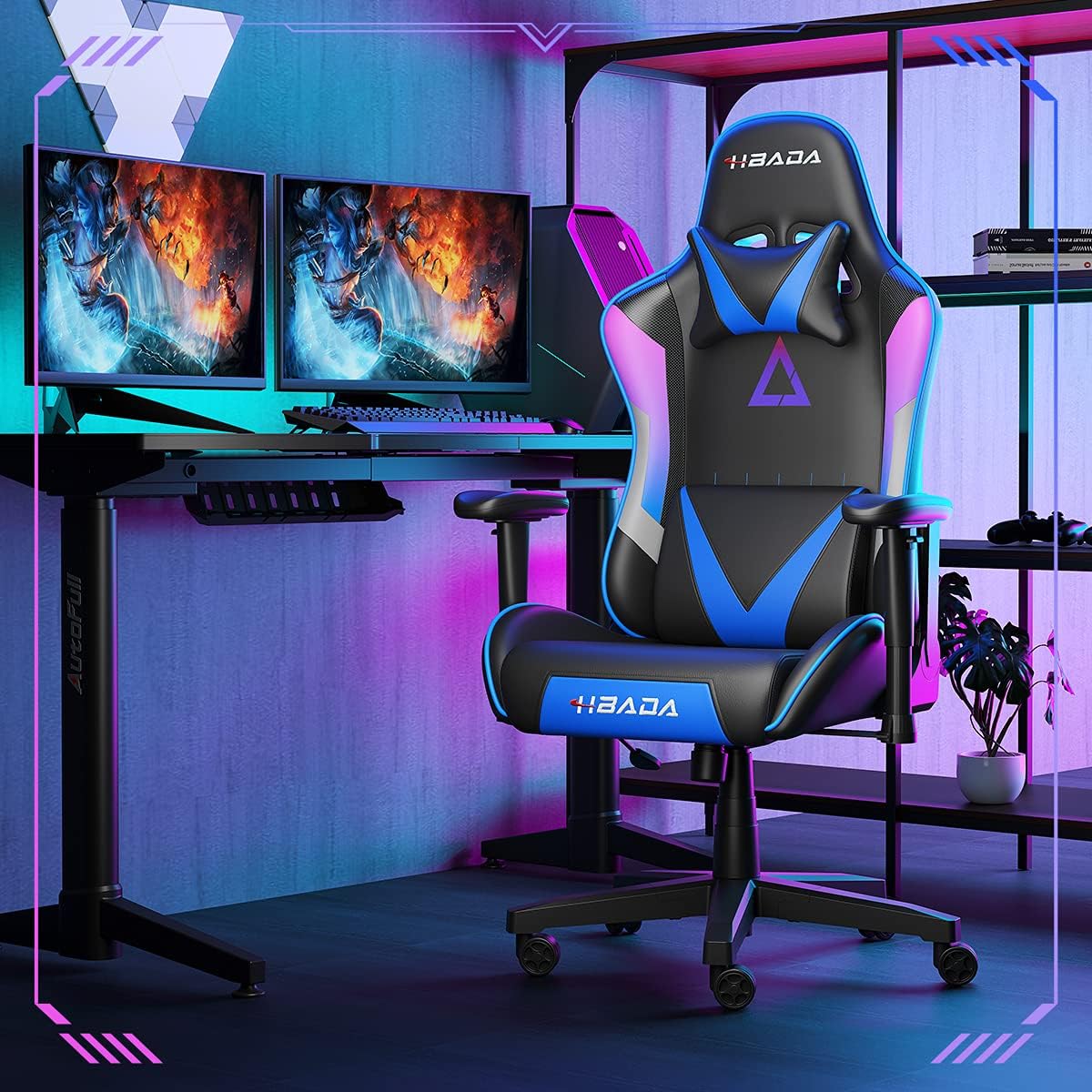
Image 1.1: The Hbada W203 Gaming Chair in a typical gaming environment, showcasing its design and presence.
2. 안전 정보
- 최대 중량 용량 150kg(330.7파운드)을 초과하지 마십시오.
- 사용 전에 모든 볼트와 나사가 단단히 조여졌는지 확인하고, 주기적으로 헐거워지지 않았는지 점검하십시오.
- 의자 위에 서거나 의자를 발판으로 사용하지 마십시오.
- 조정하는 동안 손과 손가락이 움직이는 부품에 닿지 않도록 주의하세요.
- 의자가 넘어지지 않도록 평평하고 안정적인 표면에 놓고 사용하십시오.
3. 패키지 내용
조립을 시작하기 전에 모든 구성품이 있는지 확인하십시오. 누락되거나 손상된 부품이 있는 경우 고객 서비스 센터에 문의하십시오.
- 등받이
- 좌석 쿠션
- 팔걸이(2)
- 스타베이스
- 캐스터 (5)
- 가스 리프트 실린더
- 가스 리프트 커버
- 메커니즘 플레이트
- 머리받침 베개
- 요추 지지 베개
- 하드웨어 세트 (나사, 와셔, 육각 렌치)
- 사용 설명서
4. 조립 설명서
Assembly typically requires two people due to the weight of some components. Follow these steps carefully.
- 바닥에 캐스터 부착: 별 모양 받침대의 각 다리 끝에 있는 구멍에 5개의 바퀴를 각각 딸깍 소리가 나면서 제자리에 고정될 때까지 끼워 넣으세요.
- 가스 리프트 삽입: 가스 리프트 실린더를 스타 베이스 중앙 구멍에 넣으세요. 가스 리프트 커버로 덮으세요.
- 좌석에 메커니즘 플레이트 부착: 메커니즘 플레이트를 시트 쿠션 밑면의 나사 구멍에 맞춰 정렬합니다. 제공된 나사와 육각 렌치를 사용하여 고정합니다. 메커니즘의 앞면이 시트 앞쪽을 향하도록 하십시오.
- 좌석에 팔걸이 부착: Secure the armrests to the sides of the seat cushion using the designated screws. Do not overtighten initially to allow for minor adjustments.
- 등받이를 좌석에 부착하세요: Align the backrest with the mounting brackets on the seat cushion. Secure it with screws.
- 좌석 어셈블리를 베이스에 연결: Carefully place the assembled seat onto the gas lift cylinder, ensuring it is centered. Apply downward pressure to secure it.
- Attach Headrest and Lumbar Support: Position the headrest pillow and lumbar support pillow as desired. They are typically secured with straps.
- 최종 조임: Once fully assembled, go back and tighten all screws firmly.

이미지 4.1: 이상view of chair features, including lift function, height-adjustable armrests, 155-degree recline, silent casters, 360-degree rotation, and durable base.
5. 사용 설명서
5.1. 의자 높이 조절
To adjust the chair height, locate the lever on the right side, beneath the seat. While seated, pull the lever up to lower the chair. To raise the chair, stand up slightly and pull the lever up. Release the lever at the desired height.
5.2. 리클라이닝 기능
The chair offers a recline angle of up to 155 degrees with a 17-degree locking feature. To recline, pull the recline lever (typically on the left side) upwards and lean back. Release the lever to lock the backrest in position. To return to an upright position, pull the lever and lean forward.

Image 5.1: The chair's backrest can recline up to 155 degrees, allowing for various comfortable positions.
5.3. 팔걸이 조정
The armrests can be lifted to adjust their height. Locate the button or lever on the side of each armrest. Press or lift it and move the armrest up or down to your preferred height. Release the button/lever to lock it.
5.4. 허리 지지대 및 머리 받침대
The chair includes removable and adjustable headrest and lumbar support pillows. Adjust their position by sliding them along the backrest straps to provide optimal support for your head, neck, and lower back.
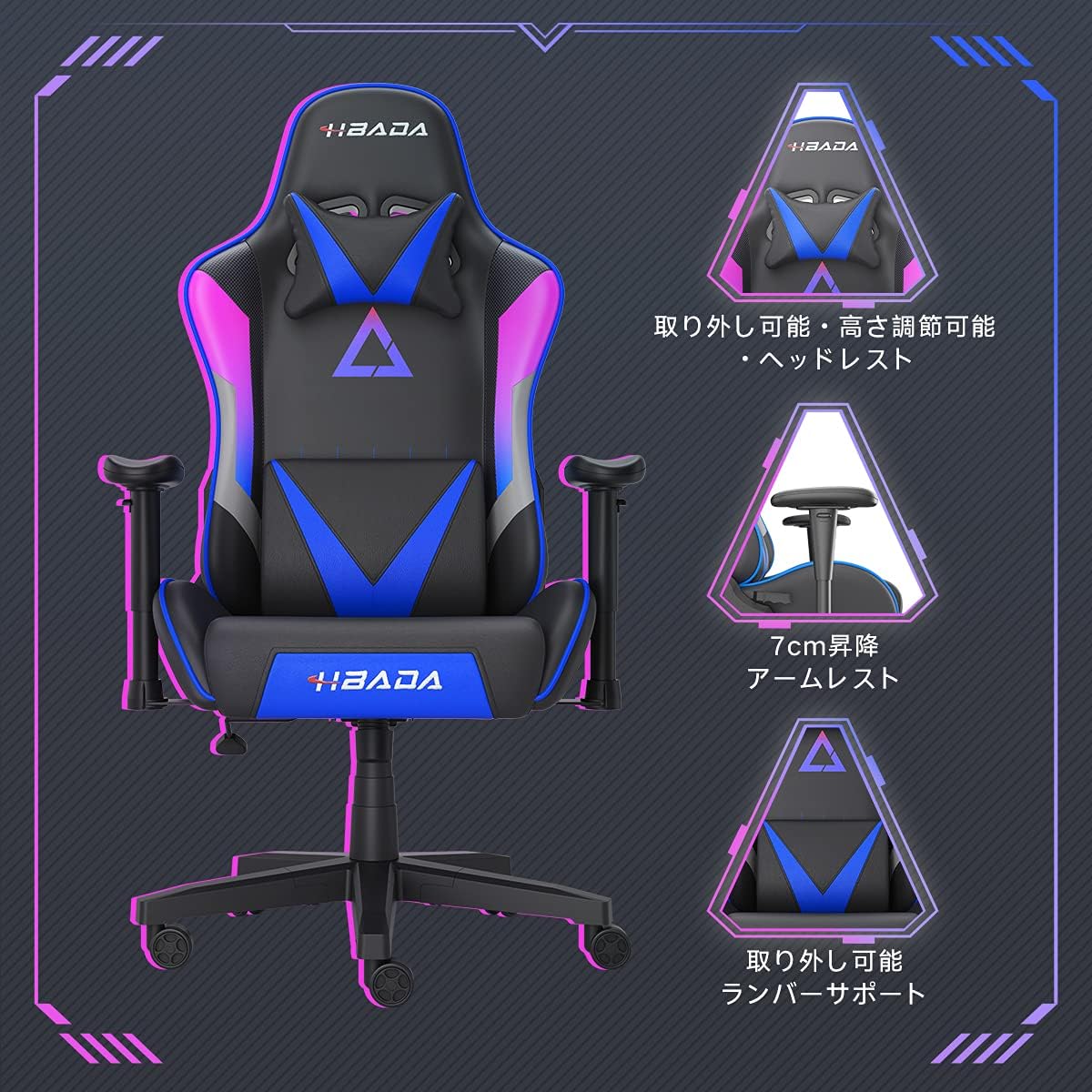
이미지 5.2: 상세 view of the adjustable headrest, lifting armrests, and removable lumbar support.
5.5. 회전 기능
이 의자는 360도 회전 기능을 갖추고 있어 받침대를 움직이지 않고도 쉽게 회전할 수 있습니다.
6. 유지관리
- 청소: The chair's synthetic leather (PU) material can be wiped clean with a damp 천으로 닦으세요. 강한 화학 물질이나 연마성 세제는 피하세요.
- 패스너: Periodically check all screws and bolts to ensure they remain tight. Retighten as necessary to maintain stability and prevent squeaking.
- 캐스터 : 바퀴에 머리카락이나 이물질이 끼지 않도록 하여 원활한 이동을 보장하십시오.
7. 문제 해결
- 의자 삐걱거리는 소리: Check and tighten all assembly screws. Applying a small amount of lubricant to moving metal parts (like the mechanism plate) may help.
- 높이 조절이 작동하지 않음: Ensure the gas lift lever is fully engaged. If the issue persists, the gas lift cylinder may need replacement. Contact customer service.
- 의자가 불안정하게 느껴집니다. Verify that the star base is correctly assembled and all casters are fully inserted. Ensure all screws are tightened.
- 캐스터가 원활하게 굴러가지 않음: 바퀴에 묻은 이물질(머리카락, 먼지)을 깨끗이 닦아내세요.
For issues not listed here or persistent problems, please contact Hbada customer service.
8. 사양

Image 8.1: Key dimensions of the Hbada W203 Gaming Chair.
| 특징 | 세부 사항 |
|---|---|
| 모델명 | Hbada W203 |
| 제품 크기(D x W x H) | 70 x 70 x 128cm(27.6 x 27.6 x 50.4인치) |
| 조절 가능한 좌석 높이 | 40~48cm (15.7~18.9인치) |
| 품목 무게 | 22.5kg(49.6파운드) |
| 최대 하중 용량 | 150kg(330.7파운드) |
| 재료 | Synthetic leather (PU upholstery), Metal (frame), Reinforced Nylon Resin (base), High-density Urethane Foam (cushion), Silent PU Nylon Casters |
| 리클라이닝 각도 | Up to 155 degrees with 17-degree locking |
| 팔걸이 조정 | Lifting (approx. 7 cm range) |
| 특별 기능 | Adjustable Lumbar Support, Ergonomic Design |

Image 8.2: Internal construction details, showing high-density foam and a robust metal frame.
9. 보증 및 지원
The Hbada W203 Gaming Chair comes with a 1년 보증 서비스. This warranty covers initial defects and manufacturing faults.
If you encounter any initial defects, malfunctions, or have any concerns regarding your product, please contact our customer service center. Our support team aims to respond within 24 hours and will assist with free exchanges or repairs as applicable.
For customer service inquiries, please refer to the contact information provided on your purchase receipt or the official Hbada web대지.