
1. 서론
Thank you for choosing the Syntex 32-inch LED HD TV Model 32S610. This manual provides essential information for the safe and efficient use of your new television. Please read these instructions thoroughly before operating the device and retain them for future reference.
2. 안전 정보
화재, 감전, 부상의 위험을 줄이려면 이 텔레비전을 사용할 때 항상 기본적인 안전 예방 조치를 따르세요.
- TV를 비나 습기에 노출시키지 마세요.
- 환기구를 막지 마십시오.
- 전원 코드가 끼이거나 밟히지 않도록 하세요.
- 번개가 칠 때나 장기간 사용하지 않을 때는 TV의 플러그를 뽑아 두세요.
- 모든 서비스는 자격을 갖춘 서비스 담당자에게 의뢰하세요.
3. 패키지 내용
모든 품목이 패키지에 포함되어 있는지 확인하세요.
- Syntex 32-inch LED HD TV (Model 32S610)
- 원격 제어
- 원격 제어용 배터리
- TV 스탠드(베이스 및 나사)
- 사용 설명서 (본 문서)
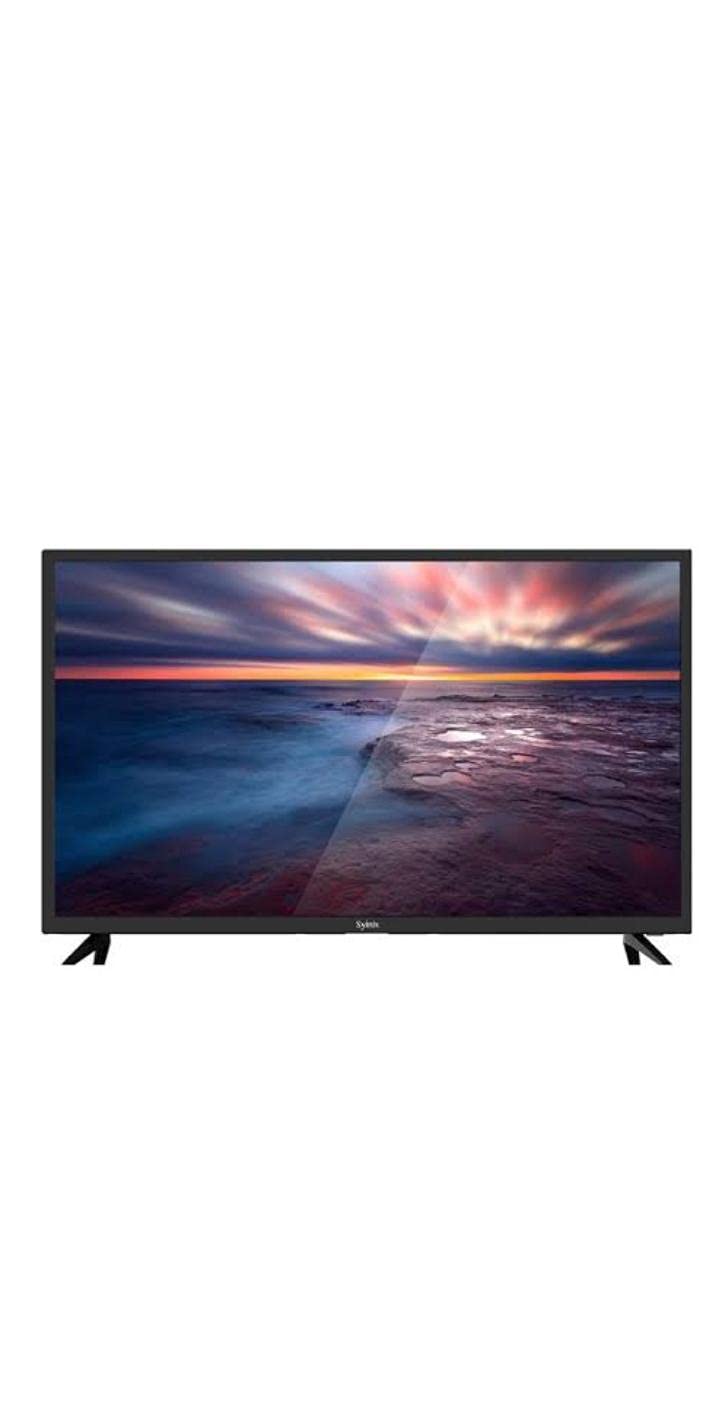
Image 3.1: Syntex 32-inch LED HD TV with included accessories.
4. 제품 특징
The Syntex 32S610 TV offers the following key features:
- 32-inch LED Display
- HD Resolution (1366x768 pixels)
- Built-in Digital Receiver (ATSC Tuner Technology)
- Multiple Connectivity Options (HDMI, USB)
- 통합 스피커
- 원격 제어 작동
5. 설정
5.1 스탠드 부착하기
- 화면 손상을 방지하려면 부드럽고 깨끗한 표면에 TV를 뒤집어서 조심스럽게 놓으세요.
- 스탠드 베이스를 TV 바닥의 장착 구멍에 맞춥니다.
- 제공된 나사를 사용하여 스탠드를 고정하세요. 너무 세게 조이지 마세요.
- TV를 안정적이고 평평한 표면에 놓으세요.
5.2 장치 연결
Ensure the TV is unplugged before making any connections.
- 힘: 전원 코드를 TV의 전원 입력 단자에 연결한 다음 벽면 콘센트에 연결합니다.
- HDMI : For high-definition devices (e.g., Blu-ray player, game console), connect an HDMI cable from the device to an HDMI port on the TV.
- USB: 미디어 재생을 위해 USB 저장 장치를 USB 포트에 삽입하십시오.
- 안테나/케이블: Connect an antenna or cable TV feed to the ANT/CABLE input for over-the-air or cable channels.
5.3 초기 전원 켜기
- TV를 전원 콘센트에 꽂으세요.
- 리모컨이나 TV의 전원 버튼을 누르세요.
- Follow the on-screen instructions to select your language, country, and perform an automatic channel scan for the built-in receiver.
6. 사용 설명서
6.1 원격 제어view
리모컨을 사용하면 TV의 모든 기능을 이용할 수 있습니다. 제공된 배터리를 극성을 맞춰 삽입하십시오.
6.2 기본 기능
- 힘: TV를 켜거나 끕니다.
- 볼륨 (+/-): 사운드 레벨을 조정합니다.
- 채널(CH +/-): TV 채널을 변경합니다.
- 무음: TV 소리를 끕니다.
- 입력/소스: 입력 소스(HDMI, USB, TV)를 선택합니다.
6.3 메뉴 탐색
를 누르세요 메뉴 리모컨의 버튼을 눌러 메인 메뉴에 접근하세요. 화살표 키를 사용하여 옵션을 탐색할 수 있습니다. 확인/입력 선택을 확인하려면 누르세요. EXIT/BACK 이전 메뉴로 돌아가거나 메뉴를 완전히 종료하려면 이 버튼을 클릭하십시오.
6.4 Built-in Receiver (Channel Scan)
If you did not perform a channel scan during initial setup, or if you connect a new antenna, you can do so via the menu:
- 누르다 메뉴 리모컨으로.
- Navigate to the 'Channel' or 'Setup' section.
- Select 'Auto Scan' or 'Channel Search'.
- Confirm to start the scan. This may take several minutes.
7. 유지관리
7.1 TV 청소
청소하기 전에는 항상 TV의 플러그를 뽑아 두세요.
- 화면: 부드럽고 보풀이 없는 천으로 화면을 부드럽게 닦으세요. 잘 지워지지 않는 얼룩의 경우, TV용 화면 세척제를 천에 묻혀 사용하세요. 화면에 직접 묻히지 않도록 주의하세요.
- 내각: Wipe the cabinet and stand with a soft, dry cloth. Do not use abrasive cleaners or solvents.
7.2 보관
TV를 장기간 보관할 경우, 전원 플러그를 뽑고 리모컨에서 배터리를 제거한 후 먼지가 들어가지 않도록 덮개를 씌우십시오. 서늘하고 건조한 곳에 보관하세요.
8. 문제 해결
고객 지원팀에 문의하기 전에 다음 일반적인 해결 방법을 시도해 보세요.
| 문제 | 가능한 해결책 |
|---|---|
| 전원이 없습니다 | Check power cord connection. Ensure outlet is working. Try pressing power button on TV itself. |
| 화면은 나오지 않지만 소리는 나옵니다 | Check input source selection. Ensure external device is powered on and connected correctly. |
| 소리는 나지 않지만 화면은 나옵니다 | Check volume level. Ensure TV is not muted. Check audio settings. |
| 리모컨이 작동하지 않습니다 | 배터리를 교체하세요. 리모컨과 TV 사이에 장애물이 없는지 확인하세요. |
| 채널을 찾을 수 없습니다 | Ensure antenna is connected. Perform a channel auto-scan. |
9. 사양
| 모델 번호 | 32S610 |
| 화면 크기 | 32인치 |
| 디스플레이 유형 | 주도의 |
| 해결 | 1366 x 768 (HD) |
| 종횡비 | 16:9 (1.77:1) |
| 튜너 기술 | ATSC (Built-in Receiver) |
| 연결성 | HDMI, USB |
| 오디오 | 내장 스피커 |
| 색상 | 검은색 |
| 장착 유형 | 테이블탑 |
10. 보증 및 지원
For warranty information, please refer to the warranty card included with your product or contact your local Syntex dealer. Keep your purchase receipt as proof of purchase.
For technical support or service inquiries, please contact Syntex customer service through the contact information provided on the official Syntex website or your regional support channels.