
1. 서론
This manual provides comprehensive instructions for the setup, operation, and maintenance of your DIGITUS 2D Barcode Scanner (Model: DA-81002). This device is designed for efficient and accurate scanning of 1D and 2D barcodes, including QR codes, supporting bi-directional scanning at 200 scans/sec. Please read this manual thoroughly before using the scanner to ensure proper functionality and longevity.
2. 상자 안에 무엇이 들어있나요?
패키지를 열 때 모든 구성품이 들어 있고 손상되지 않았는지 확인하세요.
- 1 x 2D barcode hand scanner, QR code compatible
- 1 x scanner holder
- 1 x cable, USB - RJ45, 2 m
- 1 x 빠른 설치 가이드(QIG)
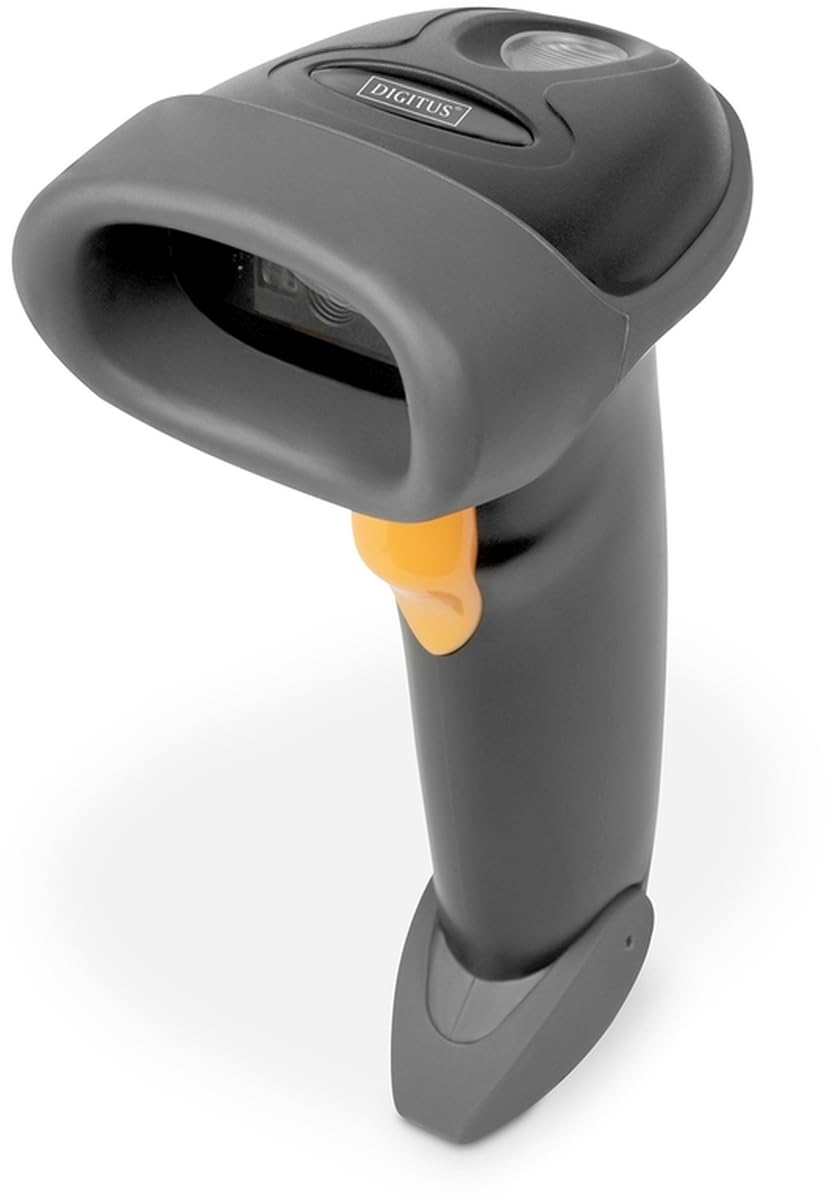
Image: The DIGITUS 2D Barcode Scanner, shown with its included stand and USB-RJ45 cable. The scanner is dark grey with an orange trigger button.
3. 설정
- 케이블 연결: Insert the RJ45 end of the provided cable into the port at the base of the barcode scanner. Ensure it clicks securely into place.
- 호스트 장치에 연결: Plug the USB end of the cable into an available USB port on your computer or point-of-sale (POS) system.
- 드라이버 설치(플러그 앤 플레이): The scanner is typically plug-and-play and should be recognized automatically by most operating systems (Windows, macOS, Linux). No specific driver installation is usually required. If prompted, allow the system to install necessary drivers.
- 스캐너 위치: Place the scanner in its holder for hands-free operation, or hold it comfortably for handheld scanning.
- 테스트 스캔: Open a text editor (e.g., Notepad, Word) or a compatible application. Scan a known barcode. The data should appear in the open application.
4. 사용 설명서
The DIGITUS 2D Barcode Scanner is designed for ease of use. Follow these steps for effective scanning:
- 전원 켜기: The scanner powers on automatically when connected to a powered USB port. A successful power-on is usually indicated by a short beep and/or a light indicator.
- 조준: Point the scanning window towards the barcode you wish to scan. Ensure the entire barcode is within the scanner's field of view.
- 스캐닝: Press and hold the trigger button (orange button on the handle). A red aiming beam or illumination light will appear. Position the scanner so the aiming beam crosses the center of the barcode.
- 스캔 성공: Upon a successful scan, the scanner will emit a short beep and/or the indicator light will flash. The scanned data will be transmitted to your connected device as if typed via a keyboard.
- Bi-Directional Scanning: The scanner supports bi-directional scanning, meaning it can read barcodes regardless of their orientation, improving scanning efficiency.
- QR Code Compatibility: This scanner is fully compatible with QR codes, allowing for versatile data capture.
5. 유지관리
적절한 유지 관리는 바코드 스캐너의 수명 연장과 최적의 성능을 보장합니다.
- 스캔 창 정리: 스캔 창은 부드럽고 보풀 없는 천으로 정기적으로 닦아주세요. 잘 지워지지 않는 얼룩은 살짝 두드려 닦아주세요.amp물이나 순한 비연마성 세제를 묻힌 천으로 닦으십시오. 창문에 흠집이 생길 수 있으므로 독한 화학 약품이나 연마재는 사용하지 마십시오.
- 일반 청소: Wipe the exterior of the scanner with a soft, dry cloth to remove dust and dirt.
- 케이블 관리: USB 케이블을 과도하게 구부리거나 비틀지 마세요. 내부 전선이 손상될 수 있습니다.
- 저장: When not in use, store the scanner in a clean, dry environment, away from extreme temperatures and direct sunlight.
- 낙하 방지: While designed for durability, avoid dropping the scanner, as impact can damage internal components.
6. 문제 해결
If you encounter issues with your DIGITUS 2D Barcode Scanner, refer to the following common problems and solutions:
| 문제 | 가능한 원인 | 해결책 |
|---|---|---|
| 스캐너의 전원이 켜지지 않습니다. | No power from USB port; loose cable connection. | Ensure USB cable is securely connected to both scanner and host device. Try a different USB port or host device. |
| 스캐너가 바코드를 읽지 못합니다. | Barcode damaged/unreadable; incorrect aiming; scanner not configured for barcode type. | Ensure barcode is clear and undamaged. Aim the scanner correctly. Refer to the QIG for advanced configuration options if specific barcode types are not recognized. |
| 스캔한 데이터가 잘못되었거나 불완전합니다. | Partial scan; software/application issue. | Ensure the entire barcode is within the scanning area. Test with a simple text editor to rule out application-specific issues. |
| 스캐너에서 신호음은 나지만 데이터가 나타나지 않습니다. | Host device not receiving data; application not in focus. | Ensure the cursor is active in the target input field. Restart the application or host device. |
7. 사양
Key technical specifications for the DIGITUS 2D Barcode Scanner (Model: DA-81002):
- 제품 크기: 1.1 x 9.7 x 6.5 인치
- 품목 무게: 3.88 온스
- 품목 모델 번호: 다-81002
- 제조업체: 디지 터스
- 호환 장치: Scanner (general purpose)
- 전원: 유선 전기(USB를 통해)
- 연결 기술 : USB 케이블
- 스캔 속도 : 200fps(초당 프레임)
- 바코드 호환성: 1D and 2D barcodes, including QR Code
- 케이블 길이: 2 meters (USB - RJ45)
8. 보증 및 지원
For warranty information and technical support, please refer to the Quick Installation Guide (QIG) included in your product package or visit the official Digitus web사이트. 보증 청구를 위해 구매 증빙 자료로 구매 영수증을 보관하세요.
For further assistance, you may contact Digitus customer support through their official channels. Details are typically provided in the product documentation or on the manufacturer's web대지.