
HOCO BS37
HOCO BS37 댄서 야외 무선 스피커 사용 설명서
모델: BS37
1. 서론
Thank you for choosing the HOCO BS37 Dancer Outdoor Wireless Speaker. This manual provides detailed instructions for the safe and efficient operation of your device. Please read this manual thoroughly before use and retain it for future reference.
The HOCO BS37 is a versatile outdoor wireless speaker featuring Bluetooth V5.0 connectivity, TWS (True Wireless Stereo) support, FM radio, USB playback, and AUX input. It includes a wired microphone for karaoke functions and independent colored lights to enhance your audio experience.
2. 패키지 내용
다음 품목이 패키지에 포함되어 있는지 확인하세요.
- HOCO BS37 Dancer Outdoor Wireless Speaker
- 유선 마이크
- 충전 케이블(USB)
- 사용자 설명서
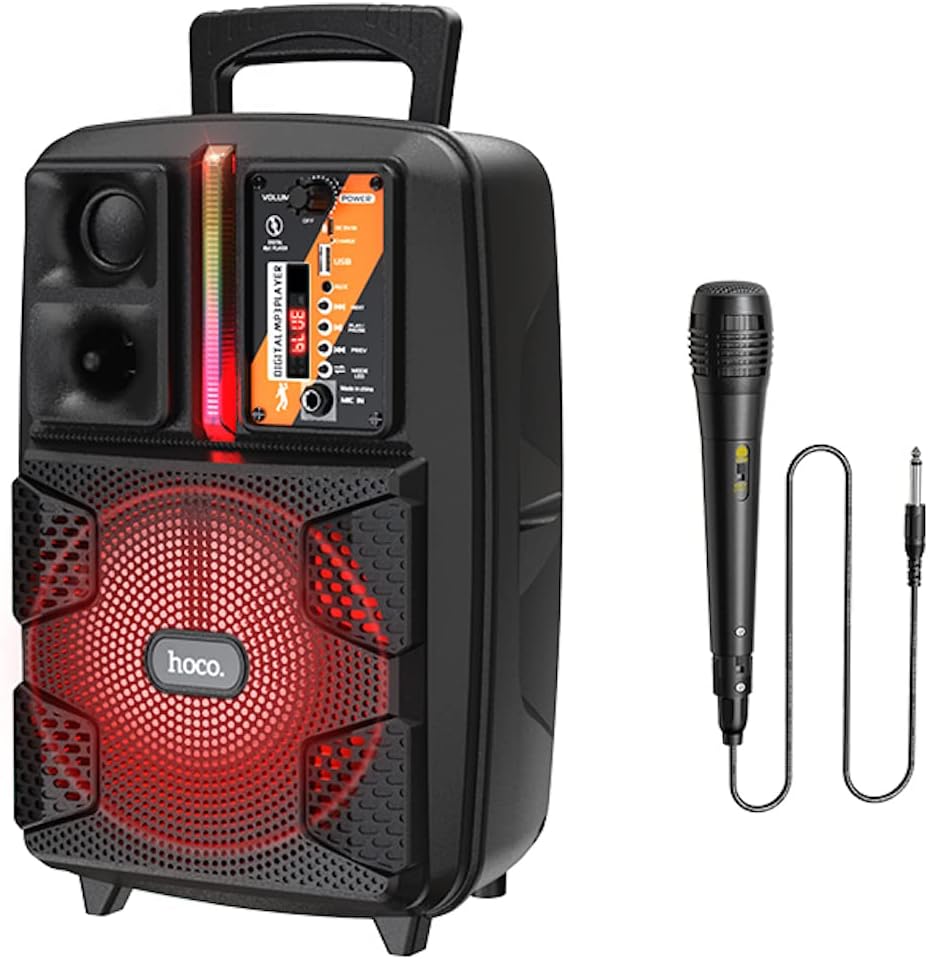
Image: The HOCO BS37 speaker shown with its included wired microphone.
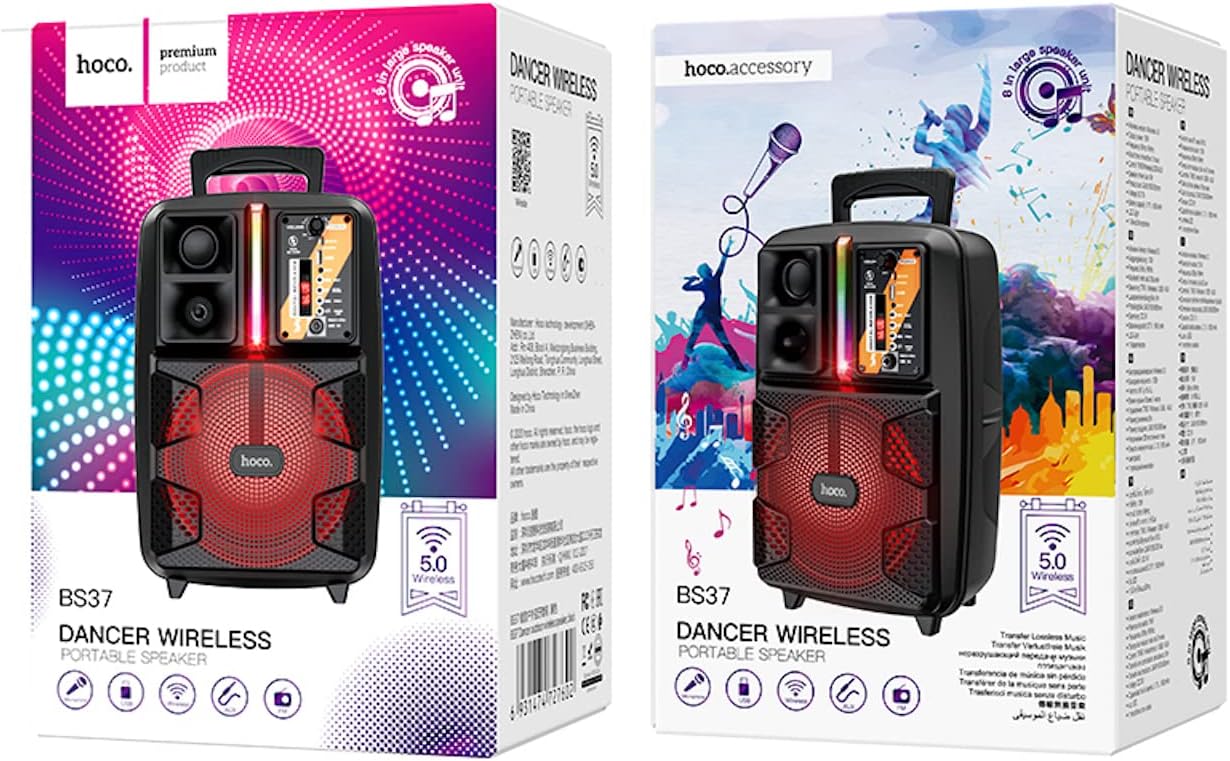
Image: The retail packaging for the HOCO BS37 Dancer Outdoor Wireless Speaker.
3. 제품 오버view
The HOCO BS37 speaker features an 8-inch speaker unit and a control panel for various functions. Familiarize yourself with the layout of the speaker's controls and ports.

이미지: 자세한 view of the HOCO BS37 speaker's control panel, showing volume knob, power switch, USB port, AUX input, microphone input, and mode selection buttons.
제어판 기능:
- 볼륨 노브: 전체 스피커 볼륨을 조절합니다.
- 전원 스위치: 스피커를 켜거나 끕니다.
- DC 5V 입력: 스피커용 충전 포트.
- USB 포트: USB 플래시 드라이브 재생용입니다.
- AUX 입력 : 외부 기기 연결을 위한 3.5mm 오디오 입력 단자.
- 마이크 입력: 유선 마이크용 6.35mm 입력 단자.
- MODE 버튼: Switches between Bluetooth, FM, USB, and AUX modes.
- 재생/일시정지 버튼: 오디오 재생을 재생하거나 일시 정지합니다.
- 이전/다음 버튼: 이전 또는 다음 트랙/역으로 이동합니다.
- 전등 스위치: Controls the independent colored lights.
4. 설정
4.1 초기 충전
Before first use, fully charge the speaker. Connect the provided charging cable to the DC 5V IN port on the speaker and the other end to a suitable USB power adapter (not included). The charging time is approximately 2.5 hours.
4.2 전원 켜기/끄기
스피커를 켜려면 슬라이드하세요. 힘 switch to the "ON" position. To power off, slide it to the "OFF" position.
5. 사용 설명서
5.1 블루투스 페어링
- Turn on the speaker. It will automatically enter Bluetooth pairing mode, indicated by an audible prompt or flashing indicator light.
- 모바일 기기(스마트폰, 태블릿 등)에서 Bluetooth를 활성화하세요.
- 검색 "HOCO BS37" in the list of available Bluetooth devices.
- Select "HOCO BS37" to connect. Once connected, you will hear a confirmation sound.
The speaker supports Bluetooth V5.0 for stable and efficient wireless connection.
5.2 TWS(True Wireless Stereo) 상호 연결
To connect two HOCO BS37 speakers for a stereo sound experience:
- Ensure both HOCO BS37 speakers are powered on and not connected to any Bluetooth device.
- 스피커 중 하나(기본 스피커)에서 버튼을 길게 누르세요. 방법 button or a dedicated TWS button (if available, refer to specific button labels on your device) until you hear a pairing prompt.
- The two speakers will attempt to connect to each other. Once successfully paired, you will hear a confirmation sound.
- 이제 5.1절에 설명된 대로 블루투스를 통해 모바일 기기를 메인 스피커에 연결하세요. 오디오는 두 스피커를 통해 스테레오로 재생됩니다.
5.3 FM 라디오 모드
- 를 누르세요 방법 button repeatedly until you enter FM radio mode.
- 를 누르세요 재생/일시정지 버튼을 한 번 누르면 사용 가능한 FM 방송국을 자동으로 검색하고 저장합니다.
- 사용하세요 이전 그리고 다음 저장된 방송국 사이를 탐색하는 버튼입니다.
5.4 USB 재생
- MP3 오디오가 포함된 USB 플래시 드라이브를 삽입하세요 file에 s USB 포트.
- 스피커가 자동으로 USB 모드로 전환되어 오디오 재생을 시작합니다. 그렇지 않은 경우, 버튼을 누르십시오. 방법 버튼을 눌러 USB 모드를 선택합니다.
- 사용하세요 재생/일시정지, 이전, 그리고 다음 재생을 제어하는 버튼.
5.5 AUX 모드
- 외부 오디오 장치(예: MP3 플레이어, 노트북)를 연결하세요. AUX IN 3.5mm 오디오 케이블(별도 구매)을 사용하여 포트에 연결할 수 있습니다.
- 를 누르세요 방법 AUX 모드를 선택하려면 버튼을 누르세요.
- 연결된 외부 장치에서 재생을 제어합니다.

Image: The HOCO BS37 speaker highlighting its multiple playback options: Bluetooth, USB, and AUX.
5.6 마이크 사용법 (노래방)
- 유선 마이크를 연결하세요 MIC IN 스피커의 포트.
- 마이크의 전원 스위치가 "켜짐" 위치에 있는지 확인하십시오.
- 메인을 조정하세요 용량 knob on the speaker to control the microphone's output level.
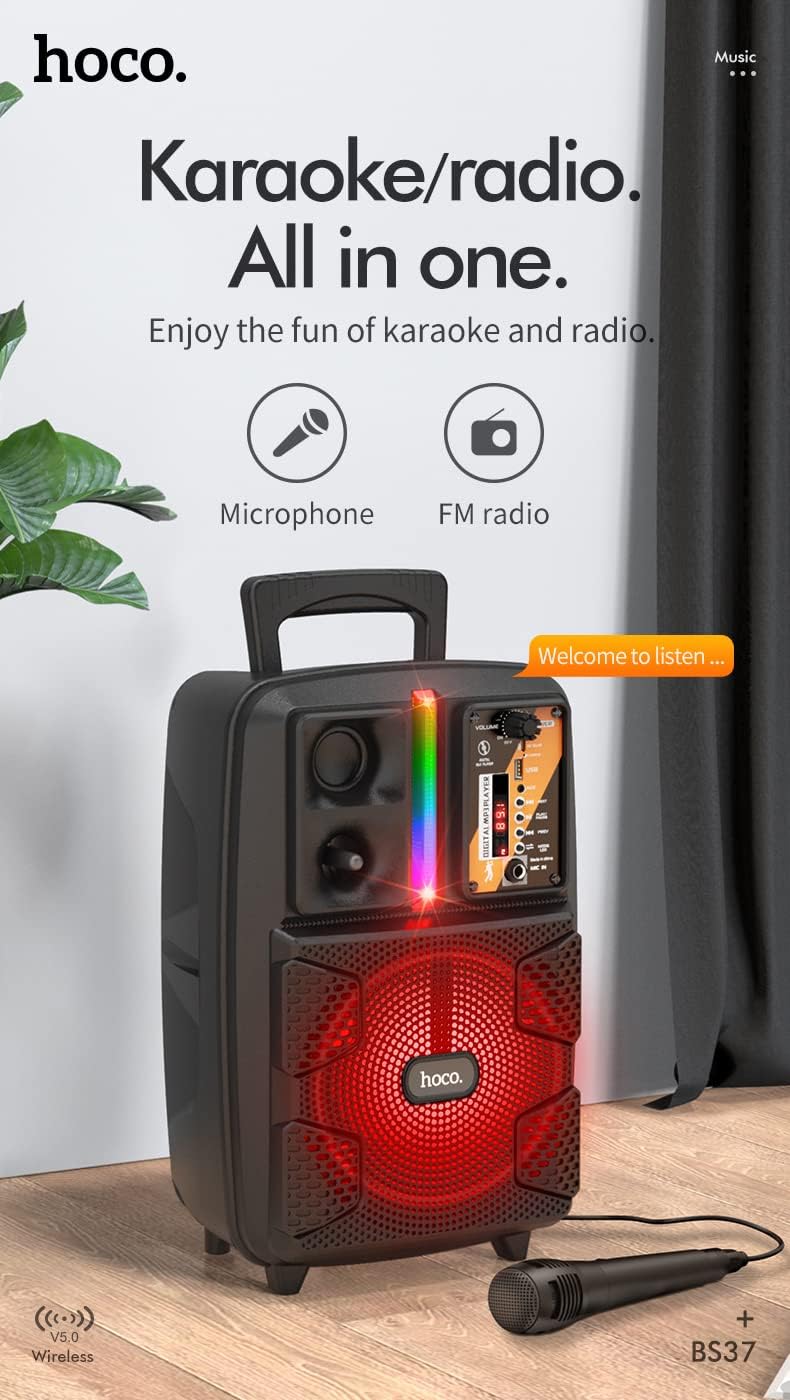
Image: The HOCO BS37 speaker with the wired microphone connected, illustrating its karaoke and radio capabilities.
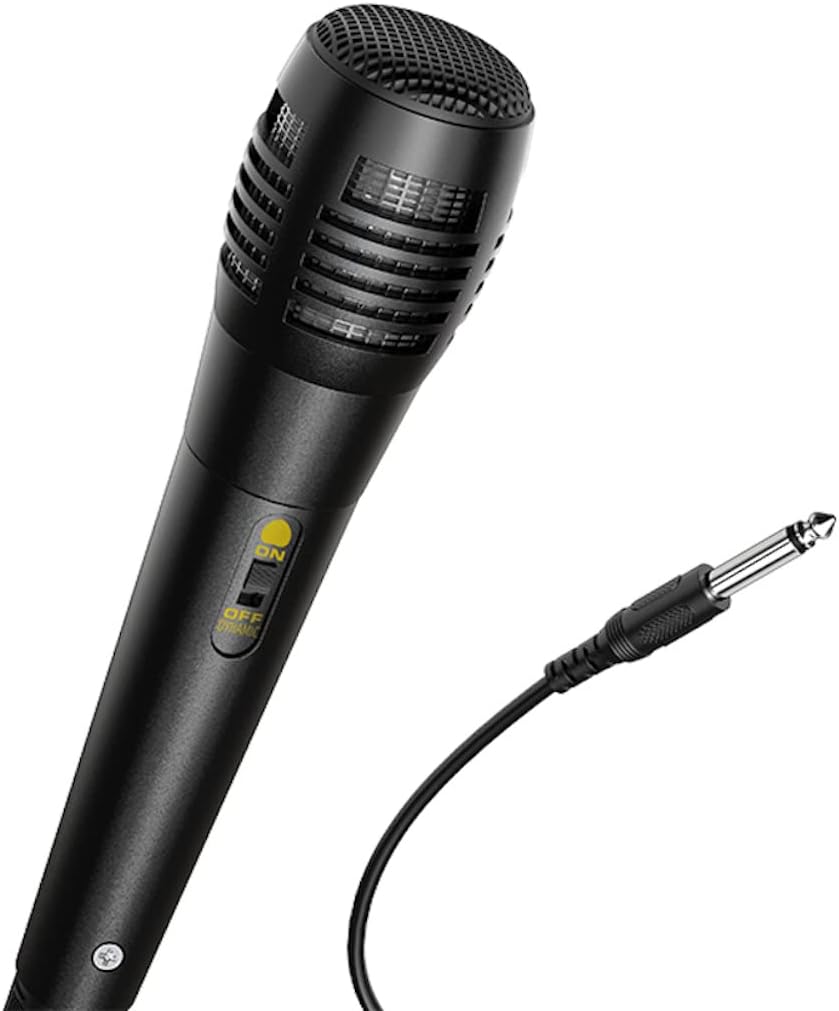
이미지: 클로즈업 view of the wired microphone included with the HOCO BS37 speaker, showing its ON/OFF switch and connector.
5.7 조명 효과
The speaker features independent colored lights. Use the dedicated 전등 스위치 on the control panel to turn the lights ON or OFF, or to cycle through different light modes (if applicable).

Image: The HOCO BS37 speaker displaying its colorful breathing light effects.
6. 스피커 충전
When the battery is low, the speaker may indicate this with an audible prompt or a flashing indicator light. To charge:
- 충전 케이블을 충전 케이블에 연결하세요. DC 5V 입력 스피커의 포트.
- Connect the other end of the charging cable to a standard USB power source (e.g., wall adapter, computer USB port).
- 충전 표시등이 켜집니다. 완전히 충전되면(약 2.5시간 소요) 표시등의 색상이 바뀌거나 꺼질 수 있습니다.
A full charge provides approximately 3 hours of music playback at 80% volume.
7. 유지관리
- 부드럽고 마른 천으로 스피커를 닦으세요. 연마성 세제나 용제를 사용하지 마세요.
- 스피커를 물, 습기, 극한 온도로부터 멀리하세요.
- 장시간 사용하지 않을 때는 스피커를 시원하고 건조한 곳에 보관하세요.
- 스피커를 떨어뜨리거나 강한 충격을 주지 마십시오.
8. 문제 해결
| 문제 | 가능한 원인 | 해결책 |
|---|---|---|
| 스피커가 켜지지 않습니다. | 배터리가 소진되었습니다. | 스피커를 최소 30분 동안 충전하세요. |
| 블루투스로 페어링할 수 없습니다. | 스피커가 페어링 모드에 있지 않습니다. 장치의 Bluetooth가 꺼져 있습니다. 장치가 너무 멀리 떨어져 있습니다. | Ensure speaker is in pairing mode. Turn Bluetooth off/on on your device. Move device closer to speaker (within 10 meters). |
| 스피커에서 소리가 나지 않습니다. | Volume is too low; incorrect mode selected; cable not connected properly. | Increase speaker and device volume. Press 방법 button to select correct input. Check all cable connections. |
| 마이크가 작동하지 않습니다. | Microphone switch is off; not plugged in correctly. | Ensure microphone switch is ON. Plug microphone firmly into MIC IN 포트. |
9. 사양
| 모델 | BS37 Dancer |
| 스피커 유닛 | 8 inch, 2Ω10W |
| 치수(길이 x 너비 x 높이) | 367 x 243 x 196mm(14.45 x 9.57 x 7.72인치) |
| 무게 | 1.9KG(4.19파운드) |
| 블루투스 버전 | V5.0 (Blue trum 5322) |
| 배터리 용량 | 1800mAh (A grade 18650) |
| 음악 재생 시간 | 약 3시간(80% 볼륨 기준) |
| 충전 시간 | 약 2.5시간 |
| 연결 옵션 | Bluetooth, TWS, FM Radio, USB, AUX |
| 포함된 액세서리 | 유선 마이크 |
| 호환 장치 | 데스크톱, 노트북, MP3 플레이어, 스마트폰, 태블릿 |
10. 안전 정보
- 감전이나 화재를 방지하기 위해 스피커를 비나 습기에 노출시키지 마십시오.
- 기기를 직접 분해, 수리 또는 개조하지 마십시오. 모든 정비는 자격을 갖춘 기술자에게 맡기십시오.
- Avoid placing the speaker near heat sources, such as radiators, heat registers, stoves, or other apparatus that produce heat.
- 지정된 충전 용량만 사용하세요tage와 현재.
- 어린이의 손이 닿지 않는 곳에 보관하세요.
- 높은 볼륨으로 장시간 청취하면 청력이 손상될 수 있습니다.
11. 보증 및 지원
This product is covered by a limited warranty. Please refer to the warranty card included with your purchase or contact your local HOCO distributor for details regarding warranty terms and conditions.
For technical support or service inquiries, please contact the retailer where you purchased the product or visit the official HOCO web연락처 정보 사이트.
Ask a question about this manual
Ask about setup, troubleshooting, compatibility, parts, safety, or missing instructions. Manuals+ will review the question and use this page’s manual context to help answer it.