
소개
Thank you for choosing the GENBOLT GB217K 2K Wireless Solar PTZ Security Camera. This manual provides essential information for the safe and efficient use of your new security camera. Please read these instructions carefully before installation and operation, and retain them for future reference.
제품 끝view
주요 특징
- 100% Wireless & IP66 Weatherproof: Designed for easy outdoor or indoor installation without power cables or Ethernet. Withstands various weather conditions.
- 24/7 Solar Charging: Equipped with a 7W solar panel and 15600mAh rechargeable batteries for continuous operation and extended standby time (up to 180 days).
- Enhanced Smart PIR Alarm: Features a PIR sensor and humanoid detection to reduce false alarms from pets. Includes a spotlight function to deter intruders.
- 2K 컬러 야간 투시경: Delivers 3MP (2304x1296px @ 15fps) high-resolution images with a 2.8mm lens offering a 120° super wide-angle view.
- PTZ 기능: 355° 수평 회전과 90° 수직 기울기 조절 기능을 제공하여 넓은 영역을 커버할 수 있습니다.
- 양방향 오디오 : 카메라를 통해 직접 소통하세요.
- 다중 사용자 액세스: Share camera access with multiple users.
- 로컬 스토리지: Supports Micro SD card recording, even if WiFi is unavailable.
구성 요소
The GENBOLT GB217K camera system includes the following main components:

그림 1: 상세한 view of the GENBOLT GB217K camera components, including the solar panel, antennas, various sensors, and ports.
- 7W Solar Panel (with 6pcs 18650 Li-ion batteries)
- Dual 5dBi Antenna
- Power ON/OFF Switch & Charging Port (USB 5V)
- PIR 센서
- 6pcs White LED (for illumination)
- 감광 센서
- HD 렌즈
- 마이크로폰
- Reset Button & Micro SD Card Slot
- 스피커
- 사용자 설명서
- 앨런 렌치
- 장착 나사
설정
1. 초기 충전
Before first use, fully charge the camera's internal batteries using the provided USB cable. Connect the USB cable to the charging port (USB 5V) on the camera and a standard USB power adapter (not included).
2. 앱 설치 및 페어링
- 다운로드 GENBOLT PRO 스마트폰 앱스토어(iOS 또는 Android)에서 앱을 다운로드하세요.
- 계정을 등록하고 로그인합니다.
- Follow the in-app instructions to add your new camera. This typically involves scanning a QR code on the camera or manually entering its ID. Ensure your phone is connected to a 2.4GHz Wi-Fi network during setup.
3. 태양광 패널 설치
The 7W solar panel is designed to keep your camera continuously charged. For optimal performance, consider the following:
- 직사광선: 태양광 패널은 하루 종일 직사광선을 최대한 많이 받을 수 있는 곳에 설치하십시오. 그늘진 곳은 피하십시오.
- 정위: Orient the solar panel towards the south (in the Northern Hemisphere) for best charging efficiency. Adjust the angle to capture sunlight effectively.

그림 2: Solar panel installation tips for maximizing charging efficiency.
- 유연한 설치: Use the included 3-meter extension cord to install the solar panel separately from the camera if a better sunlit location is available.

그림 3: Example of split installation for the solar panel and camera.
4. 카메라 장착
The camera is designed for wall mounting. Use the provided screws and Allen wrench for secure installation. Ensure the mounting location provides a clear view of the area you wish to monitor and is within range of your 2.4GHz Wi-Fi network.
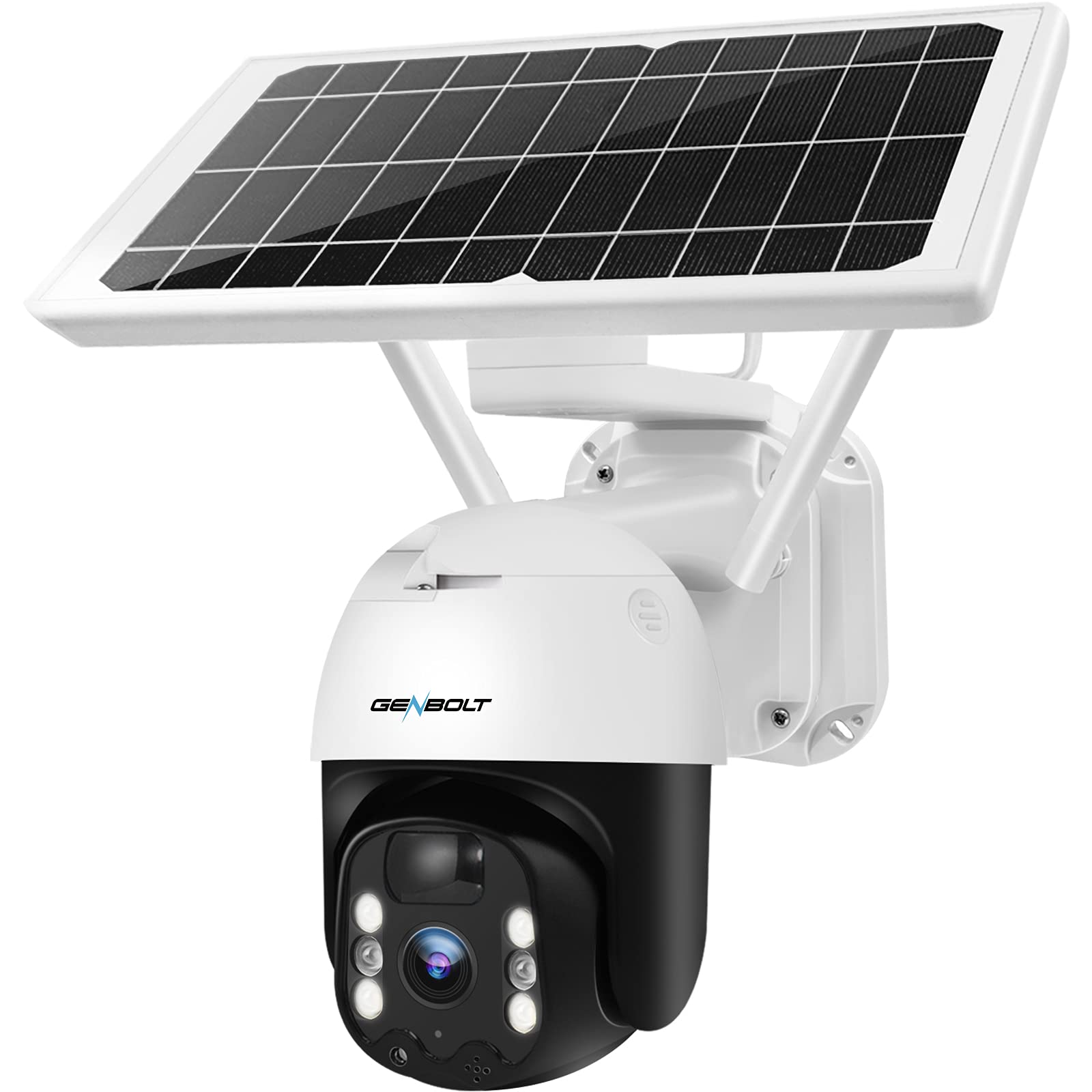
그림 4: GENBOLT GB217K camera with solar panel mounted.
작동 지침
1. 라이브 View 및 PTZ 제어
Open the GENBOLT PRO app on your smartphone. Select your camera to access the live view. Use the on-screen controls to pan (355° horizontally) and tilt (90° vertically) the camera lens to adjust the viewing angle. The camera provides a 120° wide-angle view.

그림 5: 살다 view and PTZ control via the GENBOLT PRO app.
2. 동작 감지 및 알림
The camera features an enhanced PIR sensor with humanoid detection. This system is designed to detect human movement and reduce false alarms from other sources. When motion is detected, the camera can:
- 스마트폰으로 즉시 알림을 보내세요.
- Activate the built-in spotlight to deter intruders.
- Begin recording video footage.
Adjust sensitivity settings within the GENBOLT PRO app to optimize detection for your environment.

그림 6: Enhanced PIR detection with humanoid recognition.
3. 야간 투시경
The camera supports 2K color night vision, providing clear, full-color images even in low-light conditions. It also has traditional IR night vision for situations where color is not needed or desired.
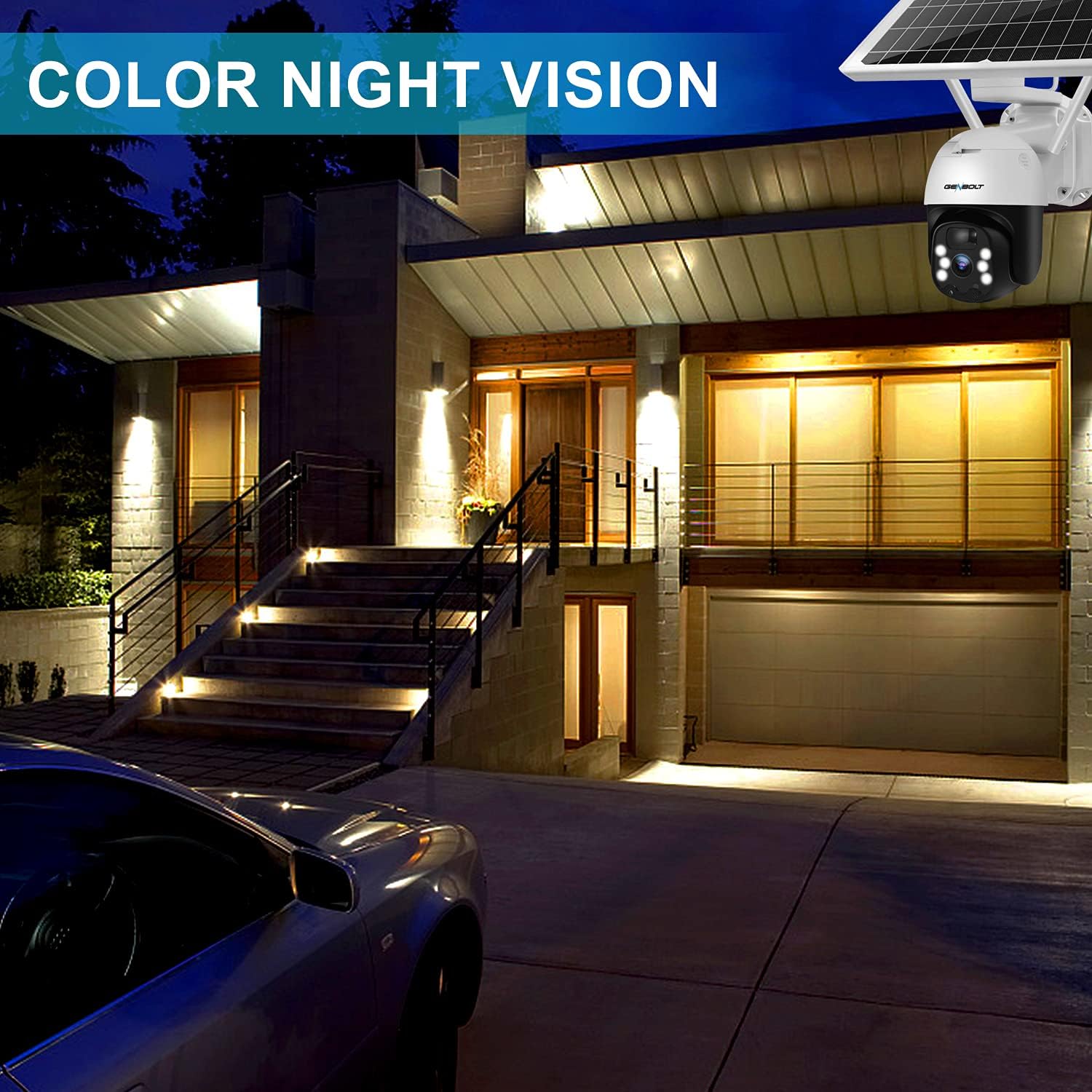
그림 7: Example of 2K color night vision.
4. 양방향 오디오
Utilize the two-way audio feature to communicate with visitors or deter unwanted guests. Tap the microphone icon in the app's live view to speak, and listen through the camera's built-in speaker.

그림 8: 양방향 오디오 통신.
5. 녹음 및 저장
The camera supports local storage via a Micro SD card (not included). Insert a Micro SD card into the designated slot (refer to Figure 1 for location). The camera will continue to record even if your Wi-Fi connection is temporarily unavailable.

그림 9: Camera continues recording to Micro SD card even without WiFi.
유지
- 렌즈 세척: 선명한 이미지를 유지하려면 주기적으로 부드럽고 마른 천으로 카메라 렌즈를 닦아주세요. 연마성 세척제 사용은 피하십시오.
- 태양광 패널 청소: Keep the solar panel free of dust, dirt, and debris to maintain optimal charging efficiency. Wipe it gently with a damp 필요에 따라 천을 사용하세요.
- 배터리 상태: The camera uses 15600mAh Lithium-ion batteries. While solar charging keeps them topped up, ensure the camera receives sufficient sunlight. If the camera is installed in a consistently shaded area, occasional manual charging via USB may be required.
- 펌웨어 업데이트: Check the GENBOLT PRO app regularly for available firmware updates to ensure your camera has the latest features and security enhancements.
문제 해결
| 문제 | 가능한 원인 | 해결책 |
|---|---|---|
| 카메라 전원이 켜지지 않습니다. | 배터리가 부족합니다. 전원 스위치를 끕니다. | Ensure the power switch is ON. Charge the camera fully using the USB cable. Verify the solar panel is receiving adequate sunlight. |
| Wi-Fi에 연결할 수 없습니다. | Incorrect Wi-Fi password; Camera too far from router; Only 5GHz Wi-Fi network available; Network issues. | Ensure correct 2.4GHz Wi-Fi password. Move camera closer to the router. Confirm your router supports 2.4GHz Wi-Fi. Restart your router and camera. If issues persist, try resetting the camera (refer to Figure 1 for reset button location) and re-pairing. |
| Micro SD card not recognized or recording stops. | SD card corrupted; Incorrect format; Card not inserted properly. | Remove and reinsert the Micro SD card. If the issue persists, remove the card and format it on a computer (FAT32 format recommended), then reinsert. Ensure the card is Class 10 or higher. |
| 잦은 오경보. | High PIR sensitivity; Environmental factors (e.g., moving branches, strong sunlight). | Adjust the PIR sensitivity settings in the GENBOLT PRO app. Utilize the humanoid detection feature. Ensure the camera is not pointed at areas with constant movement or direct sunlight that could trigger the sensor. |
| 이미지 품질이 좋지 않습니다. | 렌즈가 더럽습니다. 네트워크 대역폭이 낮습니다. | Clean the camera lens. Ensure a stable and strong Wi-Fi connection. |
명세서
| 특징 | 세부 사항 |
|---|---|
| 모델 번호 | GB217K |
| 비디오 해상도 | 3 MP (2304 x 1296 px @ 15 fps) |
| View잉 각도 | 120도 |
| 팬/틸트 범위 | 팬 355 °, 틸트 90 ° |
| 무선 연결 | Wi-Fi (2.4GHz) |
| 전원 | 태양광 발전 (7W 태양광 패널) |
| 배터리 용량 | 15600mAh (리튬 이온 배터리 2개 포함) |
| 내후성 | IP66 |
| 나이트 비전 | 컬러 야간 투시경, 적외선 야간 투시경 |
| 특별 기능 | PIR Humanoid Detection, Two-Way Audio, Spotlight Alarm |
| 재료 | 플라스틱 |
| 치수(길이 x 너비 x 높이) | 15 x 15 x 25cm (약 5.9 x 5.9 x 9.8인치) |
| 무게 | 2.05kg(약 4.5파운드) |
보증 및 지원
GENBOLT offers the following support for your product:
- 30일 교환: For product exchanges within 30 days of purchase.
- 1년 보증: Covers manufacturing defects for one year from the purchase date.
- 무료 기술 지원 : Available for all product-related inquiries.
연락처 정보:
- 이메일: uk@genbolt.com
- Local Support (Canada): +1 (778) 807-9710 (Monday - Friday, 5:30 AM to 10:30 AM PST)