
소개
Thank you for choosing the Newskill Manticore Gaming PC Case. This manual provides essential information for the proper installation, operation, and maintenance of your new PC chassis. Please read these instructions carefully before beginning the assembly process to ensure optimal performance and longevity of your components.
제품 끝view
The Newskill Manticore is an ATX mid-tower gaming PC case designed for high-performance builds. It features a mesh front panel for superior airflow, a tempered glass side panel to showcase your components, and four pre-installed 120mm ARGB fans for effective cooling and customizable aesthetics.
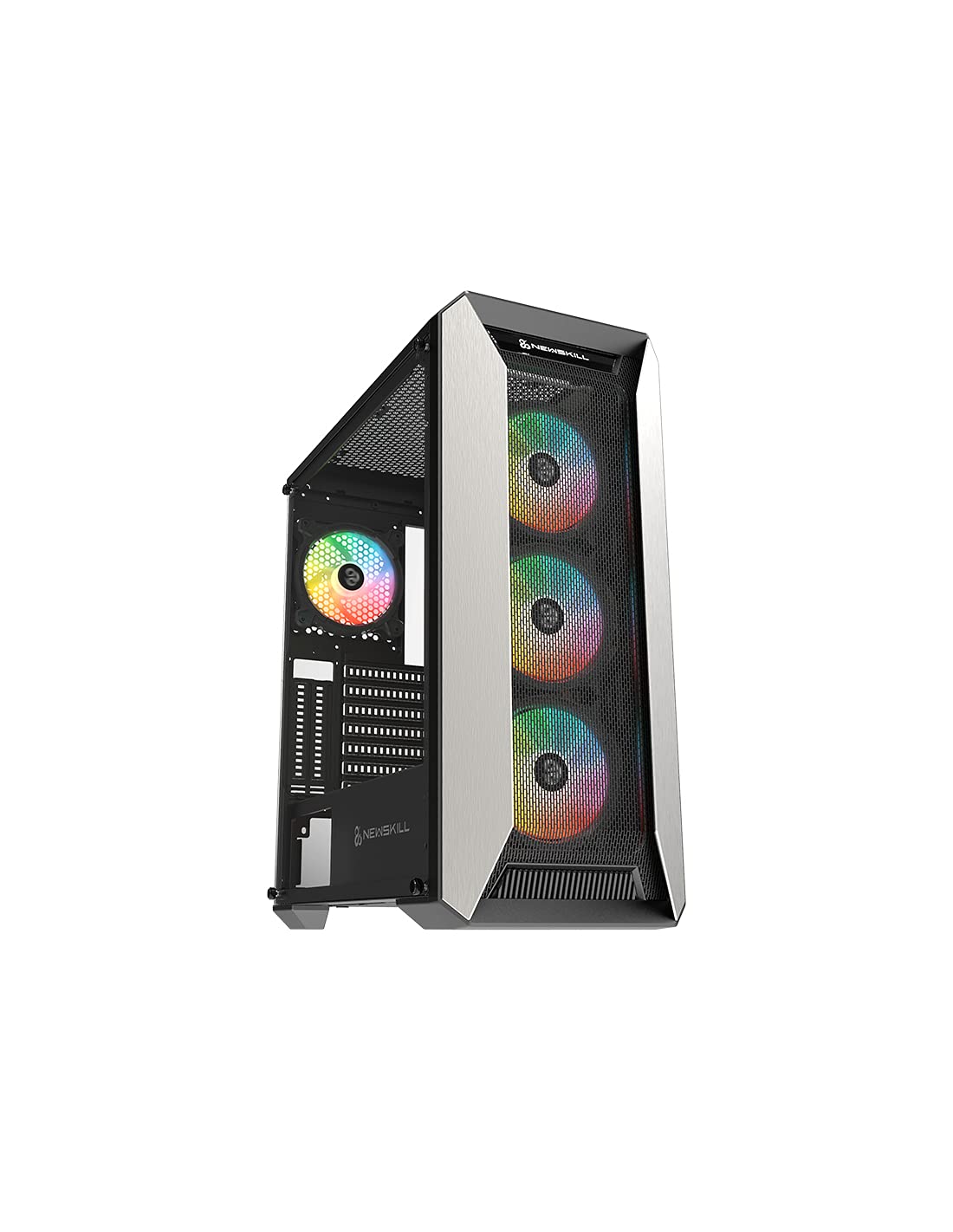
그림 1: 전면 view of the Newskill Manticore Gaming PC Case, highlighting the mesh front and tempered glass side panel.
주요 특징:
- ATX Mid-Tower compatibility
- Mesh front panel for optimized airflow
- 강화 유리 측면 패널
- Four pre-installed 120mm ARGB fans
- Two removable dust filters
- USB 3.0 connectivity on the front panel
설정 및 설치
1. 풀기
Carefully remove the PC case from its packaging. Inspect for any damage that may have occurred during shipping. Retain the packaging for future transport or warranty claims.
2. 구성 요소 식별
Before installation, familiarize yourself with the case components and included accessories:
- Newskill Manticore PC Case
- Accessory box (screws, cable ties, standoffs)
- 사용 설명서 (본 문서)
3. 마더보드 설치
- 엄지나사를 풀어 강화유리 측면 패널을 제거하세요.
- Install the necessary motherboard standoffs into the motherboard tray.
- Carefully place your ATX motherboard onto the standoffs, aligning the screw holes.
- 제공된 나사로 마더보드를 고정합니다.
4. 전원 공급 장치(PSU) 설치
- 케이스 뒷면 하단에서 PSU 장착 영역을 찾으세요.
- Slide your PSU into position from the rear of the case.
- Secure the PSU with screws from the exterior rear of the case.
5. 저장 드라이브 설치
The case supports various storage configurations. Refer to your specific drive type for mounting instructions (e.g., 2.5" SSDs, 3.5" HDDs).
6. 그래픽 카드 및 확장 카드 설치
Remove the necessary PCIe slot covers and install your graphics card or other expansion cards, securing them with screws.
7. 전면 패널 연결
Connect the front panel cables (USB 3.0, HD Audio, Power Switch, Reset Switch, Power LED, HDD LED) to the corresponding headers on your motherboard. Consult your motherboard manual for exact pin layouts.
8. 케이블 관리
마더보드 트레이 뒤쪽의 케이블 라우팅 컷아웃과 고정 지점을 활용하여 케이블을 정리하세요. 이렇게 하면 공기 흐름이 원활해지고 외관도 깔끔해집니다.
작동 지침
전원 켜기/끄기
Press the power button located on the top panel of the case to turn on your system. To shut down, use the operating system's power-off function or press and hold the power button for several seconds for a forced shutdown (not recommended for regular use).
ARGB 조명 제어
The pre-installed ARGB fans can be controlled via your motherboard's ARGB software (if compatible) or a dedicated ARGB controller (if included or purchased separately). Refer to your motherboard or controller manual for specific instructions on changing lighting effects and colors.
유지
먼지 필터 청소
The Newskill Manticore includes two removable dust filters (typically located on the top and bottom/front). Regularly clean these filters to maintain optimal airflow and prevent dust buildup inside your PC. Gently slide them out, clean with water and mild soap, or use a vacuum cleaner, and ensure they are completely dry before re-inserting.
외부 청소
부드러운 d로 외부 표면을 닦으십시오.amp 천을 사용하십시오. 마감재나 강화유리를 손상시킬 수 있는 연마성 세척제나 용제는 사용하지 마십시오.
문제 해결
전원이 없습니다
- PSU가 벽면 콘센트에 제대로 연결되어 있고 전원이 켜져 있는지 확인하세요.
- 파워서플라이의 모든 전원 케이블이 마더보드 및 구성 요소에 올바르게 연결되어 있는지 확인하십시오.
- 전면 패널 전원 스위치와 마더보드의 연결 상태를 확인하십시오.
팬이 회전하지 않음 / ARGB 조명이 켜지지 않음
- Confirm fan power cables are securely connected to the motherboard or fan controller.
- Check ARGB connections to the motherboard's ARGB header or dedicated controller.
- Ensure ARGB software or controller settings are correctly configured.
Poor Airflow / Overheating
- 먼지 필터를 정기적으로 청소하세요.
- Ensure no obstructions are blocking air intake or exhaust vents.
- Verify all fans are spinning correctly and oriented for optimal airflow.
For further assistance, please contact Newskill support.
명세서
| 특징 | 세부 사항 |
|---|---|
| 모델명 | 맨티코어 |
| 모델 번호 | 1102 |
| 케이스 유형 | 미드 타워 |
| 마더보드 호환성 | 에이티엑스 |
| 치수(길이 x 너비 x 높이) | 60 x 60 x 85cm |
| 무게 | 1kg |
| 재료 | 강화 유리, 금속 |
| 냉각 방식 | Air (4x 120mm ARGB fans included) |
| 전면 I / O 포트 | USB 3.0, Audio Jacks, Power, Reset |
| 먼지 필터 | 2 (탈착식) |
| 권장 사용 | 노름 |
보증 정보
The Newskill Manticore PC Case comes with a 2년 제조사 보증. This warranty covers defects in materials and workmanship under normal use. It does not cover damage caused by misuse, accident, modification, or unauthorized repair. Please retain your proof of purchase for warranty claims.
지원 및 연락처
For technical support, troubleshooting assistance, or warranty inquiries, please visit the official Newskill website or contact their customer service department. You can find contact information on the Newskill web대지: www.newskillgaming.com