
Nextbase NBDVR222XRWC
Nextbase 222XR 대시캠 사용 설명서
Model: NBDVR222XRWC
브랜드: 넥스트베이스
1. 서론
This manual provides detailed instructions for the installation, operation, and maintenance of your Nextbase 222XR Dash Cam. This device is designed to record high-definition video of your journeys, offering enhanced security and peace of mind on the road. Please read this manual thoroughly before using the product to ensure proper functionality and safety.
2. 안전 정보
- Ensure the dash cam is installed in a position that does not obstruct the driver's view of the road or interfere with the operation of vehicle controls.
- 운전 중에는 블랙박스를 조작하지 마십시오. 설정을 조정하거나 재설정하십시오.view 푸tag차량이 안전하게 주차된 경우에만 가능합니다.
- 기기를 극한의 온도, 장시간 직사광선 또는 과도한 습기에 노출시키지 마세요.
- Use only the power cable and accessories supplied with the dash cam. Using unauthorized accessories may damage the device and void the warranty.
- 선명한 영상 촬영을 위해 렌즈를 깨끗하게 유지하십시오.
3. 패키지 내용
The Nextbase 222XR Dash Cam package includes the following items:
- Nextbase 222XR Dash Cam (Front Camera)
- Rear Wired Window Camera
- 6m cable for Rear Wired Window Camera connection
- Click&Go PRO Mount
- 전원 케이블 (차량용 12V 소켓용)
- Memory Card (as per product specifications, though some listings may vary)
Note: A Nextbase 128GB SD Card is recommended for optimal performance, but not always included in the standard package.
4. 제품 오버view
The Nextbase 222XR is a comprehensive dash cam system designed for all-round vehicle protection.

The Nextbase 222XR system, featuring the main front dash cam and the compact rear camera.

Connect & Go: Easily connect your dash cam with the 6.5m cable, designed to be hidden for a tidy installation.

1080p 30 FPS Recording: Records in Full HD with a 140-degree viewing angle, capturing pavements and road signs clearly.
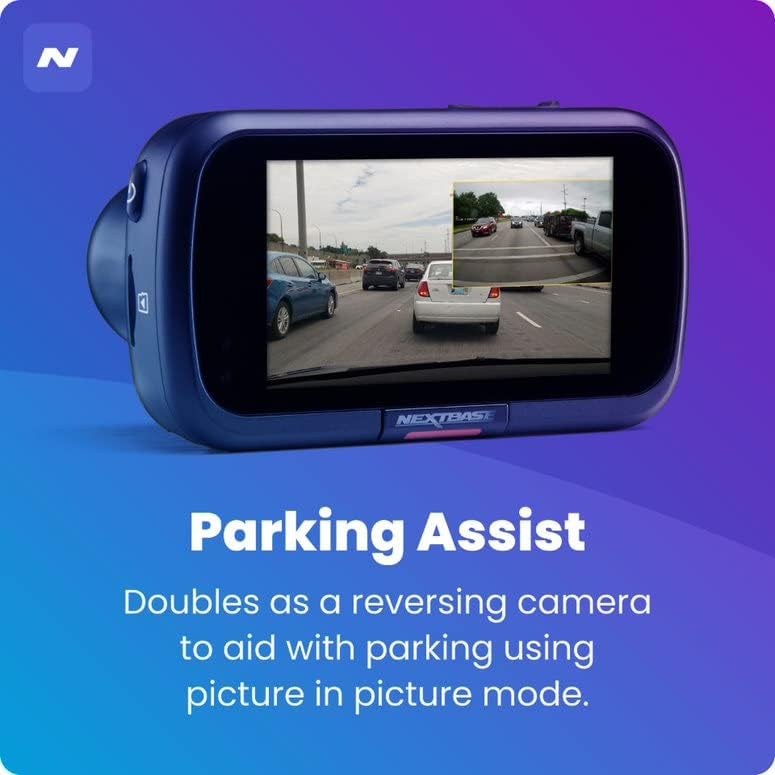
주차 보조 기능: The rear camera doubles as a reversing camera, aiding with parking using picture-in-picture mode.
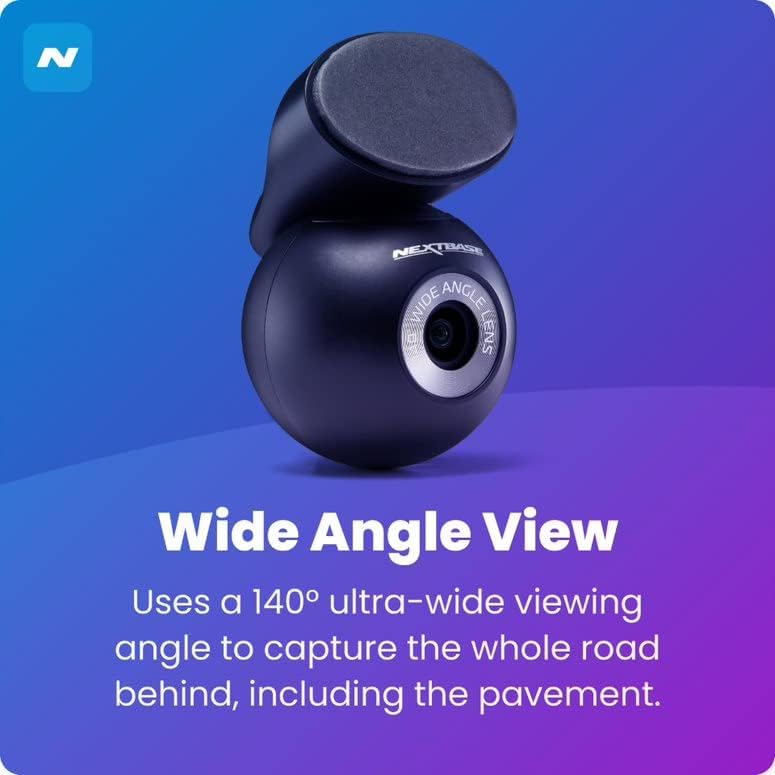
와이드 앵글 View: The rear camera uses a 140-degree ultra-wide viewing angle to capture the entire road behind, including the pavement.
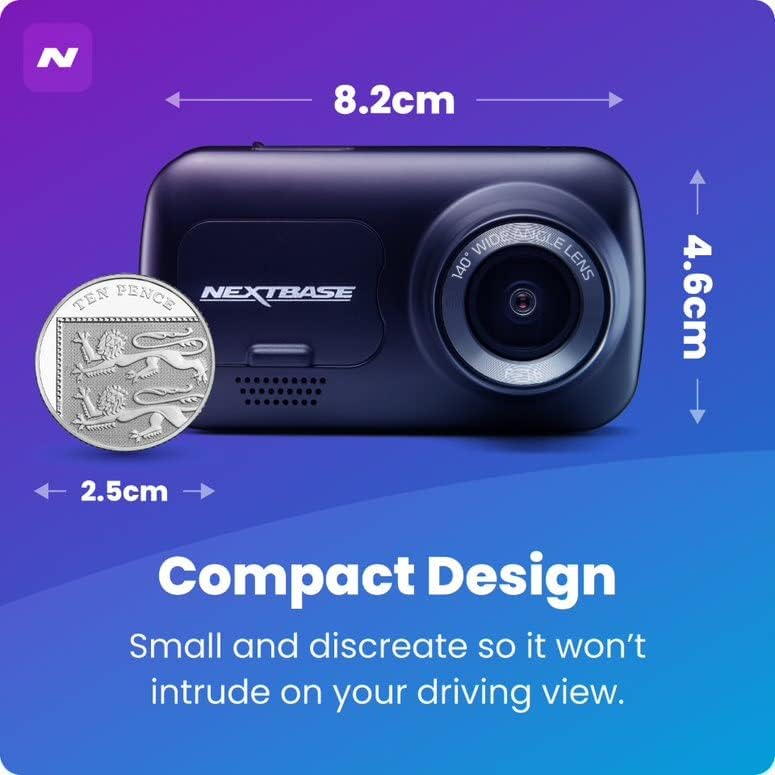
컴팩트한 디자인: Small and discreet, ensuring it does not intrude on your driving view.

Intelligent Parking Mode: Records any bump or physical movement on the vehicle when left unattended. Requires Nextbase Hardwire Kit (sold separately).

Click&Go PRO: Exclusive mount clips on and charges your dash cam via magnetic connection for easy removal and reattachment.
5. 설정
설치 가이드
For a visual guide on installing your Nextbase Dash Cam, please refer to the official fitting video below:
Official Nextbase Fitting Video: This video demonstrates the step-by-step process for installing your Nextbase Dash Cam, including mounting and cable management.
초기 설정 단계:
- 앞유리를 준비하세요: Clean the area where the mount will be attached using the provided wet and dry wipes to ensure a strong adhesive bond.
- Attach Mount to Dash Cam: Connect the Click&Go PRO mount to the dash cam. The strong magnet will hold it securely in place.
- Position the Dash Cam: Temporarily position the dash cam on the windscreen to find an optimal location. Ensure the 'Protect' button is accessible and the driver's view is not obstructed. Note the exact position.
- Attach 3M Pad: Remove the protective film from the 3M adhesive pad on the mount. Align the keyway on the pad to the bottom left-hand side. Push the pad firmly towards the windscreen for 5-10 seconds to ensure maximum contact.
- 전원 연결: Connect the USB power cable to the mount.
- 마운트 대시캠: Slide the dash cam onto the mount until it clicks into place. Ensure it is correctly positioned and powers on.
- 후방 카메라 설치: Attach the bespoke Rear Wired Window Camera to the main unit via the supplied 6m cable. Position it on the rear window for optimal rear view 녹음.
- SD 카드 삽입: Insert a compatible Micro SD card (Class 10 or U1, up to 128GB recommended) into the dash cam's slot.
6. 사용 설명서
기본 작업:
- 자동 녹음: The dash cam will automatically power on and begin recording when connected to a power source and the vehicle ignition is turned on.
- 루프 녹음: The device features automatic loop recording, which continuously records video. When the memory card is full, the oldest file새로운 녹음을 위한 공간을 확보하기 위해 s가 덮어씌워집니다.
- File 보호: In the event of an impact or sudden braking, the G-sensor will automatically lock the current recording, preventing it from being overwritten. You can also manually protect a file by pressing the 'Protect' button during recording.
- 주차 모드: When enabled, the Intelligent Parking Mode will automatically start recording if any physical movement or impact is detected while your vehicle is parked and the ignition is off.
- MyNextbase Cloud & Player: Utilize the MyNextbase Cloud for free storage of your important footage and the MyNextbase Player software for easy playback and management of your recordings on a computer.
7. 유지관리
- 청소: Regularly clean the dash cam's lens and screen with a soft, lint-free cloth. Do not use abrasive cleaners or solvents.
- SD 카드 관리 : Format your Micro SD card regularly (e.g., monthly) within the dash cam's settings to maintain optimal performance and prevent data corruption. Always use a high-quality, branded Class 10 or U1 Micro SD card.
- 펌웨어 업데이트: Check the Nextbase web펌웨어 업데이트를 위해 정기적으로 웹사이트를 방문하세요. 블랙박스 펌웨어를 최신 상태로 유지하면 최신 기능과 버그 수정 사항을 이용할 수 있습니다.
- 케이블 검사: Periodically inspect all cables for any signs of wear or damage. Replace damaged cables immediately to prevent malfunction or safety hazards.
8. 문제 해결
| 문제 | 가능한 원인 | 해결책 |
|---|---|---|
| 대시캠 전원이 켜지지 않습니다. | 전원 공급 안 됨; 케이블 불량; 연결 불량. | Check power cable connection to the vehicle's 12V socket and the dash cam. Ensure the vehicle's ignition is on. Try a different power source if available. |
| Recordings are not saving or are being deleted unexpectedly. | SD card issue (not compatible, full, corrupted); loop recording settings. | Ensure you are using a compatible Class 10 or U1 Micro SD card. Format the SD card within the dash cam's settings. If issues persist, try a new Nextbase branded SD card. |
| 영상 품질이 좋지 않거나 흐릿합니다. | 렌즈가 더럽습니다. 렌즈에 보호 필름이 여전히 붙어 있습니다. 해상도 설정이 잘못되었습니다. | Clean the lens with a soft cloth. Check if any protective film remains on the lens. Verify video resolution settings in the menu. |
| 블랙박스가 멈추거나 응답하지 않습니다. | Software glitch; SD card issue. | Perform a soft reset (refer to device manual for specific button combination). Format or replace the SD card. Update firmware if available. |
9. 사양
- 제품 크기: 1.85 x 3.27 x 2.05 인치
- 품목 무게: 14.1 온스
- 모델 이름: 222XR
- 배터리: 1 리튬 이온 배터리 필요
- 연결 기술: USB
- 특별 기능: Compact Design, Parking Mode, Night Vision, Automatic Loop Recording, File 보호
- 색상: 검은색
- 비디오 캡처 해상도: 1080p(전면), 720p(후면)
- 장착 유형: Magnetic Mount (Click&Go PRO)
- 최대 SD 카드 지원 용량: Up to 128GB Micro SD cards
10. 보증 및 지원
Nextbase products are designed for reliability and durability. For specific warranty information, please refer to the documentation included with your product or visit the official Nextbase web대지.
보장 범위를 확대하기 위한 선택적 보호 플랜이 제공될 수 있습니다.
- 2년 보호 계획
- 3년 보호 계획
- Complete Protect(월간 플랜)
For technical support, troubleshooting assistance, or to inquire about replacement parts, please contact Nextbase customer service through their official channels. Always provide your product model number (NBDVR222XRWC) when seeking support.
Ask a question about this manual
Ask about setup, troubleshooting, compatibility, parts, safety, or missing instructions. Manuals+ will review the question and use this page’s manual context to help answer it.