
1. 제품 오버view
The Ultimaxx Medium Aluminum Hard Case (Model: UM-ALHC-M) is designed to provide robust protection for sensitive equipment such as DSLR cameras, camcorders, drones, and accessories. Its durable construction and customizable interior ensure your gear remains secure during travel and storage.
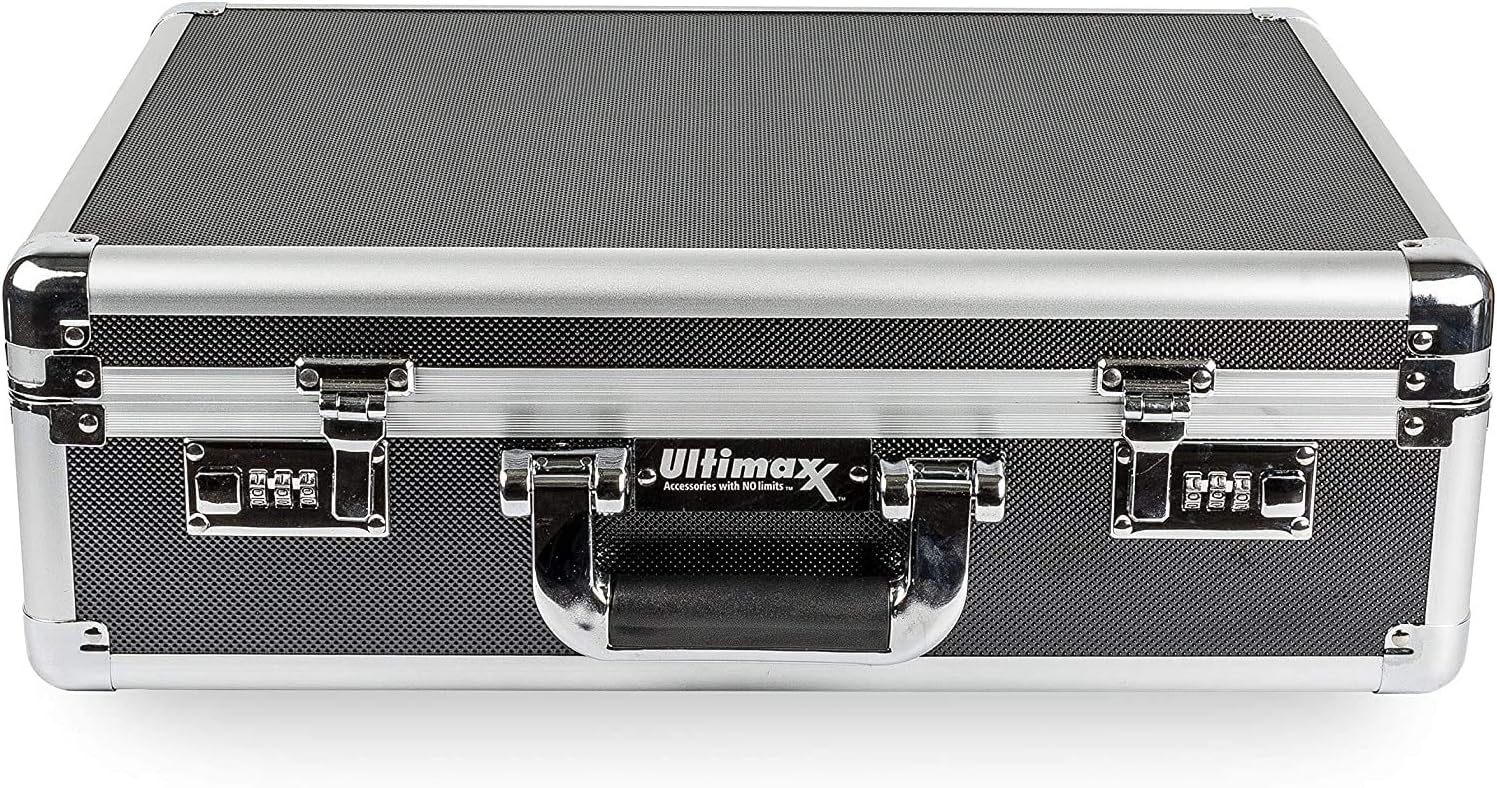
그림 1: 전면 view of the Ultimaxx Medium Aluminum Hard Case.
2. 주요 특징
- Protective Exterior: Constructed with an aluminum hard-shell exterior, this case offers superior protection against water, UV radiation, solvents, corrosion, and impact damage.
- 강화된 보안: Features water-tight compression latches and an integrated slide lock to keep the case securely closed. A dual combination lock system provides customizable security for your valuables.
- 적응형 인테리어: The interior is equipped with two layers of customizable, removable foam inserts. Each layer consists of pre-cut foam squares that can be configured to precisely fit your equipment. The lid features wave-shaped foam for additional cushioning.
- 다양한 호환성: Ideal for protecting a wide range of equipment including drones (such as DJI Mavic models), DSLR cameras, camcorders, handheld gimbal stabilizers, extra batteries, action cameras, adapters, cables, remotes, lens filters, and hoods.
- 휴대성: Includes a removable and adjustable shoulder strap for convenient transport.

Figure 2: Key features of the Ultimaxx Hard Case.
3. 설정 지침
3.1 Customizing the Foam Interior
The case features two layers of pre-cut foam inserts that allow for precise customization to fit your specific equipment. This ensures a snug and protective fit, preventing movement and damage during transport.
- Open the case by disengaging the latches and slide locks.
- Carefully place your equipment (e.g., camera, drone, lenses) onto the foam layer, arranging them as desired.
- Using a marker or by gently pressing, outline the shape of each item on the foam.
- Carefully pluck out the pre-cut foam squares within the outlined areas. Start with smaller sections and remove more as needed to achieve a perfect fit.
- Repeat the process for the second foam layer if your equipment requires deeper compartments.
- Ensure the lid foam (wave-shaped) makes contact with your equipment when the case is closed, providing additional top-down protection.

Figure 3: Customizing the foam interior with pick and pluck foam.

그림 4: 예ample of equipment organized within the customized foam.
3.2 조합 자물쇠 설정
The case is equipped with a dual combination lock system. Follow these steps to set your personal combination:
- Ensure the lock is set to the default combination (usually 0-0-0).
- With the lock open, locate the small reset button or lever on the side or bottom of the lock mechanism.
- Use a pen or a pointed object to press and hold the reset button/lever.
- 재설정 버튼/레버를 누른 상태에서 다이얼을 돌려 원하는 3자리 숫자 조합을 설정하세요.
- 리셋 버튼/레버에서 손을 떼세요. 이제 새로운 비밀번호가 설정되었습니다.
- Test the new combination by scrambling the dials and then entering your set combination to ensure it opens.

Figure 5: Detail of the combination lock.
4. 케이스 작동
4.1 시작과 끝
- To open: Ensure the combination locks are set to the correct code. Slide the integrated slide locks outwards to release the latches. Lift the latches to open the case.
- To close: Align the lid with the base. Press down firmly until the latches engage. Slide the integrated slide locks inwards to secure the latches. Scramble the combination dials to lock the case.
4.2 어깨끈 사용하기
The included shoulder strap can be attached to the D-rings on the sides of the case for hands-free carrying. The strap is adjustable to suit your preferred length.
- 케이스 양쪽에 있는 D링을 찾으세요.
- Attach the clips of the shoulder strap to the D-rings.
- 버클을 사용하여 스트랩 길이를 조절하여 편안하게 휴대하세요.
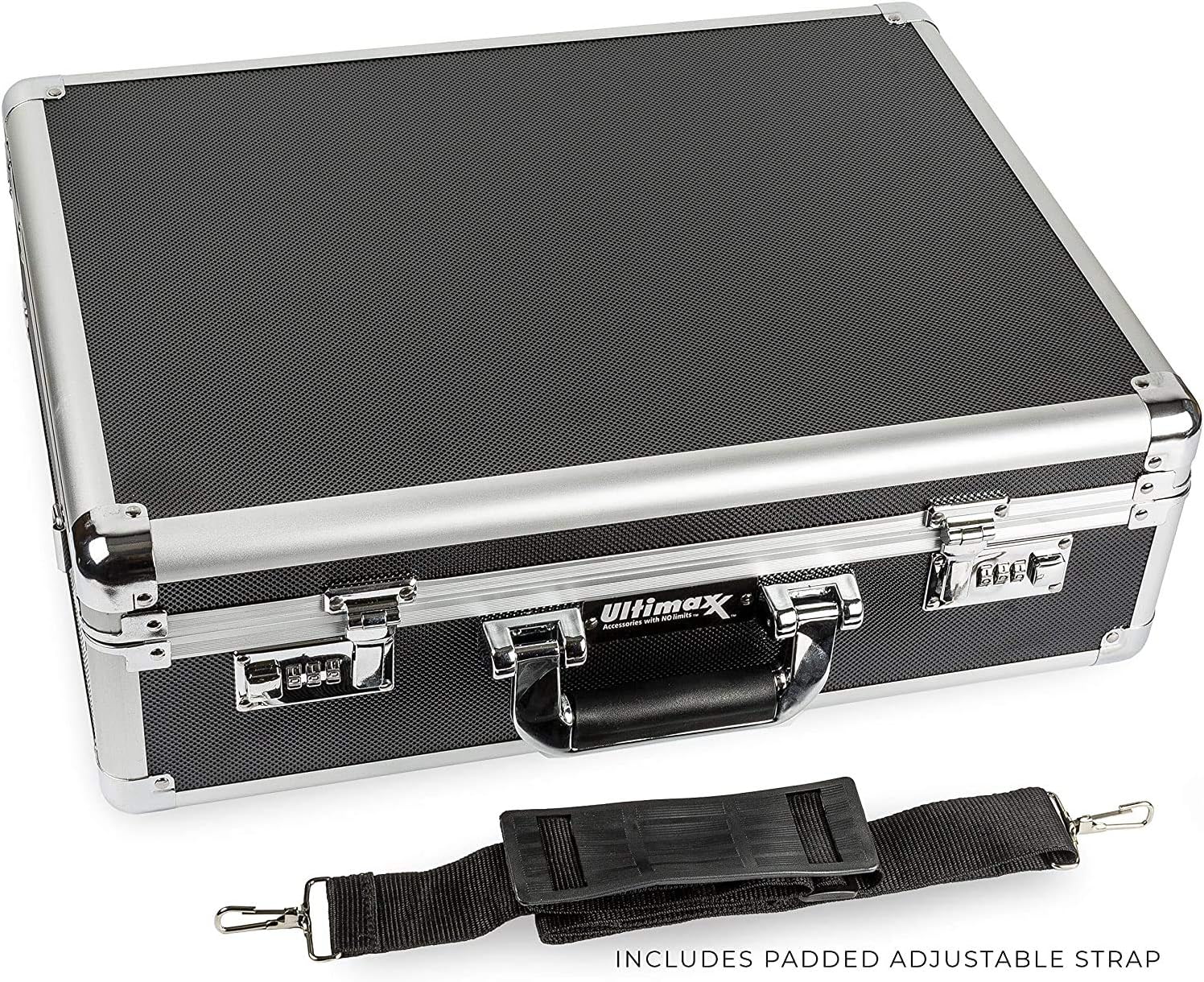
Figure 6: Case with attached shoulder strap.
5. 유지관리
Proper maintenance ensures the longevity and continued protective capabilities of your Ultimaxx Hard Case.
- 외부 청소: Wipe the aluminum exterior with a soft, damp cloth. For stubborn dirt, a mild soap solution can be used. Avoid abrasive cleaners or solvents that may damage the finish.
- 내부 청소 : The foam inserts can be gently vacuumed to remove dust and debris. If necessary, they can be spot cleaned with a damp cloth and mild detergent, then allowed to air dry completely before reinserting into the case.
- 잠금 유지 관리: Periodically check the combination locks and latches for smooth operation. Apply a small amount of silicone lubricant if any stiffness is observed.
- 저장: 사용하지 않을 때는 케이스를 직사광선을 피해 서늘하고 건조한 곳에 보관하십시오.
6. 문제 해결
- 조합 자물쇠가 열리지 않음: Double-check that you are entering the correct 3-digit combination. Ensure the dials are precisely aligned with the indicator marks. If you have forgotten your combination, there is no universal reset; you may need to try all 1000 combinations (000-999) or contact customer support for assistance.
- 잠금장치가 뻑뻑하게 잠기는 현상: If the latches are difficult to open or close, ensure no debris is obstructing the mechanism. A small amount of silicone lubricant applied to the moving parts may help.
- Foam Not Fitting Equipment: Re-evaluate your foam customization. Ensure enough foam has been removed for a snug fit without being overly tight, which could compress equipment. If too much foam was removed, small pieces can sometimes be reinserted or new foam purchased.
7. 사양
| 특징 | 세부 사항 |
|---|---|
| 모델 번호 | UM-ALHC-M |
| 외형 치수 | 14 x 18.5 x 6 인치 |
| 내부 치수 | 가로 18인치 x 세로 13.5인치 x 높이 4인치 |
| 품목 무게 | 6.49파운드 |
| 재료 | Aluminum (exterior), Foam (interior) |
| 보안 | Dual Combination Lock System, Integrated Slide Locks |
| 제조업체 | 얼티맥스 |

Figure 7: Exterior measurements of the case.
8. 제품 비디오
Video 1: This video demonstrates the Ultimaxx Medium Aluminum Hard Case, showcasing its features such as the protective exterior, customizable foam interior, and dual combination lock system. It illustrates how to place and secure various equipment like drones, cameras, and camcorders, and highlights the portability with the included shoulder strap.
9. 보증 및 지원
For information regarding the product warranty, please refer to the documentation provided at the time of purchase or contact Ultimaxx customer support directly. Support contact details can typically be found on the manufacturer's official web사이트나 소매업체를 통해 구매하세요.