
1. 서론
구매해주셔서 감사합니다asing the Generic B10 Hi-Fi Stereo Wireless Bluetooth Over-Ear Headphones. This manual provides essential information for the safe and efficient operation of your device. Please read it thoroughly before use and retain it for future reference.
2. 제품 오버view
The B10 headphones offer versatile audio playback options, including wireless Bluetooth connectivity, an integrated SD card reader, FM radio, and a wired audio input. They feature an over-ear design for comfort and include a built-in microphone for hands-free calls.
패키지 내용:
- Generic B10 Over-Ear Headphones
- USB 충전 케이블
- 3.5mm 오디오 케이블
- 사용자 설명서
Headphone Diagram:
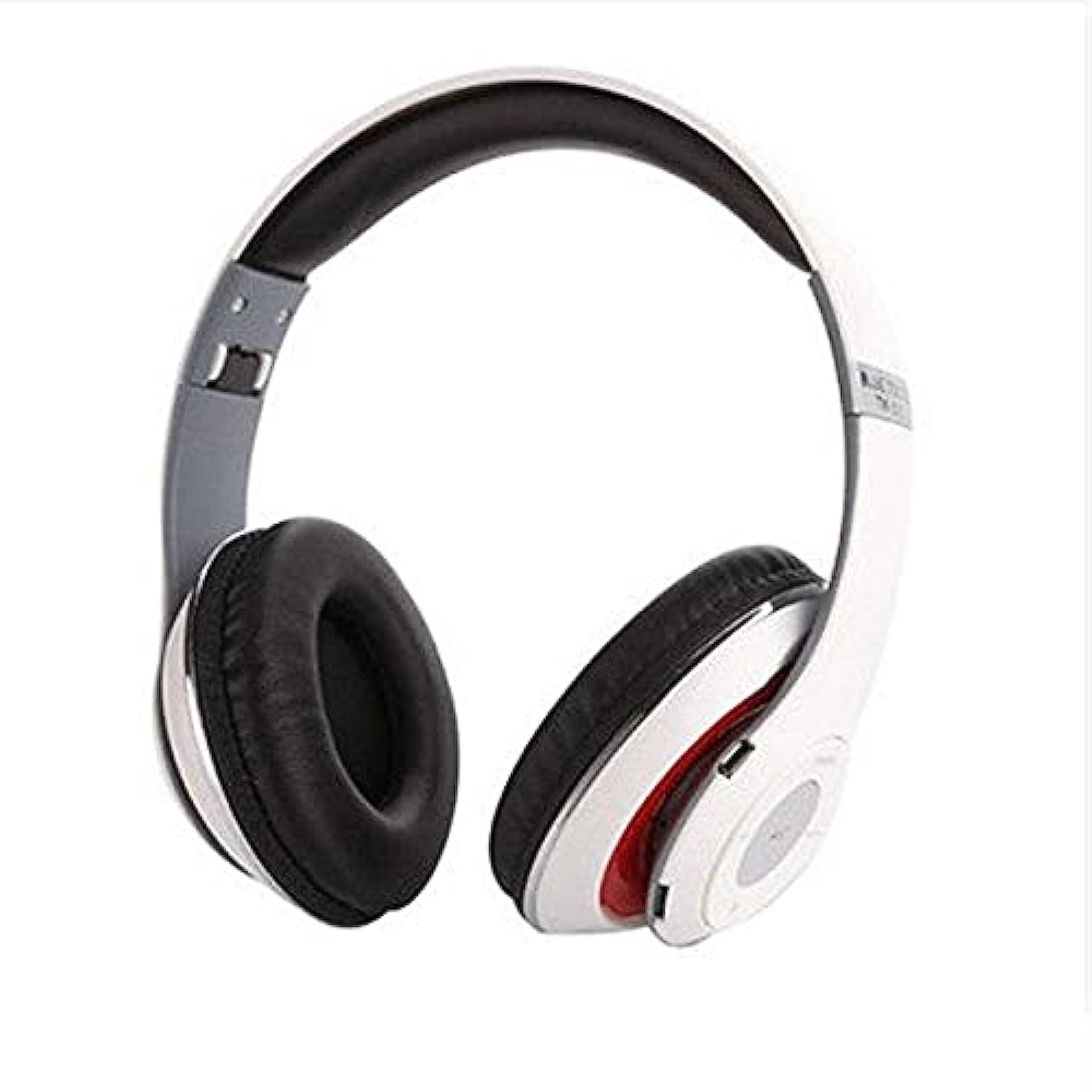
Image: The Generic B10 Over-Ear Headphones, featuring the adjustable headband, cushioned earcups, and visible control buttons on one earcup.
주요 특징:
- 무선 블루투스 연결
- Built-in SD Card Reader for MP3 Playback
- 내장형 FM 라디오 튜너
- Wired Audio Input (3.5mm AUX)
- 핸즈프리 통화를 위한 내장 마이크
- 소음 차단
- Over-Ear Design for Comfort
3. 설정
3.1. 헤드폰 충전
- USB 충전 케이블의 작은 끝을 헤드폰의 충전 포트에 연결합니다.
- USB 충전 케이블의 큰 쪽 끝을 USB 전원 어댑터(포함되지 않음)나 컴퓨터의 USB 포트에 연결합니다.
- The LED indicator will illuminate, typically red, during charging.
- Once fully charged, the LED indicator will change color or turn off (refer to specific LED behavior in the specifications).
- 충전 케이블을 분리합니다.
메모: 최적의 배터리 수명을 위해 처음 사용하기 전에 헤드폰을 완전히 충전하십시오.
3.2. 전원 켜기 / 끄기
- 전원을 켜려면: Press and hold the Power/Multi-function button for approximately 3-5 seconds until the LED indicator flashes and an audible prompt is heard.
- 전원을 끄려면: Press and hold the Power/Multi-function button for approximately 3-5 seconds until the LED indicator turns off and an audible prompt is heard.
4. 사용 설명서
4.1. 블루투스 페어링
- 헤드폰의 전원이 꺼져 있는지 확인하십시오.
- Press and hold the Power/Multi-function button for about 5-7 seconds until the LED indicator flashes red and blue alternately, indicating pairing mode.
- 장치(스마트폰, 태블릿, 컴퓨터)에서 Bluetooth를 활성화합니다.
- 검색 available Bluetooth devices. The headphones will appear as "B10" or a similar name.
- Select "B10" to connect. Once paired, the LED indicator will typically flash blue slowly, and an audible confirmation will be heard.
- 비밀번호를 입력하라는 메시지가 나타나면 "0000"을 입력하세요.
4.2. SD 카드 재생
- MP3 오디오가 저장된 microSD 카드(TF 카드)를 삽입하세요. files into the SD card slot on the headphones. Ensure the card is inserted correctly until it clicks into place.
- The headphones will automatically switch to MP3 mode and begin playing music from the SD card.
- Use the 'Next Track' and 'Previous Track' buttons to navigate songs.
- '재생/일시정지' 버튼을 눌러 재생을 일시정지하거나 다시 시작하세요.
4.3. FM 라디오 모드
- With the headphones powered on, press the 'Mode' button to switch to FM Radio mode.
- Press the 'Play/Pause' button once to automatically scan and save available FM stations. This process may take a few minutes.
- Use the 'Next Track' and 'Previous Track' buttons to switch between saved FM stations.
4.4. Wired Audio Mode (AUX)
- Connect one end of the 3.5mm audio cable to the AUX input port on the headphones.
- Connect the other end of the 3.5mm audio cable to the audio output jack of your device (e.g., smartphone, computer, MP3 player).
- 헤드폰은 자동으로 유선 모드로 전환됩니다.
- 메모: In wired mode, the headphone controls (volume, track, play/pause) may not function. Control playback directly from your connected device.
4.5. 함수 호출
- 전화 받기: 전원/다기능 버튼을 한 번 누르세요.
- 통화 종료: 통화 중에 전원/다기능 버튼을 한 번 누르세요.
- 전화 거부: Press and hold the Power/Multi-function button for approximately 2 seconds.
- 마지막 번호 재다이얼: 전원/다기능 버튼을 두 번 누릅니다.
4.6. 일반 통제
| 단추 | 기능 |
|---|---|
| 전력/다기능 | Power On/Off, Play/Pause, Answer/End/Reject Call, Redial |
| 볼륨 + / 다음 트랙 | Short press: Next Track/Station; Long press: Volume Up |
| 볼륨 - / 이전 트랙 | Short press: Previous Track/Station; Long press: Volume Down |
| 모드(M) | Switch between Bluetooth, SD Card, and FM Radio modes |
5. 유지관리
- 부드럽고 마른 천으로 헤드폰을 닦으세요. 연마성 세제나 용제를 사용하지 마세요.
- 헤드폰을 극한의 온도, 습도 또는 직사광선에 노출시키지 마세요.
- 헤드폰을 사용하지 않을 때는 서늘하고 건조한 곳에 보관하십시오.
- 헤드폰을 분해하거나 개조하려고 하지 마십시오. 그럴 경우 보증이 무효화되고 손상이 발생할 수 있습니다.
6. 문제 해결
| 문제 | 가능한 해결책 |
|---|---|
| 헤드폰의 전원이 켜지지 않습니다. | 배터리가 충전되어 있는지 확인하세요. USB 케이블을 사용하여 전원에 연결하세요. |
| 블루투스로 페어링할 수 없습니다. | Ensure headphones are in pairing mode (flashing red/blue). Turn off and on Bluetooth on your device. Move closer to the headphones. |
| 헤드폰에서 소리가 나지 않습니다. | Check volume levels on both headphones and connected device. Ensure headphones are correctly paired or connected via AUX cable. Check if the correct mode (Bluetooth, SD, FM) is selected. |
| SD card music not playing. | Ensure the SD card is inserted correctly and contains compatible MP3 files. Press the 'Mode' button to switch to SD card mode. |
| FM 라디오가 작동하지 않습니다. | Ensure you are in FM mode. Perform an auto-scan for stations by pressing the Play/Pause button. Try in a location with better signal. |
7. 사양
| 특징 | 세부 사항 |
|---|---|
| 상표 | 일반적인 |
| 모델 번호 | B10 |
| 색상 | 하얀색 |
| 연결 기술 | 유선/무선(블루투스) |
| 귀 위치 | 오버이어 |
| 폼 팩터 | 오버이어 |
| 소음 제어 | 소음 차단 |
| 마이크로폰 | 예 |
| 배터리 | Rechargeable (Included) |
| 호환 장치 | All devices with Bluetooth or 3.5mm audio output |
| 특별 기능 | 소음 제거 기능, 마이크 내장 |
| 제어 유형 | 볼륨 조절 |
| 제어 방법 | 터치(버튼) |
| 방수 레벨 | 방수가 되지 않음 |
8. 안전 정보
- 청력 손상을 방지하기 위해 장시간 높은 볼륨으로 헤드폰을 사용하지 마십시오.
- 운전 중, 자전거를 타는 중 또는 주변 소리를 들어야 하는 상황에서는 헤드폰을 사용하지 마십시오.
- 헤드폰을 물, 습기, 극한 온도로부터 멀리하세요.
- Dispose of the battery according to local regulations. Do not expose to fire or extreme heat.
- 어린이의 손이 닿지 않는 곳에 보관하세요.
9. 보증 및 지원
This product comes with a standard manufacturer's warranty. For warranty claims or technical support, please refer to the contact information provided at your point of purchase. Keep your proof of purchase for warranty validation.