
OnePlus GM1917
원플러스 7 프로 듀얼 SIM 스마트폰 사용 설명서 (모델 GM1917)
Your comprehensive guide to the OnePlus 7 Pro
1. 서론
The OnePlus 7 Pro (Model GM1917) is a high-performance smartphone designed to deliver a smooth and immersive user experience. It features a 6.67-inch Fluid AMOLED display with a 90 Hz refresh rate and QHD+ resolution, offering exceptional clarity and fluidity. The device is equipped with a versatile camera system, including a 48 MP main camera, an ultra-wide-angle lens, and 3x optical zoom, enhanced by smart scene recognition and Nightscape 2.0 technology. This manual provides essential information for setting up, operating, and maintaining your OnePlus 7 Pro.

그림 1: 전면 view of the OnePlus 7 Pro smartphone.
2. 초기 설정
2.1. 패키지 내용
계속하기 전에 패키지에 모든 품목이 들어 있는지 확인하세요.
- OnePlus 7 Pro Smartphone (Model GM1917)
- 전원 어댑터
- USB Type-C 케이블
- SIM 이젝터 도구
- 빠른 시작 가이드
- 안전 정보
2.2. SIM 카드 삽입
- 기기 측면에서 SIM 카드 트레이를 찾으세요.
- Insert the SIM ejector tool into the small hole on the tray and press firmly until the tray ejects.
- Place your Nano-SIM cards into the tray with the gold contacts facing down. The OnePlus 7 Pro supports Dual SIM functionality.
- 트레이를 장치에 조심스럽게 다시 삽입합니다.
2.3. 전원 켜기 및 초기 구성
- OnePlus 로고가 나타날 때까지 전원 버튼(오른쪽에 위치)을 길게 누르세요.
- 화면의 안내에 따라 언어를 선택하고, Wi-Fi 네트워크에 연결하고, Google 계정을 설정하세요.
- You will be guided through setting up security features such as fingerprint unlock and face unlock.
3. Operating Your OnePlus 7 Pro
3.1. 디스플레이 기능
The OnePlus 7 Pro features a 6.67-inch Fluid AMOLED display with a QHD+ resolution (2560 x 1440 pixels) and a 90 Hz refresh rate. This combination provides incredibly smooth scrolling, fluid animations, and vibrant colors. Adjust display settings such as brightness, color mode, and refresh rate (if applicable) in the Settings menu under 'Display'.
3.2. 성능 및 저장
Powered by a Qualcomm Snapdragon 855 processor and 6GB of RAM, the OnePlus 7 Pro delivers robust performance for multitasking, gaming, and demanding applications. The device comes with 128GB of internal storage, providing amp앱, 사진, 비디오를 위한 공간입니다.
3.3. 항해
Your device offers various navigation options, including traditional on-screen navigation buttons or gesture navigation. These can be customized in the Settings menu under 'Buttons & gestures'.
4. 카메라 시스템
The OnePlus 7 Pro is equipped with a triple rear camera setup and a unique pop-up front camera.
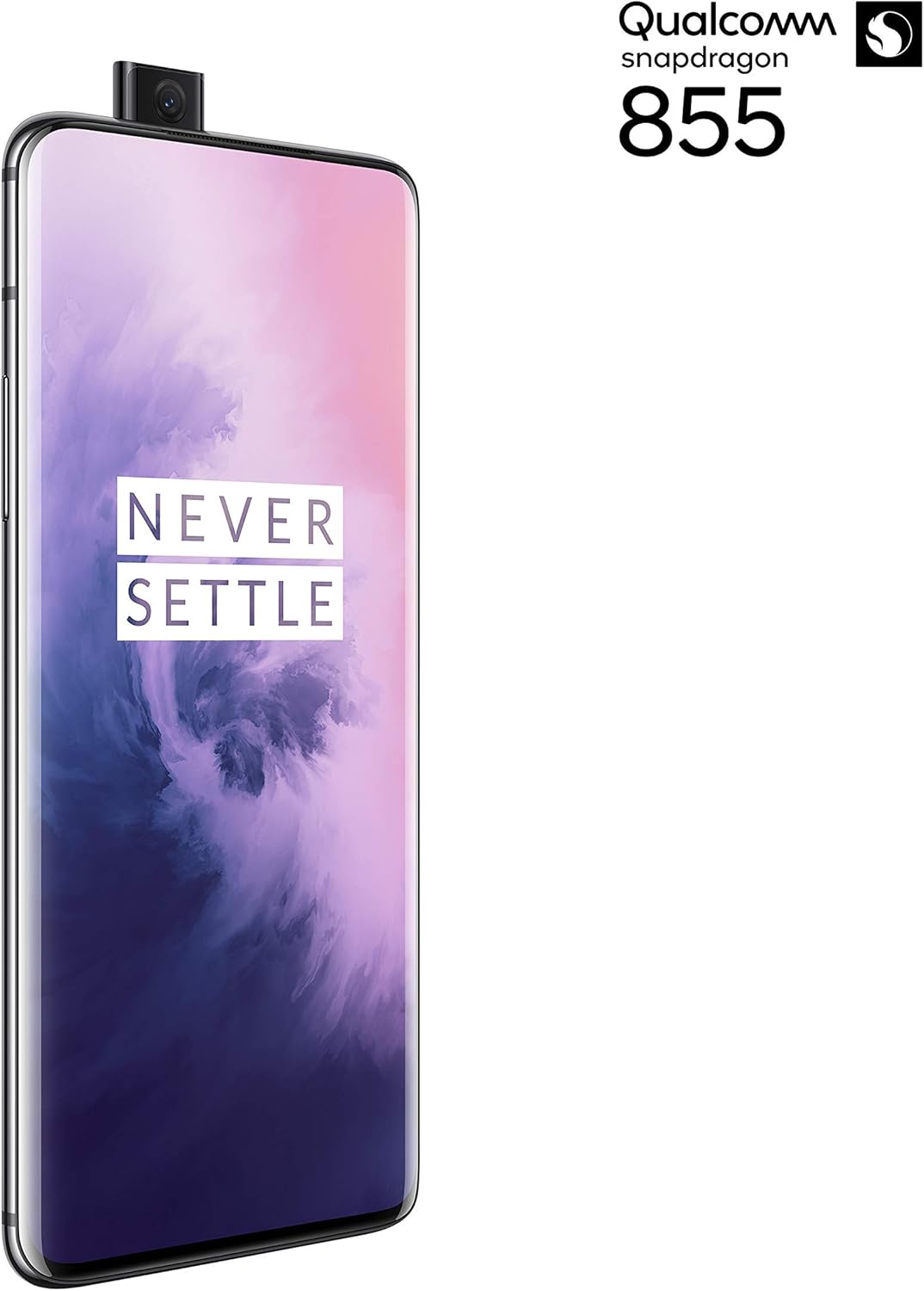
그림 2: 전면 view of the OnePlus 7 Pro with its pop-up selfie camera.
4.1. 후면 카메라
- 메인 카메라: 48 MP sensor for high-resolution photos.
- 초광각 렌즈: 더 넓은 분야를 포괄합니다 view풍경 사진 및 단체 사진 촬영에 이상적입니다.
- 망원 렌즈: Offers 3x optical zoom for clear, detailed shots from a distance.
4.2. 전면 카메라
The device features a motorized pop-up front camera, ensuring an uninterrupted full-screen display. This camera is designed for high-quality selfies and video calls.
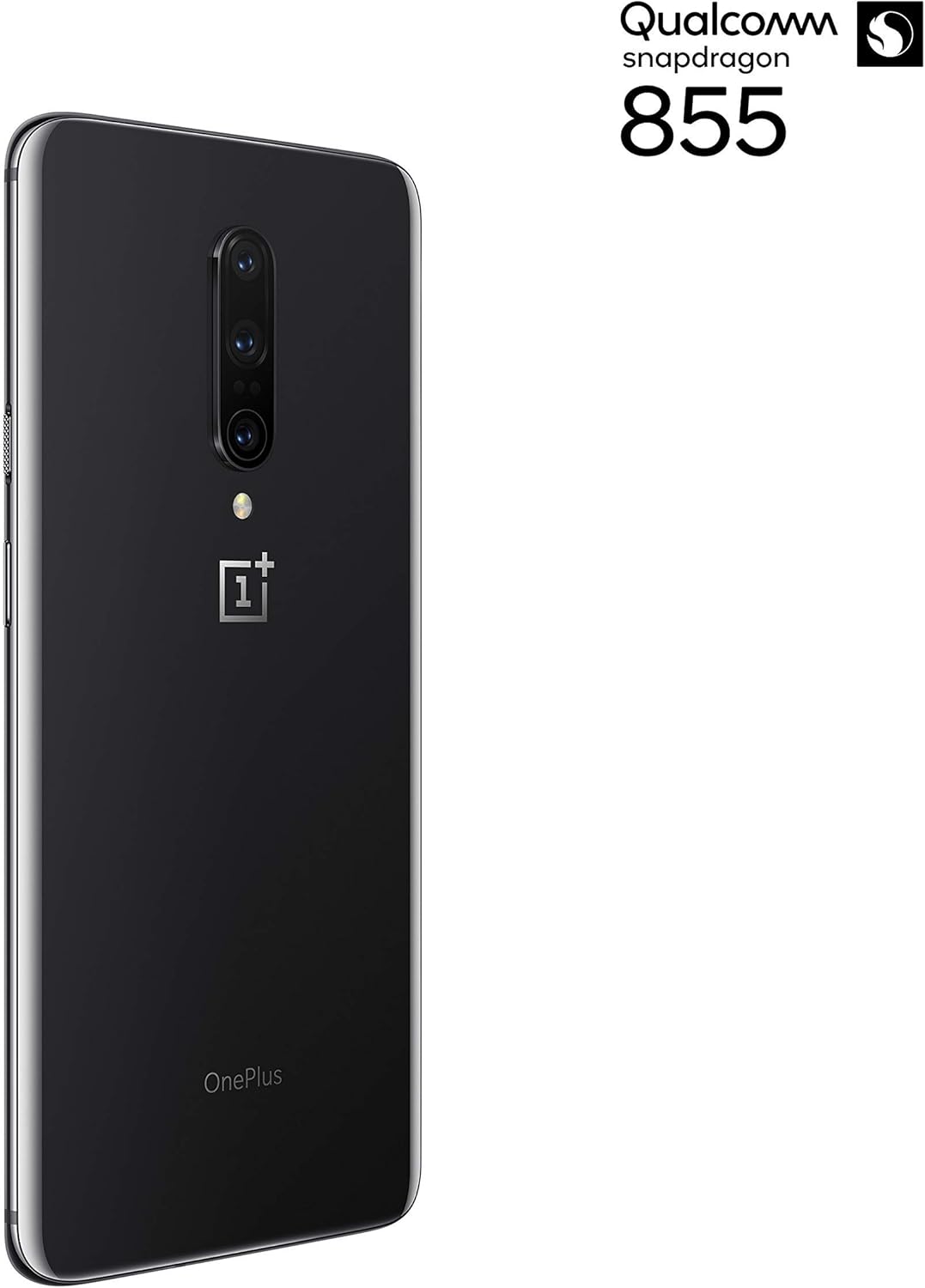
그림 3: 후면 view of the OnePlus 7 Pro highlighting the triple camera module.
4.3. 카메라 모드
Explore various camera modes to enhance your photography:
- 사진: Standard mode for everyday shots.
- 초상화: 배경을 흐리게 하여 심도 효과를 만듭니다.
- Nightscape 2.0: Optimizes photos taken in low-light conditions for brighter and clearer results.
- 전문 모드: ISO, 셔터 속도, 화이트 밸런스 등의 설정을 수동으로 제어할 수 있습니다.
- 동영상: Records high-quality videos.
5. 배터리 및 충전
The OnePlus 7 Pro is equipped with a 4000 mAh battery, designed to provide extended usage. It supports Warp Charge technology for rapid charging.
5.1. 장치 충전
To charge your device, connect the provided USB Type-C cable to the phone's charging port and the power adapter. Plug the adapter into a wall outlet. For optimal charging speed, use only the official OnePlus Warp Charge adapter and cable.
5.2. 배터리 최적화
배터리 수명을 최대한 늘리려면 다음 사항을 고려하십시오.
- 화면 밝기를 조정합니다.
- 필요한 경우 배터리 절약 모드를 활성화하세요.
- 백그라운드에서 실행 중인 사용하지 않는 애플리케이션을 닫습니다.
- 특정 앱의 백그라운드 데이터 사용을 제한합니다.
6. 기술 사양
| 특징 | 사양 |
|---|---|
| 모델 번호 | GM1917 |
| 표시하다 | 6.67-inch Fluid AMOLED, QHD+ (2560 x 1440), 90 Hz |
| 프로세서 | 퀄컴 스냅드래곤 855 |
| 숫양 | 6GB (XNUMX기가바이트) |
| 내부 저장소 | 128GB (XNUMX기가바이트) |
| 후방 카메라 | 48 MP Main, Ultra-Wide, 3x Optical Zoom Telephoto |
| 전면 카메라 | Pop-up Selfie Camera |
| 배터리 용량 | 4000mAh |
| 운영 체제 | 기계적 인조 인간 |
| 연결성 | Wi-Fi, 4G LTE (AT&T, Verizon, T-Mobile compatible) |
| SIM 유형 | 듀얼 나노 -SIM |
7. 문제 해결
If you encounter issues with your OnePlus 7 Pro, try the following steps:
- 장치가 응답하지 않음: Press and hold the Power button for approximately 10 seconds to force restart the device.
- 앱 문제: Clear the cache and data for the problematic app in Settings > Apps > [App Name] > Storage. If the issue persists, uninstall and reinstall the app.
- 네트워크 연결성: 비행기 모드를 켜고 끄세요. 기기를 다시 시작하세요. SIM 카드 삽입 상태를 확인하세요.
- 배터리 소모: Review 'Battery Usage' in Settings to identify apps consuming excessive power. Reduce screen brightness and disable unnecessary features.
- 소프트웨어 결함: Ensure your device's software is up to date via Settings > System > System updates.
- 공장 초기화 : 최후의 수단으로 공장 초기화를 수행할 수 있습니다(설정 > 시스템 > 초기화 옵션 > 모든 데이터 삭제). 경고: 기기의 모든 데이터가 삭제됩니다. 진행하기 전에 중요한 정보를 백업하세요.
8. 관리 및 유지 보수
To ensure the longevity and optimal performance of your OnePlus 7 Pro:
- Keep the device clean using a soft, lint-free cloth. Avoid harsh chemicals.
- 화면 보호 필름으로 화면을 보호하고 보호 케이스를 사용하세요.
- 기기를 극한의 온도, 직사광선 또는 습기에 노출시키지 마세요.
- Regularly back up your data to a cloud service or external storage.
- Install software updates to benefit from the latest features and security enhancements.
9. 보증 및 지원
For information regarding warranty coverage, technical support, or service, please refer to the documentation provided with your purchase or visit the official OnePlus support website. As this is a renewed product, specific warranty terms may vary; please consult your seller for details on their renewed product warranty and return policy.
Ask a question about this manual
Ask about setup, troubleshooting, compatibility, parts, safety, or missing instructions. Manuals+ will review the question and use this page’s manual context to help answer it.