1. 서론
This manual provides detailed instructions for the operation and maintenance of your DTKID Digital Kids Watch Model 8563B. Please read this manual thoroughly to ensure proper use and to maximize the lifespan of your watch.

이미지 1: 앞면 view of the DTKID Digital Kids Watch Model 8563B in bright blue.
2. 주요 특징
- 다기능 디스플레이: Time, date, day of the week, and alarm.
- 7색 백라이트: Customizable backlight colors (dark blue, green, red, light blue, yellow, purple, pink).
- 방수 기능: 30M (3 ATM) for daily use (rain, hand washing, face washing).
- Hourly 차임벨: Optional audible alert every hour.
- 스톱워치: 활동의 타이밍을 위해.
- 12/24시간 형식: 시간 표시 형식을 선택할 수 있습니다.
- 내구성 있는 구조: Acrylic dial mirror, stainless steel back, and resin strap.
3. 시계 구성 요소 및 버튼 기능

Image 2: Diagram illustrating the watch buttons and their primary functions.
- LIGHT 버튼(왼쪽 상단): Activates the backlight. Press and hold for 3 seconds to change backlight color.
- MODE 버튼(왼쪽 하단): 표시 모드(시간, 알람, 스톱워치)를 순환합니다.
- 시작 버튼(오른쪽 상단): 스톱워치를 시작/정지하고 설정 중 값을 조정하는 데 사용됩니다.
- RESET 버튼(오른쪽 하단): 스톱워치를 재설정하거나 설정 중 항목을 선택하는 데 사용됩니다.
4. 설정 지침
4.1 시간 및 날짜 설정
- 일반 시간 표시에서 다음을 누릅니다. 방법 버튼을 세 번 눌러 시간 설정 모드로 들어갑니다. 초침이 깜빡입니다.
- 를 누르세요 다시 놓기 button to cycle through the setting options: seconds → hours → minutes → month → date → day of the week.
- 사용하세요 시작 깜박이는 값을 조정하는 버튼입니다.
- 를 누르세요 방법 button once to exit setting mode and return to the normal time display.
4.2 알람 설정
- 일반 시간 표시에서 다음을 누릅니다. 방법 버튼을 두 번 눌러 알람 설정 모드로 들어갑니다. 시 숫자가 깜빡입니다.
- 를 누르세요 다시 놓기 시간과 분 설정을 전환하는 버튼입니다.
- 사용하세요 시작 button to adjust the flashing value (hours or minutes).
- 를 누르세요 방법 button once to exit alarm setting mode.
- 알람을 켜거나 끄려면: 일반 시간 표시 화면에서 버튼을 길게 누르세요. 시작 버튼을 누른 후, 다시 놓기 button. An alarm icon will appear/disappear to indicate status.
4.3 12/24시간 형식 선택
일반 시간 표시에서는 다음을 누르세요. 시작 12시간제와 24시간제 형식을 전환하는 버튼입니다.
5. 사용 설명서
5.1 백라이트 사용
를 누르세요 빛 (왼쪽 상단) 버튼을 눌러 디스플레이에 조명을 켜세요. 백라이트는 몇 초 동안 켜져 있습니다.

Image 3: The watch display showing various backlight color options.
5.2 백라이트 색상 변경
While the backlight is active, press and hold the 빛 button for approximately 3 seconds. The backlight color will change. Release and press again to cycle through the 7 available colors.
5.3 스톱워치 사용
- 일반 시간 표시에서 다음을 누릅니다. 방법 스톱워치 모드로 들어가려면 버튼을 한 번 누르세요.
- 를 누르세요 시작 타이밍을 시작하려면 버튼을 클릭하세요.
- 를 누르세요 시작 타이밍을 일시 정지하려면 버튼을 다시 누르세요.
- 를 누르세요 시작 타이밍을 재개하려면 버튼을 누르세요.
- 일시 정지된 상태에서 누르세요 다시 놓기 스톱워치를 0으로 초기화하는 버튼입니다.
- 를 누르세요 방법 스톱워치 모드를 종료하려면 버튼을 누르세요.
5.4 호urly Chime (Hourly Alert)
호를 돌리려면urly chime ON/OFF: In normal time display, press and hold the 다시 놓기 버튼을 누른 후, 방법 button. A small icon (often a bell or signal) will appear/disappear to indicate the hourly chime status.
6. 방수성
The DTKID Digital Kids Watch is rated 30M (3 ATM) water-resistant. This means it is suitable for daily use and can withstand:
- Splashes from hand washing or face washing.
- 비에 노출됨.
- Sweating.
중요한 예방 조치:
- 하지 마세요 시계가 물에 잠겨 있는 동안 아무 버튼이나 누르지 마세요.
- 하지 마세요 use the watch in extreme cold or high-temperature environments (e.g., hot showers, saunas) as this can compromise the water seals.
- 시계는 아니다 수영, 다이빙 또는 장시간 잠수에 적합합니다.
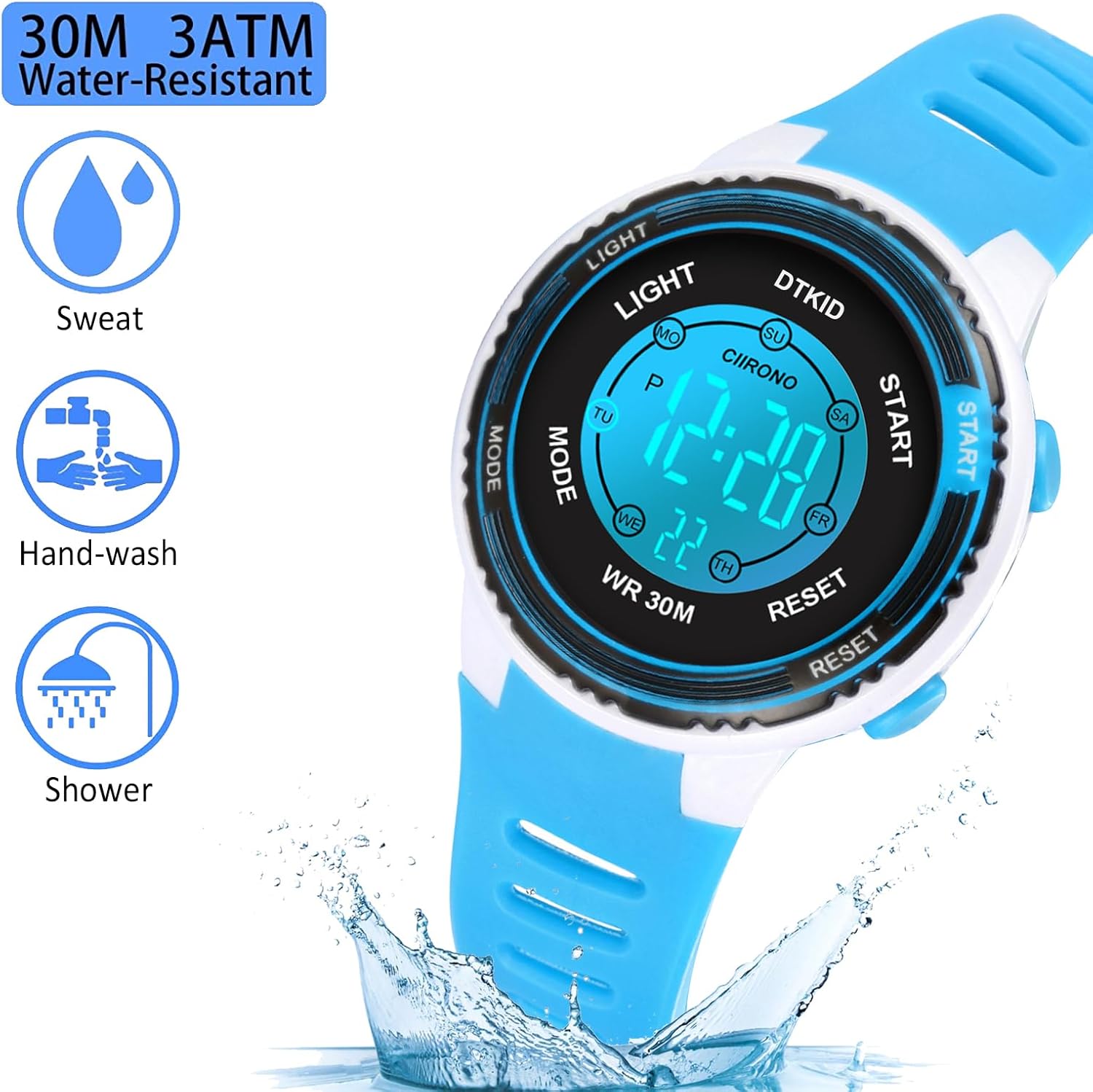
Image 4: Visual representation of the watch's 30M water resistance for daily activities.
7. 유지관리 및 관리
- 부드럽고 마른 천으로 시계를 정기적으로 닦으세요. 잘 지워지지 않는 오염의 경우, 가볍게 두드리세요.amp 천을 사용한 후 말리면 됩니다.
- Avoid exposing the watch to strong magnetic fields, as this can affect timekeeping accuracy.
- 시계를 사용하지 않을 때는 서늘하고 건조한 곳에 보관하세요.
- Avoid contact with harsh chemicals, solvents, or detergents, which can damage the watch case and strap.
8. 문제 해결
- Problem: Watch sounds an alarm every hour.
- 해결책: 호urly chime is activated. To turn it off, press and hold the 다시 놓기 버튼을 누른 후, 방법 button simultaneously. Repeat the action to turn it back on if desired.
- Problem: Time is incorrect or changes randomly.
- 해결책:
- 4.1절의 지침에 따라 시간과 날짜를 다시 설정하십시오.
- Ensure buttons are not being accidentally pressed, especially by young users.
- If the issue persists, the battery may be low and require replacement. Contact customer support for assistance.
- Problem: Display is dim or not visible.
- 해결책:
- 를 누르세요 빛 버튼을 누르면 백라이트가 활성화됩니다.
- If the display remains dim or blank, the battery may need replacement.
9. 사양
| 특징 | 세부 사항 |
|---|---|
| 모델 번호 | 8563B |
| 제품 치수 | 3.54 x 3.54 x 2.36 인치 |
| 품목 무게 | 1.02 온스(29g) |
| 방수성 | 30M(3ATM) |
| 배터리 유형 | 1개의 리튬 금속 배터리(포함) |
| 디스플레이 유형 | 디지털 |
| 백라이트 색상 | 7 colors (dark blue, green, red, light blue, yellow, purple, pink) |

Image 5: Detailed dimensions of the DTKID Digital Kids Watch.
10. 보증 및 지원
For warranty information or customer support, please refer to the product packaging or contact DTKID customer service directly. Specific warranty details are not provided in this manual.