
1. 서론
This manual provides essential information for setting up, operating, maintaining, and troubleshooting your ASUS TUF Gaming A15 FA506II-AS53 laptop. Please read this manual thoroughly to ensure proper usage and to maximize the performance and lifespan of your device.
2. 제품 오버view
The ASUS TUF Gaming A15 FA506II-AS53 is a robust gaming laptop designed for performance and durability. It features a 15.6-inch 144Hz Full HD IPS-Type display, powered by an AMD Ryzen 5 4600H processor and NVIDIA GeForce GTX 1650 Ti graphics. The laptop includes 8GB DDR4 RAM and a 512GB PCIe SSD for fast loading and multitasking. Its design incorporates a durable MIL-STD-810H military standard construction and an Anti-Dust Cooling (ADC) system for extended longevity. The RGB backlit keyboard offers a 20-million keystroke durability.
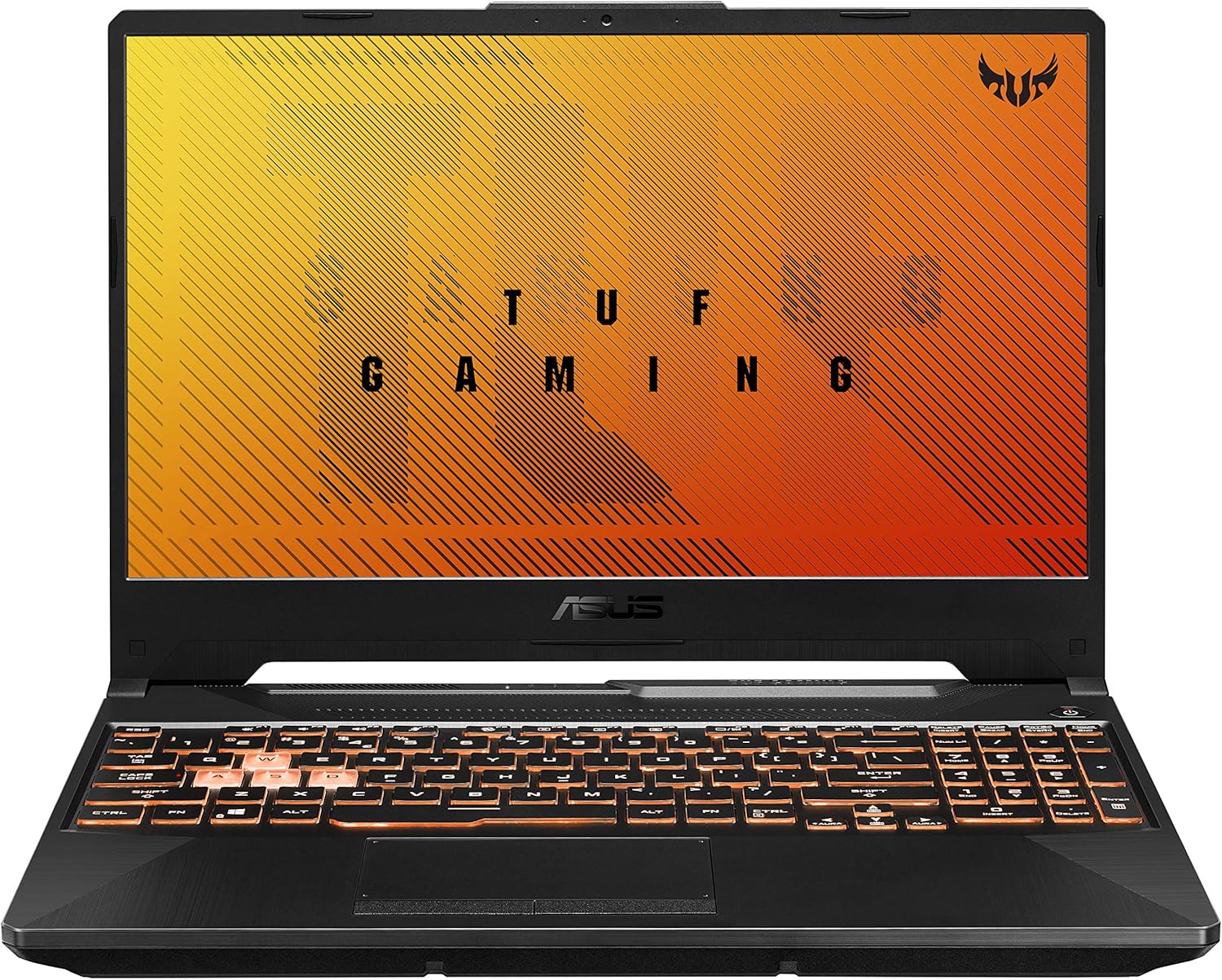
그림 2.1: 각도 view of the ASUS TUF Gaming A15 laptop with its display open.
주요 특징:
- 프로세서: AMD 라이젠 5 4600H
- 제도법: 엔비디아 지포스 GTX 1650 Ti 4GB GDDR6
- 표시하다: 15.6-inch 144Hz FHD (1920x1080) IPS-Type
- 저장: 512GB PCIe NVMe M.2 SSD
- 메모리: 8GB DDR4 3200MHz RAM
- 운영 체제: Windows 10 Home (Free upgrade to Windows 11 available)
- 내구성: MIL-STD-810H 군사 표준 구조
- 냉각: Dual fans with self-cleaning anti-dust technology
- 건반: RGB Backlit, 20-million keystroke durability
- 연결성: 기가비트 웨이브 2 Wi-Fi 5 (802.11ac)
3. 초기 설정
3.1 언박싱 및 전원 연결
- 노트북과 모든 액세서리를 포장에서 조심스럽게 꺼내세요.
- AC 어댑터를 노트북의 전원 입력 포트에 연결한 다음 전원 콘센트에 꽂으세요.
- 노트북 덮개를 열고 전원 버튼을 눌러 기기를 켜세요.

Figure 3.1: The ASUS TUF Gaming A15 laptop with its display open, ready for initial setup.
3.2 운영체제 설치 (Windows 10 Home)
Upon first boot, the laptop will guide you through the Windows 10 Home setup wizard. Follow the on-screen prompts to configure your region, language, network settings, and user account. It is recommended to connect to the internet during this process to ensure all necessary updates are downloaded.
During the setup, you will be asked to customize your device usage. Selecting 'Gaming' will optimize Windows 10 for gaming performance and suggest relevant tools and services.

그림 3.2: 상향식 view of the ASUS TUF Gaming A15 keyboard, highlighting the WASD keys and RGB backlighting.
4. 포트 및 연결성
The ASUS TUF Gaming A15 offers a variety of ports for connecting peripherals and external displays.
사용 가능한 포트 4.1개:
- USB 3.2 1세대 타입 A: Multiple ports for high-speed data transfer.
- USB 3.2 2세대 타입-C: Supports DisplayPort 1.4 for external monitors.
- HDMI 2.0b: 외부 디스플레이 또는 TV에 연결하기 위한 용도입니다.
- RJ45 LAN 포트: 유선 인터넷 연결용.
- 3.5mm 콤보 오디오 잭: For headphones with microphone.
- 전원 입력: AC 어댑터를 연결합니다.

Figure 4.1: Left side of the ASUS TUF Gaming A15 laptop, displaying the power input, RJ45, HDMI, USB-A, and USB-C ports.
4.2 Wireless Connectivity:
- Wi-Fi 5 (802.11ac): Provides fast wireless internet access.
- 블루투스 5.0 : For connecting wireless peripherals like headsets and mice.
5. 키보드 및 터치패드
The ASUS TUF Gaming A15 features a full-sized RGB backlit keyboard and a responsive touchpad.
5.1 RGB Backlit Keyboard:
- The keyboard offers customizable RGB backlighting, allowing you to personalize the lighting effects.
- The WASD keys are highlighted for gaming.
- Keys are rated for 20-million keystroke durability.
5.2 터치패드:
The touchpad supports multi-touch gestures for intuitive navigation within Windows. It is designed for quick and accurate response.
6. 성능
The ASUS TUF Gaming A15 is built for gaming and demanding tasks. Its AMD Ryzen 5 4600H processor and NVIDIA GeForce GTX 1650 Ti graphics card provide solid performance for 1080p gaming and everyday computing.
6.1 Gaming Performance:
The GTX 1650 Ti is capable of running many modern games at 1080p resolution with playable frame rates. For optimal performance, ensure your laptop is plugged in and set to a high-performance power profile.
6.2 냉각 시스템:
The laptop incorporates dual fans with self-cleaning anti-dust technology to maintain optimal temperatures during intensive use, preventing thermal throttling and extending component lifespan. While fans may become audible under heavy load, this is normal for gaming laptops.

Figure 6.1: Diagram illustrating the 'Lasting Cool' anti-dust cooling system of the ASUS TUF Gaming A15.
7. 유지관리
Regular maintenance helps ensure the longevity and optimal performance of your ASUS TUF Gaming A15 laptop.
7.1 청소:
- 부드럽고 보푸라기가 없는 천을 사용하여 화면과 외부를 청소하세요.
- 완고한 얼룩의 경우 가볍게 damp천에 물이나 화면 세척제를 묻혀 닦으세요.
- 키보드와 터치패드를 정기적으로 청소하여 먼지와 이물질을 제거하세요.
- Ensure cooling vents are clear of obstructions to maintain airflow.
7.2 소프트웨어 업데이트:
Keep your operating system and drivers updated. Windows Update will handle OS updates, and the MyASUS application can assist with driver and firmware updates specific to your ASUS hardware.
7.3 배터리 관리:
- 배터리를 자주 완전히 방전시키지 마세요.
- 장기간 보관할 경우 배터리를 50~60% 정도 충전한 후 서늘하고 건조한 곳에 보관하십시오.
- If primarily using the laptop while plugged in, consider using battery health management features in MyASUS to extend battery lifespan.
8. 문제 해결
이 섹션에서는 노트북에서 발생할 수 있는 일반적인 문제에 대해 설명합니다.
8.1 일반적인 문제점 및 해결책:
- 노트북 전원이 켜지지 않음: AC 어댑터가 제대로 연결되어 있고 전원 콘센트가 작동하는지 확인하세요. 전원 버튼을 15~20초 동안 눌러 하드 리셋을 실행해 보세요.
- 화면이 비어 있습니다. Connect an external monitor to check if the display output is working. If it is, the laptop screen may require service. Try pressing Fn + F6 (or the appropriate function key for display toggle) to switch display modes.
- 느린 성능: Check for background applications consuming resources. Ensure Windows and drivers are up to date. Consider upgrading RAM if frequently running demanding applications.
- Wi-Fi 연결 문제: Restart your router and modem. Ensure Wi-Fi drivers are updated. Check network settings in Windows.
- 키보드 또는 터치패드가 응답하지 않음: 노트북을 재시작하세요. 장치 관리자에서 드라이버 업데이트를 확인하세요.
8.2 MyASUS Application for Diagnostics and Support:
The MyASUS application provides tools for system diagnostics, updates, and direct contact with ASUS support. It can help identify and resolve many software and hardware issues.
Video 8.1: MyASUS Product Video. This video demonstrates the features and benefits of the MyASUS application, including system updates, diagnostics, and customer support options, helping users maintain and troubleshoot their ASUS devices.
9. 사양
| 특징 | 사양 |
|---|---|
| 상표 | 아수스 |
| 모델명 | ASUS TUF A16 Gaming Laptop (FA506II-AS53) |
| 화면 크기 | 15.6 인치 |
| 화면 해상도 | 1920 x 1080 pixels (FHD IPS-Type) |
| 프로세서 | AMD 라이젠 5 4600H (3GHz) |
| 숫양 | 8GB DDR4 3200MHz |
| 하드 드라이브 | 512GB PCIe NVMe M.2 SSD |
| 그래픽 코프로세서 | NVIDIA GeForce GTX 1650 Ti (4 GB GDDR6) |
| 운영 체제 | 윈도우 10 홈 |
| 무선형 | 802.11ac(Wi-Fi 5) |
| USB 3.0 포트 수 | 4 (includes USB 3.2 Gen 1 Type-A and USB 3.2 Gen 2 Type-C) |
| 품목 무게 | 5.07파운드(2.3kg) |
| 제품 치수 | 13.97 x 0.87 x 9.92 인치 |
| 색상 | 본파이어 블랙 |
| 배터리 | 1개의 리튬 이온 배터리 필요(포함) |
10. 보증 및 지원
Your ASUS TUF Gaming A15 laptop comes with a manufacturer's warranty. For specific warranty terms and conditions, please refer to the documentation included with your product or visit the official ASUS support website. Registering your product with ASUS can facilitate support and warranty claims.
10.1 Contacting ASUS Support:
For technical assistance, troubleshooting, or warranty service, you can contact ASUS customer support through their official website or the MyASUS application. Having your product's serial number (located on the bottom of the laptop or in the MyASUS app) ready will expedite the support process.
10.2 MyASUS Application:
The MyASUS application is pre-installed on your laptop and serves as a central hub for system information, diagnostics, software updates, and direct access to ASUS customer service. It is recommended to utilize this tool for managing your device and seeking support.