
소개
구매해주셔서 감사합니다asing the Hoco HC4 5.0 Wireless Bluetooth Sport Speaker. This manual provides detailed instructions for the proper setup, operation, and maintenance of your device. Please read this manual thoroughly before use to ensure optimal performance and to prevent damage.
제품 끝view
The Hoco HC4 is a portable wireless speaker designed for outdoor and sport use, featuring Bluetooth 5.0 connectivity, multiple playback options, and a robust design.
패키지 내용:
- Hoco HC4 Wireless Bluetooth Speaker
- USB 충전 케이블
- 사용자 설명서
컨트롤 및 포트:
스피커의 버튼과 연결 포트에 익숙해지세요.

영상: Close-up of the Hoco HC4 speaker showing the AUX port, DC-5V charging port, USB port, TF card slot, and control buttons.
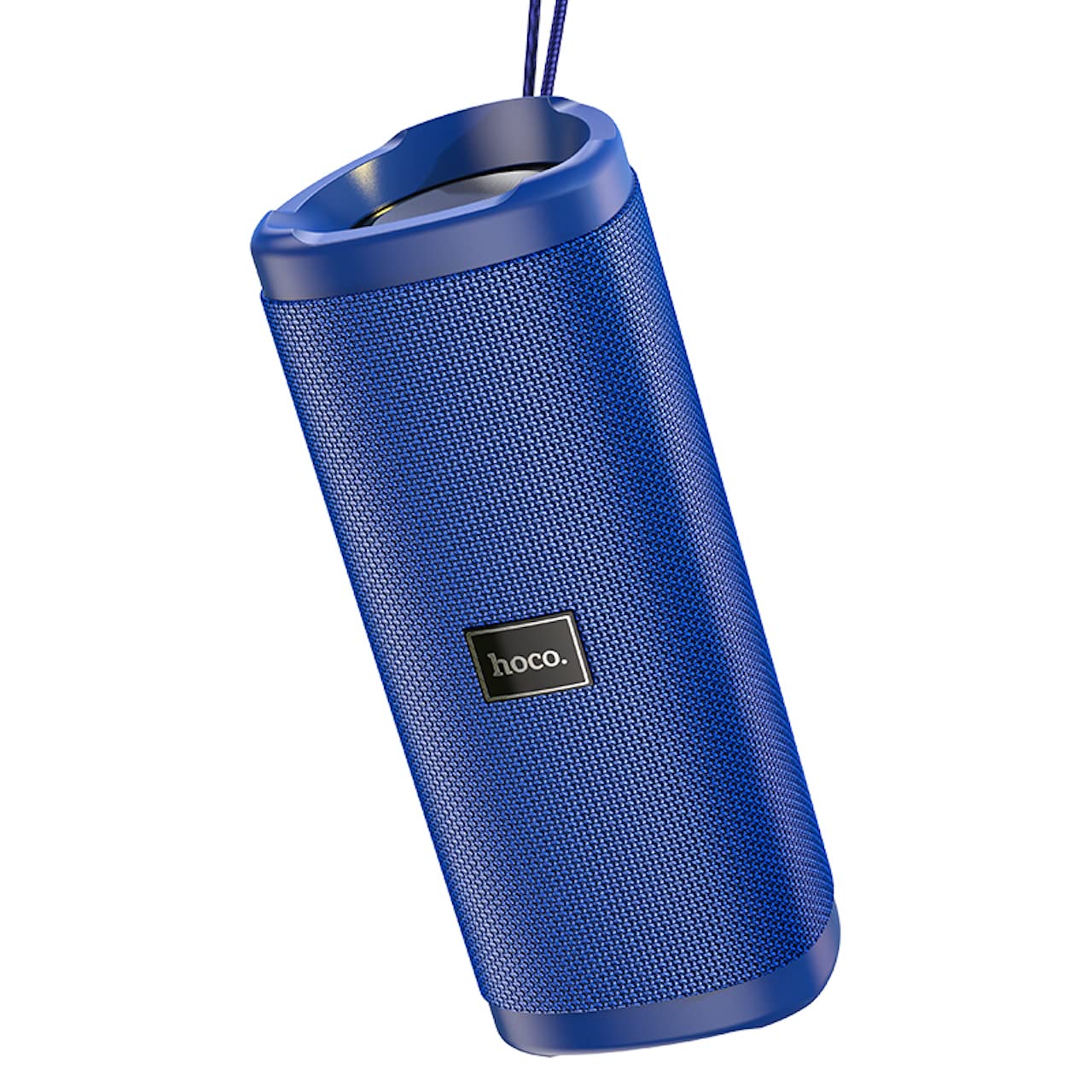
영상: 각진 view of the Hoco HC4 blue wireless speaker, highlighting its cylindrical design and fabric mesh.
- 전원 버튼: 길게 누르면 전원이 켜지고, 짧게 누르면 재생/일시 정지됩니다.
- 모드 버튼(M): 짧게 누르면 블루투스, FM 라디오, TF 카드, USB 및 AUX 모드 간에 전환됩니다.
- 볼륨 낮추기/이전 트랙 버튼(-): 짧게 누르면 이전 트랙으로 이동하고, 길게 누르면 볼륨이 감소합니다.
- 볼륨 높이기/다음 트랙 버튼(+): 짧게 누르면 다음 트랙으로 이동하고, 길게 누르면 볼륨이 커집니다.
- AUX 포트 : 3.5mm 오디오 케이블을 사용하여 유선 오디오를 연결합니다.
- DC-5V Port: 제공된 USB 케이블을 사용하여 스피커를 충전하십시오.
- USB 포트: USB 플래시 드라이브에서 오디오를 재생합니다.
- TF 카드 슬롯 : TF(MicroSD) 카드에서 오디오를 재생하기 위한 앱입니다.
설정
초기 충전:
- 처음 사용하기 전에 스피커를 완전히 충전하세요.
- Connect the small end of the USB charging cable to the DC-5V port on the speaker.
- USB 케이블의 큰 쪽 끝을 USB 전원 어댑터(5V/1A 권장) 또는 컴퓨터의 USB 포트에 연결하십시오.
- 충전 중에는 충전 표시등이 켜지고, 완전히 충전되면 꺼집니다.
작동 지침
전원 켜기/끄기:
- 전원을 켜려면: 전원 버튼을 약 3초 동안 길게 누르세요. 음성 안내가 나옵니다.
- 전원을 끄려면: 전원 버튼을 약 3초 동안 길게 누르세요. 음성 안내가 나옵니다.
블루투스 페어링 :
- Ensure the speaker is powered on and in Bluetooth mode (indicated by a flashing blue LED and an audible prompt). If not, short press the 'M' (Mode) button to switch to Bluetooth mode.
- 모바일 기기(스마트폰, 태블릿 등)에서 Bluetooth를 활성화하세요.
- 검색 available Bluetooth devices. Select "HC4" from the list.
- Once paired, the blue LED will stop flashing and remain solid, and you will hear a confirmation sound.
- 이제 스피커를 통해 기기의 오디오를 재생할 수 있습니다.
FM 라디오 모드:
- Short press the 'M' (Mode) button until you hear the FM radio prompt.
- 사용 가능한 방송국을 자동으로 검색하고 저장하려면 전원 버튼을 짧게 누르십시오. 스피커가 자동으로 방송국을 검색하고 저장합니다.
- Use the '-' and '+' buttons to navigate between saved stations.
TF 카드/USB 재생:
- Insert a TF (MicroSD) card or USB flash drive into the respective slot.
- 스피커는 자동으로 TF 카드 또는 USB 모드로 전환되어 오디오 재생을 시작합니다. files. If not, short press the 'M' (Mode) button to select the correct mode.
- Use the Power button to play/pause, and the '-' and '+' buttons for track navigation and volume control.
AUX 모드 :
- 3.5mm 오디오 케이블(포함되지 않음)의 한쪽 끝을 스피커의 AUX 포트에 연결합니다.
- Connect the other end to the audio output of your device (e.g., laptop, MP3 player).
- 'M'(모드) 버튼을 짧게 누르면 AUX 모드로 전환됩니다.
- Audio will now play through the speaker. Volume can be controlled via the speaker or your connected device.
진정한 무선 스테레오(TWS) 기능:
The TWS function allows you to pair two Hoco HC4 speakers together for a stereo sound experience.
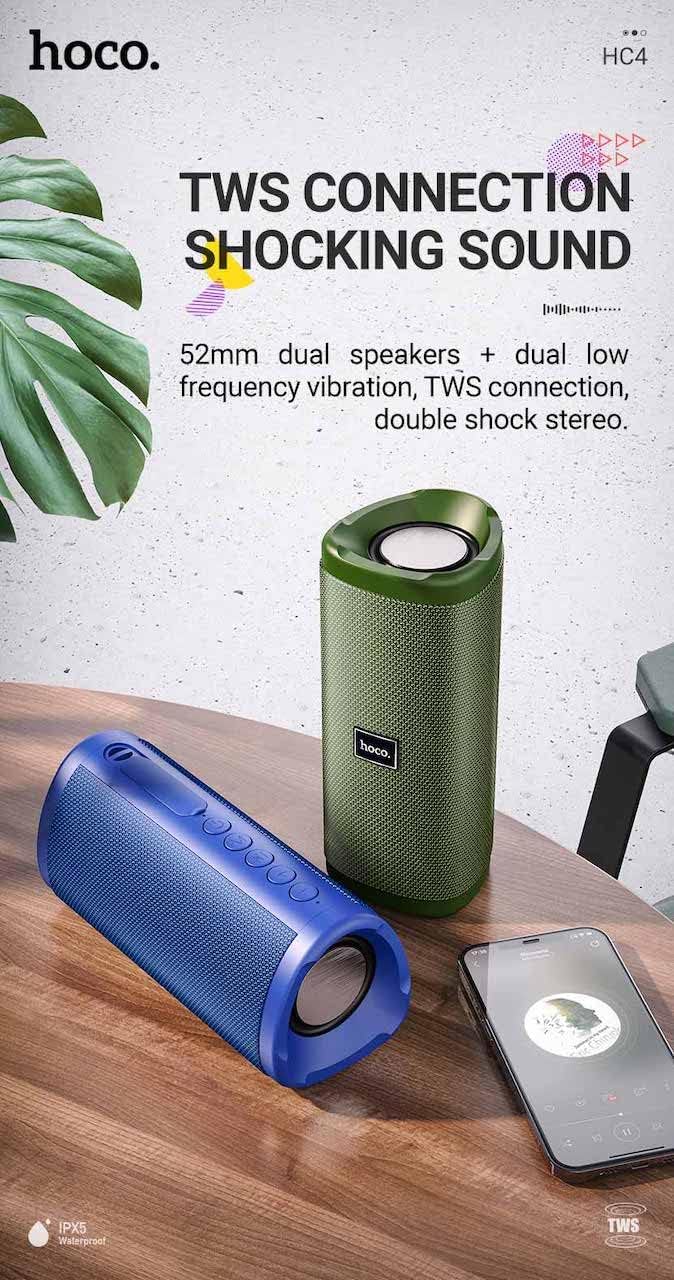
영상: A promotional image showing two Hoco HC4 speakers (blue and green) connected via TWS, with a smartphone playing music. The image also highlights 'IPX5 Waterproof'.
- Ensure both HC4 speakers are powered on and in Bluetooth pairing mode (flashing blue LED).
- On one of the speakers (this will be the primary speaker), double-press the Power button. You will hear a tone indicating it is searching for another speaker.
- The two speakers will automatically connect to each other. Once connected, you will hear a confirmation sound, and the LED on the primary speaker will flash, while the secondary speaker's LED will be solid.
- 이제 "블루투스 페어링" 섹션에 설명된 대로 모바일 기기를 블루투스를 통해 메인 스피커에 연결하세요.
- 이제 두 스피커를 통해 오디오가 스테레오로 재생됩니다.
충전 중
When the battery is low, the speaker will emit an audible warning. Connect the speaker to a power source using the provided USB cable to recharge. A full charge takes approximately 2-3 hours. The speaker provides up to 3 hours of playtime on a full charge, depending on volume level and usage.
유지
청소:
부드럽고 마른 천으로 스피커를 닦으세요. 연마성 세제, 알코올 또는 기타 화학 용제는 표면을 손상시킬 수 있으므로 사용하지 마세요.
저장:
Store the speaker in a cool, dry place away from direct sunlight and extreme temperatures. If storing for an extended period, charge the battery at least once every three months to prolong its lifespan.
방수(IPX5):
The Hoco HC4 speaker features an IPX5 water resistance rating, meaning it is protected against low-pressure water jets from any direction. This makes it suitable for outdoor use and resistant to splashes and light rain. 스피커를 물에 담그지 마십시오. Ensure the port cover is securely closed to maintain water resistance.
문제 해결
| 문제 | 가능한 원인 | 해결책 |
|---|---|---|
| 스피커 전원이 켜지지 않습니다 | 배터리 부족; 전원 버튼을 충분히 길게 누르지 않음 | 스피커를 충전하세요. 전원 버튼을 3초간 길게 누르세요. |
| 소리가 나지 않습니다 | 볼륨이 너무 낮음; 잘못된 모드; 장치가 연결되지 않음 | Increase volume; Switch to correct mode (Bluetooth, AUX, etc.); Ensure device is paired/connected |
| 블루투스 페어링 실패 | 스피커가 페어링 모드가 아닙니다. 기기 블루투스가 꺼져 있습니다. 스피커와의 거리가 너무 멀습니다. | Ensure speaker is in Bluetooth mode (flashing LED); Turn on device Bluetooth; Move device closer (within 10m) |
| TWS 페어링 실패 | 스피커가 TWS 페어링 모드가 아닙니다. 스피커 간 거리가 너무 멀습니다. | Ensure both speakers are in Bluetooth mode, then double-press Power button on one; Keep speakers close during TWS pairing |
명세서

영상: The Hoco HC4 speaker with its dimensions clearly marked: 20 cm in length, 8.8 cm in height, and 8.1 cm in width.
- 상표: 호코
- 모델: HC4
- 블루투스 버전: 5.0
- 출력 전력: 10와트
- 스피커 크기: 52mm
- 배터리 용량: 1500mAh
- 노는 시간: 약 3시간(80% 볼륨 기준)
- 충전 시간: 약 2-3시간
- 치수: 200 x 88 x 81 mm (Length x Height x Width)
- 무게: 540그램
- 연결 옵션: Bluetooth, FM Radio, TF Card, USB, AUX
- 방수 기능: IPX5(방수)
- 제어 유형: 단추
안전 정보
- 스피커를 극한의 온도나 직사광선에 장시간 노출시키지 마세요.
- 스피커를 떨어뜨리거나 강한 충격을 주지 마십시오.
- Keep the speaker away from water and liquids, especially when ports are open.
- Do not attempt to disassemble, repair, or modify the speaker yourself. This will void the warranty and may cause damage.
- 지정된 충전 용량만 사용하세요tage (DC 5V) and the provided charging cable.
- 어린이의 손이 닿지 않는 곳에 보관하세요.
보증 및 지원
This product is covered by a standard manufacturer's warranty. For specific warranty terms and conditions, please refer to the warranty card included with your purchase or contact your local retailer. For technical support or service inquiries, please contact Hoco customer service or the authorized distributor in your region.