
1. 서론
Thank you for choosing the Hoco HC2 Wireless Speaker. This manual provides essential information for setting up, operating, and maintaining your device. Please read it carefully before use to ensure optimal performance and longevity of your speaker.
2. 특징
- 안정적이고 효율적인 무선 연결을 위한 Bluetooth 5.0.
- Dual 52mm speaker units with 5W x 2 power output for rich, clear audio.
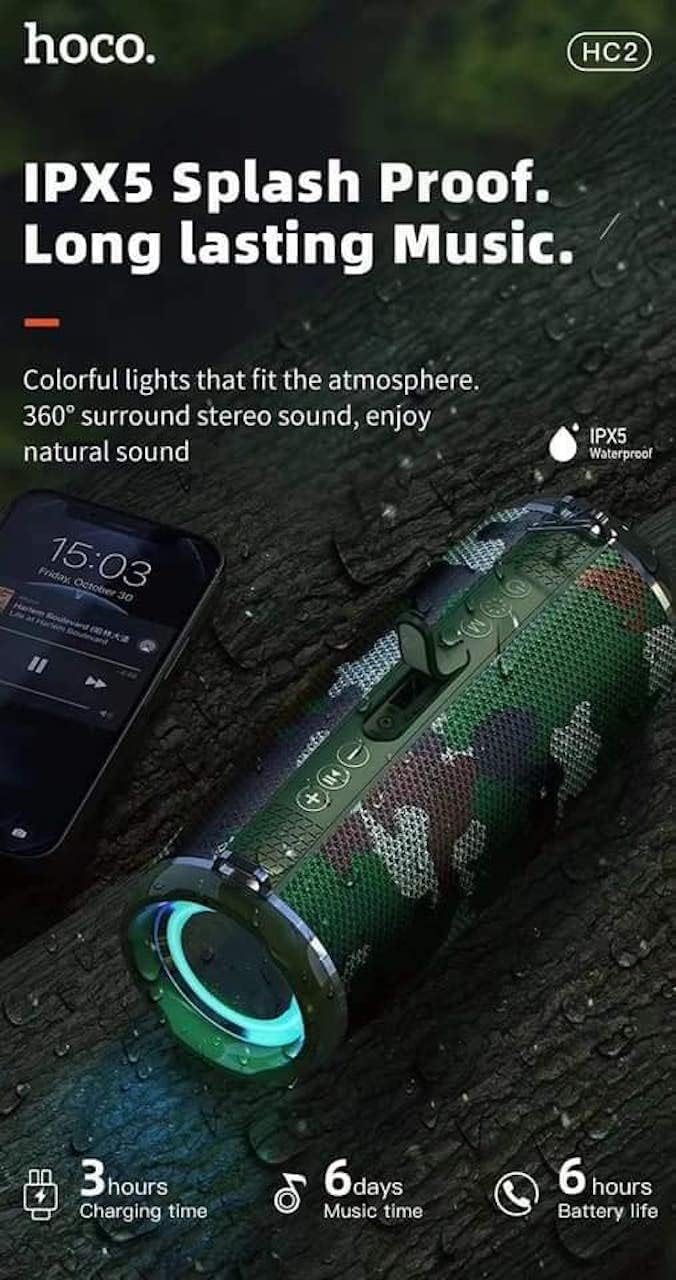
- Built-in 2400 mAh battery providing approximately 6 hours of talk/music playback time.
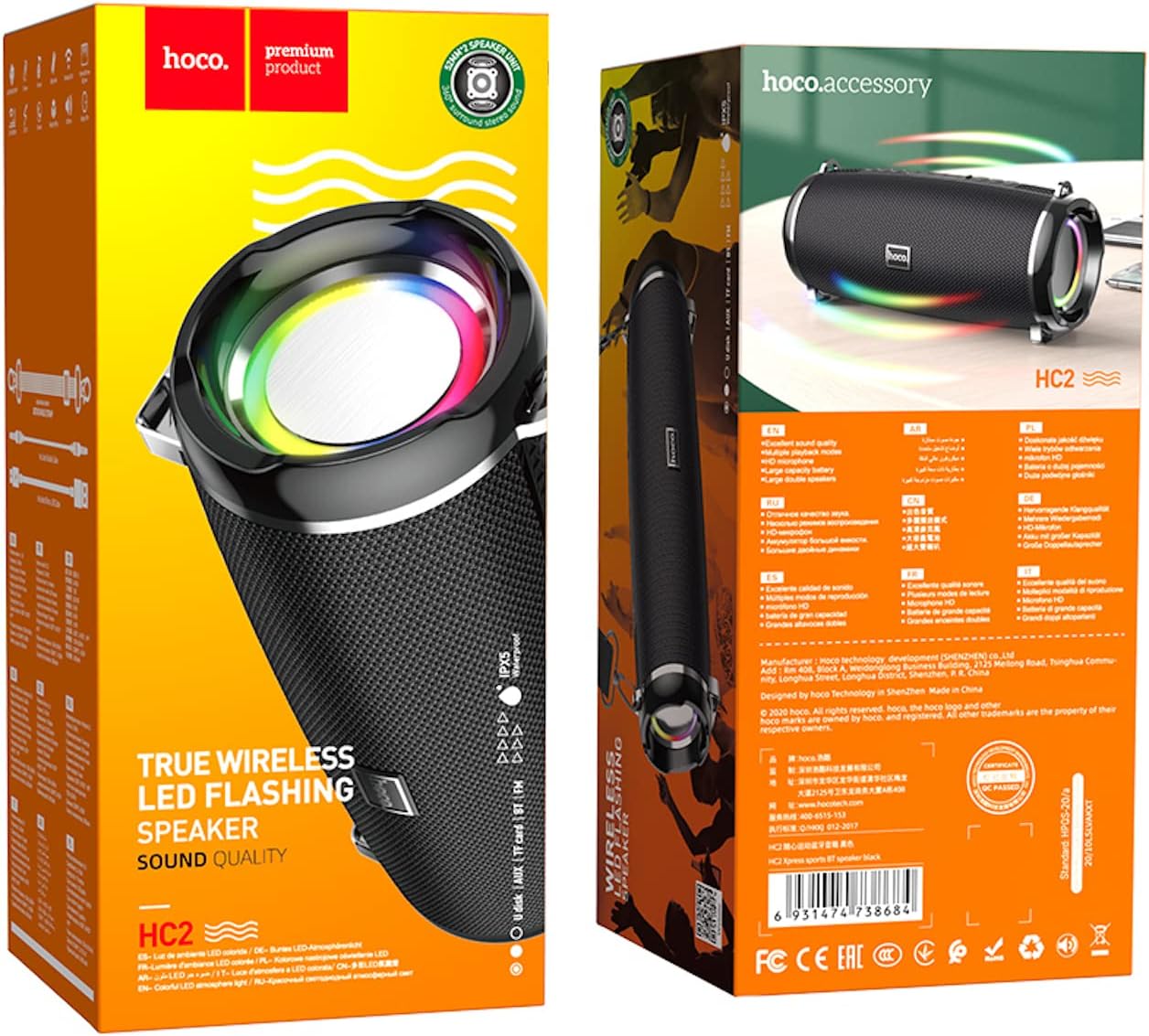
- Versatile playback options: Supports Bluetooth, TF card, USB, AUX, and FM radio modes.
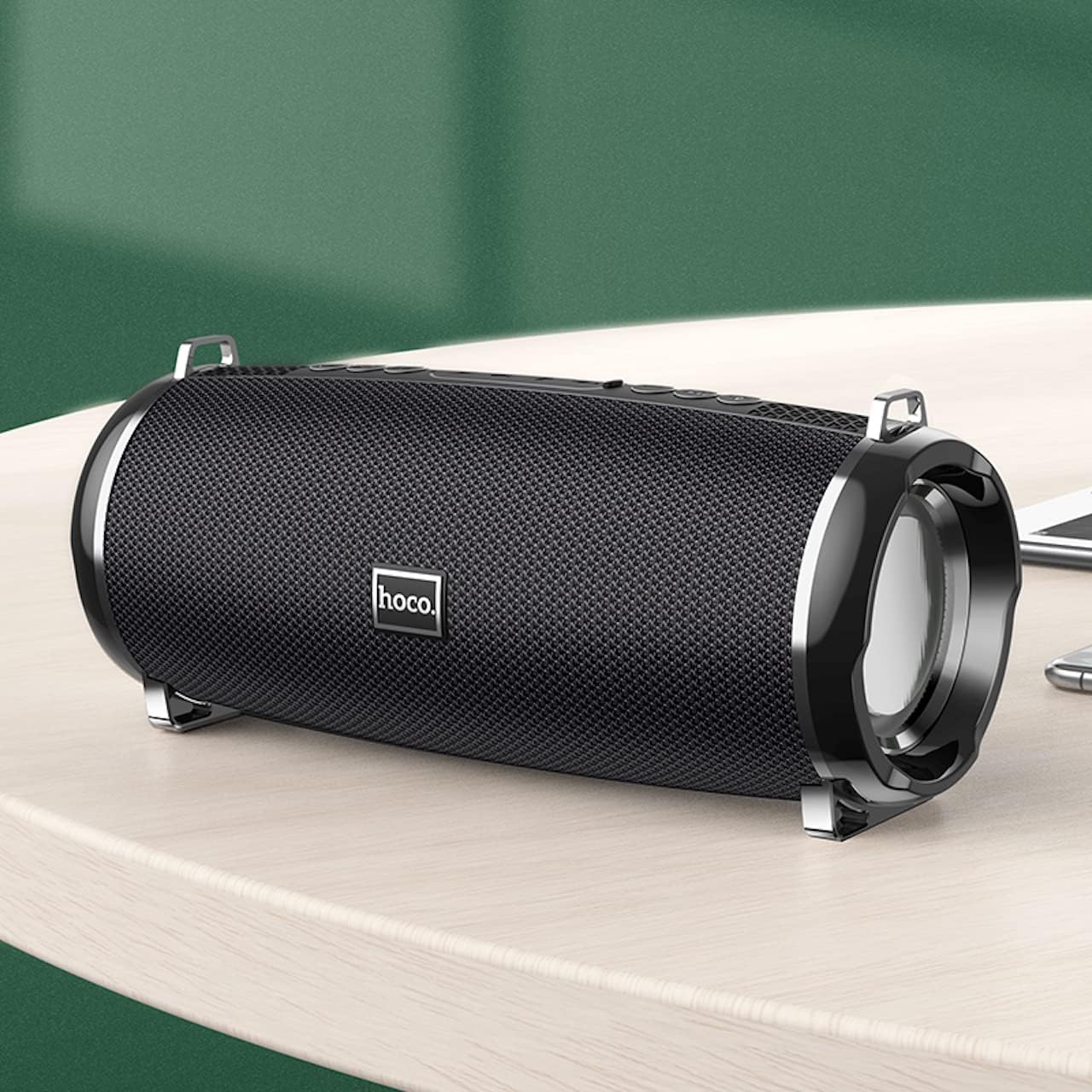
- Compact and portable design with dimensions of 194.4 x 81 x 82 mm and a weight of 598 grams.
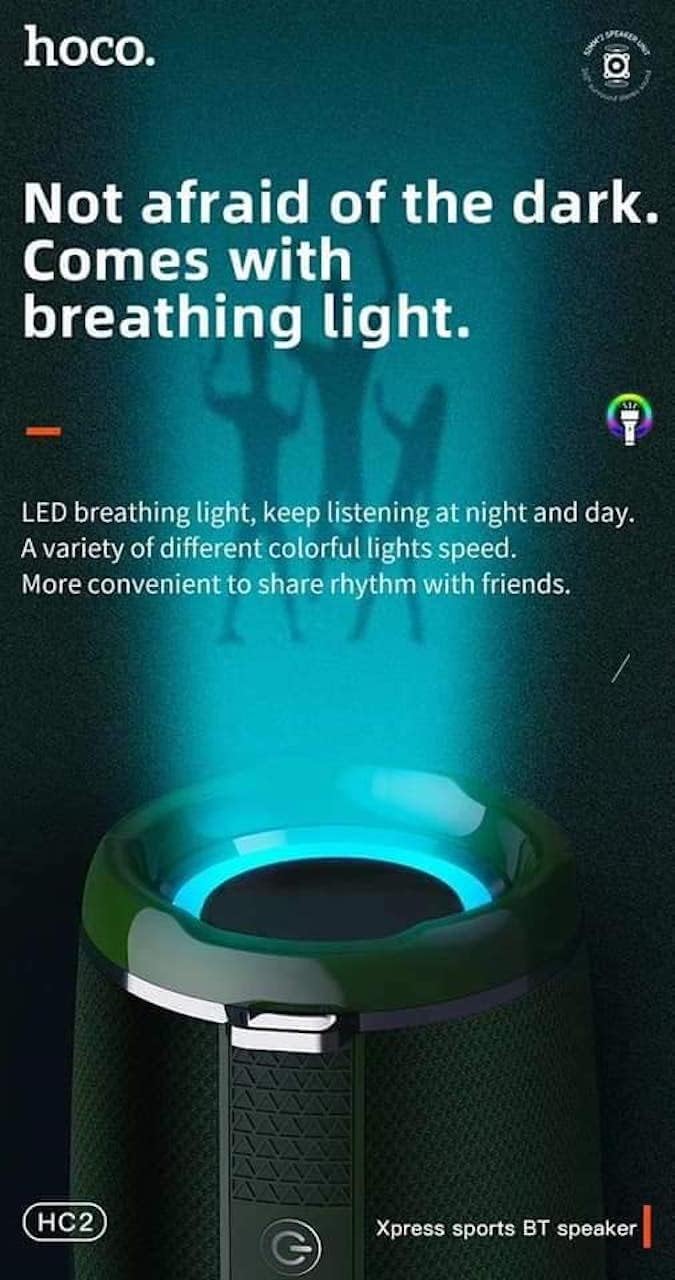
- Features LED breathing light for enhanced visual experience.
- IPX5 splash-proof rating for outdoor use.
3. 패키지 내용
다음 품목이 패키지에 포함되어 있는지 확인하세요.
- Hoco HC2 Wireless Speaker
- USB 충전 케이블
- 사용자 설명서
- Shoulder Strap (may vary by package)
4. 설정
4.1 스피커 충전
Before first use, fully charge the speaker. Connect the provided USB charging cable to the speaker's charging port and the other end to a USB power adapter (not included) or a computer's USB port. The charging indicator light will illuminate during charging and turn off when fully charged. Charging takes approximately 3 hours.
4.2 전원 켜기/끄기
Press and hold the power button for a few seconds to turn the speaker on or off. A voice prompt will indicate the power status.
4.3 블루투스 페어링
- 스피커를 켜세요. 자동으로 블루투스 페어링 모드로 전환되며, LED 표시등이 깜빡입니다.
- 스마트폰, 태블릿 또는 기타 기기에서 Bluetooth를 활성화하세요.
- 검색 "HC2" in the list of available Bluetooth devices.
- Select "HC2" to connect. Once connected, a voice prompt will confirm the successful pairing, and the LED light will stop flashing.
- 비밀번호를 입력하라는 메시지가 나타나면 "0000"을 입력하세요.
스피커는 전원이 켜지면 마지막으로 페어링된 기기에 자동으로 다시 연결됩니다. 단, 기기의 Bluetooth가 활성화되어 있고 범위 내에 있어야 합니다.
5. 사용 설명서
5.1 모드 전환
Press the 'M' (Mode) button to cycle through available modes: Bluetooth, TF Card, USB, AUX, and FM Radio.
5.2 Music Playback (Bluetooth/TF Card/USB)
- 재생/일시 중지: 재생/일시 정지 버튼을 누르세요.
- 다음 트랙: '다음' 버튼을 짧게 누르세요.
- 이전 트랙 : '이전' 버튼을 짧게 누르세요.
- 볼륨 업: '볼륨 높이기' 버튼을 길게 누르세요.
- 볼륨 작게 : '볼륨 낮추기' 버튼을 길게 누르세요.
5.3 FM 라디오 작동
- 'M' 버튼을 사용하여 FM 라디오 모드로 전환하세요.
- Press the Play/Pause button to automatically scan and save available radio stations.
- Use the 'Next' and 'Previous' buttons to switch between saved stations.
5.4 AUX 모드
Connect an external audio device (e.g., MP3 player, computer) to the speaker's AUX port using a 3.5mm audio cable. The speaker will automatically switch to AUX mode. Control playback from your connected device.
5.5 LED 조명 제어
The speaker features an LED breathing light. Refer to the specific button on your speaker (often a dedicated light button or a long press on a volume button) to cycle through light modes or turn the light on/off.
6. 유지관리
- 청소: 부드럽고 마른 천으로 스피커를 닦으세요. 연마성 세제나 용제는 사용하지 마세요.
- 저장: 스피커는 직사광선과 극한의 온도를 피해 시원하고 건조한 곳에 보관하세요.
- 배터리 관리 : 배터리 수명을 연장하려면 사용하지 않을 때에도 스피커를 정기적으로 충전하십시오. 배터리를 자주 완전히 방전시키지 마십시오.
- 방수 기능: The speaker is IPX5 splash-proof, meaning it can resist light splashes of water. Do not submerge it in water or expose it to heavy rain. Ensure all ports are securely covered when exposed to moisture.
7. 문제 해결
| 문제 | 가능한 원인 | 해결책 |
|---|---|---|
| 스피커가 켜지지 않습니다. | 배터리가 부족합니다. | 스피커를 완전히 충전하세요. |
| 소리가 나지 않습니다. | 볼륨이 너무 낮음; 모드가 올바르지 않음; 장치가 연결되지 않음. | Increase volume; switch to correct mode; ensure device is paired/connected. |
| 블루투스 페어링에 실패했습니다. | 스피커가 페어링 모드가 아닙니다. 장치가 너무 멀리 떨어져 있습니다. 간섭이 발생합니다. | Ensure speaker is in pairing mode; move devices closer; restart both devices. |
| FM 라디오 수신이 좋지 않습니다. | 신호가 약합니다. | 스피커를 신호가 더 잘 잡히는 곳으로 옮기세요. |
8. 사양
| 사양 | 세부 사항 |
|---|---|
| 모델명 | HC2 |
| 제품 치수 | 19.44 x 8.2 x 8.1cm |
| 무게 | 598그램 |
| 연결 기술 | Bluetooth, FM, TF Card, USB Disk, AUX, TWS |
| 블루투스 버전 | 5.0 |
| 칩셋 | JLAC6928B |
| 배터리 용량 | 2400mAh |
| 충전 시간 | 약 3시간 |
| 통화/음악 재생 시간 | 약 6시간 |
| 스피커 유닛 | 52 mm × 2 |
| 최대 스피커 출력 전력 | 5W×2 |
| 오디오 출력 모드 | 둘러싸다 |
| 특징 | Bluetooth, TF Card, USB, AUX, FM Radio support |
| 추천 용도 | Smartphones, Tablets, Music Players, Surround Sound Systems |
| 호환 장치 | Smartphone, Laptop, MP3 Player, Tablet, Desktop Computer |
| 장착 유형 | 테이블탑 |
9. 제품 이미지




10. 보증 및 지원
Hoco products are manufactured to the highest quality standards. This product is covered by a standard manufacturer's warranty against defects in materials and workmanship. Please refer to the warranty card included in your package for specific terms and conditions, including the warranty period.
For technical support, troubleshooting assistance, or warranty claims, please contact Hoco customer service through their official web제품 구매처 또는 판매처에 문의하십시오. 보증을 위해 구매 증빙 자료로 구매 영수증을 보관하십시오.
Extended protection plans may be available from your retailer. These plans offer additional coverage beyond the standard manufacturer's warranty.