
소개
The BOAVISION S20-WIFI Outdoor Security Camera is a wireless, solar-powered surveillance solution designed for outdoor use. It features a 14400mAh rechargeable battery, Pan-Tilt-Zoom (PTZ) capabilities, color night vision, two-way audio, and PIR motion detection. With an IP66 waterproof rating, it is built to withstand various outdoor weather conditions, providing reliable security monitoring for your property.

Figure 1: BOAVISION S20-WIFI Outdoor Security Camera with integrated solar panel and a smartphone displaying its live feed.
설정
패키지 내용
Before beginning installation, verify that all components are present in the package. The standard package includes the camera unit with integrated solar panel, mounting accessories, and a user manual.

Figure 2: Detailed diagram of the camera components and included accessories such as the solar panel, antennas, USB power cable, TF card slot, and screw bag.
- BOAVISION S20-WIFI Camera with Solar Panel
- Solar USB Power Cable
- 장착 나사 및 앵커
- 포지셔닝 페이퍼
- 사용자 설명서
카메라에 전원 공급하기
The camera is equipped with a 14400mAh rechargeable battery and an 8W external solar panel. For initial setup, ensure the battery is sufficiently charged. The solar panel continuously recharges the battery, providing ultra-long standby time of up to 180 days without direct sunlight, depending on usage.
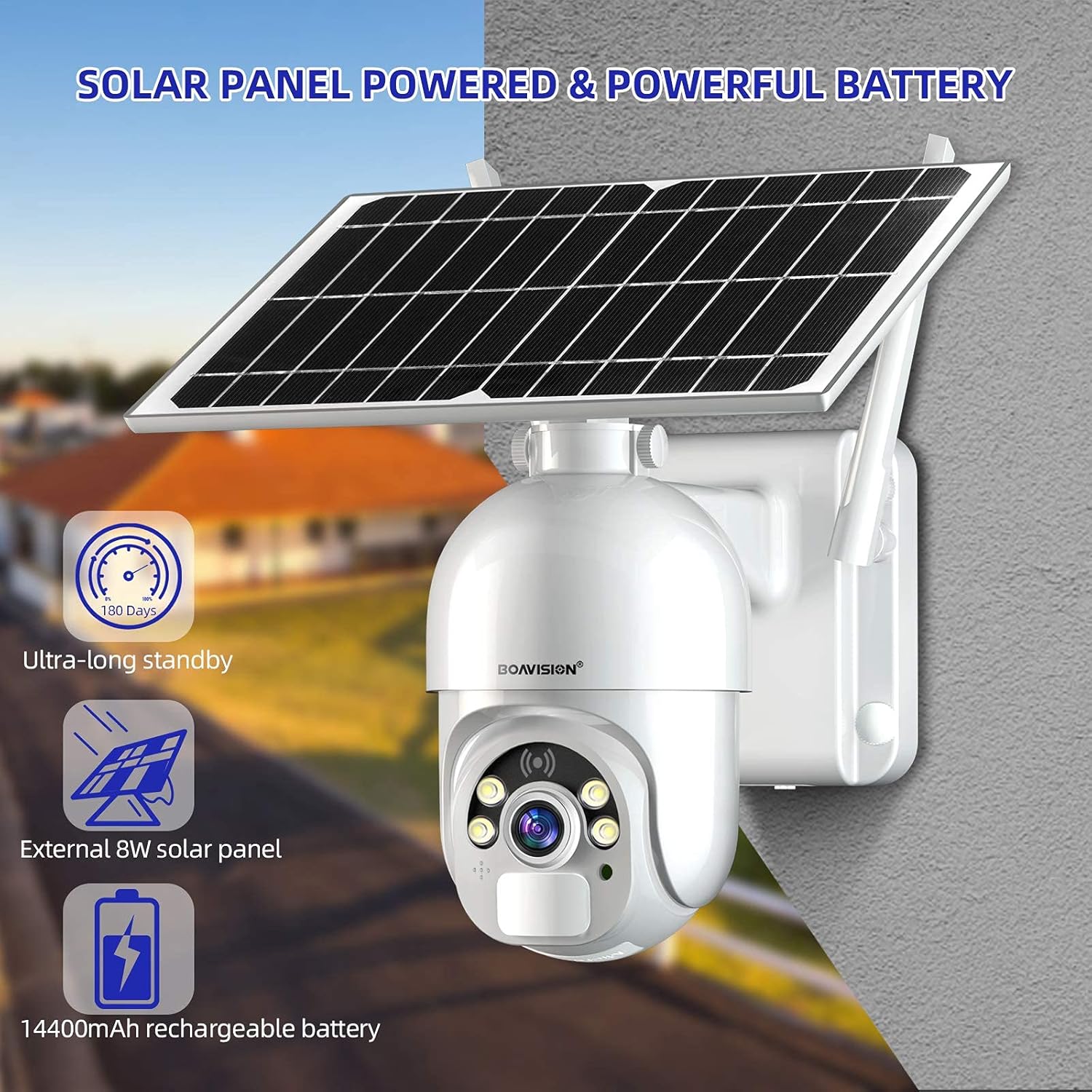
Figure 3: The camera's solar panel and powerful 14400mAh rechargeable battery, designed for extended outdoor operation.
- Connect the solar panel to the camera using the provided solar USB power cable.
- Ensure the camera's power switch is in the ON position.
- For first-time use or after prolonged storage, it is recommended to fully charge the camera using a standard 5V USB charger before relying solely on solar power.
카메라 장착
Select a mounting location that provides an optimal view of the area you wish to monitor and receives adequate sunlight for the solar panel. The camera is designed for wall mounting.
- Choose a sturdy surface for mounting.
- Use the positioning paper to mark drill holes.
- 필요한 경우 구멍을 뚫고 벽 고정 장치를 삽입합니다.
- 제공된 나사를 사용하여 카메라 장착 브래킷을 벽에 고정하십시오.
- Attach the camera unit to the mounting bracket, ensuring it is firmly in place.
- Adjust the angle of the solar panel to maximize sun exposure throughout the day.
App Installation and Initial Pairing
The camera operates via a mobile application available for both iOS and Android devices. 검색 the recommended app (e.g., "UBOX" as per some user feedback, though the manual should specify the official app name) on the App Store or Google Play.

Figure 4: The mobile application interface for live view통화 및 양방향 오디오 통신.
- Download and install the official BOAVISION camera application from your device's app store.
- 새 계정을 등록하거나 이미 계정이 있는 경우 로그인하세요.
- Follow the in-app instructions to add your new camera. This typically involves scanning a QR code on the camera or connecting to its Wi-Fi hotspot.
- Ensure your smartphone is connected to a 2.4GHz Wi-Fi network during the pairing process, as the camera supports Wi-Fi connectivity.
작동 지침
살다 View재생 및 재생
Once connected, you can access the live video feed from your camera anytime, anywhere via the mobile application. The camera supports video recording to a micro SD card (up to 128GB) or an optional cloud storage service.
- Open the app and select your camera from the device list to view 라이브 피드.
- Use the playback function within the app to review 기록된 footage stored on the SD card or cloud.
팬 및 틸트 회전
The camera features Pan-Tilt (PT) functionality, allowing you to remotely adjust its view포괄적인 보도를 위한 각도.

Figure 5: The camera offers 320-degree horizontal pan and 90-degree vertical tilt rotation, controllable via the app.
- 라이브 내에서 view interface of the app, use the directional controls to pan the camera horizontally up to 320 degrees and tilt it vertically up to 90 degrees.
양방향 오디오
카메라에 내장된 마이크와 스피커를 사용하여 방문객과 소통하거나 침입자를 막을 수 있습니다.
- 앱 라이브에서 마이크 아이콘을 탭하세요 view 카메라를 통해 말하다.
- The camera's speaker will transmit your voice, and its microphone will capture audio from the camera's vicinity.
PIR Smart Detection
The camera utilizes a highly sensitive Passive Infrared (PIR) motion sensor to detect human and animal movement, reducing false alarms from environmental factors. It has a 120-degree detection angle.

Figure 6: The camera's PIR sensor detects motion, triggering alerts and recording events to your phone app.
- Configure motion detection sensitivity and alert settings within the app.
- Upon detection, the camera will send push notifications to your smartphone and begin recording.
Day and Night Color Vision
The camera provides clear 1080P HD footage during the day and offers advanced night vision capabilities, including color night vision and infrared (IR) night vision up to 100 feet.

Figure 7: The camera's ability to provide clear color vision even in low-light conditions using its motion-activated spotlight.
- 카메라는 주변 조명에 따라 자동으로 주간 모드와 야간 모드를 전환합니다.
- Dual LEDs enable motion-activated spotlight color night vision, providing full-color video even in darkness.
- Infrared LEDs provide traditional black-and-white night vision for discreet monitoring.
유지
Battery and Solar Panel Care
To ensure optimal performance and battery longevity, regularly check the solar panel for any obstructions or dirt that might reduce its charging efficiency.

Figure 8: The camera's IP66 weatherproof design ensures reliable operation in various outdoor conditions, including rain and snow.
- 태양광 패널 표면을 부드러운 천으로 닦으세요.amp cloth to remove dust, leaves, or other debris.
- 태양광 패널이 하루 종일 최대한 많은 직사광선을 받을 수 있도록 설치하십시오.
- While the camera has a 14400mAh battery for extended standby, consistent solar charging is crucial for continuous operation without manual recharging.
Cleaning the Camera Lens and Housing
Periodically clean the camera lens and housing to maintain clear image quality and ensure proper functioning of sensors.
- Use a soft, lint-free cloth to gently wipe the camera lens. For stubborn dirt, a lens cleaning solution designed for optics can be used sparingly.
- 카메라 하우징을 청소하세요.amp 천을 사용하십시오. 마감재나 코팅을 손상시킬 수 있는 연마성 세척제나 용제는 사용하지 마십시오.
내후성
The camera is rated IP66 waterproof, meaning it is protected against dust ingress and powerful water jets. While designed for outdoor use, extreme weather conditions may still impact performance or require additional protective measures.
- Ensure all cable connections are securely sealed to maintain the IP66 rating.
- Avoid submerging the camera in water.
문제 해결
Camera Offline / No Connection
- Wi-Fi 신호 확인: Ensure the camera is within range of your 2.4GHz Wi-Fi router and the signal strength is adequate. Obstacles like thick walls can weaken the signal.
- 라우터 상태: Verify your Wi-Fi router is functioning correctly and has internet access.
- 카메라 재부팅: Turn the camera off and then on again using the power switch.
- 카메라 수리: If the issue persists, try re-pairing the camera with the app following the initial setup instructions.
Poor Image Quality / Blurry Video
- 깨끗한 렌즈: 부드럽고 보풀 없는 천으로 카메라 렌즈를 살살 닦아주세요.
- 네트워크 대역폭: Ensure your internet connection has sufficient upload bandwidth for smooth video streaming.
- 조명 조건: Verify there are no strong light sources directly facing the camera at night that could cause glare.
동작 감지가 작동하지 않음 / 오경보가 너무 많음
- 감도 조정: In the app settings, adjust the PIR motion detection sensitivity. Lower sensitivity for fewer false alarms, higher for more precise detection.
- 탐지 지역: Ensure the camera's detection area covers the desired region.
- 환경적 요인: Strong winds, moving branches, or direct sunlight changes can sometimes trigger false alarms. Adjust camera placement if possible.
배터리 충전 안 됨 / 배터리 잔량 부족
- 태양광 패널 노출: Ensure the solar panel receives at least 4-6 hours of direct sunlight daily. Clear any obstructions.
- 케이블 연결: Check that the solar panel cable is securely connected to the camera.
- Manual Charge: If the battery is critically low, bring the camera indoors and charge it fully using a standard 5V USB charger.
명세서
| 특징 | 세부 사항 |
|---|---|
| 모델 번호 | S20-와이파이 |
| 전원 | 태양열 충전식, 14400mAh 충전식 배터리 |
| 태양광 패널 와트tage | 8 와트 |
| 연결성 | 와이파이(2.4GHz) |
| 비디오 캡처 해상도 | 1080p HD |
| 팬/틸트 범위 | 320° 수평, 90° 수직 |
| 나이트 비전 범위 | Up to 100 feet (Color Night Vision & IR) |
| 동작 감지 | PIR Sensor, 120° Detecting Angle |
| 오디오 | 양방향 오디오(내장 마이크 및 스피커) |
| 저장 옵션 | 마이크로 SD 카드(최대 128GB), 클라우드 저장소(선택 사항) |
| 비바람에 견디는 등급 | IP66 |
| 치수(길이 x 너비 x 높이) | 6.29 x 8.81 x 5.51 인치 |
| 품목 무게 | 3.36파운드 |
| 호환 장치 | 스마트폰 (iOS, 안드로이드) |
| 한국어: | 735520282376 |
보증 및 지원
Specific warranty terms and conditions for the BOAVISION S20-WIFI camera are not provided within this manual. For detailed warranty information, technical support, or customer service inquiries, please refer to the official BOAVISION web사이트를 방문하거나 고객 지원팀에 직접 문의하세요.
You may find additional resources and frequently asked questions on the manufacturer's support pages.
- 제조업체: 보아비전
- 공식적인 Web대지: Visit the BOAVISION Store on Amazon (브랜드 일반 정보용)