
Beatfoxx GT-25 Chuck
Beatfoxx GT-25 Chuck Guitar-Shaped Turntable User Manual
Model: GT-25 Chuck | Brand: Beatfoxx
소개
The Beatfoxx GT-25 Chuck is a unique guitar-shaped turntable designed for playing vinyl records. It features a vintage wood-effect finish and offers versatile placement options: it can be used vertically with its included stand or mounted on a wall. This turntable supports three playback speeds (33, 45, and 78 RPM) and includes a magnetic holder to secure various record sizes. For audio output, it comes with integrated speakers, Bluetooth connectivity for wireless streaming from compatible devices, an AUX-in port for connecting external audio sources, and RCA-out ports for connection to an external amplifier or Hi-Fi system.
설치 지침
1. 개봉 및 검사
Carefully remove all components from the packaging. Ensure all parts are present and undamaged. Retain the packaging for future transport or storage.
2. 배치 옵션
The GT-25 Chuck offers two primary placement methods:
- Using the Included Stand: Assemble the guitar stand according to its instructions. Place the turntable securely on the stand in a stable location.
- 벽면 장착: Use the provided wall mounting hardware. Ensure the chosen wall can support the weight of the turntable. Mark and drill holes, then securely attach the mounting brackets to the wall and the turntable.

그림 1: 전면 view of the Beatfoxx GT-25 Chuck Turntable.

Figure 2: The included adjustable guitar stand.

Figure 3: Wall mounting hardware for secure installation.
3. 전원 연결
Connect the provided power adapter to the DC 12V input port on the rear of the turntable. Plug the adapter into a suitable wall outlet.
4. Stylus Protection
Before first use, carefully remove the protective cap from the stylus (needle) at the end of the tonearm.
작동 지침
1. 바이닐 레코드 재생하기
- 전원 켜기: 전원/볼륨 조절 노브를 시계 방향으로 돌려 기기를 켜십시오.
- 장소 기록: Carefully place a vinyl record onto the turntable platter. The magnetic holder will secure it.
- 속도 선택: Adjust the speed selector switch (usually located near the platter) to match the record's speed (33, 45, or 78 RPM).
- 톤암 위치 지정: Gently lift the tonearm and move it over the desired starting groove of the record.
- 하단 톤암: Slowly lower the tonearm onto the record. Playback will begin automatically.
- 볼륨 조절: 볼륨 노브를 사용하여 원하는 청취 레벨을 설정하세요.
- 재생 종료: At the end of the record, the tonearm may return automatically or need to be manually lifted and returned to its rest. Turn the power/volume knob counter-clockwise to power off.
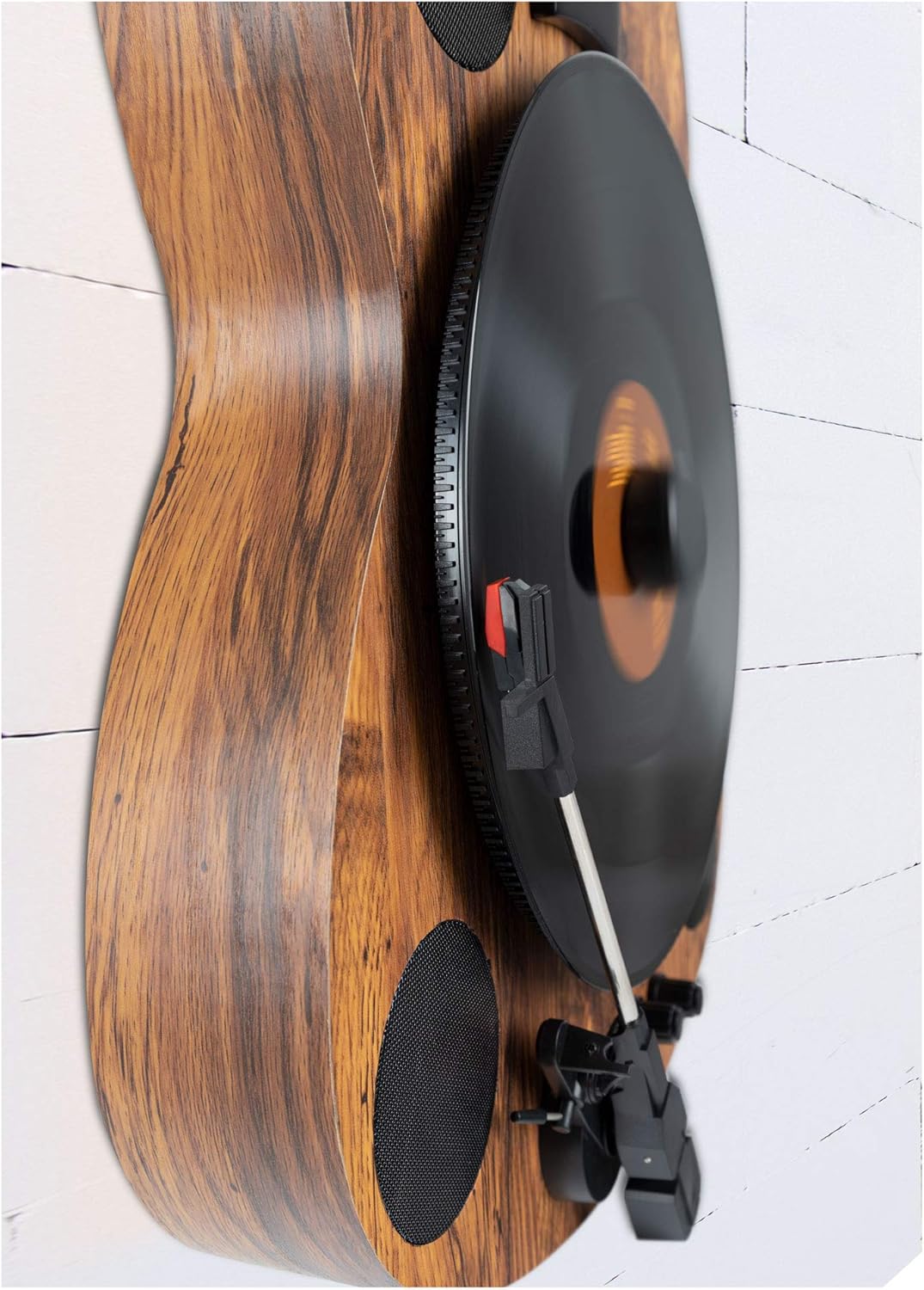
Figure 4: Turntable playing a record vertically.

Figure 5: A vinyl record placed on the turntable platter.
2. 블루투스 연결
The GT-25 Chuck can receive audio wirelessly via Bluetooth from your smartphone or tablet.
- 블루투스 활성화: Switch the turntable to Bluetooth mode (refer to the control panel for the specific button or switch). An indicator light will usually flash, indicating pairing mode.
- 페어링 장치: On your mobile device, enable Bluetooth and search for available devices. Select "Beatfoxx GT-25" or a similar name from the list.
- 재생: Once paired, the indicator light will become solid. You can now play audio from your device through the turntable's speakers.

Figure 6: Turntable ready for Bluetooth pairing.
3. AUX 입력
Connect external audio devices (e.g., MP3 players, older phones) using a 3.5mm audio cable.
- 케이블 연결: Plug one end of a 3.5mm audio cable into the AUX IN port on the rear of the turntable.
- 장치 연결: Plug the other end into the headphone jack or line-out port of your external audio device.
- AUX 모드를 선택하세요: Switch the turntable to AUX input mode (refer to the control panel).
- 재생: Play audio from your external device. Adjust volume on both the device and the turntable.
4. RCA 라인 출력
For enhanced sound, connect the turntable to an external amplifier or Hi-Fi system using RCA cables.
- 케이블 연결: Connect RCA cables (red for right, white/black for left) to the LINE OUT ports on the rear of the turntable.
- 연결하기 Amp정수기: Connect the other end of the RCA cables to an available audio input on your amp수신자 또는 수신자.
- 입력 선택: 해당 입력란을 선택하세요 amp리퍼.
- 재생: Play a record on the turntable. Audio will be routed through your external sound system. The integrated phono pre-amplifier ensures compatibility with most standard amp정수기.
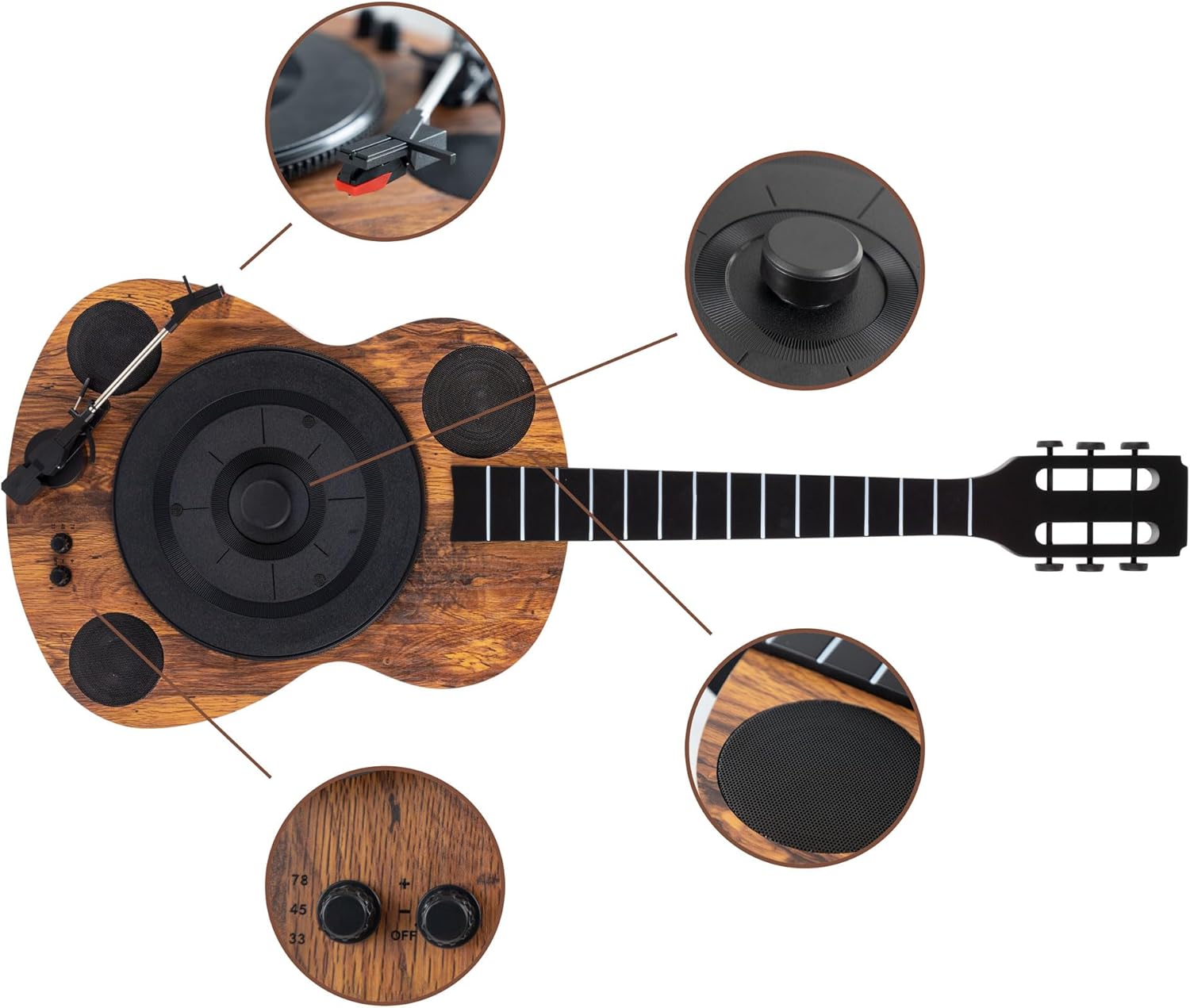
Figure 7: Rear panel connections (DC 12V, Line Out, AUX In).
유지
1. 스타일러스 청소
A clean stylus ensures optimal sound quality and prolongs record life. Use a soft brush designed for stylus cleaning, brushing gently from back to front. Avoid touching the stylus with your fingers.
2. 장치 청소
Wipe the turntable's surface with a soft, dry, lint-free cloth. For stubborn marks, slightly dampen the cloth with water. Avoid abrasive cleaners or solvents, as they can damage the finish.
3. 기록 관리
Keep your vinyl records clean and free of dust. Store them vertically in their sleeves to prevent warping. Handle records by their edges to avoid transferring oils from your skin.
문제 해결
| 문제 | 가능한 원인 | 해결책 |
|---|---|---|
| 전원이 없습니다 | 전원 어댑터가 연결되지 않았습니다. 콘센트가 작동하지 않습니다. | 전원 어댑터가 본체와 정상적으로 작동하는 콘센트에 제대로 연결되어 있는지 확인하십시오. |
| 스피커에서 소리가 나지 않음 | Volume too low; incorrect input mode selected; stylus dirty or damaged. | Increase volume. Select correct input mode (Phono, Bluetooth, AUX). Clean or replace stylus. |
| 레코드 건너뛰기 | Record dirty or scratched; turntable not level; stylus worn or dirty. | Clean record. Ensure turntable is on a flat, stable surface. Clean or replace stylus. |
| 블루투스 페어링 문제 | Turntable not in pairing mode; device too far; interference. | Ensure turntable is in Bluetooth pairing mode. Move device closer. Reduce interference from other wireless devices. |
| 음질이 좋지 않음 | Dirty stylus/record; incorrect speed; external interference. | Clean stylus and record. Verify correct playback speed. Move unit away from other electronics. |
명세서
| 특징 | 세부 사항 |
|---|---|
| 상표 | Beatfoxx |
| 모델명 | Chuck (GT-25) |
| 최대 회전 속도 | 78 RPM (also supports 33, 45 RPM) |
| 포함된 구성 요소 | Integrated Speakers, Guitar Stand, Wall Mount Hardware |
| 특징 | 무선(블루투스) |
| 재료 | 목재 |
| 스타일 | 레트로, 빈tage, Guitar-shaped |
| 색상 | 갈색 |
| 모터 유형 | 직류 모터 |
| 연결 기술 | Bluetooth, AUX (3.5mm), RCA Line Out |
| 전원 | 유선 전기 (DC 12V) |
| 신호 형식 | Digital (for Bluetooth), Analog (for vinyl playback) |
보증 및 지원
For warranty information and technical support, please refer to the documentation included with your purchase or visit the official Beatfoxx web사이트. 보증 청구를 위해 구매 증빙 자료를 보관하세요.
Ask a question about this manual
Ask about setup, troubleshooting, compatibility, parts, safety, or missing instructions. Manuals+ will review the question and use this page’s manual context to help answer it.