
소개
This manual provides detailed instructions for the setup, operation, and maintenance of your Sharp Digital Alarm Clock, Model B08TG1QB2B. Designed for simplicity, this clock features a clear LED display, dual ascending alarms, and a battery backup system to ensure reliability.

그림 1: 전면 view of the Sharp Digital Alarm Clock, displaying the time 12:08 in green LED digits.
제품 특징
- 사용하기 쉬운 디자인: 모든 사용자에게 적합한 간단한 조작.
- 듀얼 알람 시스템: 서로 다른 시간에 맞춰 두 개의 독립적인 알람을 설정하세요.
- Ascending Alarm Volume: Alarm starts softly and gradually increases in volume for a gentle wake-up.
- 배터리 백업 : 전원이 꺼져도 시간 및 알람 설정을 유지합니다.tages (requires 2x AA batteries, not included).
- Illuminated Green LED Digits: 명확하고 읽기 쉬운 디스플레이.
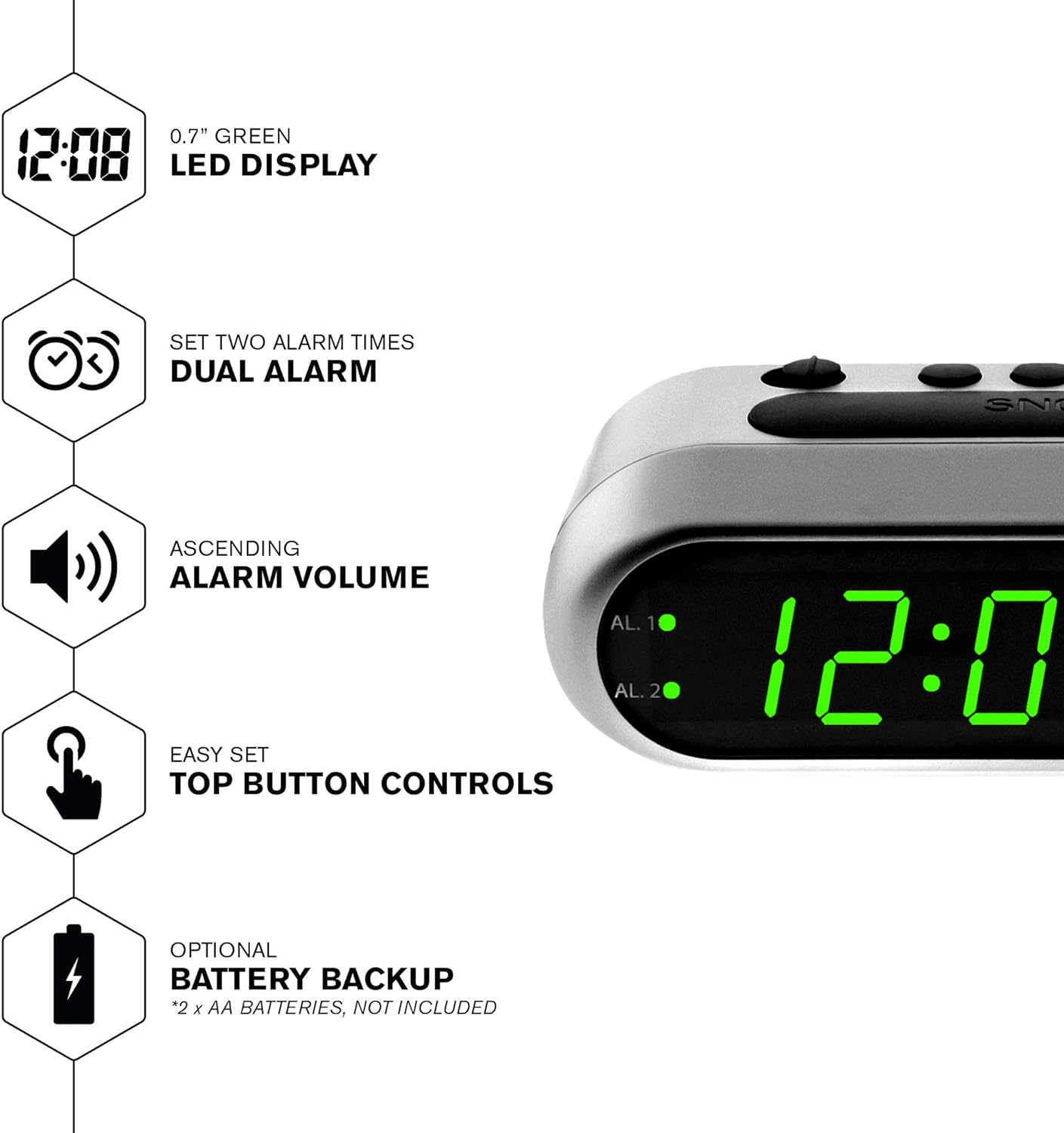
그림 2: 이상view of the clock's main features, including the LED display, dual alarm, ascending volume, and battery backup.
패키지 내용
- Sharp Digital Alarm Clock (Model B08TG1QB2B)
- AC 전원 어댑터
- 사용 설명서
메모: 2x AA batteries for battery backup are not included and must be purchased separately.
컨트롤 및 디스플레이
Familiarize yourself with the buttons and indicators on your alarm clock:
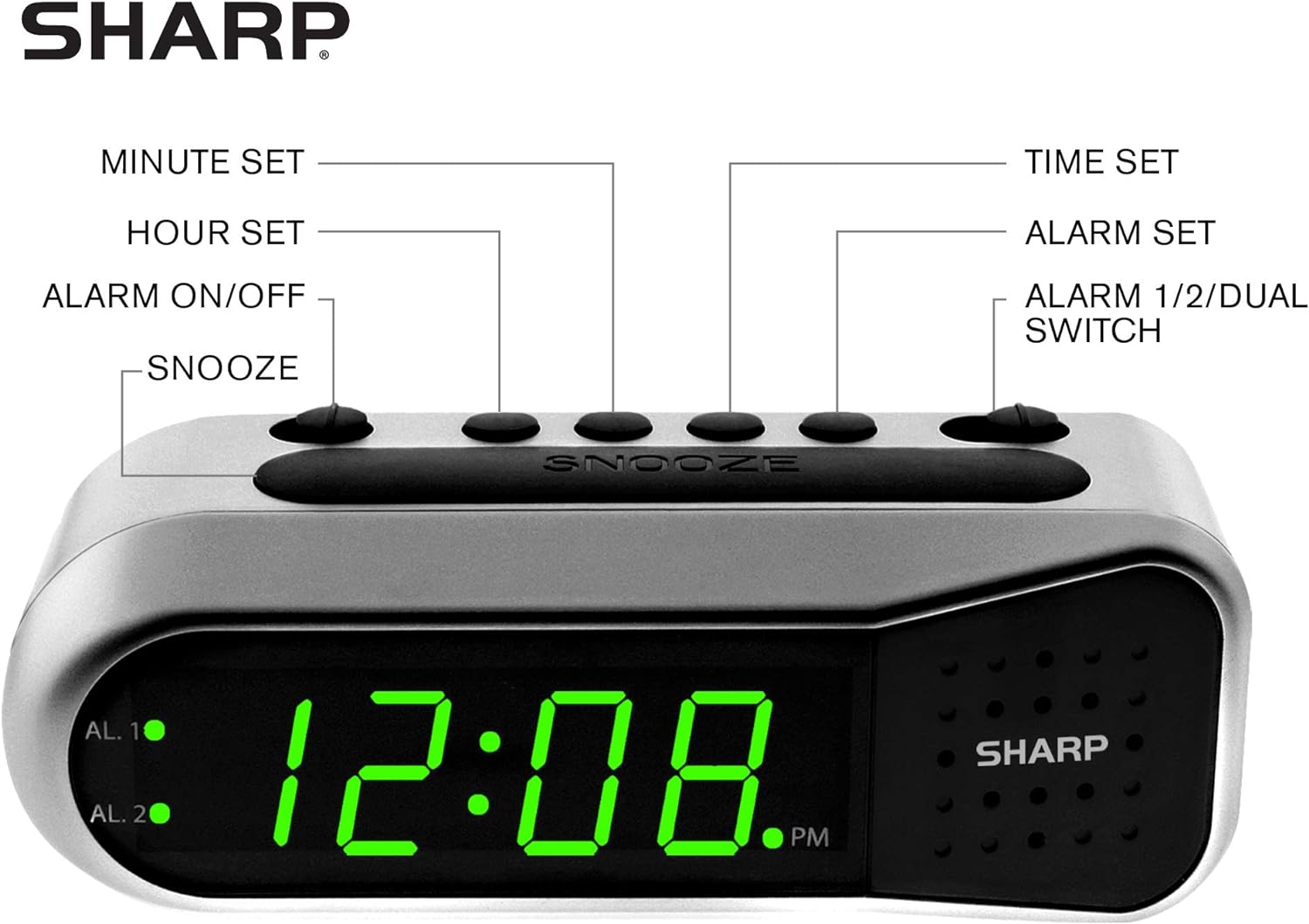
Figure 3: Labeled diagram of the clock's controls and display elements.
- Minute Set Button: Adjusts minutes for time and alarm settings.
- Hour Set Button: Adjusts hours for time and alarm settings.
- 알람 켜기/끄기 스위치: Activates or deactivates the selected alarm.
- 음소거 버튼: 짧은 시간 동안 경보음을 일시적으로 끕니다.
- 시간 설정 버튼: 시간 설정 모드로 들어갑니다.
- 알람 설정 버튼: 알람 설정 모드로 들어갑니다.
- Alarm 1/2/Dual Switch: Selects which alarm (Alarm 1, Alarm 2, or both) is being set or activated.
- AL. 1 Indicator: Lights up when Alarm 1 is active.
- AL. 2 Indicator: Lights up when Alarm 2 is active.
- PM 지표: Lights up when the displayed time is PM.
설정
1. 전원 연결
Connect the AC power adapter to the DC input jack located on the back of the alarm clock. Plug the adapter into a standard electrical outlet. The display will illuminate.
2. 배터리 백업 설치
The battery backup feature requires two (2) AA batteries (not included). These batteries maintain time and alarm settings during a power outage but do not power the display.
- Open the battery compartment cover on the bottom of the clock.
- 배터리함 안쪽에 표시된 극성(+ 및 -)을 확인하여 AA 배터리 2개를 삽입하십시오.
- 배터리 덮개를 다시 장착하세요.
메모: Replace batteries annually or when the clock experiences frequent power interruptions to ensure reliable backup.
3. 초기 시간 설정
After connecting power, the display will show a default time (e.g., 12:00 AM). Set the current time:
- 를 누르고 계세요 시간 설정 단추. 시간 숫자가 깜박입니다.
- 잡고 있는 동안 시간 설정, 누르세요 시간 설정 버튼을 반복해서 눌러 시간을 조정하세요. 오전/오후 설정이 정확한지 확인하려면 오후 표시기를 확인하세요.
- 릴리스하다 시간 설정 단추.
- 를 누르고 계세요 시간 설정 버튼을 다시 누르세요. 분 숫자가 깜빡입니다.
- 잡고 있는 동안 시간 설정, 누르세요 분 세트 분을 조정하려면 버튼을 반복해서 누르세요.
- 릴리스하다 시간 설정 버튼을 눌러 시간을 절약하세요.
작동 지침
알람 1 또는 알람 2 설정
Your clock features two independent alarms. To set an alarm:
- 슬라이드 ALARM 1/2/DUAL 둘 중 하나로 전환하세요 알. 1 or 알. 2, depending on which alarm you wish to set.
- 를 누르고 계세요 알람 설정 button. The hour digits for the selected alarm will flash.
- 잡고 있는 동안 알람 설정, 누르세요 시간 설정 button repeatedly to adjust the alarm hour. Ensure the correct AM/PM is selected.
- 릴리스하다 알람 설정 단추.
- 를 누르고 계세요 알람 설정 button again. The minute digits for the selected alarm will flash.
- 잡고 있는 동안 알람 설정, 누르세요 분 세트 알람 시간을 조정하려면 버튼을 반복해서 누르세요.
- 릴리스하다 알람 설정 알람 시간을 저장하려면 버튼을 클릭하세요.
Activating/Deactivating Alarms
To turn an alarm ON or OFF:
- 슬라이드 ALARM 1/2/DUAL 로 전환하다 알. 1 or 알. 2.
- 이동하다 알람 ON / OFF 로 전환하다 ON position to activate the alarm. The corresponding AL. 1 or AL. 2 indicator light will illuminate.
- 이동하다 알람 ON / OFF 로 전환하다 끄다 position to deactivate the alarm. The indicator light will turn off.
To activate both alarms, set both alarm times and then slide the ALARM 1/2/DUAL 로 전환하다 듀얼. Both AL. 1 and AL. 2 indicators will light up.
스누즈 기능
알람이 울리면 큰 버튼을 누르세요 선잠 시계 상단의 버튼을 누르세요. 알람이 일시적으로 멈췄다가 약 9분 후에 다시 울립니다.
알람 중지
알람이 울린 후 완전히 멈추려면 슬라이드를 밀어주세요. 알람 ON / OFF 로 전환하다 끄다 position. The alarm will reset for the next day.
유지
청소
부드럽고 마른 천으로 시계를 닦으십시오. 연마성 세제나 용제는 마감재를 손상시킬 수 있으므로 사용하지 마십시오.
배터리 교체
Replace the AA backup batteries annually or if the clock loses time during power interruptions. Refer to the "Battery Backup Installation" section for instructions.
문제 해결
| 문제 | 가능한 원인 | 해결책 |
|---|---|---|
| 시계 표시가 비어 있습니다. | AC 전원이 없습니다. | Ensure the AC adapter is securely plugged into the clock and a working electrical outlet. |
| 알람이 울리지 않습니다. | 알람이 활성화되지 않았거나 잘못 설정되었습니다. | 확인하다 알람 ON / OFF 스위치는 ON position and the alarm time is correctly set (check AM/PM). |
| 전원이 꺼진 후 시간이 잘못되었습니다.tage. | 백업 배터리가 방전되었거나 설치되어 있지 않습니다. | Install fresh AA batteries or replace existing ones. Reset the time if necessary. |
| Alarm is too quiet/loud. | Alarm volume is ascending, not fixed. | The alarm features an ascending volume. It starts faintly and gradually increases. This is normal operation. |
명세서
- 모델: B08TG1QB2B
- 상표: 날카로운
- 디스플레이 유형: 디지털 LED (녹색)
- 전원: AC Power Adapter (included), 2x AA Batteries (for backup, not included)
- 제품 크기: 가로 5.5인치 x 세로 2.1인치 x 두께 2.3인치 (대략적인 크기)
- 무게: 8.4 온스
- 재료: 플라스틱
- 색상: 브러시드 실버
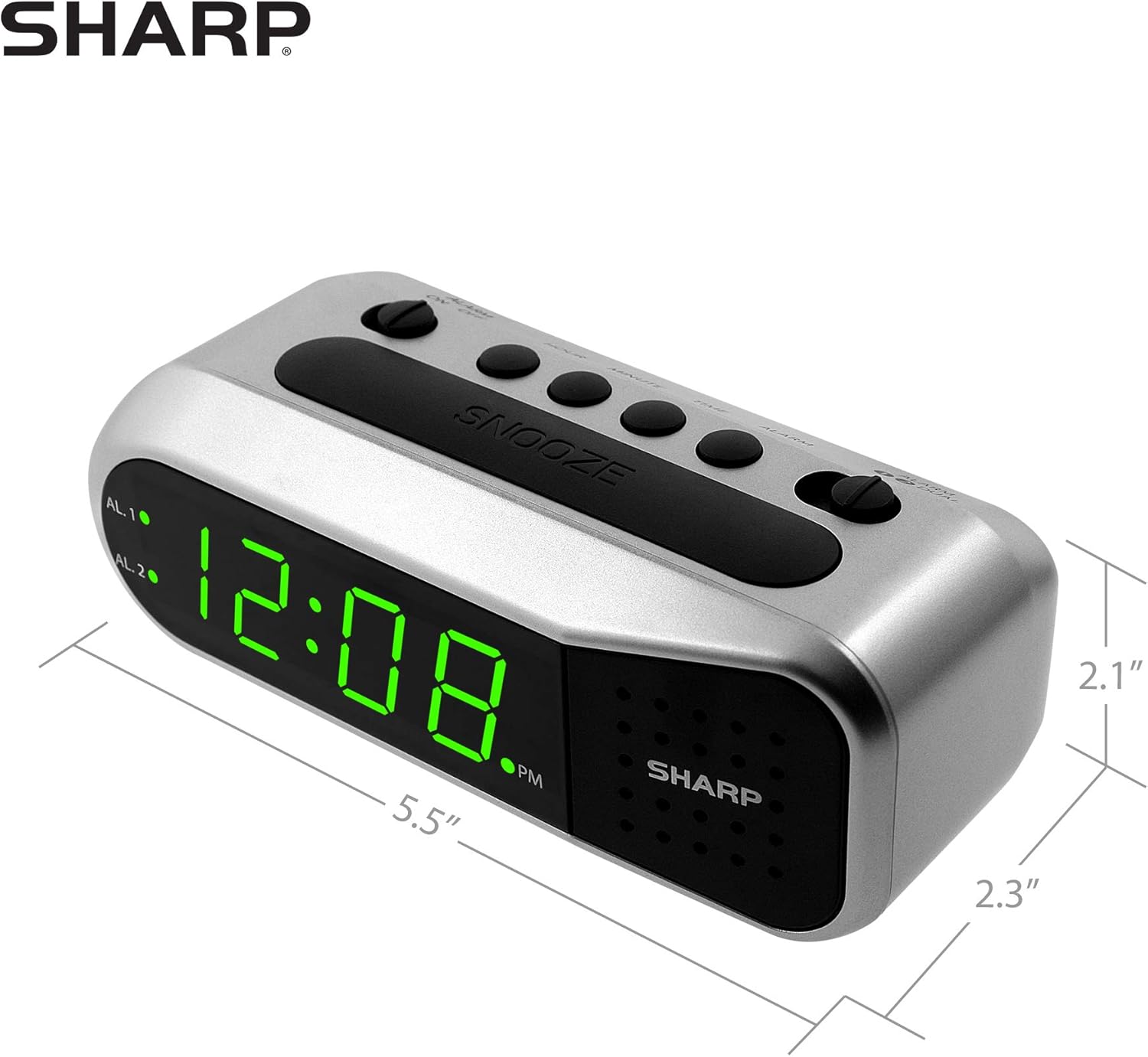
Figure 4: Dimensions of the Sharp Digital Alarm Clock.
보증 및 지원
보증 정보 또는 기술 지원이 필요하시면 제품에 동봉된 보증 카드를 참조하시거나 샤프 공식 웹사이트를 방문하십시오. web사이트. 구매 증빙 자료로 구매 영수증을 보관하세요.
추가적인 도움이 필요하시면 샤프 공식 고객 서비스 센터로 문의해 주십시오.