
1. 제품 오버view
The HDWR HD6600 is a compact, portable 1D/2D barcode scanner designed for efficiency and convenience. Its ergonomic design, resembling a car key, makes it easy to carry and use in various environments. This device supports both 1D and 2D barcode types, including QR codes, and offers flexible connectivity options.
주요 특징:
- 소형 및 휴대성: Designed for easy handling and pocket storage, optimizing space in any workplace.
- Dual Wireless Communication: Connects via radio using the included USB micro-receiver or via Bluetooth.
- Integrated Memory: Stores up to 5000 standard codes for later transmission, enhancing operational flexibility.
- 다양한 스캔: Capable of high-quality reading for 1D and 2D barcodes, including QR codes, even if they are difficult to read or damaged.
- 간단한 조작: Features an illuminated scan button and an on/off button for straightforward use.
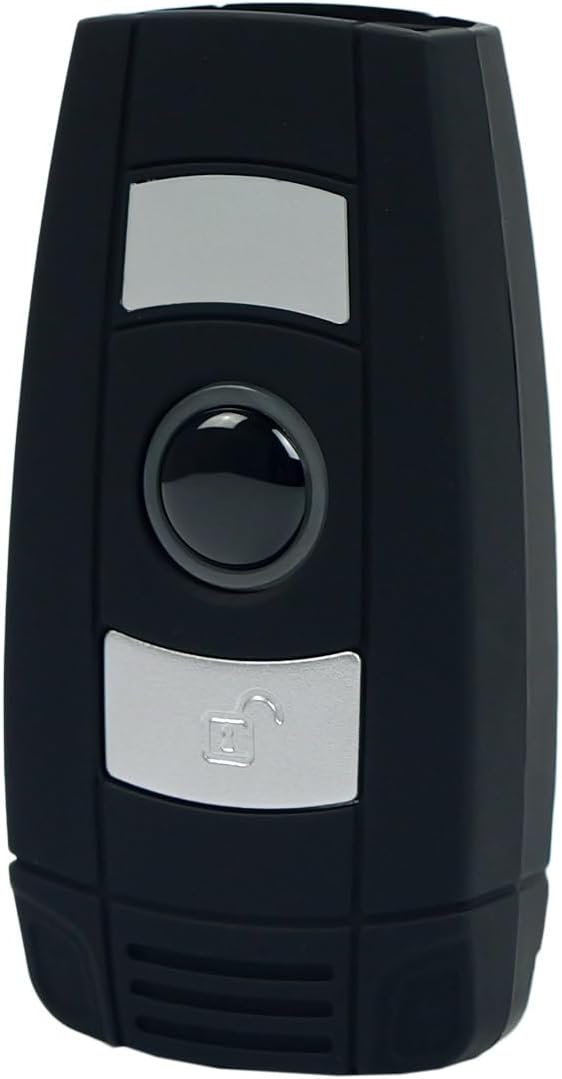
그림 1: 전면 view of the HDWR HD6600 barcode scanner, showing the scan and function buttons.
2. 패키지 내용
패키지에 모든 품목이 들어 있는지 확인하세요.
- HDWR HD6600 Barcode Scanner
- USB 충전 케이블
- USB Micro-Receiver (for radio communication)
- 사용 설명서 (본 문서)
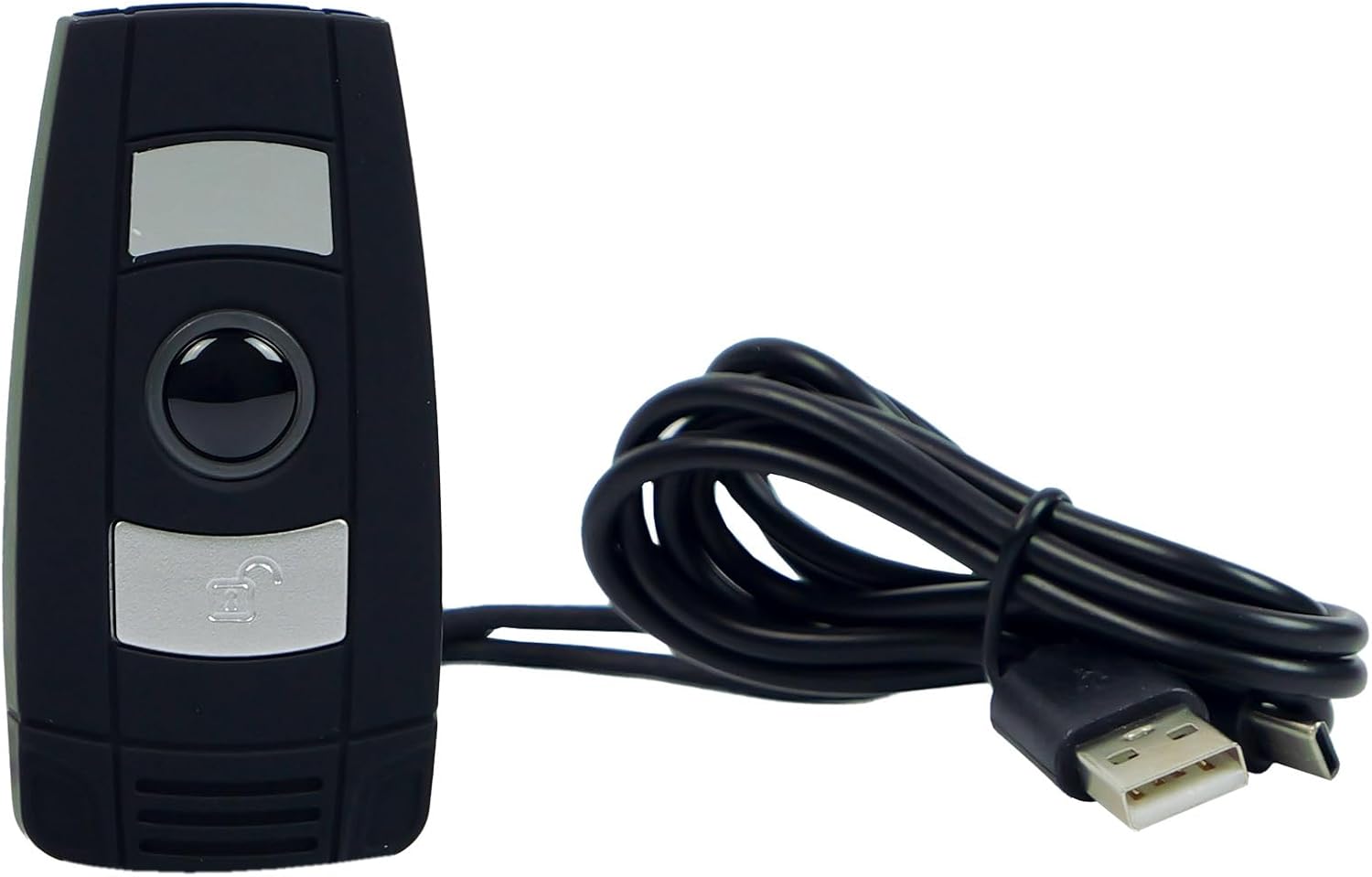
Figure 2: The HDWR HD6600 barcode scanner shown with its USB charging cable.
3. 초기 설정
3.1 장치 충전
Before first use, fully charge the scanner. Connect the provided USB charging cable to the scanner's USB-C port and to a power source (e.g., computer USB port or USB wall adapter). The charging indicator light will show the charging status.
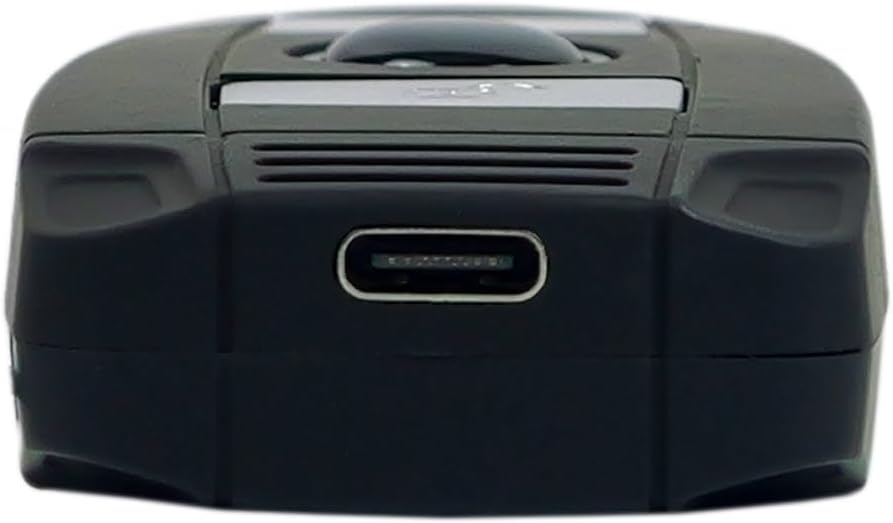
Figure 3: The USB-C charging port located at the bottom of the scanner.
3.2 전원 켜기/끄기
To power on the scanner, press and hold the On/Off button until the indicator light illuminates. To power off, press and hold the On/Off button again until the indicator light turns off.
3.3 장치에 연결하기
The HD6600 offers two primary connection methods:
3.3.1 USB Micro-Receiver (Radio Communication)
- Plug the USB micro-receiver into an available USB port on your computer or host device.
- The scanner will automatically attempt to pair with the receiver. A successful connection is indicated by a specific sound or light pattern (refer to device indicators).
3.3.2 블루투스 통신
- 스캐너의 전원이 켜져 있는지 확인하세요.
- To switch to Bluetooth mode, press and hold the scan button for 8 seconds. The scanner will emit a sound or show a light pattern indicating it is in Bluetooth pairing mode.
- 호스트 장치(컴퓨터, 태블릿, 스마트폰)에서 블루투스를 활성화하고 사용 가능한 장치를 검색하세요.
- Select "HD6600" from the list of found devices to pair.
- 연결이 완료되면 스캐너를 바로 사용할 수 있습니다.
4. 사용 설명서
4.1 바코드 스캐닝
바코드를 스캔하려면:
- Point the scanner's lens at the barcode you wish to read.
- Press the illuminated scan button.
- A successful scan will be indicated by a beep and/or a green light. The scanned data will be transmitted to your connected device.
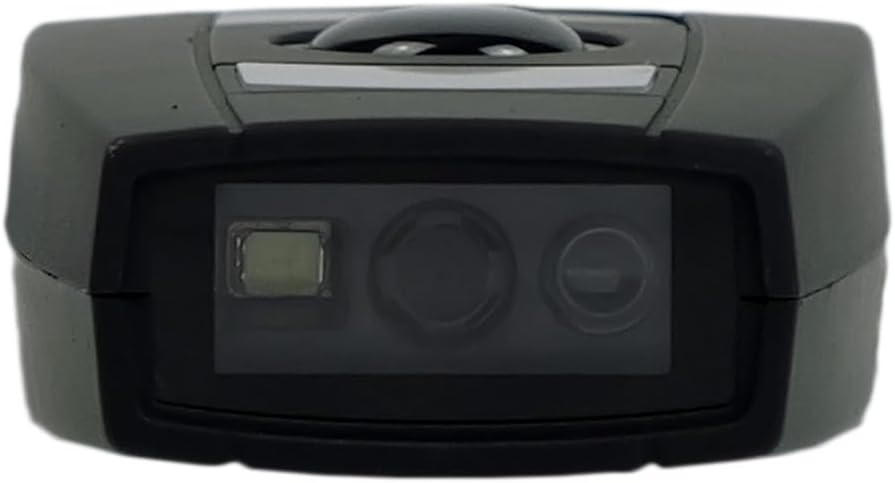
Figure 4: The scanning lens of the HDWR HD6600 barcode scanner.
4.2 Using Integrated Memory
The HD6600 can store up to 5000 standard barcodes when not connected or when operating in inventory mode. To retrieve stored data, connect the scanner to your host device and follow the instructions for data transfer (usually by scanning a specific function code or entering a data upload mode).
4.3 Switching Communication Modes
To switch between radio (USB micro-receiver) and Bluetooth communication modes, press and hold the scan button for 8 seconds. The scanner will confirm the mode change with an audible alert or indicator light change.
Video 1: Demonstration of the HDWR HD6600 barcode scanner's features and operation, including its compact design and scanning capabilities.
5. 관리 및 유지 보수
- 청소: Use a soft, dry cloth to clean the scanner's exterior. For the scanning lens, use a lens cleaning cloth and solution. Avoid abrasive cleaners or solvents.
- 저장: Store the scanner in a cool, dry place away from direct sunlight and extreme temperatures. The maximum storage temperature is 60 degrees Celsius.
- 배터리: The device contains a Lithium-ion battery. Do not attempt to replace the battery yourself. Dispose of the device according to local regulations for electronic waste.
- 보호: While durable, avoid dropping the scanner or exposing it to excessive moisture or dust.
6. 문제 해결
| 문제 | 가능한 원인 | 해결책 |
|---|---|---|
| 스캐너의 전원이 켜지지 않습니다. | 배터리가 부족합니다. | 제공된 USB 케이블을 사용하여 스캐너를 충전하십시오. |
| Scanner does not connect to host device. | Incorrect communication mode; not paired; out of range. | Ensure correct mode (radio/Bluetooth). Re-pair the device. Move scanner closer to the host device. |
| 바코드를 스캔할 수 없습니다. | Barcode damaged; scanner lens dirty; insufficient lighting. | Try scanning a different barcode. Clean the scanner lens. Ensure adequate lighting. |
| 스캔한 데이터가 잘못되었거나 불완전합니다. | Partial scan; incorrect symbology settings. | Ensure the entire barcode is within the scanning area. Check scanner configuration for supported barcode types. |
7. 기술 사양
| 특징 | 세부 사항 |
|---|---|
| 모델 번호 | HD6600 |
| 상표 | HDWR |
| 연결 기술 | 블루투스, USB, Wi-Fi |
| 호환 장치 | 컴퓨터 |
| 배터리 유형 | 1 리튬이온(포함) |
| 운영 볼륨tage | 5 볼트 |
| 품목 무게 | 130그램 |
| 최대 보관 온도 | 섭씨 60도 |
| 항목 수 | 1 |
| 예비 부품 가용성 | 정보를 사용할 수 없습니다 |
| 소프트웨어 업데이트는 다음 날짜까지 보장됩니다. | 정보가 없습니다 |
8. 보증 정보
The HDWR HD6600 barcode scanner comes with a 2년 보증 구매일로부터 유효합니다. 본 보증은 정상적인 사용 조건에서 발생하는 제조상의 결함 및 오작동에 적용됩니다. 단, 오용, 사고, 무단 개조 또는 부적절한 유지보수로 인한 손상은 보증 대상에서 제외됩니다. 보증 청구를 위해 구매 증빙 자료를 보관해 주십시오.
9. 고객 지원
For further assistance, technical support, or warranty inquiries, please contact HDWR customer service. Refer to the product packaging or the official HDWR web최신 연락처 정보는 사이트에서 확인하세요.
온라인 리소스: Visit the official HDWR webFAQ, 업데이트된 드라이버 및 추가 지원 자료를 제공하는 사이트입니다.