
Sharp HP-TW30(BK)
Sharp HP-TW30 True Wireless Noise Cancelling Earphones
Model: HP-TW30(BK)
제품 끝view
The Sharp HP-TW30 True Wireless Noise Cancelling Earphones are designed for an immersive audio experience with enhanced comfort and durability. Featuring active noise cancellation, these earphones reduce background noise, making them ideal for various environments. They offer wireless charging, Bluetooth 5.0 connectivity, and are splashproof for active lifestyles.
주요 특징:
- 능동적 소음 제거: Reduces ambient noise by 22dB for improved focus and enjoyment.
- 무선 충전: Convenient charging with the included case, providing up to 4 full charges.
- 블루투스 5.0 : Ensures stable and efficient wireless connectivity with a range of up to 33 feet.
- IPX4 방수 등급: Resistant to splashes, sweat, and light rain, suitable for workouts and outdoor activities.
- 터치 컨트롤: Intuitive controls for managing playback, calls, and voice assistants.
- 음성 제어: Full integration with Apple Siri and Google Assistant for hands-free operation.
- 긴 플레이타임: 한 번 충전으로 최대 6시간 동안 오디오 재생이 가능합니다.

Figure 1: Sharp HP-TW30 True Wireless Earphones (Black)
패키지 내용
시작하기 전에 패키지에 모든 품목이 들어 있는지 확인하세요.
- 샤프 HP-TW30 완전 무선 이어폰 (좌우 세트)
- 충전 케이스
- USB Type-C Charging Cable (not explicitly listed in 'whats_in_the_box' but implied by 'Charging Port: USB Type C')
- Small, Medium, and Large Ultra-comfortable Ear Tips (3 sizes)
- 사용 설명서(본 문서)
설정
1. 이어폰 및 케이스 충전
For first-time use, fully charge the earphones and the charging case. The charging case provides approximately 4 full charges for the earphones.
- Place both earphones into their respective slots in the charging case. Ensure they are seated correctly.
- USB Type-C 충전 케이블을 케이스의 충전 포트에 연결하고 다른 한쪽 끝을 USB 전원(예: 벽면 어댑터, 컴퓨터 USB 포트)에 연결하십시오.
- The LED indicators on the case will show charging status. Charging time for the case and earphones is approximately 2 hours.
- 완전히 충전되면 충전 케이블을 분리하세요.
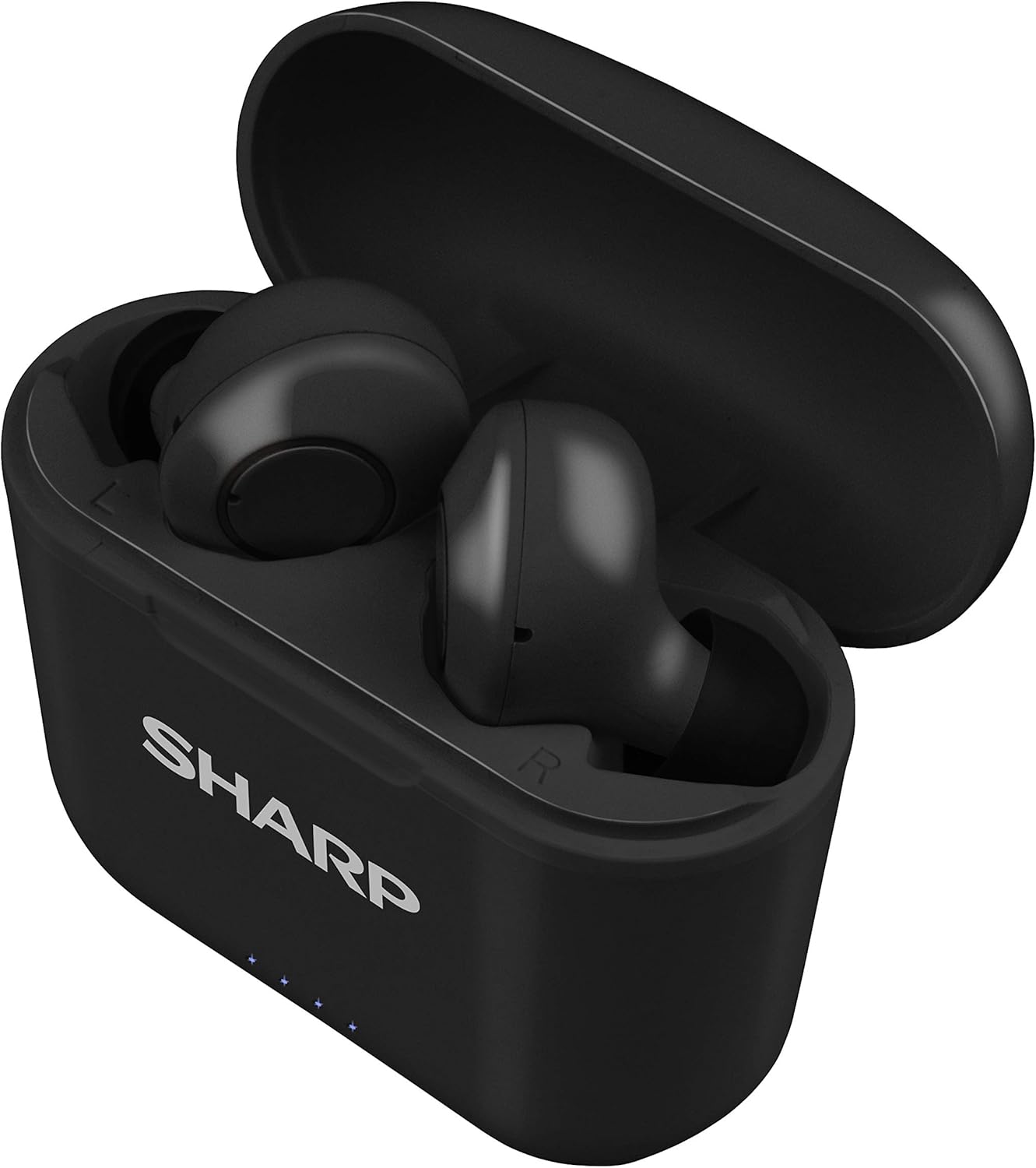
그림 2: 충전 케이스에 담긴 이어폰
2. 기기와 페어링
The HP-TW30 earphones feature auto-pairing for effortless setup.
- 충전 케이스를 여세요. 이어폰의 전원이 자동으로 켜지고 페어링 모드로 진입합니다.
- 스마트폰, 태블릿 또는 기타 Bluetooth 지원 기기에서 Bluetooth 설정으로 이동합니다.
- 검색 available devices and select "HP-TW30" from the list.
- 연결되면 음성 안내로 페어링이 성공적으로 완료되었음을 확인할 수 있습니다.
- 이어폰을 케이스에서 꺼내면 기기에서 블루투스가 활성화된 경우 마지막으로 페어링된 장치에 자동으로 다시 연결됩니다.
작동 지침
터치 컨트롤
The HP-TW30 earphones utilize touch-sensitive controls on each earbud for various functions:
- 재생/일시 중지: 양쪽 이어버드를 한 번 탭하세요.
- 다음 트랙: 오른쪽 이어버드를 두 번 탭하세요.
- 이전 트랙 : 왼쪽 이어버드를 두 번 탭하세요.
- 전화 받기/종료: 전화가 오는 동안 양쪽 이어버드를 한 번 탭하세요.
- 전화 거부: 전화가 오는 동안 한쪽 이어버드를 2초간 길게 누르세요.
- Activate Voice Assistant (Siri/Google Assist): 양쪽 이어버드를 세 번 탭하세요.
- 능동 소음 제거(ANC) 켜기/끄기: 오른쪽 이어버드를 2초 동안 길게 누릅니다.
능동 잡음 제거 (ANC)
The ANC feature reduces ambient background noise, providing a more focused listening experience. Activate or deactivate ANC using the touch control as described above.
방수 기능(IPX4)
The earphones are rated IPX4 splashproof, meaning they are resistant to water splashes from any direction. This makes them suitable for light rain, sweat, and gym use. Do not submerge the earphones in water.
유지
적절한 유지관리는 이어폰의 수명과 최적의 성능을 보장합니다.
- 청소: Regularly clean the earphones and charging case with a soft, dry, lint-free cloth. Do not use abrasive cleaners or solvents.
- 귀 팁: 귀팁을 주기적으로 제거하고 광고와 함께 청소하십시오.amp 천과 순한 비누로 닦은 후, 다시 부착하기 전에 완전히 말리세요.
- 저장: 사용하지 않을 때는 이어폰을 충전 케이스에 보관하여 먼지와 손상으로부터 보호하세요.
- 온도: 이어폰을 극한의 온도(더위나 추위)나 높은 습도에 노출시키지 마세요.
- 충전 연락처: 적절한 충전을 유지하려면 이어폰과 케이스 내부의 충전 접점이 깨끗하고 이물질이 없는지 확인하세요.
문제 해결
If you encounter issues with your Sharp HP-TW30 earphones, try the following solutions:
- 이어폰이 페어링/연결되지 않음:
- 두 이어폰이 모두 완전히 충전되었는지 확인하세요.
- 기기의 Bluetooth를 껐다가 다시 켜세요.
- Forget/delete "HP-TW30" from your device's Bluetooth list and attempt to re-pair.
- Place both earphones back into the charging case, close the lid for 5 seconds, then open it again to reset.
- 이어폰 한쪽만 소리가 납니다.
- 양쪽 이어버드가 모두 충전되어 있는지 확인하세요.
- 두 이어버드를 충전 케이스에 다시 넣고 뚜껑을 닫았다가 다시 열어 보세요. 이렇게 하면 다시 동기화되는 경우가 많습니다.
- 두 이어버드의 충전 접점과 케이스 내부를 청소하세요.
- Try resetting and re-pairing the earphones as described above.
- 볼륨이 낮거나 음질이 좋지 않음:
- 기기와 이어폰 모두의 볼륨을 조절하세요.
- Ensure the ear tips are the correct size for a snug fit and are clean.
- 이어폰 노즐에 이물질이 막혀 있는지 확인하십시오.
- 이어폰이 충전되지 않음:
- 충전 케이블이 케이스와 전원에 모두 단단히 연결되어 있는지 확인하세요.
- 다른 USB Type-C 케이블과 전원 어댑터를 사용해 보세요.
- 이어폰과 케이스 내부의 충전 접점을 청소하세요.
명세서
| 모델명 | HP-TW30(BK) |
| 연결 기술 | 무선(블루투스) |
| 블루투스 버전 | 5.0 |
| 블루투스 범위 | 최대 33피트(10미터) |
| 소음 제어 | 능동형 소음 제거(22dB 감소) |
| 노는 시간 | 약 6시간 |
| 대기 시간 | 약 90시간 |
| 충전 시간 | 약 2시간 (이어폰 및 케이스 포함) |
| 충전 포트 | USB 타입-C |
| 방수성 | IPX4 방수 |
| 제어 유형 | 터치 컨트롤 |
| 음성 제어 | 애플 시리, 구글 어시스턴트 |
| 포함된 구성 요소 | 소형, 중형, 대형의 매우 편안한 이어팁 |
| 재료 | 실리콘(이어팁) |
| 품목 무게 | 7.9 온스 |
보증 및 지원
Sharp products are manufactured to the highest quality standards. For warranty information, technical support, or service inquiries, please refer to the warranty card included with your purchase or visit the official Sharp support website. Please have your model number (HP-TW30(BK)) and proof of purchase ready when contacting support.
For further assistance, you may visit the Sharp Store on Amazon: Sharp Official Store
Ask a question about this manual
Ask about setup, troubleshooting, compatibility, parts, safety, or missing instructions. Manuals+ will review the question and use this page’s manual context to help answer it.